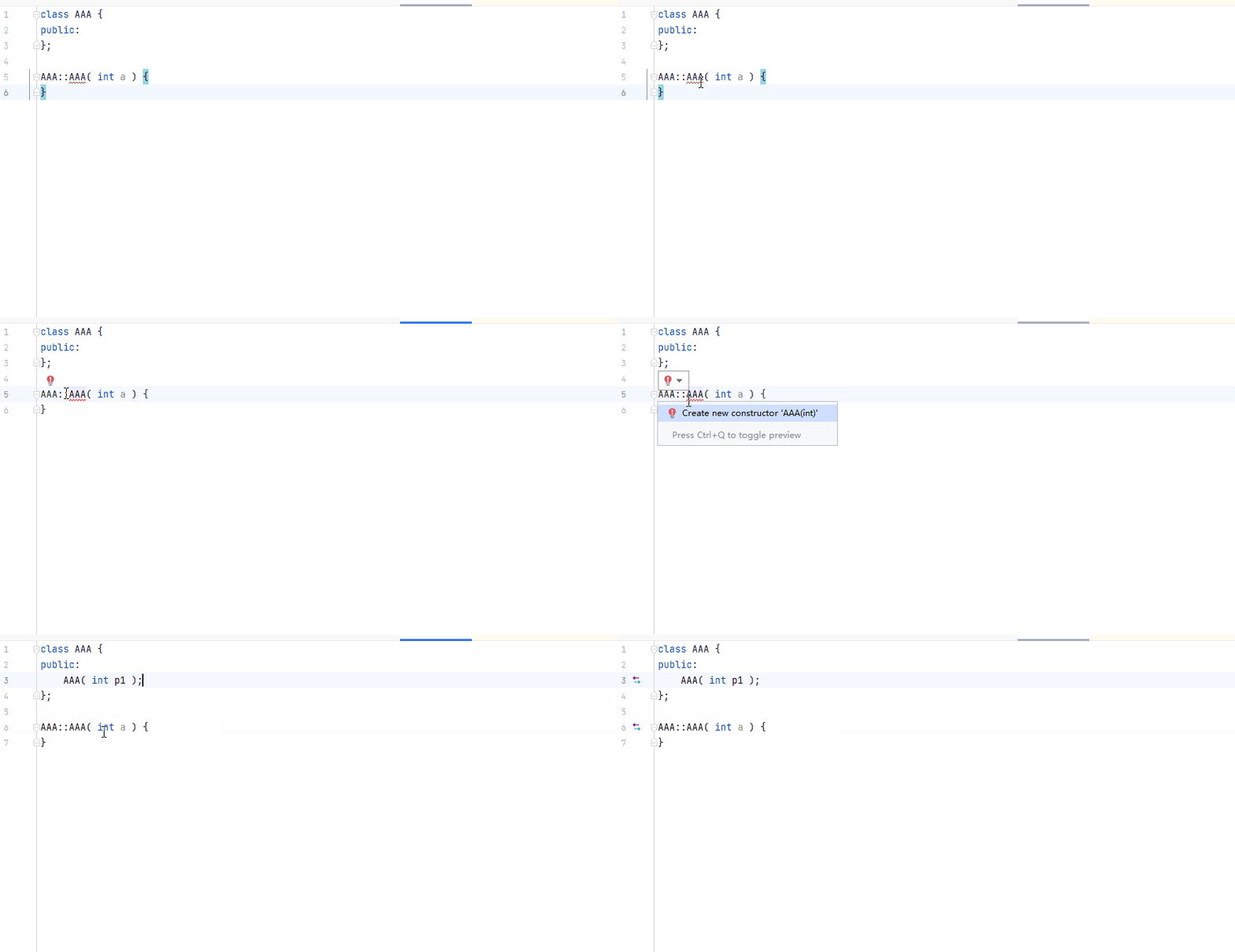
The editor analyzes your code in real time and highlights any problematic code it detects based on the severity level. If you hover over the highlighted code, the detailed error information will appear.
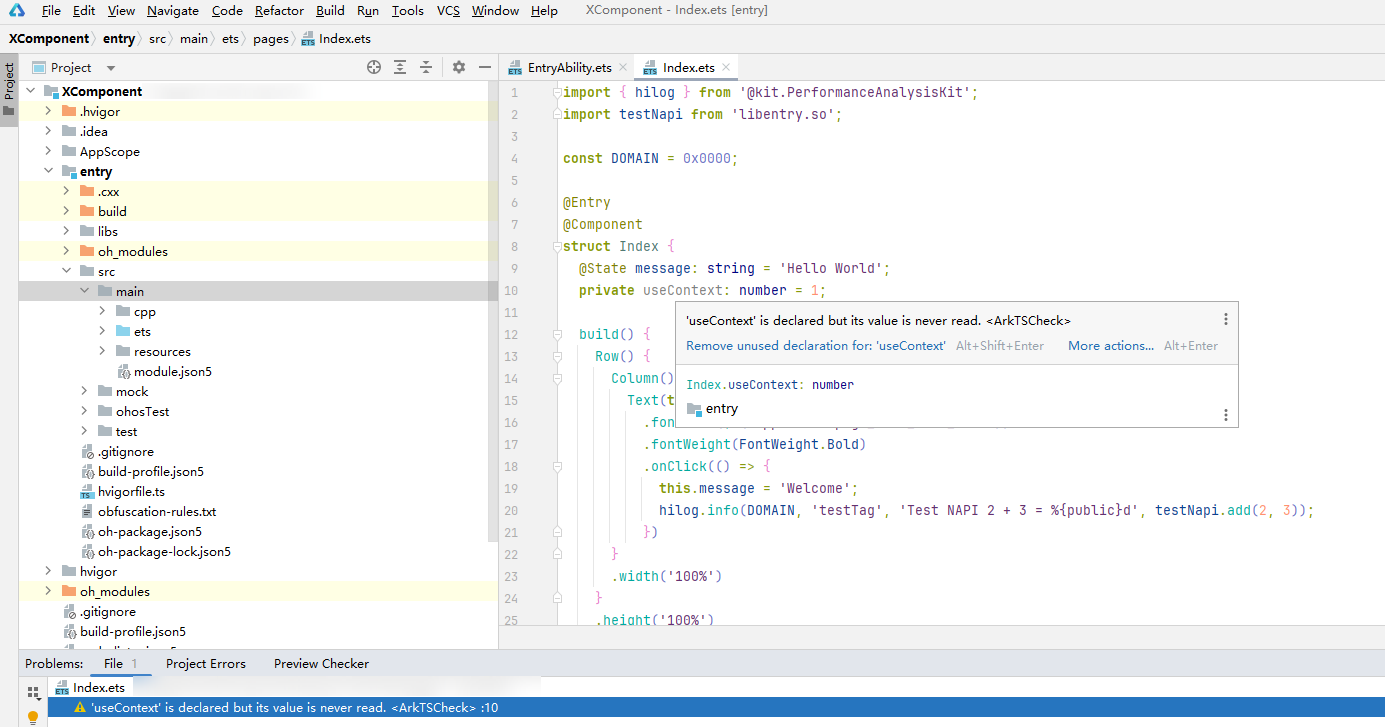
Since DevEco Studio 4.0 Release, the editor also analyzes your ArkTS code on the fly for performance issues when compileSdkVersion is greater than or equal to 10.
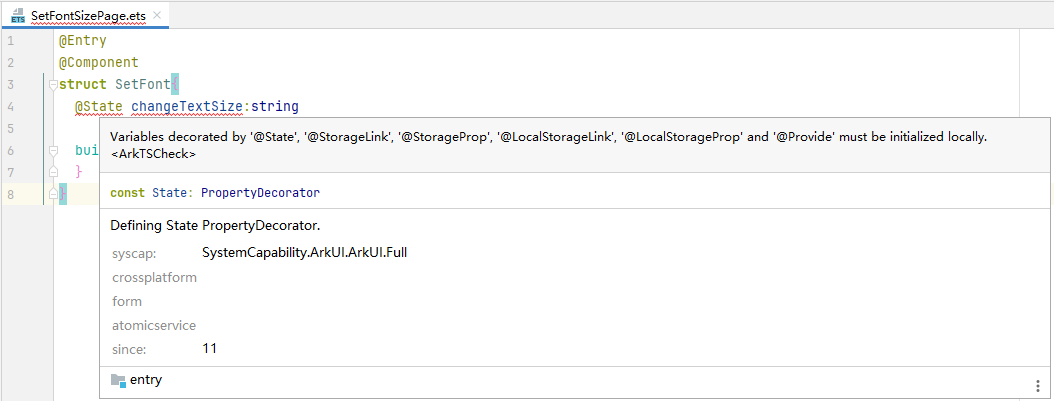

If the value of compileSdkVersion is greater than or equal to 10 and the value of arkTSVersion is greater than or equal to 1.1 (default), ArkTS strict type checking can be conducted in real time.
For C/C++ code, you can use the built-in or custom Clang-Tidy for real-time code inspection. Before inspection, you need to configure the options. For details, see Clang-Tidy Code Inspection.
The Quick Fix feature in DevEco Studio helps you quickly fix detected issues with ArkTS and C++ code.
View issues: Press the Shift key twice to open the search window. In the search field, enter problems to access the issue list. Double-clicking an issue displays the source code location and cause of the issue.
Quick fix: When an issue is highlighted, move the cursor over it, and a popup will appear to provide the issue description and suggested quick-fix solutions; click More actions to view more quick-fix suggestions. Alternatively, when a light bulb icon appears on the page, you can click the icon and implement quick fixes based on the suggestions provided.
Examples
The following describes how to use Quick Fix for C++ code.
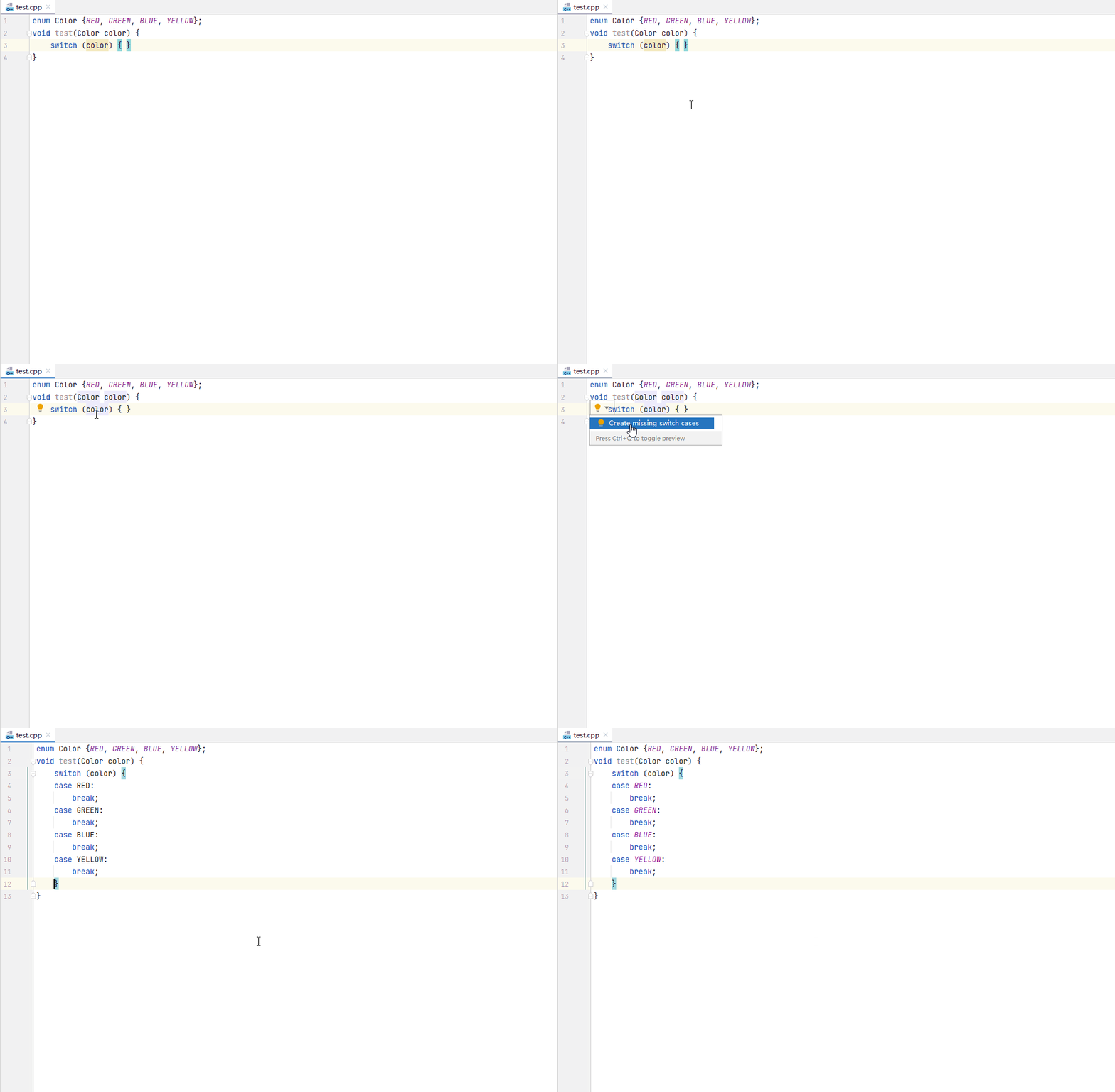
- Place the caret at the condition of the problematic switch statement, click the light bulb, and select Create missing switch cases from the drop-down list.
- Place the caret at the constructor name, click the light bulb, and select Create new constructor 'xxx' from the drop-down list.