The Navigation component is used to implement redirection between NavDestination pages, pass parameters between different NavDestination pages, and provide flexible stack redirections to facilitate access to and reuse of different pages.
Overall Architecture
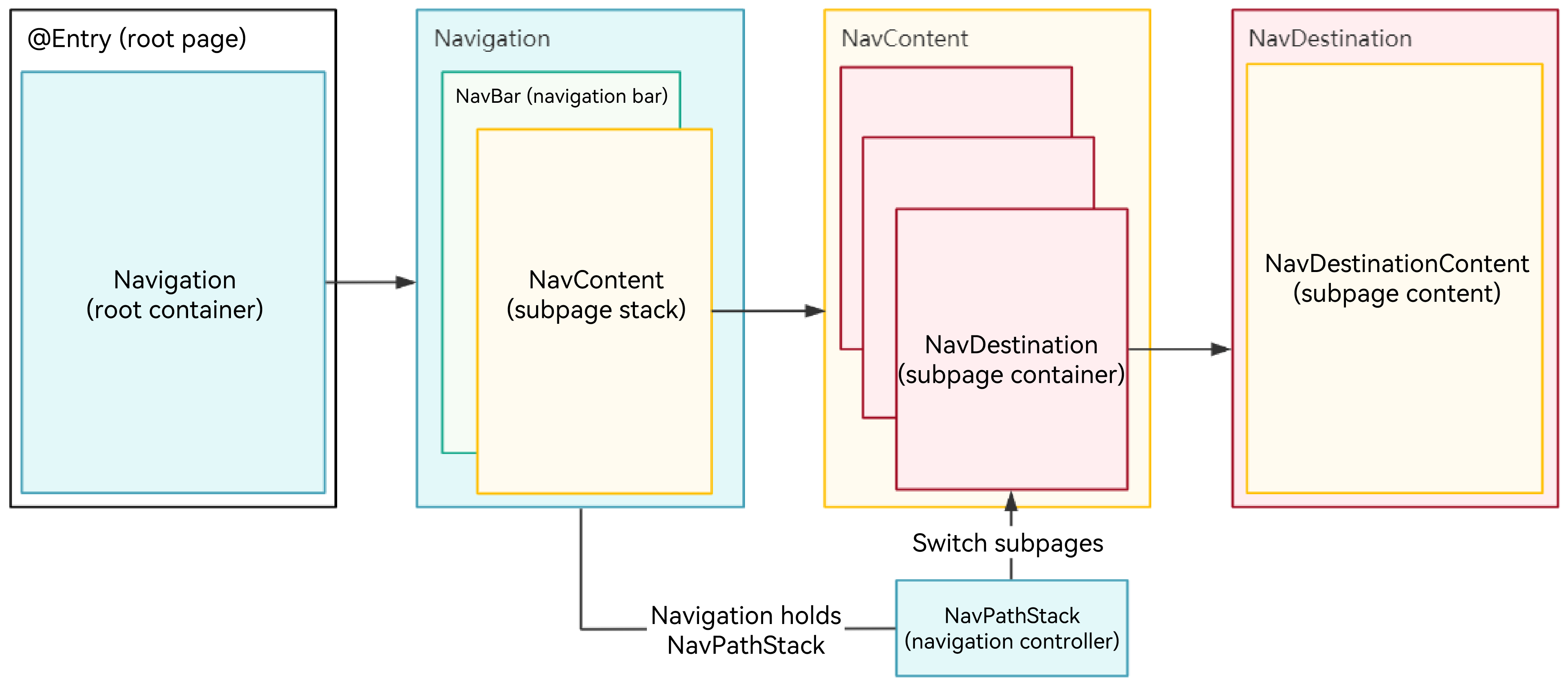
The Navigation component structure is complex and contains the following key concepts:
-
Navigation: root view container. All navigation pages are wrapped by this container and can be displayed in split-view mode. Generally, this component is used as the global root container.
-
NavDestination: subpage container. All page routing operations for navigation are performed on NavDestination, including the following areas:
-
Title bar: located at the top of NavDestination, including the back button and title. The default style is provided, but customization is also supported.
-
Menu bar: located at the top of NavDestination and is user-defined. The system provides the default style.
-
Content area: child component of NavDestination. The content is user-defined.
-
Toolbar: located at the bottom of NavDestination and is user-defined. The system provides the default style.
-
-
NavBar: navigation bar, also called the main page, which contains the following:
-
Title bar: located at the top of NavBar, including the back button and title. The system provides the default style and supports customization.
-
Menu bar: located at the top of NavBar. The system provides the default style and also supports customization.
-
Content area: located in the center of NavBar. The content is user-defined.
-
Toolbar: located at the bottom of NavBar. The system provides the default style and also supports customization.
-
-
NavPathStack: navigation controller, which is used to manage the NavDestination page stack. It encapsulates various APIs for controlling page redirection and can be inherited and rewritten. It must be used together with Navigation.
Figure 1 Overall Navigation architecture
In addition, Navigation provides the following layout modes:
-
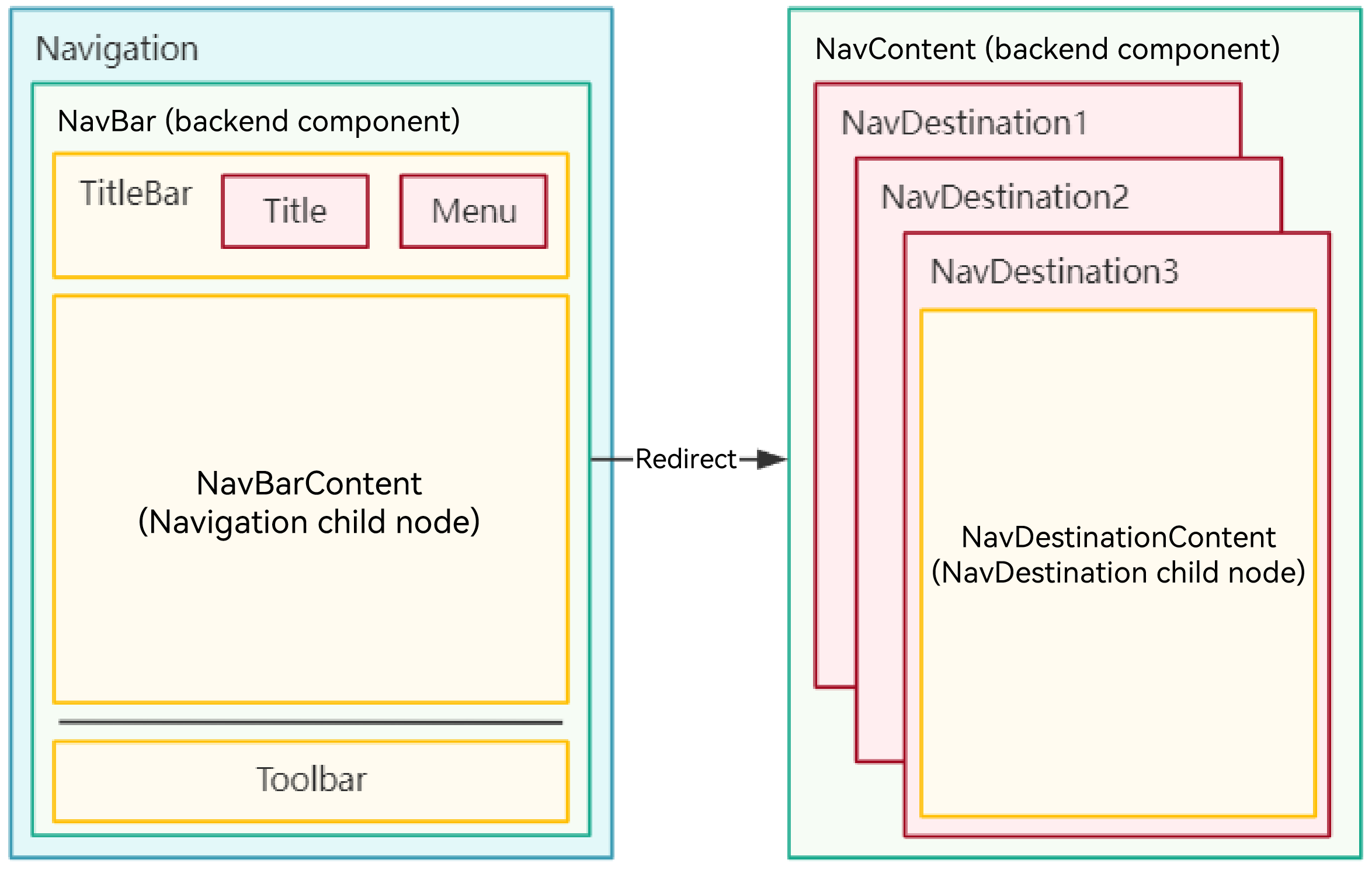
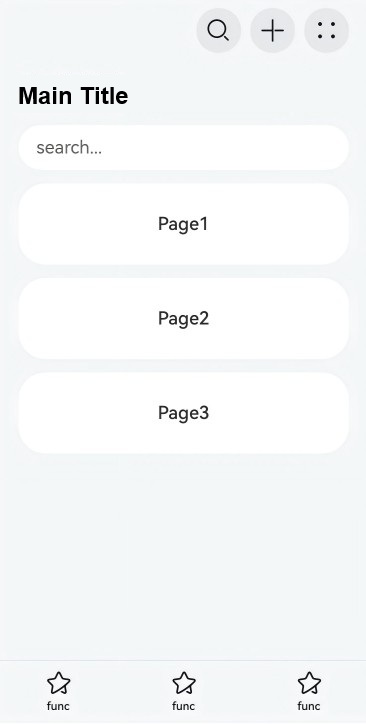
Single-column mode
When the width of the Navigation container is less than 600 vp, the single-column mode is recommended. In this mode, when route navigation occurs, the entire page is replaced.
Figure 2 Single-column mode
-
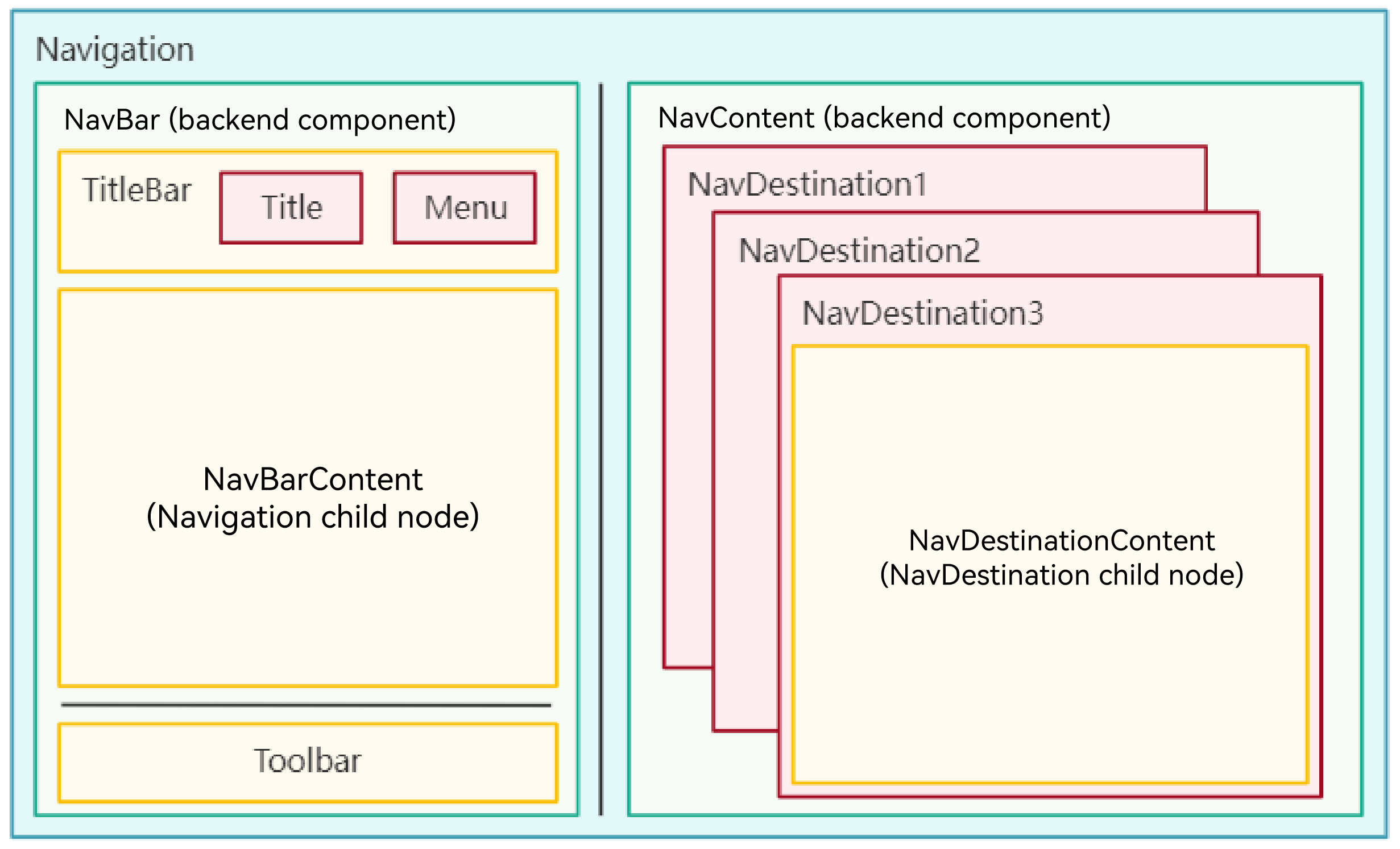
Split-view mode
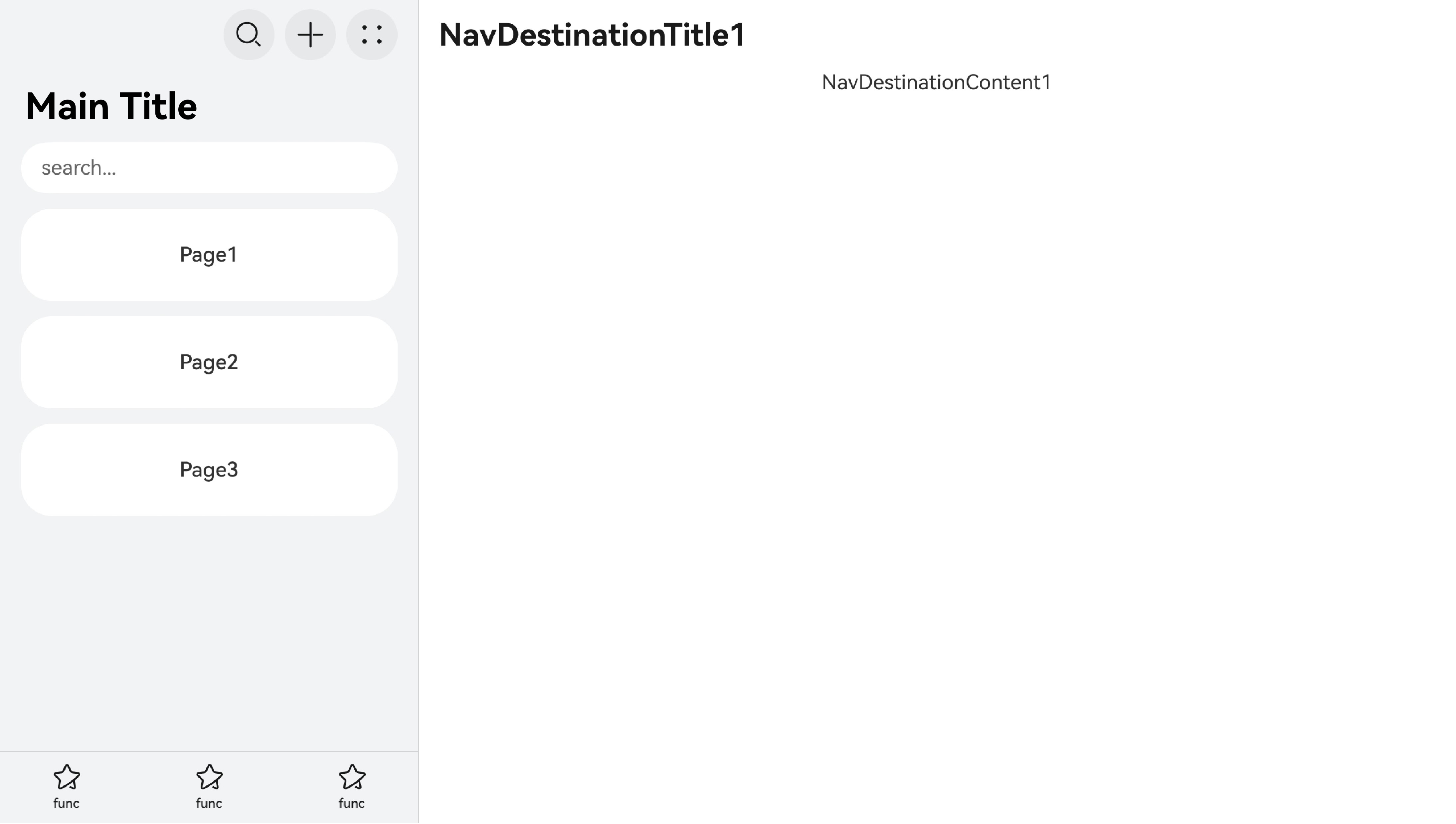
When the width of the Navigation container is greater than or equal to 600 vp, the split-view mode is recommended. In this mode, Navigation is divided into two parts: navigation bar (NavBar) on the left and subpage (NavDestination) on the right. During route navigation, only the right subpage is replaced.
Figure 3 Split-view mode
Title Bar
The title bar is at the top of the page and displays the page name and operation entries. The Navigation component uses the title attribute to set the title content and the titleMode attribute to set the title bar mode. The NavDestination component also supports the title attribute to set the title content.

If the Navigation component does not set attributes such as title, titleMode, and menus, the back button is not displayed even if hideBackButton is set to false.
-
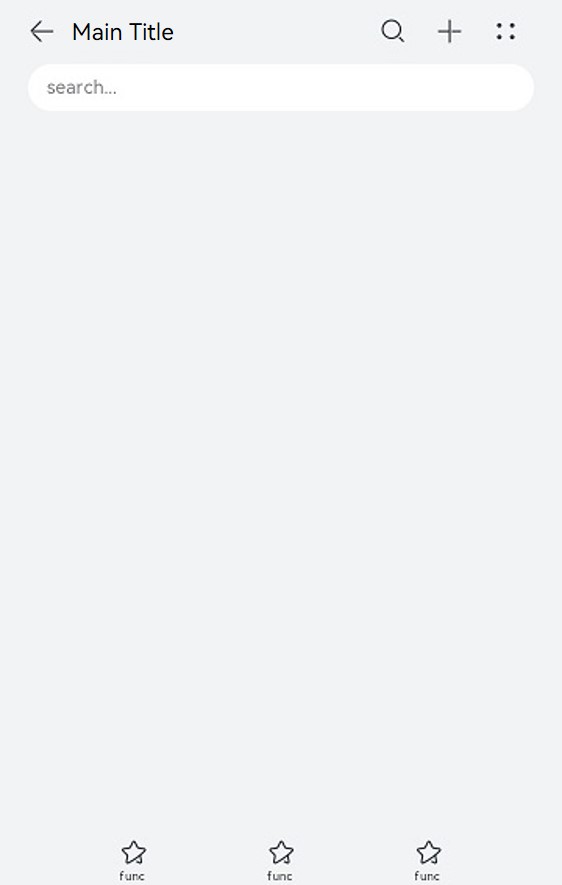
Mini mode
Applicable when the title of a level-1 page does not need to be highlighted.
Figure 4 Title bar in Mini mode
Navigation() { // ... } .titleMode(NavigationTitleMode.Mini) -
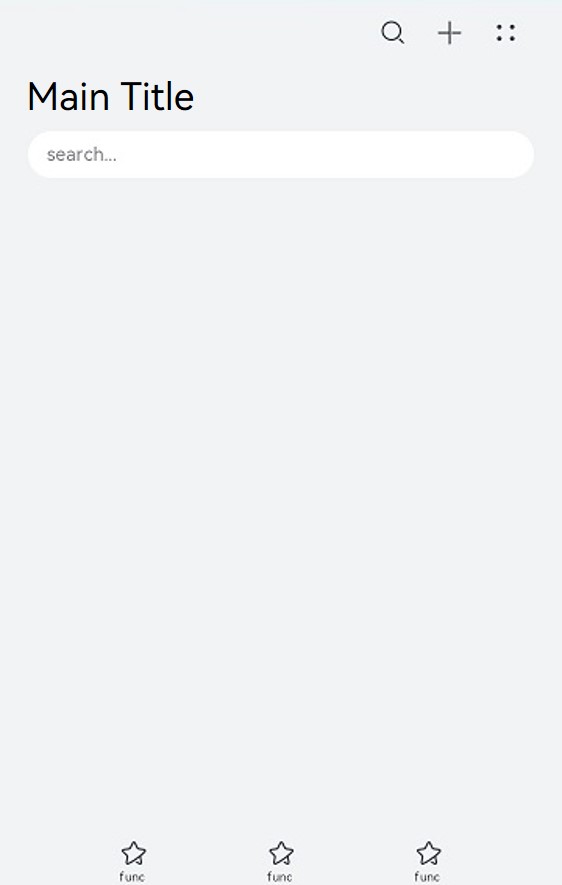
Full mode
Applicable when the title of a level-1 page needs to be highlighted.
Figure 5 Title bar in Full mode
Navigation() {
  // ...
}
.titleMode(NavigationTitleMode.Full)
Menu Bar
The menu bar is located at the top of the component. You can set the menu bar of Navigation using the menus attribute, which supports two parameter types: Array<NavigationMenuItem> and CustomBuilder. When the Array<NavigationMenuItem> type is used, a maximum of three icons can be displayed in portrait mode, and a maximum of five icons can be displayed in landscape mode. The extra icons are placed in the automatically generated More menu. The menus attribute can be used to set the menu bar for NavDestination as well.
Figure 6 Menu bar with three icons

let menuItem: NavigationMenuItem  = {
  'value': 'func',
  'icon': 'ets/pages/navigation/template1/image/ic_public_add.svg',
  'action': () => {}
};
// ...
      Navigation(this.navPathStack) {
        // ...
      }
      .menus([menuItem, menuItem, menuItem])
You can also reference images in the resources folder.
let menuItem: NavigationMenuItem  = {
  'value': 'func',
  'icon': 'resources/base/media/ic_public_add.svg',
  'action': () => {}
};
// ...
      Navigation(this.navPathStack) {
        // ...
      }
      .menus([menuItem, menuItem, menuItem])
Figure 7 Menu bar with four icons

In portrait mode, a maximum of three buttons can be displayed on the menu bar. If there are more than three buttons, the extra buttons are collapsed.
let menuItem: NavigationMenuItem  = {
  'value': 'func',
  'icon': 'ets/pages/navigation/template1/image/ic_public_add.svg',
  'action': () => {}
};
// ...
      Navigation(this.navPathStack) {
        // ...
      }
      // In portrait mode, the menu bar shows a maximum of three icons, with any additional icons placed under an automatically generated More icon.
      .menus([menuItem, menuItem, menuItem, menuItem])
Toolbar
The toolbar is located at the bottom of the component. You can set the toolbar of Navigation using the toolbarConfiguration attribute. Similarly, you can use the toolbarConfiguration attribute to set the toolbar of NavDestination.
Figure 8 Toolbar

let toolTmp: ToolbarItem = {
  'value': 'func',
  'icon': 'ets/pages/navigation/template1/image/ic_public_highlights.svg',
  'action': () => {}
};
let toolBar: ToolbarItem[] = [toolTmp,toolTmp,toolTmp];
// ...
      Navigation(this.navPathStack) {
        // ...
      }
      .toolbarConfiguration(toolBar)