You can set an app to Wait for Debugger. This way, you can quickly start debugging by launching the app.

- Starting a debugging session will cancel the current wait-for-debugger mode.
- Before setting the wait-for-debugger mode, you need to install the target app on a device.
Procedure
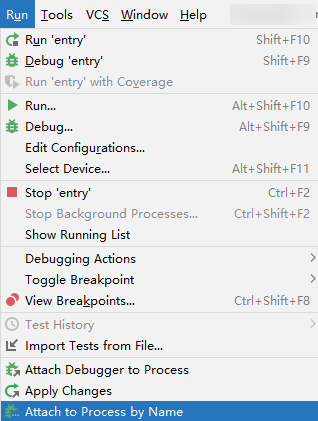
- Select the device to be debugged and choose Run > Attach to Process by Name.
- Select the target app (the current project is selected by default), configure Debug Type, and click Attach.

A waiting progress bar is displayed at the bottom, and it will remain in a waiting state until the app is launched. You can cancel it by clicking the Cancel button on the right side of the progress bar.

- Start the app on the device to start debugging.
