Use Cases
Starting from version 6.0.2(22), the function of querying the Super Privacy status on a device is supported.
Super Privacy mode allows you to instantly block access to sensitive components such as the camera, microphone, and location access. The components controlled by this mode will be dynamically adjusted with version updates. Apps can obtain the status of the Super Privacy mode through the API provided by Device Security Kit.
Constraints
This feature requires that the Super Privacy option be available on the device. To check the option, go to Settings > Privacy & security > Super Privacy on the device.
Service Process
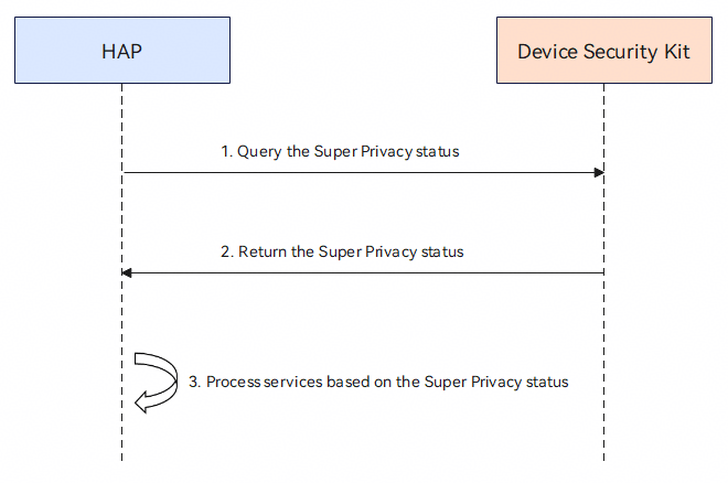
Process description:
-
Your app calls the getSuperPrivacyMode API to query the current super privacy mode status.
-
The API of Device Security Kit returns the super privacy mode status to your app.
-
Your app processes services based on the returned super privacy mode status.
API Description
The following table lists the API for querying the Super Privacy status. For more information about the API, please refer to API Reference.
| API | Description |
|---|---|
| getSuperPrivacyMode() : Promise<SuperPrivacyMode> | Queries the Super Privacy mode status. |
Development Procedure
-
Import the SuperPrivacyMode module and related public modules.
import { superPrivacyMode } from '@kit.DeviceSecurityKit'; import { hilog } from '@kit.PerformanceAnalysisKit'; -
Call the getSuperPrivacyMode API to query the super privacy mode status.
const DOMAIN = 0x0000;
const TAG = 'SuperPrivacyModeTest';
let mode: superPrivacyMode.SuperPrivacyMode = superPrivacyMode.SuperPrivacyMode.OFF;
try {
  mode = await superPrivacyMode.getSuperPrivacyMode();
  hilog.info(DOMAIN, TAG, `Super privacy mode = ${mode}`);
  // ...
} catch (err) {
  hilog.error(DOMAIN, TAG, `call getSuperPrivacyMode interface failed, errCode:${err?.code}, errMessage:${err?.message}`);
  // ...
}