You can create an ArkTS widget package in either of the following ways:
Method 1: Create a shared package. For details, see Creating a Shared Package. The widget UI and application code are in the same module, and the final compilation product is in the same HAP.
Method 2: Create a standalone package. For details, see Creating a Standalone Package. The widget UI and application code are in different modules, and the final compilation products are in separate widget and application packages. The initial APIs of this module are supported since API version 20.
After an ArkTS widget is created, you can preview the widget in real time during development. For details, see Previewing a Service Widget.
[h2]Procedure
1. Create a project.
In DevEco Studio, create an application or atomic service project. Both types of projects support widget creation. For details about how to create a project, see Creating a Project.
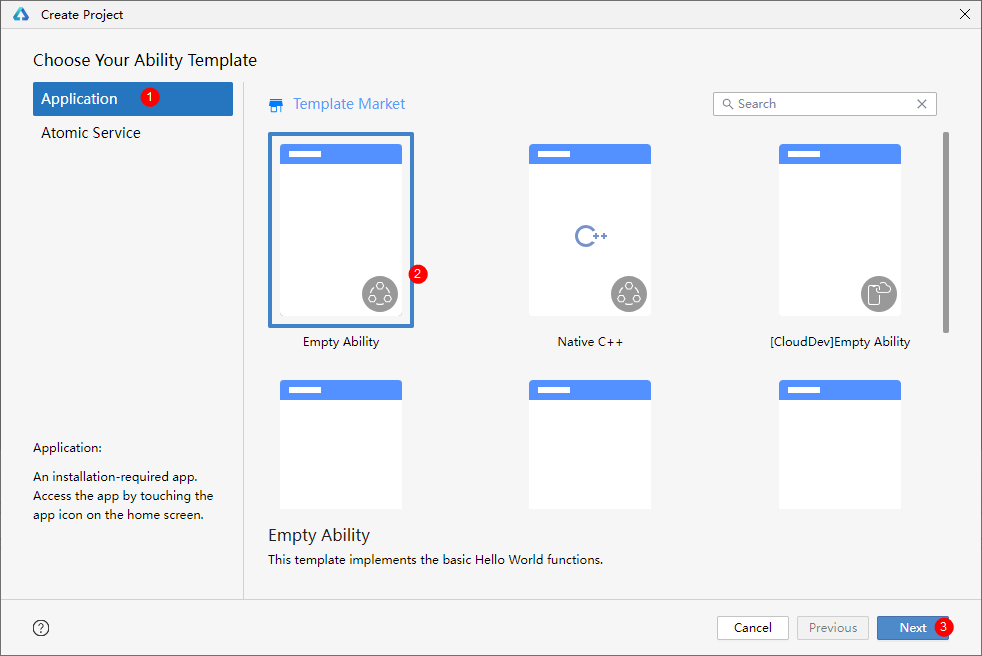

The UI may be different in DevEco Studio of a different version.
2. Create a widget.
In an existing application project, right-click to create an ArkTS widget. The procedure is as follows:
-
Right-click the entry directory and choose New > Service Widget > Dynamic Widget from the shortcut menu. In a project using the stage model of API version 10 or later, you can directly create dynamic widgets or static widgets through the Service Widget menu. After a widget is created, you can modify the widget type by setting the isDynamic parameter in the form_config.json file of the widget. If isDynamic is left empty or set to true, the widget is a dynamic widget. If isDynamic is set to false, the widget is a static widget. After the static widget and dynamic widget are switched, the user interaction implementation needs to be modified. For details, see Dynamic Widget and Static Widget in ArkTS widget overview.

-
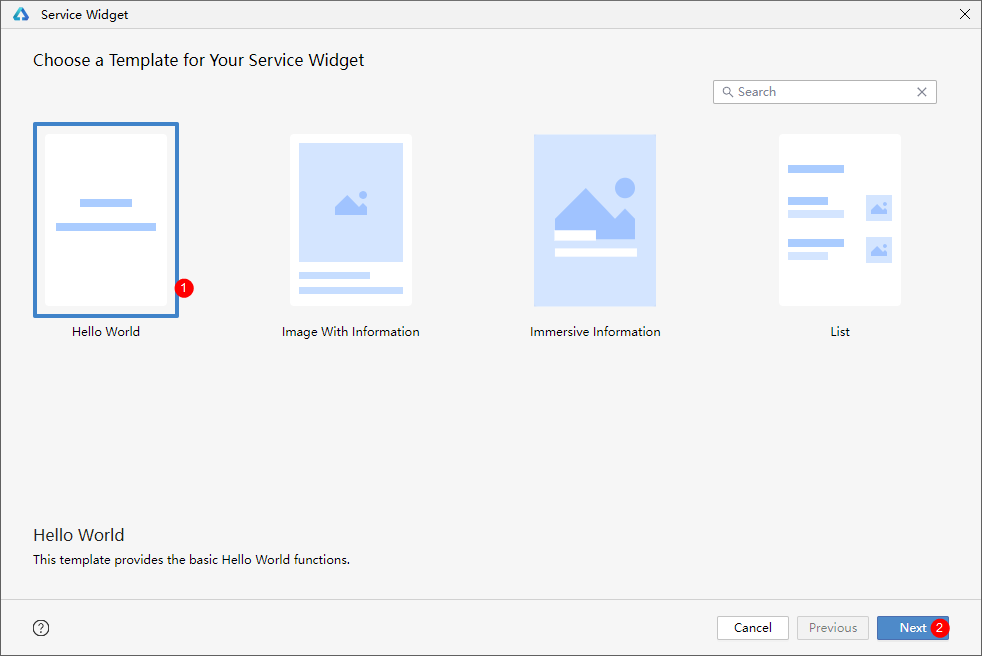
Select a template and click Next.
-
Set Language to ArkTS, Support dimension to the desired widget size, and Default dimension to the default widget dimension. Then click Finish to create an ArkTS widget. You can refer to or modify the widget dimension in the form_config.json file.
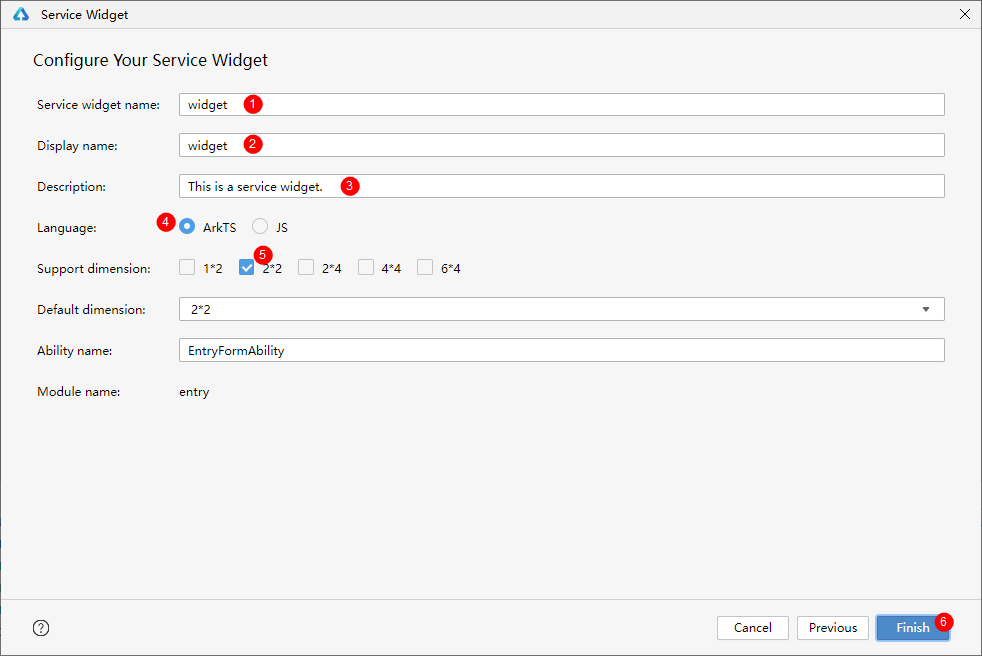
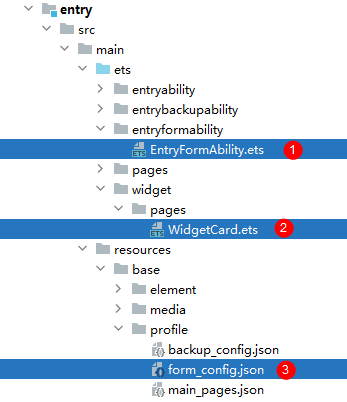
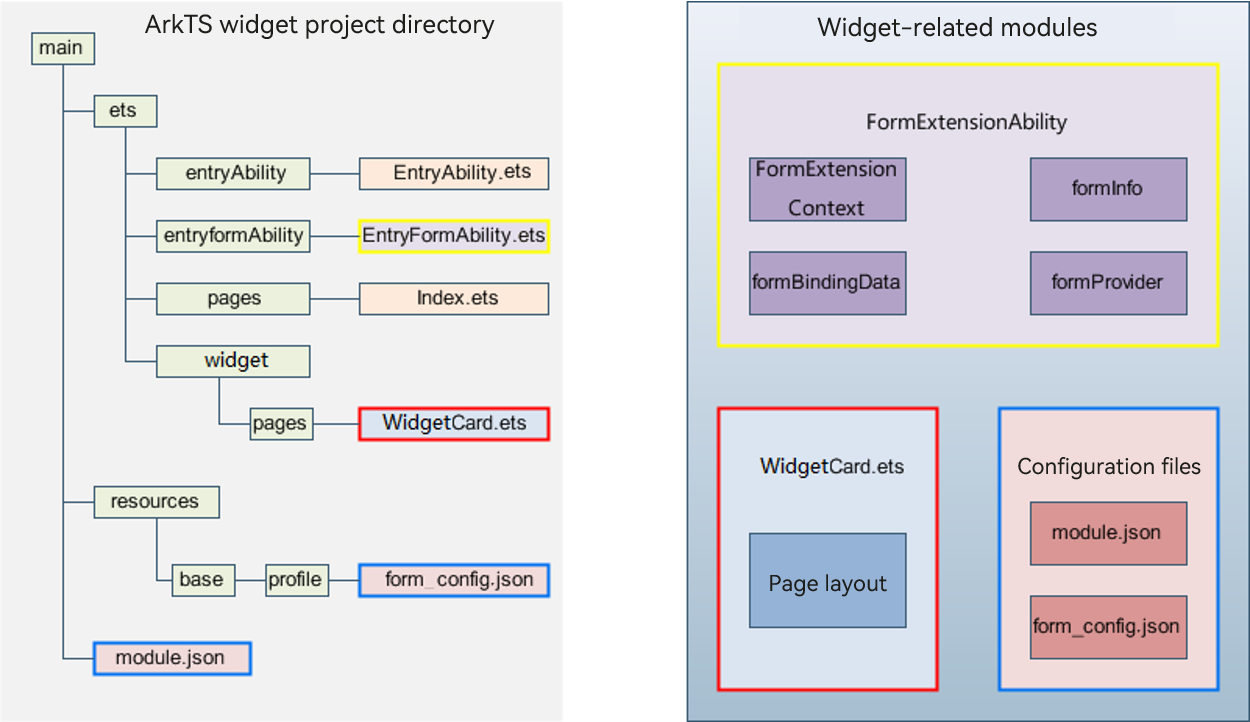
You are advised to name the widget based on the actual scenario. After an ArkTS widget is created, the following widget-related files are automatically added to the project directory: EntryFormAbility.ets (widget lifecycle management file), WidgetCard.ets (widget page file), and form_config.json (widget configuration file). You can enter the widget configuration information and click Finish.
[h2]Project Structure
Figure 1 ArkTS widget project directory and related modules
-
FormExtensionAbility: provides lifecycle callbacks invoked when a widget is created, destroyed, or updated.
-
FormExtensionContext: provides context for FormExtensionAbilities. You can use the APIs of this module to start FormExtensionAbilities.
-
formProvider: provides capabilities such as obtaining widget information, updating widgets, and setting the widget update time.
-
formInfo: provides types and enums related to the widget information and state.
-
formBindingData: provides APIs for widget data binding. You can use the APIs to create a FormBindingData object and obtain related information.
-
Page layout (WidgetCard.ets): provides the widget UI development capability based on ArkUI.
-
General capabilities of ArkTS widgets: provide components, attributes, and APIs that can be used in ArkTS widgets.
-
Capabilities exclusive to ArkTS widgets: include the postCardAction API used for interaction between the widget internal and the provider application and can be called only in the widget.
-
-
Widget configuration: includes FormExtensionAbility configuration and widget configuration.
-
Configure the FormExtensionAbility information under extensionAbilities in the module.json5 file.
-
Configure WidgetCard.ets in the form_config.json file under the resources/base/profile/ directory.
-
[h2]Procedure
1. Create a project.
In DevEco Studio, create an application or atomic service project. Both types of projects support widget creation. For details about how to create a project, see Creating a Project.
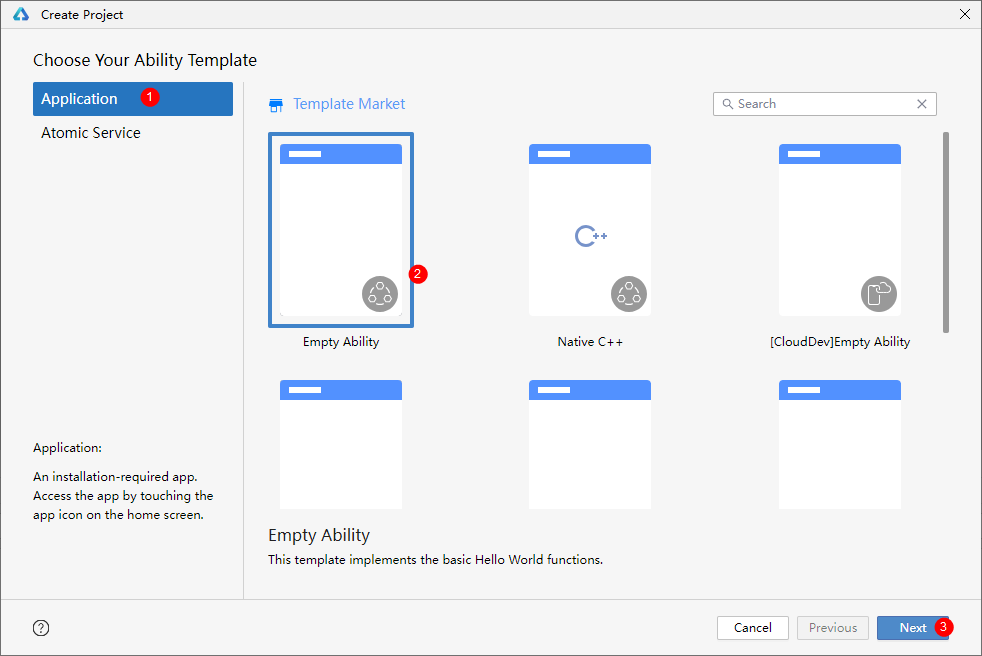

The UI may be different in DevEco Studio of a different version.
2. Create a widget.
-
Right-click the entry directory and choose New > Service Widget > Dynamic Widget(Standalone) from the shortcut menu. On the Service Widget menu, you can directly select Dynamic Widget(standalone) or Static Widget(standalone) to create a standalone package. After a widget is created, you can modify the widget type by setting the isDynamic parameter in the form_config.json file of the widget. If isDynamic is left empty or set to true, the widget is a dynamic widget. If isDynamic is set to false, the widget is a static widget. After the static widget and dynamic widget are switched, the user interaction implementation needs to be modified. For details, see Dynamic Widget and Static Widget in ArkTS widget overview.

-
Select a template and click Next.

-
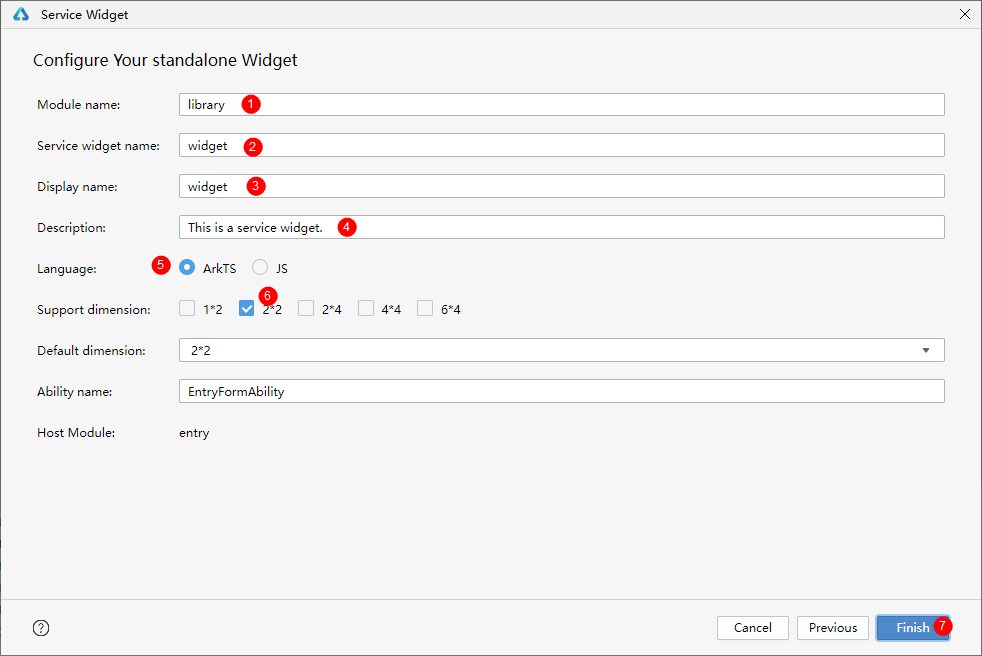
You can enter the widget configuration information and click Finish. After the widget is created, the entry package contains the application and widget backend capabilities, and the library package contains the widget UI capabilities. In the module.json5 configuration file of the entry module, the formWidgetModule field must be associated with the library module; conversely, the formExtensionModule field in the module.json5 of the library module must be linked to the entry module. This mutual association ensures the widget package and application bundle are properly connected. After the creation is complete, the configuration file is automatically generated and configured. You can also configure the file according to widget configuration files.
[h2]Project Structure
If a widget is created using a standalone widget package or a shared widget package, the project structure is different but the generated files are the same. For details about the files, see Project Structure in a Shared Package.
Figure 2 Project directory of a standalone widget package
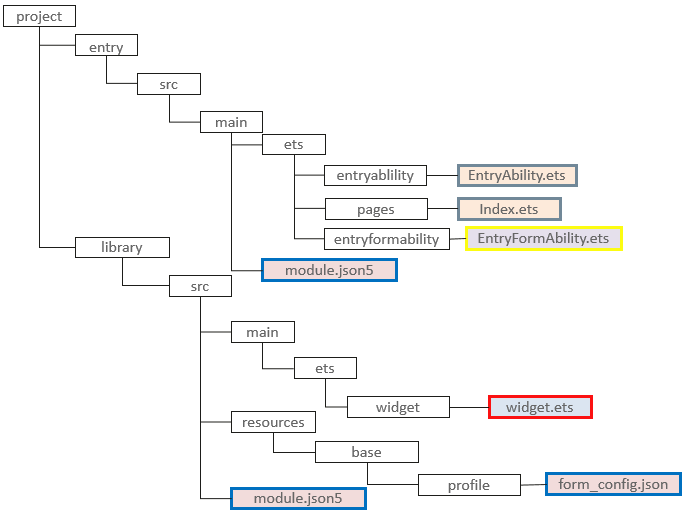

The application package and widget package in a standalone widget package are two independent modules. Therefore, you need to ensure that the application package and widget package installed at the same time have the same version number.