An ability is an abstraction of the capabilities of an app/atomic service. A module of an app can contain one or more abilities, while a module of an atomic service can contain only one ability. To understand the ability, first familiarize yourself with the two application models:
- Feature Ability (FA) model: This model is supported since API version 7, and no longer recommended.
- Stage model: This model is supported since HarmonyOS 3.1 Developer Preview. It is the mainstream model with a long evolution plan. In this model, classes such as AbilityStage and WindowStage are provided as the stages of app components and windows. That is why it is named stage model.
The stage model comes with two types of abilities:
- UIAbility: has the UI and supports user interaction. For details, see UIAbility Overview.
- ExtensionAbility: provides scenario-specific extension capabilities. For details, see ExtensionAbility Component. Currently, atomic services do not support the ExtensionAbility component.
[h2]Adding a UIAbility to a Module
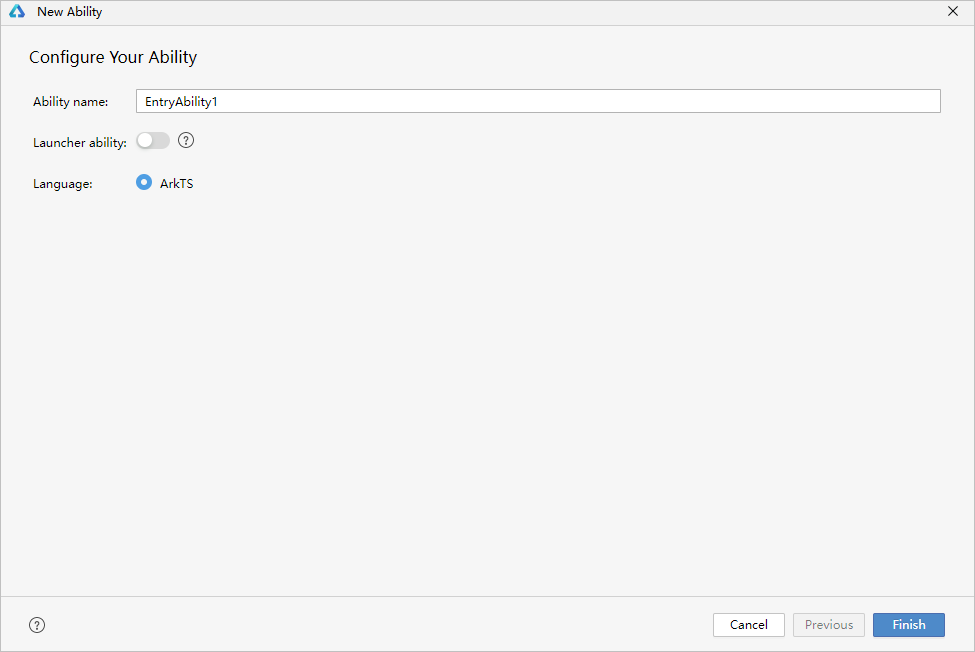
- Right-click a module and choose New > Ability from the shortcut menu.
- Set the ability name and other fields, and click Finish.
[h2]Adding an ExtensionAbility to a Module
Since DevEco Studio 6.1.0 Beta2, you can add RemoteNotificationAbility to modules of projects for telematics devices (Car type) using API version 23 or later.
Since version 26.0.0, you can add Agent and AgentUI to modules of projects using API version 26.0.0 or later.
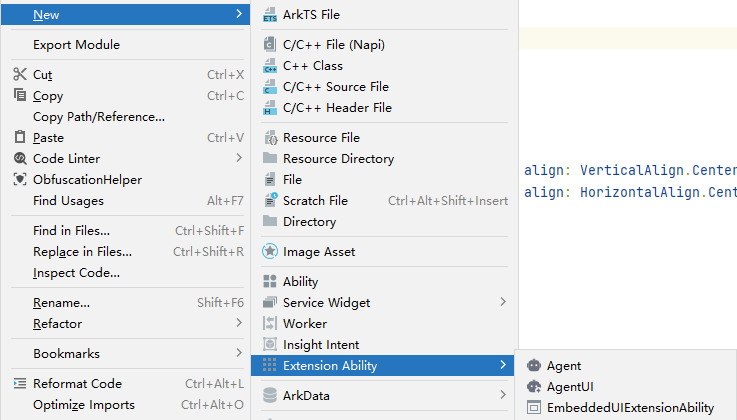
- Right-click a module, choose New > Extension Ability from the shortcut menu, and select a scenario. Adding an ExtensionAbility is only available for Application projects.
- If the type of the created module is HAP, the following extension abilities are supported:
- EmbeddedUIExtensionAbility: provides the capability of embedded UIs across processes.
- BackupAbility: provides the capability of app data backup and restoration.
- WorkScheduler: provides deferred task capabilities.
- RemoteNotificationAbility: provides callbacks for obtaining scenario-specific message data and destroying the lifecycle. Currently, this ability can be used only on phones, tablets, 2-in-1 devices, and automobile head units.
- Driver: provides the driver-related extension framework. This type can be created only when the project contains only 2-in-1 devices.
- Agent: provides the agent extension capability.
- AgentUI: provides the capability for rendering agent UIs on the device.
- If the type of the created module is HAR or HSP, the following extension abilities are supported:
- EmbeddedUIExtensionAbility: provides the capability of embedded UIs across processes.
- WorkScheduler: provides deferred task capabilities.
- If the type of the created module is HAP, the following extension abilities are supported:
- Set the ability name and click Finish.

[h2]Creating a Particle Ability
- Right-click a module and choose New > Ability > an ability template from the shortcut menu.
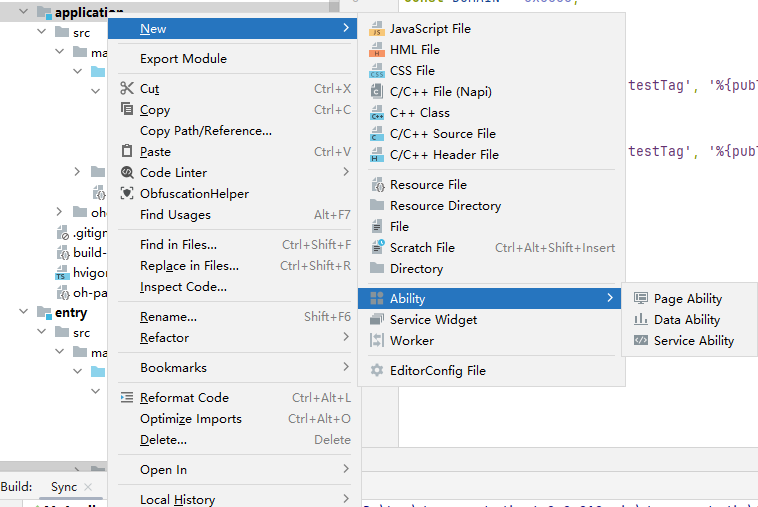
- Set the basic information about the ability based on the ability template you have selected.
- Ability name: name of the ability, which consists of uppercase letters, lowercase letters, digits, and underscores (_).
- Language: programming language of the ability.
- When you have finished, click Finish. You can then view and edit the new ability in the corresponding module of the project directory.
[h2]Creating a Feature Ability
- Right-click a module and choose New > Ability > an ability template from the shortcut menu.
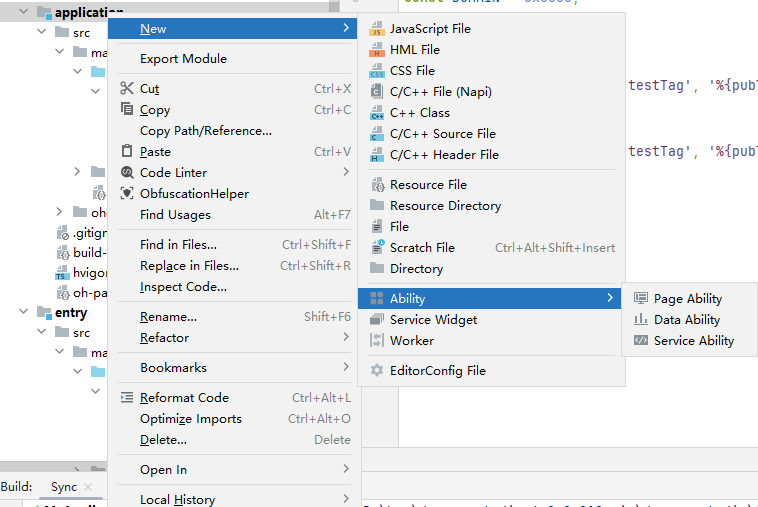
- Set the basic information about the ability based on the ability template you have selected.
- Ability name: name of the ability, which consists of uppercase letters, lowercase letters, digits, and underscores (_).
- Launcher ability: whether the ability launcher icon is displayed on the home screen. A HAP can have multiple launcher icons to start different feature abilities.
- Language: programming language of the ability.
- When you have finished, click Finish. You can then view and edit the ability in the corresponding module of the project directory.