Q:Swiper嵌套Scroll组件,Swiper不同索引内容高度不一样的情况下,如何实现Scroll组件可以滚动并且内容顶部对齐的效果?
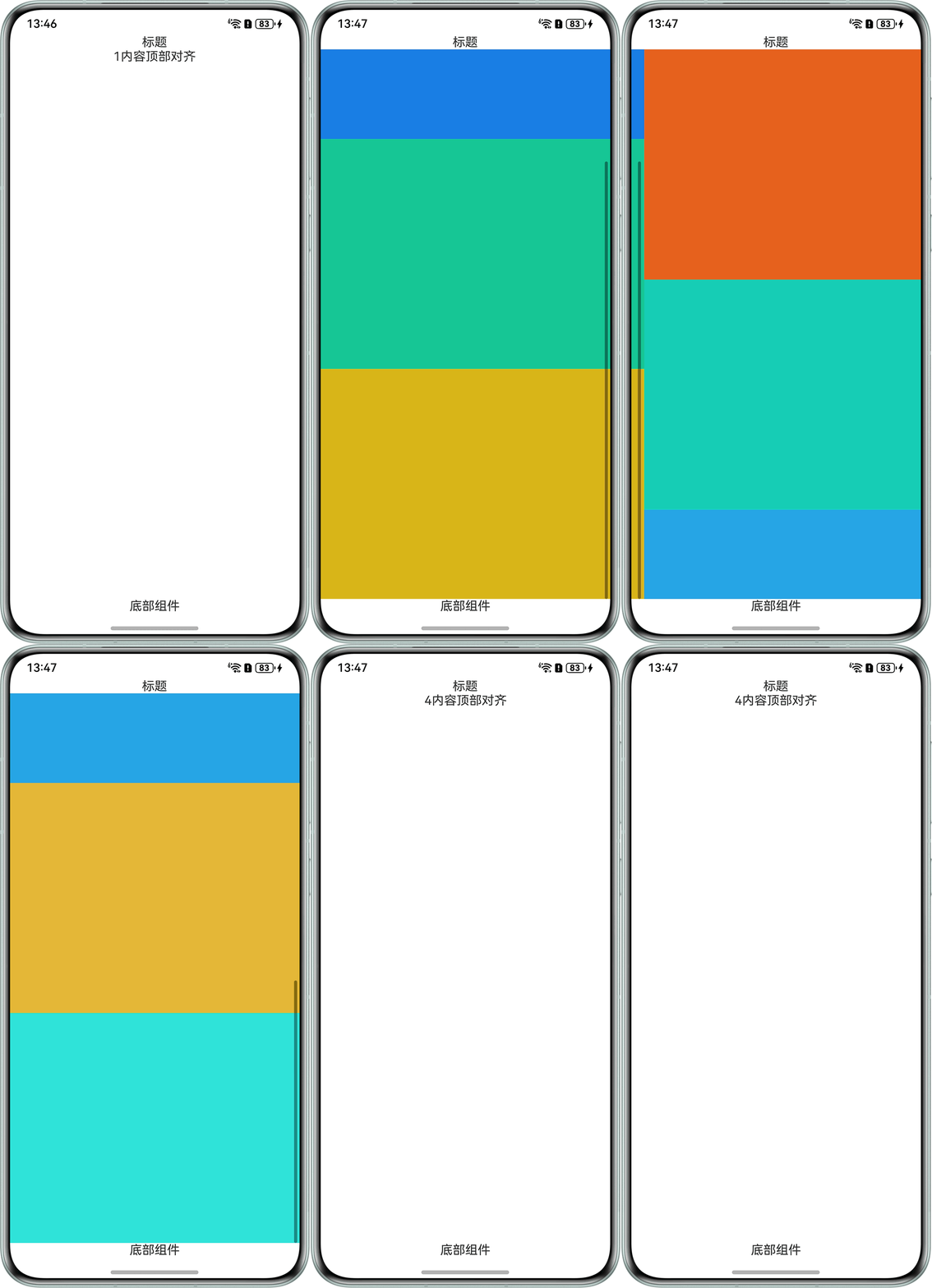
A:Scroll组件不能滚动的原因是将Scroll包裹的Column组件的高度值设置为100%,将高度去掉之后可以实现滚动效果但内容会居中显示,这时将Scroll组件的align属性值设置为Alignment.Top即可实现内容顶部对齐效果。示例代码如下:
@Entry
@Component
export struct ScrollPage {
  controller: SwiperController = new SwiperController();
  @State dataList: string[] = ['1', '2', '3', '4'];
  private swiperCurrentIndex: number = 0;

  build() {
    Column() {
      Text('标题');

      Swiper(this.controller) {
        ForEach(this.dataList, (data: string, index: number) => {
          Scroll() {
            Column() {
              if (index === 1) {
                Column() {
                  Row().width('100%').height(300).backgroundColor('#0A59F7');
                  Row().width('100%').height(300).backgroundColor('#ff0af7c0');
                  Row().width('100%').height(300).backgroundColor('#ffeff70a');
                };
              } else if (index === 2) {
                Column() {
                  Row().width('100%').height(300).backgroundColor('#fff7790a');
                  Row().width('100%').height(300).backgroundColor('#ff0af7e3');
                  Row().width('100%').height(300).backgroundColor('#ee0a88f7');
                  Row().width('100%').height(300).backgroundColor('#ddf7eb0a');
                  Row().width('100%').height(300).backgroundColor('#dd0af7f7');
                };
              } else {
                Text(data + '内容顶部对齐').alignSelf(ItemAlign.Start);
              }
            }
            // .height("100%") 这里将高度去掉
            .alignItems(HorizontalAlign.Start).justifyContent(FlexAlign.Start);
          }
          // 设置Alignment.Top
          .align(Alignment.Top)
          .nestedScroll({ scrollForward: NestedScrollMode.PARENT_FIRST, scrollBackward: NestedScrollMode.SELF_FIRST });

        }, (item: string) => JSON.stringify(item));
      }
      .layoutWeight(1)
      .cachedCount(1)
      .backgroundColor(Color.Transparent)
      .index(this.swiperCurrentIndex)
      .width('100%')
      .loop(false)
      .autoPlay(false)
      .indicator(false);

      Blank();
      Text('底部组件');
    };
  }
}
效果如下: