解决方案
为实现上述功能可根据组件宽高计算出属性字符串的字体大小,通过CustomSpan自定义绘制出属性字符串。
设置字体大小的思路如下:
- 使用measureText获取文本宽度。
- 如果给定的宽度大于等于默认文本的宽度,说明给定的宽度足够,使用font.setSize设置字体大小为Span的高度。
- 如果给定的宽度小于默认文本的宽度,说明给定的宽度偏小,按(给定宽度/默认文本宽度)比例缩小字体。
import { drawing } from '@kit.ArkGraphics2D';
import { UIContext } from '@kit.ArkUI';

class MyCustomSpan extends CustomSpan {
  constructor(word: string, width: number, height: number, uiContext: UIContext) {
    super();
    this.word = word;
    this.width = width;
    this.height = height;
    this.uiContext = uiContext;
  }

  onMeasure(measureInfo: CustomSpanMeasureInfo): CustomSpanMetrics {
    this.fontSize = measureInfo.fontSize;
    return { width: this.width, height: this.height };
  }

  onDraw(context: DrawContext) {
    // 设置背景
    let canvas = context.canvas;
    const brush = new drawing.Brush();
    brush.setColor({
      alpha: 255,
      red: 0,
      green: 74,
      blue: 175
    });
    canvas.drawBackground(brush);
    const font = new drawing.Font();
    let textWidth = this.uiContext.getMeasureUtils().measureText({
      textContent: this.word,
      fontSize: this.fontSize
    });
    textWidth = this.uiContext.px2vp(textWidth);
    // 如果给定的宽度小于文本的宽度,字体就要变小
    if (this.width < textWidth) {
      this.fontSize = this.uiContext.fp2px(this.fontSize * (this.width / textWidth));
      font.setSize(this.fontSize);
      const textBlob = drawing.TextBlob.makeFromString(this.word, font, drawing.TextEncoding.TEXT_ENCODING_UTF8);
      let bounds = textBlob.bounds();
      brush.setColor({
        alpha: 255,
        red: 23,
        green: 169,
        blue: 141
      });
      canvas.attachBrush(brush);
      canvas.drawTextBlob(textBlob, 0 - bounds.left, 0 - bounds.top);
      canvas.detachBrush();
    } else {
      // 如果给定的宽度大于等于文本的宽度,字体大小设置为组件高度
      const font = new drawing.Font();
      font.setSize(this.uiContext.fp2px(this.height));
      const textBlob = drawing.TextBlob.makeFromString(this.word, font, drawing.TextEncoding.TEXT_ENCODING_UTF8);
      let bounds = textBlob.bounds();
      brush.setColor({
        alpha: 255,
        red: 23,
        green: 169,
        blue: 141
      });
      canvas.attachBrush(brush);
      canvas.drawTextBlob(textBlob, 0 - bounds.left, 0 - bounds.top);
      canvas.detachBrush();
    }
  }

  fontSize: number = 0;
  width: number;
  word: string;
  height: number;
  uiContext: UIContext;
}

@Entry
@Component
struct styled_string_demo6 {
  @State Height: number = 60;
  @State testData: string = '你好你好你好';
  textController: TextController = new TextController();
  isPageShow: boolean = true;

  async onPageShow() {
    if (!this.isPageShow) {
      return;
    }
    this.isPageShow = false;
    this.textController.setStyledString(this.customSpanChange());
  }

  // 设置属性字符串内容
  customSpanChange() {
    let customSpan1: MyCustomSpan = new MyCustomSpan(this.testData, 200, this.Height, this.getUIContext());
    let style1: MutableStyledString = new MutableStyledString(customSpan1);
    return style1;
  }

  build() {
    Row() {
      Column() {
        Text(undefined, { controller: this.textController })
          .height(this.Height)
          .fontSize(this.Height)
          .onClick(() => {
            this.testData = '你好你好你好你好你好你好';
            this.textController.setStyledString(this.customSpanChange());
          })
      }
      .width('100%')
    }
    .height('100%')
  }
}
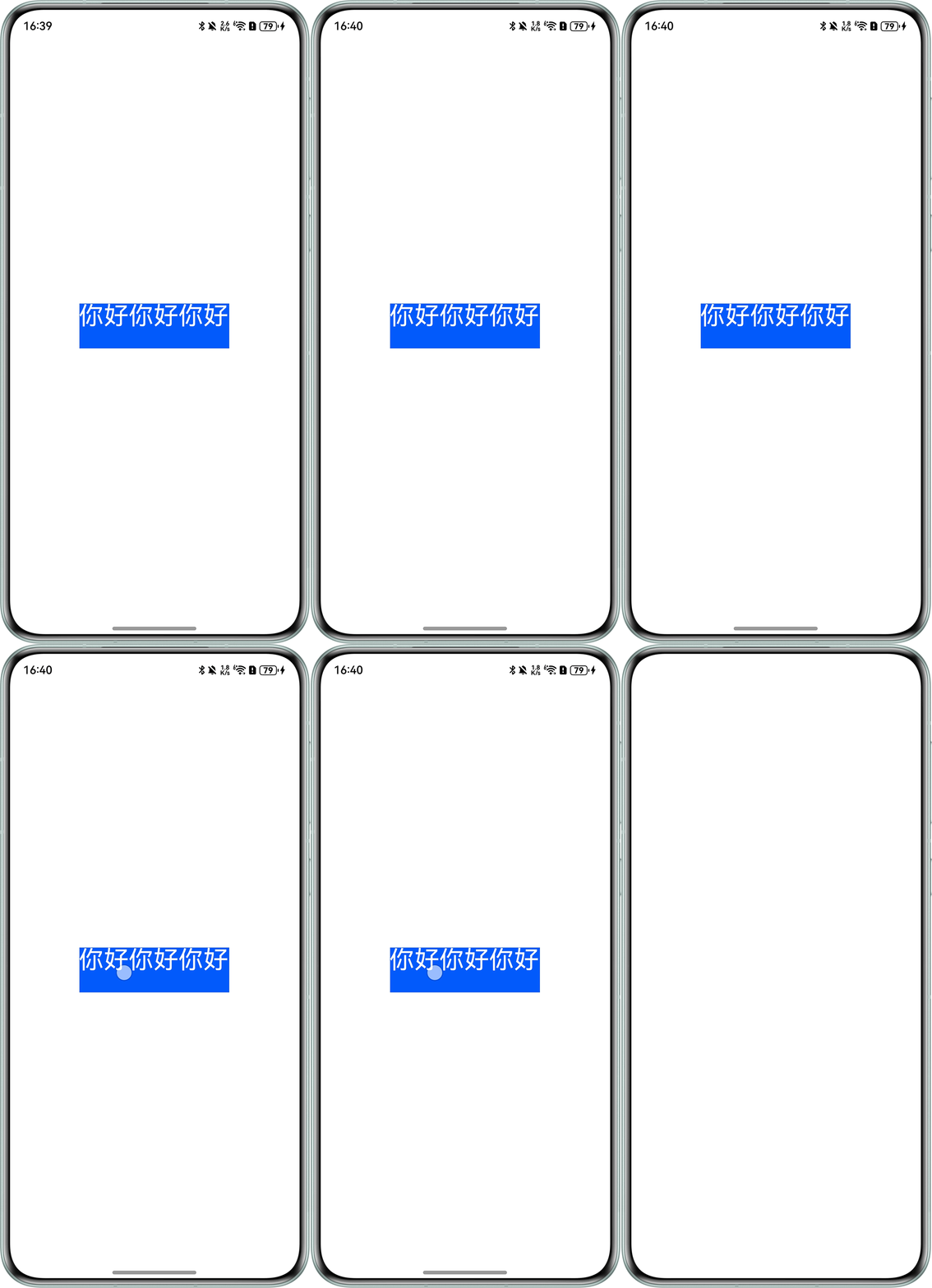
给定文本高度60,宽度200,不同属性字符串的字体大小不同。
效果预览: