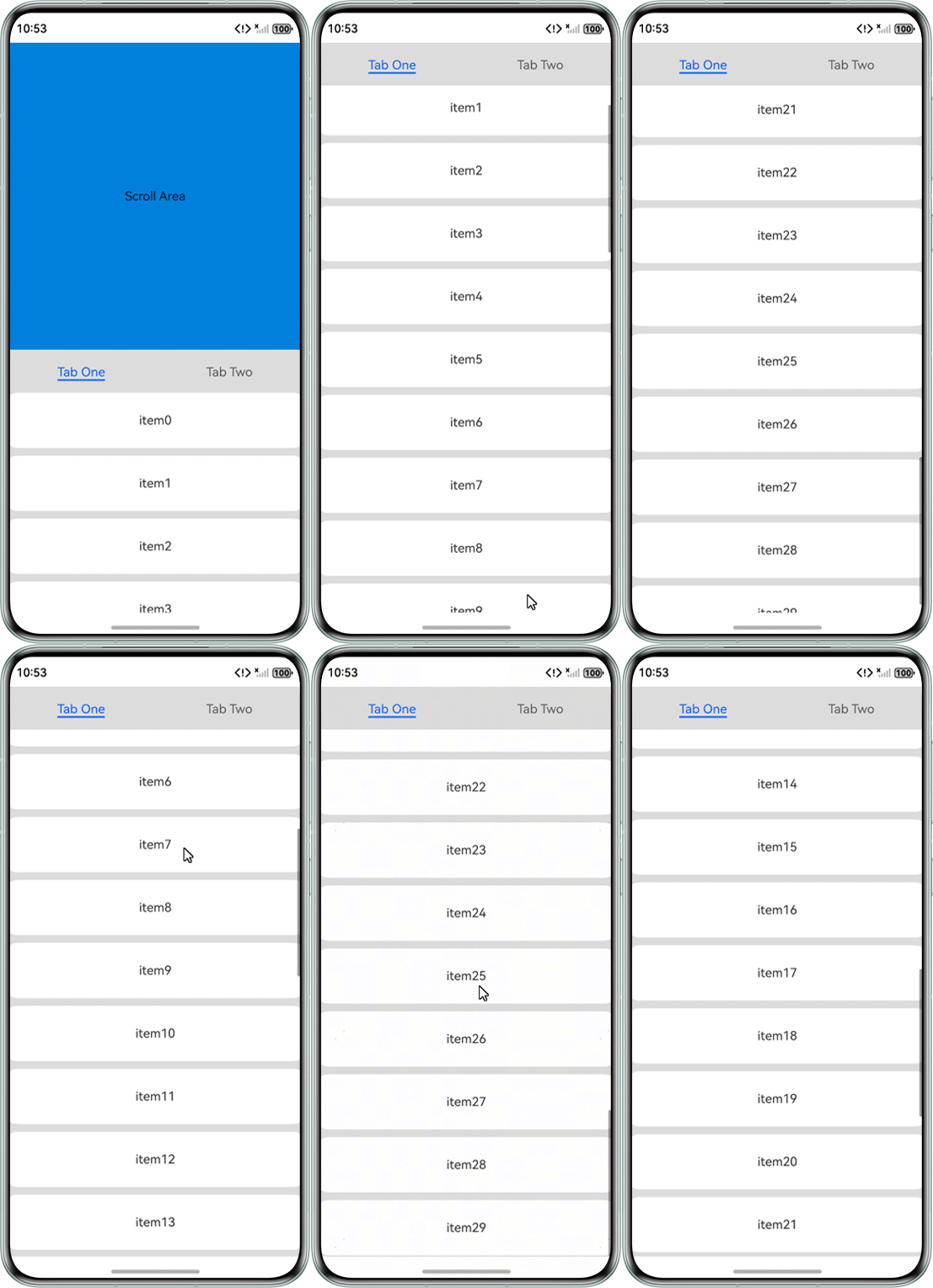
问题现象
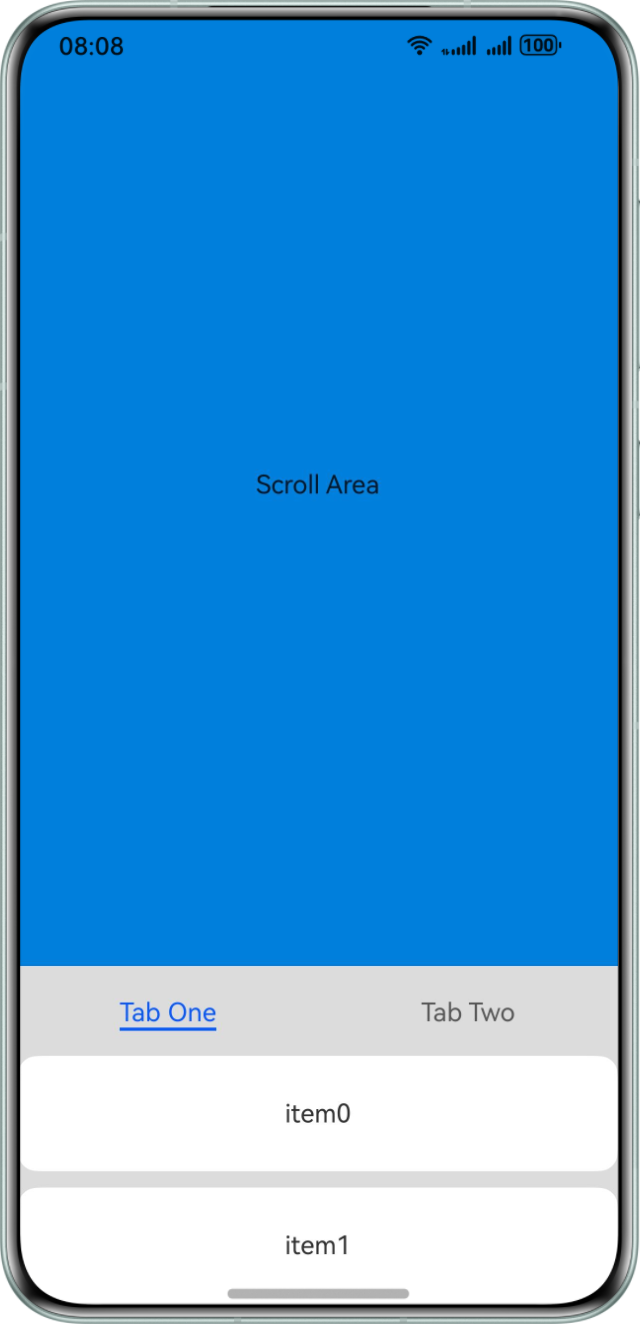
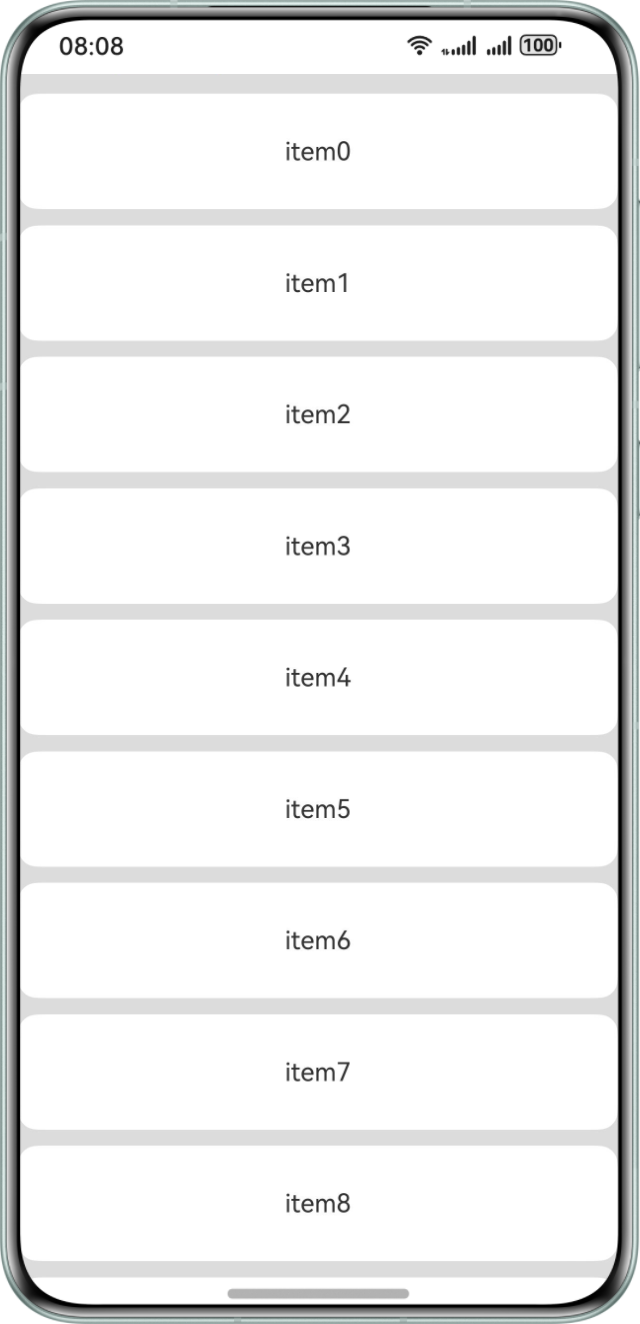
父组件为Scroll组件,其子组件包含一个List组件,且位于Scroll组件底部。当滑动触点在Scroll组件内容区域进行快速滑动,滚动到底部List组件位置的时,位于底部的List组件无法继承父组件的剩余滚动速度,进行完整的惯性滚动。
滑动前如下图:
滑动后:
背景知识
Fling效果,又被称为惯性滚动,是在APP中的常见交互设计。在List组件中,有如下方法:
- edgeEffect:用于设置边缘滑动效果。List组件默认为EdgeEffect.Spring(惯性滚动),Scroll组件默认为EdgeEffect.None(无效果)。
- nestedScroll:用于设置向前向后两个方向上的嵌套滚动模式,实现与父组件的滚动联动。
- onScrollFrameBegin:每帧开始滚动时触发,事件参数传入即将发生的滚动量,事件处理函数中可根据应用场景计算实际需要的滚动量并作为事件处理函数的返回值返回,Scroll将按照返回值的实际滚动量进行滚动。
问题定位
如果只是简单的进行可滚动容器组件的嵌套,那么当父级Scroll组件滚动到底部List组件时,子级List组件会视为Scroll组件的一部分,跟随Scroll组件进行整体滚动,那么就无法实现子组件继承父组件的惯性滚动的剩余速度。
分析结论
实现子组件继承父组件的惯性滚动的剩余速度思路如下:
- 首先设置组件的边缘滑动效果为惯性滚动,即EdgeEffect.Spring;
- 在父级组件onScrollStart,onScrollStop事件中记录父级组件的滚动状态;
- 在父级组件onTouch事件中记录上下滑动的方向;
- 在父级组件onScrollFrameBegin进行剩余滚动量的计算,并通过子组件Scroller控制器,按照剩余滚动量计算值视情况进行滚动,同时返回最终计算后父级组件的实际滚动量。
修改建议
根据定位思路,Fling效果继承滚动的主要实现代码如下,代码中附加一部分顶部tabbar吸顶逻辑:
@Entry
@Component
struct StickyNestedScroll {
  @State arr: number[] = [];   // 定义状态变量,用于存储列表数据。
  private touchDown: boolean = false;
  private listTouchDown: boolean = false;
  private scrolling: boolean = false;
  private scroller: Scroller = new Scroller();
  private listScroller: Scroller = new Scroller();
  private CONTENT_HEIGHT = 400;

  // 定义样式类listCard,用于统一ListItem样式。
  @Styles
  listCard() {
    .backgroundColor(Color.White)
    .height(72)
    .width('100%')
    .borderRadius(12);
  }

  aboutToAppear() {
    for (let i = 0; i < 30; i++) {
      this.arr.push(i);
    }
  }

  build() {
    Scroll(this.scroller) {
      Column() {
        Text('Scroll Area')
          .width('100%')
          .height(this.CONTENT_HEIGHT)
          .backgroundColor('# 0080DC')
          .textAlign(TextAlign.Center);
        Tabs({ barPosition: BarPosition.Start }) {
          TabContent() {
            List({ space: 10, scroller: this.listScroller }) {
              // 使用 ForEach遍历arr数组生成列表项。
              ForEach(this.arr, (item: number) => {
                ListItem() {
                  Text('item' + item)
                    .fontSize(16);
                }.listCard(); // 应用listCard样式。
              }, (item: number) => item.toString());
            }.width('100%')
            .edgeEffect(EdgeEffect.Spring)
            // 设置嵌套滚动模式。
            .nestedScroll({
              scrollForward: NestedScrollMode.PARENT_FIRST,
              scrollBackward: NestedScrollMode.SELF_FIRST
            })
            .onTouch((event: TouchEvent) => {
              if (event.type === TouchType.Down) {
                this.listTouchDown = true;
              } else if (event.type === TouchType.Up) {
                this.listTouchDown = false;
              }
            });
          }.tabBar('Tab One');

          TabContent() {
          }.tabBar('Tab Two');
        }
        .vertical(false)
        .height('100%');
      }.width('100%');
    }
    .onTouch((event: TouchEvent) => {
      if (event.type === TouchType.Down) {
        this.touchDown = true;
      } else if (event.type === TouchType.Up) {
        this.touchDown = false;
      }
    })
    // 自定义滚动帧开始时的处理逻辑。
    .onScrollFrameBegin((offset: number) => {
      // 如果正在滚动且偏移量大于0(向下滚动)。
      if (this.scrolling && offset > 0) {
        let yOffset: number = this.scroller.currentOffset().yOffset; // 获取当前滚动偏移量。
        if (yOffset >= this.CONTENT_HEIGHT) {
          this.listScroller.scrollBy(0, offset);
          return { offsetRemain: 0 };
        }
        // 如果滚动将超过内容区域底部。
        else if (yOffset + offset > this.CONTENT_HEIGHT) {
          this.listScroller.scrollBy(0, yOffset + offset - this.CONTENT_HEIGHT);
          return { offsetRemain: this.CONTENT_HEIGHT - yOffset };
        }
      }
      // 返回原始偏移量。
      return { offsetRemain: offset };
    })
    .onScrollStart(() => {
      // 如果父Scroll被触摸且List未被触摸,则标记为正在滚动。
      if (this.touchDown && !this.listTouchDown) {
        this.scrolling = true;
      }
    })
    .onScrollStop(() => {
      this.scrolling = false;
    })
    .edgeEffect(EdgeEffect.Spring)
    .backgroundColor('#DCDCDC')
    .scrollBar(BarState.Off)
    .width('100%')
    .height('100%');
  }
}
实现效果如下: