背景知识
- RelativeContainer:相对布局组件,用于复杂场景中元素对齐的布局。
- vp2px:将vp单位的数值转换为以px为单位的数值。
- measureText:计算指定文本作为单行文本显示时的宽度。如果文本包含多行(由换行符\n分隔),则返回其中最长的行的宽度。
解决方案
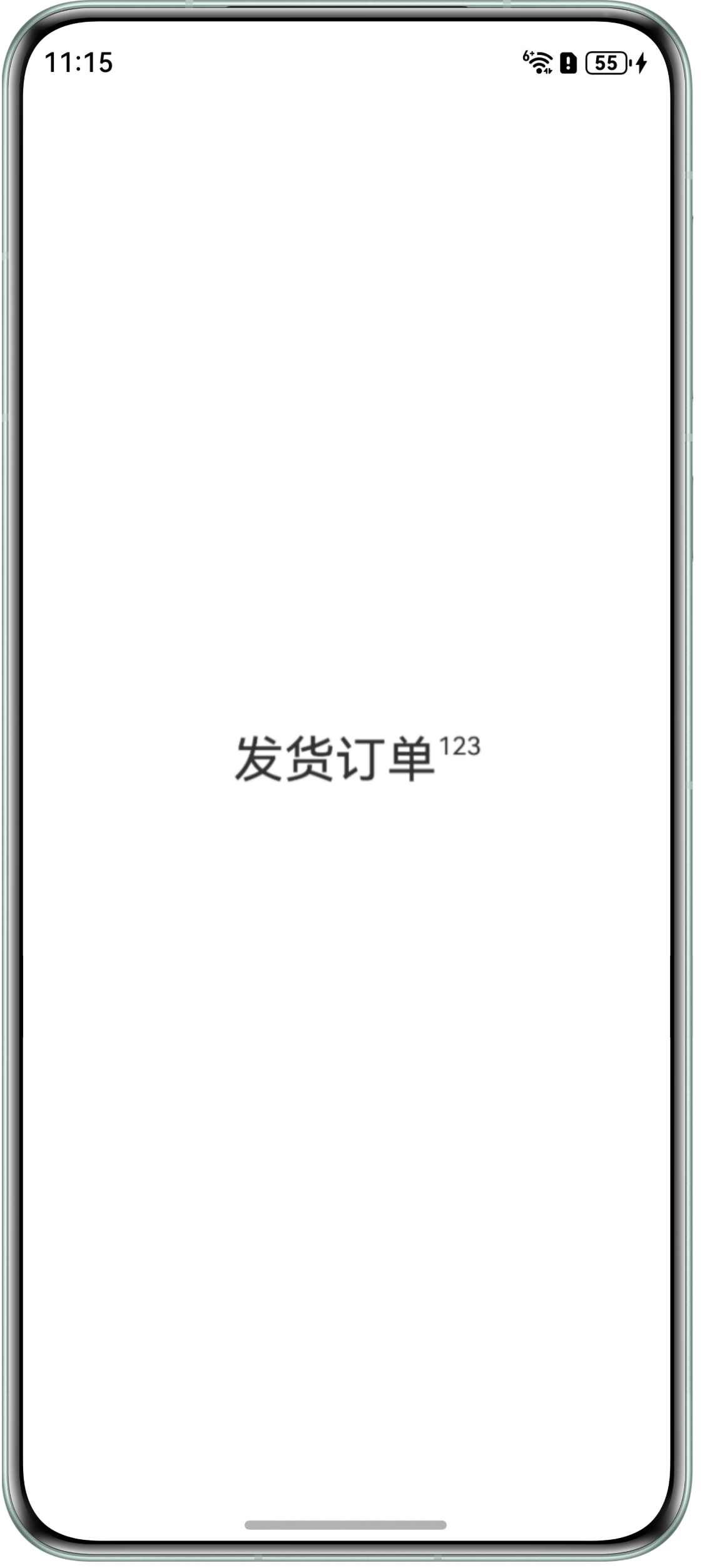
- 通过MeasureUtils的measureText方法获取组件中主体文本单行布局的长度。
- 使用RelativeContainer容器和alignRules属性将气泡文本和主体文本组件的一侧对齐。
- 通过offset属性将数字文本偏移,偏移距离为数字文本的宽度。
完整示例参考如下:
import { MeasureUtils } from '@kit.ArkUI';

@Entry
@Component
struct MeasurePx2vpDemo {
  textTitle: string = '发货订单';
  textNumber: string = '123';
  uiContext: UIContext = this.getUIContext();
  uiContextMeasure: MeasureUtils = this.uiContext.getMeasureUtils();
  // 获取主体内容单行布局的长度
  @State titleSize: SizeOptions = this.uiContextMeasure.measureTextSize({
    textContent: this.textTitle,
    fontSize: '30vp'
  });
  // 获取数字角标单行布局的长度
  @State numberSize: SizeOptions = this.uiContextMeasure.measureTextSize({
    textContent: this.textNumber,
    fontSize: '15vp'
  });

  build() {
    Column() {
      RelativeContainer() {
        // 主体内容
        Row() {
          Text(this.textTitle).fontSize('30vp');
        }.id('row1');

        // 数字角标
        Row() {
          Text(this.textNumber).fontSize('15vp').textAlign(TextAlign.Start).maxLines(1);
        }.id('row2')
        // alignRules属性将组件的顶部和右侧对齐
        .alignRules({
          top: { anchor: '__container__', align: VerticalAlign.Top },
          right: { anchor: '__container__', align: HorizontalAlign.End }
        })
        // 通过offset属性将数字文本偏移
        .offset({
          x: this.getUIContext().px2vp(this.numberSize.width as number),
          y: 0
        });
      }
      .width(this.getUIContext().px2vp(this.titleSize.width as number))
      .height(this.getUIContext().px2vp(this.titleSize.height as number));
    }.width('100%').height('100%')
    .justifyContent(FlexAlign.Center)
    .alignItems(HorizontalAlign.Center);
  }
}
效果如下: