问题现象
为List组件添加divider属性,部分分割线不显示,该如何解决?
问题代码示例参考如下:
@Entry
@Component
struct Index {
  scroller: Scroller | undefined;
  @State outBoxList: string[] = ['1', '2', '3', '4', '5', '6', '7', '8', '9']

  build() {
    Column() {

      List({ scroller: this.scroller }) {
        ForEach(this.outBoxList, (item: string, index) => {
          ListItem() {
            Row() {
              Column() {
                Text('名字').fontSize(15)
                Text('数字').fontSize(12).fontColor(Color.Blue).margin({ top: 6 })
              }.layoutWeight(1).margin({ left: 12, right: 12 }).alignItems(HorizontalAlign.Start)
            }
            .height(70)
            .backgroundColor(Color.White)
            .width('100%')
            .padding({ left: 12, right: 12 })
            .onClick(() => {
            })
          }
        })
      }
      // 设置分割线
      .divider({
        strokeWidth: 0.4,
        color: Color.Black,
        startMargin: 0,
        endMargin: 0
      })
      .edgeEffect(EdgeEffect.None)
      .scrollBarWidth(0)
      .width('100%')
    }
  }
}
问题效果预览:
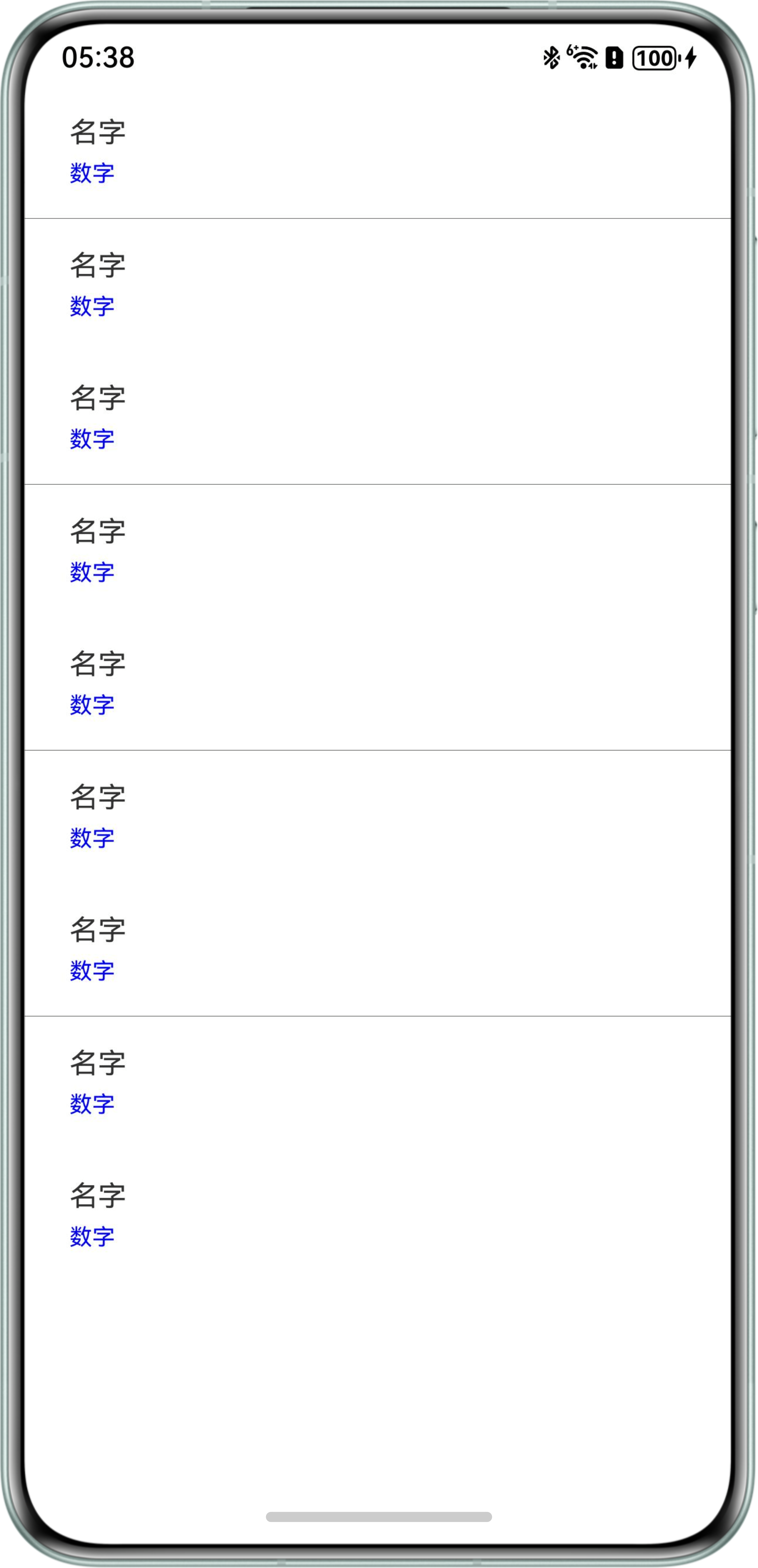

背景知识
- List:列表包含一系列相同宽度的列表项。适合连续、多行呈现同类数据,例如图片和文本。
- divider:设置ListItem分割线样式,默认无分割线。
- strokeWidth:分割线的线宽。
- Divider:提供分隔器组件,分隔不同内容块/内容元素。
问题定位
- 查看代码中分割线基础配置是否正确:自定义divider属性时需要明确样式,否则可能不显示。
- 使用DevEco Studio中的ArkUI Inspector排查列表项布局是否有冲突:避免列表项覆盖分割线。
- 是否是属性本身规格。
- 模拟器和真机运行问题代码出现的现象不一致,是否是其他问题影响。
修改建议
模拟器和真机运行问题代码出现的现象不一致,divider属性的strokeWidth值设置为低于1时,模拟器由于分辨率问题导致看不清晰,真机的渲染逻辑更贴近实际环境,优先使用真机进行调试。解决方案如下:可以将divider中的strokeWidth值修改为1。也可以不使用divider属性,手动添加一个Divider组件作为分割线。
@Entry
@Component
struct demo1 {
  scroller: Scroller | undefined;
  @State outBoxList: string[] = ['1', '2', '3', '4', '5', '6', '7', '8', '9'];

  build() {
    Column() {
      List({ scroller: this.scroller }) {
        ForEach(this.outBoxList, (item: string, index) => {
          ListItem() {
            Column() {
              Row() {
                Column() {
                  Text('名字').fontSize(18);
                  Text('数字').fontSize(16).fontColor(Color.Blue).margin({ top: 6 });
                }.layoutWeight(1).margin({ left: 12, right: 12 }).alignItems(HorizontalAlign.Start);
              }
              .height(70)
              .backgroundColor(Color.White)
              .width('100%')
              .padding({ left: 12, right: 12 });

              Column() {
                // 最后一项不加分割线,其余都加
                if (index !== (this.outBoxList.length - 1)) {
                  Divider()
                    .strokeWidth(1)
                    .color('#e5e5e5')
                    .margin({ left: 16, right: 16 }); // 与设计保持一致
                }
              };
            };
          };
        });
      }
      .edgeEffect(EdgeEffect.None)
      .scrollBarWidth(0)
      .width('100%');
    };
  }
}