问题现象
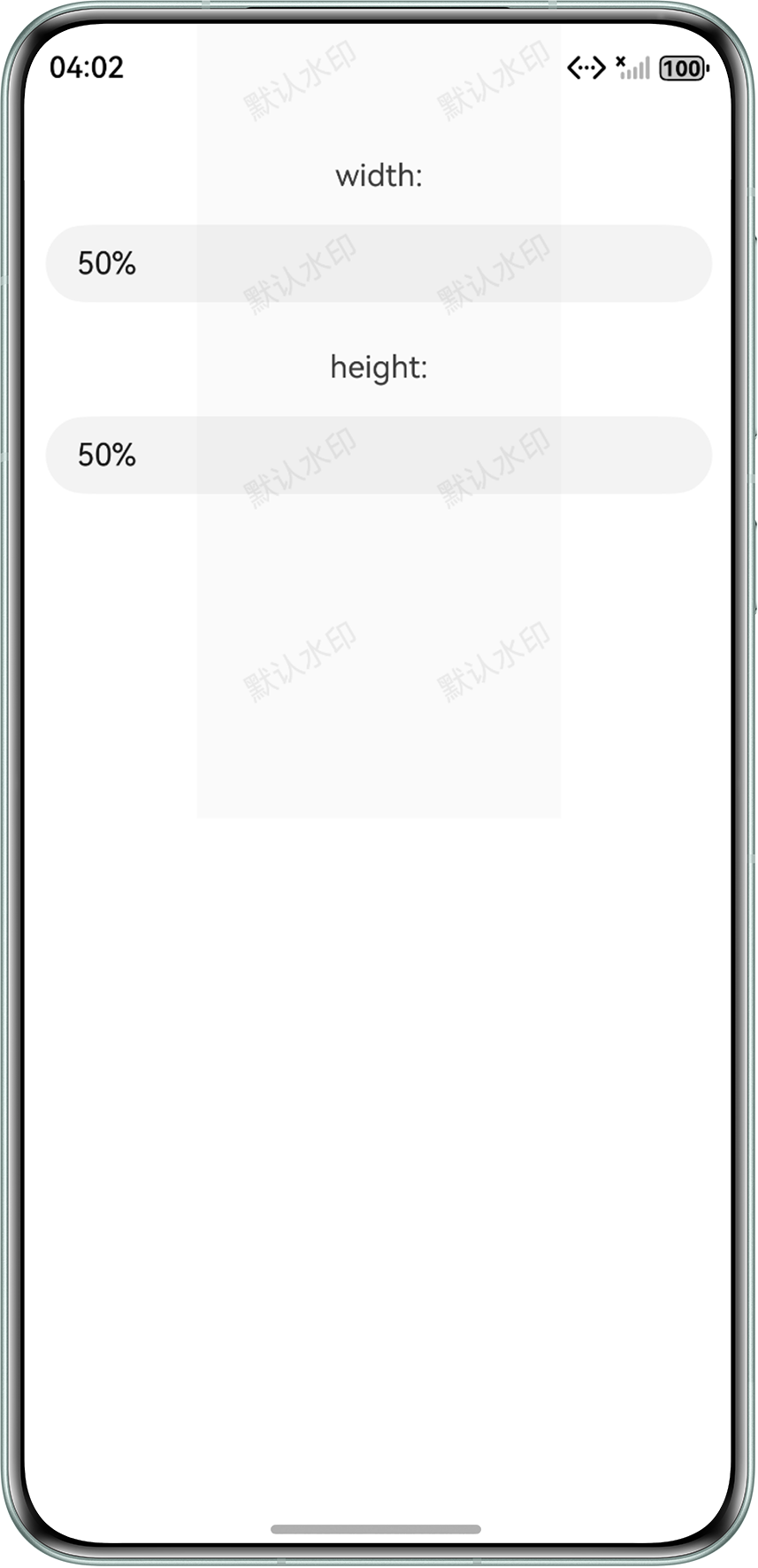
实现一个页面容器的水印效果,同时需要实现Canvas动态设置宽高,达到调整水印覆盖区域大小的效果。
效果预览
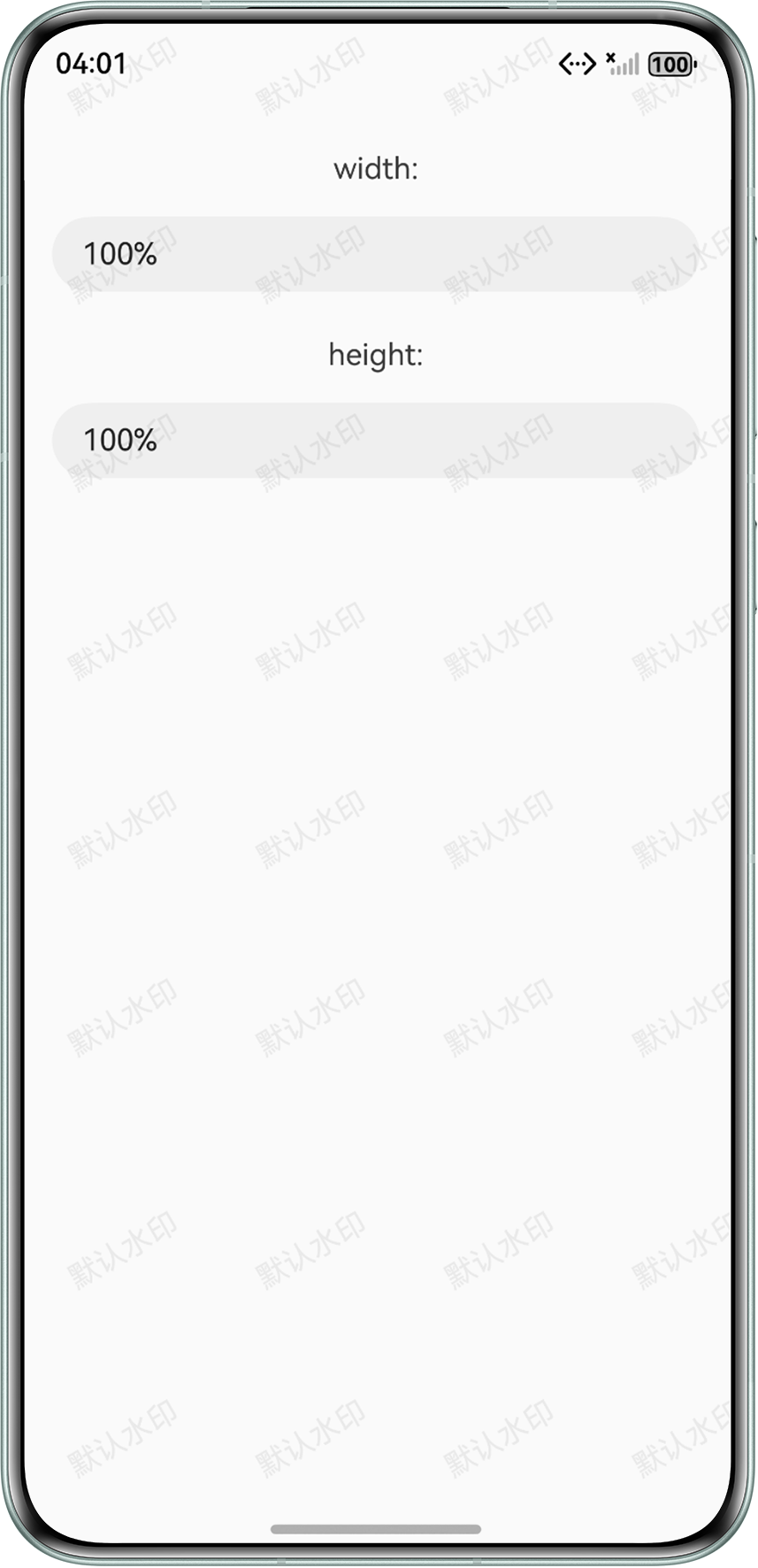
修改宽高后:
背景知识
- Canvas提供画布组件,用于自定义绘制图形。
- 组件内部使用@State装饰器声明相关的变量,能够在其值发生变化时自动触发与之直接绑定的UI组件进行刷新,从而实现界面的动态更新。
解决方案
- 创建Canvas画布,在画布上绘制水印。
- 通过将声明的状态变量分别绑定至Canvas组件的width和height属性,实现Canvas宽高动态设置与响应式更新。
@Entry
@Component
export struct DrawWatermarkDemo {
  private settings: RenderingContextSettings = new RenderingContextSettings(true);
  private context: CanvasRenderingContext2D = new CanvasRenderingContext2D(this.settings);
  // 画布宽高
  @State markWidth: string = '100%';
  @State markHeight: string = '100%';
  // 水印间距
  watermarkWidth: number = 100;
  watermarkHeight: number = 100;
  // 水印标识
  watermarkText: string = '默认水印';
  // 旋转角度
  rotationAngle: number = -30;
  // 水印颜色
  @State fillColor: string | number | CanvasGradient | CanvasPattern = '#10000000';
  // 水印字体大小
  font: string = '16vp';

  draw() {
    this.context.fillStyle = this.fillColor;
    this.context.font = this.font;
    const colCount = Math.ceil(this.context.width / this.watermarkWidth);
    const rowCount = Math.ceil(this.context.height / this.watermarkHeight);
    for (let col = 0; col <= colCount; col++) {
      let row = 0;
      for (; row <= rowCount; row++) {
        const angle = this.rotationAngle * Math.PI / 180;
        this.context.rotate(angle);
        const positionX = this.rotationAngle > 0 ? this.watermarkHeight * Math.tan(angle) : 0;
        const positionY = this.rotationAngle > 0 ? 0 : this.watermarkWidth * Math.tan(-angle);
        this.context.fillText(this.watermarkText, positionX, positionY);
        this.context.rotate(-angle);
        this.context.translate(0, this.watermarkHeight);
      }
      this.context.translate(0, -this.watermarkHeight * row);
      this.context.translate(this.watermarkWidth, 0);
    }
  };

  build() {
    Stack({ alignContent: Alignment.Top }) {
      Column() {
        Text('width:').margin({ top: 30, bottom: 16 });
        TextInput({
          text: $$this.markWidth
        }).margin({ left: 16, right: 16 });
        Text('height:').margin({ top: 24, bottom: 16 });
        TextInput({
          text: $$this.markHeight
        }).margin({ left: 16, right: 16 });
      };

      Canvas(this.context)
        .width(this.markWidth) // 动态赋予宽度
        .height(this.markHeight) // 动态赋予高度
        .backgroundColor('#12bab8b8')
        .hitTestBehavior(HitTestMode.Transparent)
        .expandSafeArea([SafeAreaType.SYSTEM], [SafeAreaEdge.TOP, SafeAreaEdge.BOTTOM])
        .onReady(() => {
          this.draw();
        });
    }
    .width('100%')
    .height('100%');
  };
};
常见FAQ
Q:如何实现移动水印位置的效果?
A:通过position属性动态设置Canvas组件位置即可。