问题现象
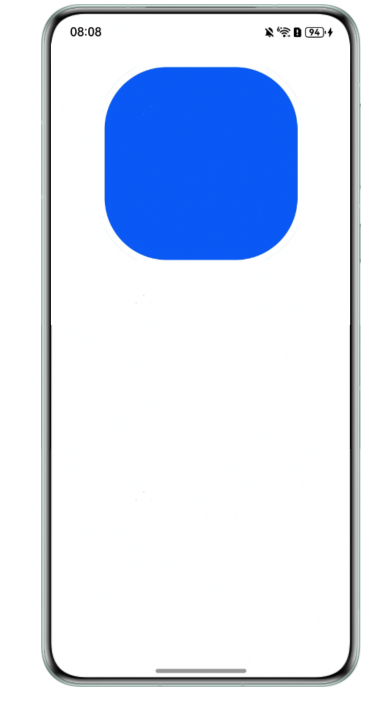
组件设置边框属性border后,边框外侧出现阴影线。
问题代码示例参考如下:
@Entry
@Component
struct NavigationPage {

  build() {
    Column() {
      Row()
        .height(300)
        .width(300)
        .backgroundColor('#0a59f7')
        .border({
          color: Color.White,
          radius: 100,
          width: 10
        })
    }
    .width('100%')
    .height('100%')
    .padding(24)
  }
}
问题效果预览:
解决方案
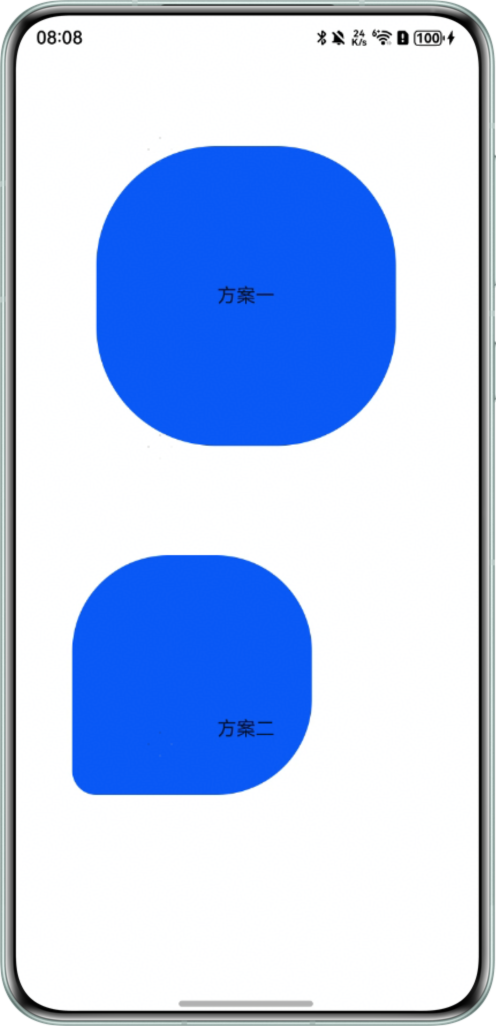
- 方案一:取消设置边框宽度,增加outline属性,以代替边框。由于outline规则在组件外,需要注意组件位置是否满足布局需要,可以通过外边距margin调整。
- 方案二:通过clipShape属性,将组件裁剪为期望的圆角样式。
import { RectShape } from '@kit.ArkUI';
const outLineWidth: number = 10;

@Entry
@Component
struct BottomWithBar {

  build() {
    Column() {
      Row() {
        Text(`方案一`);
      }
      // 边框宽度10vp,取消后减少对应宽高
      .height(250)
      .width(250)
      .justifyContent(FlexAlign.Center)
      .backgroundColor('#0a59f7')
      .border({
        color: Color.White,
        radius: 100,
        // width:10,取消边框宽度设置。即无边框
      })
      // 新增outline属性
      .outline({
        width: outLineWidth,
        color: Color.White,
        radius: 100,
        style: OutlineStyle.SOLID
      })
      // 设置外边框,与outline宽度一致
      .margin(outLineWidth);


      Row() {
        Text(`方案二`);
      }
      .height(250)
      .width(250)
      .justifyContent(FlexAlign.Center)
      .backgroundColor('#0a59f7')
      .clipShape(
        new RectShape({
          radius: [80, 80, 80, 20] // 圆角尺寸,分别对应组件左上角、右上角、右下角、左下角
        })
          .height(200)
          .width(200));
    }
    .width('100%')
    .height('100%')
    .padding(24)
    .alignItems(HorizontalAlign.Center)
    .justifyContent(FlexAlign.SpaceAround);
  }
}
效果预览:
- 方案三:调整圆角半径,当圆角半径较小时,可以减轻外侧线的显示。