问题现象
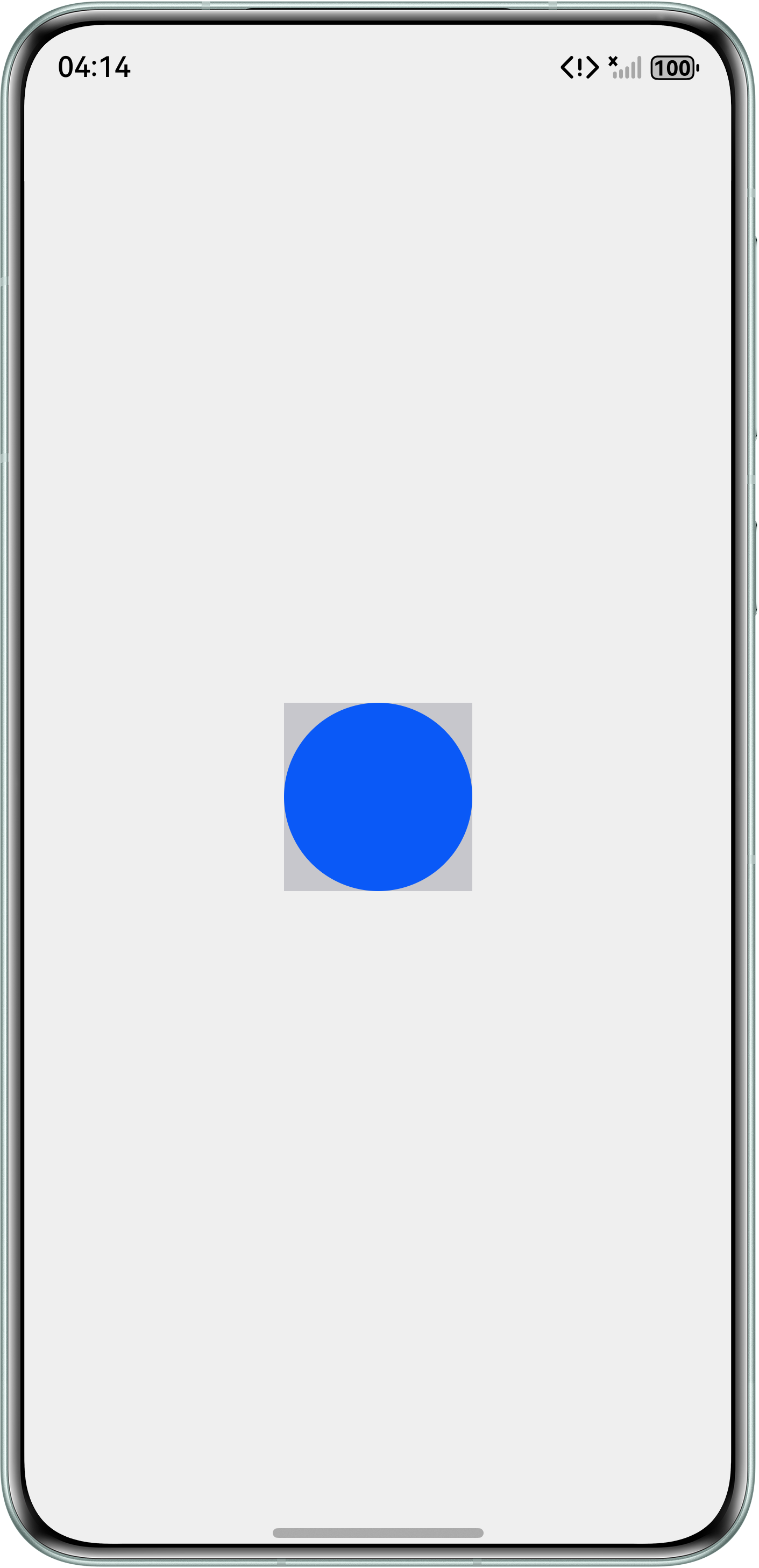
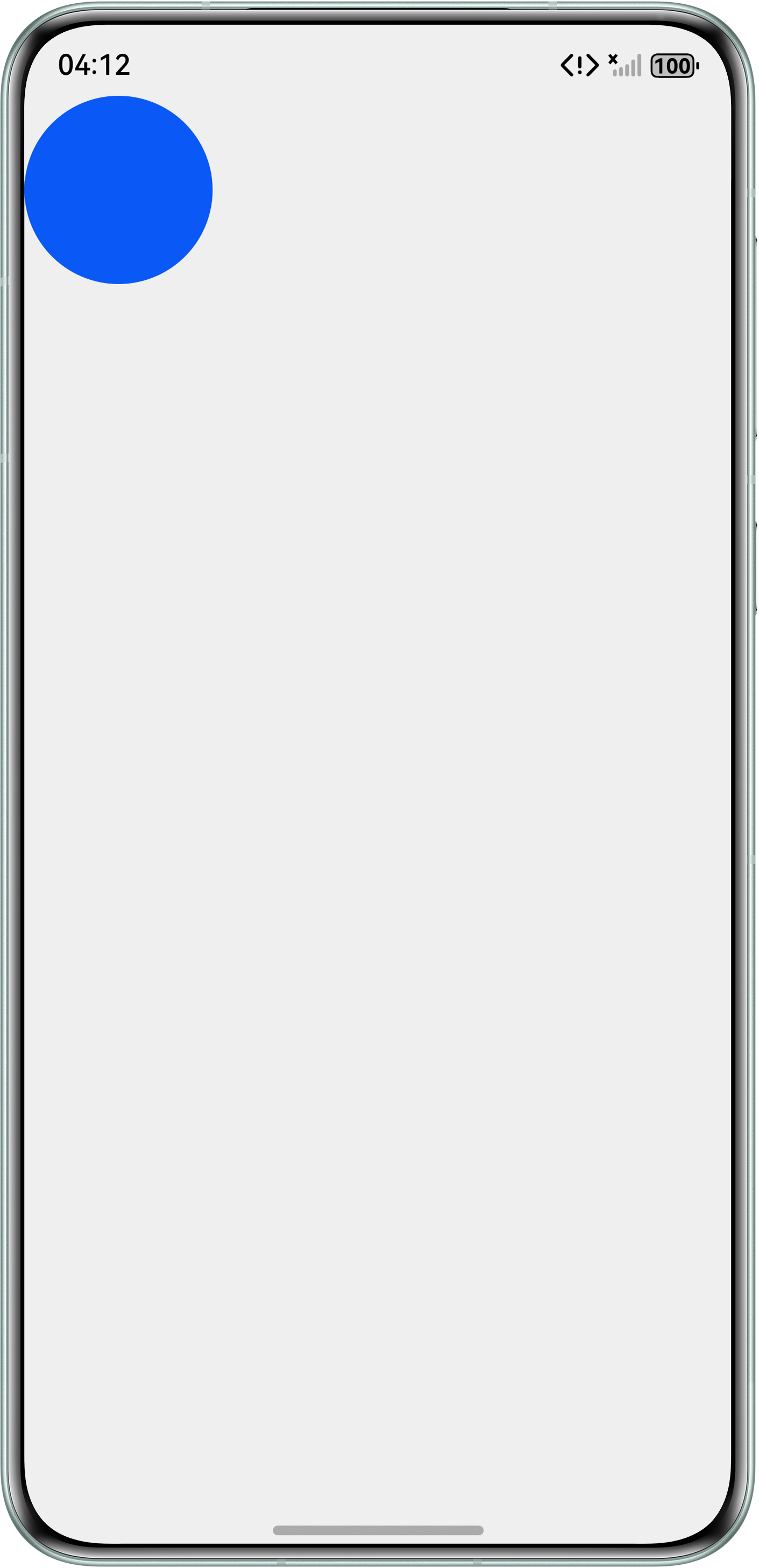
在使用自定义组件时,发现设置背景色的自定义组件与无背景色的自定义组件在布局定位上存在偏差,导致组件显示位置不一致。
问题代码示例参考如下:
@Entry
@Component
struct Index {
  build() {
    Stack({ alignContent: Alignment.Center }) {
      ChildComponent({
        x: 0,
        y: 0,
        pointColor: '#0A59F7'
      })
        .backgroundColor('#c7c7cc'); // 是否设置背景色
    }
    .width('100%')
    .height('100%')
    .backgroundColor('#eeee')
    .expandSafeArea([SafeAreaType.SYSTEM], [SafeAreaEdge.TOP, SafeAreaEdge.BOTTOM]);
  }
}

@Component
struct ChildComponent {
  @Prop x: number;
  @Prop y: number;
  @Prop pointColor: string;

  build() {
    Stack({ alignContent: Alignment.Center }) {
      Circle()
        .width(100)
        .height(100)
        .fill(this.pointColor);
    }
    .width(100)
    .height(100)
    .position({ x: this.x, y: this.y });
  }
}
添加背景色:
不添加背景色:
问题定位
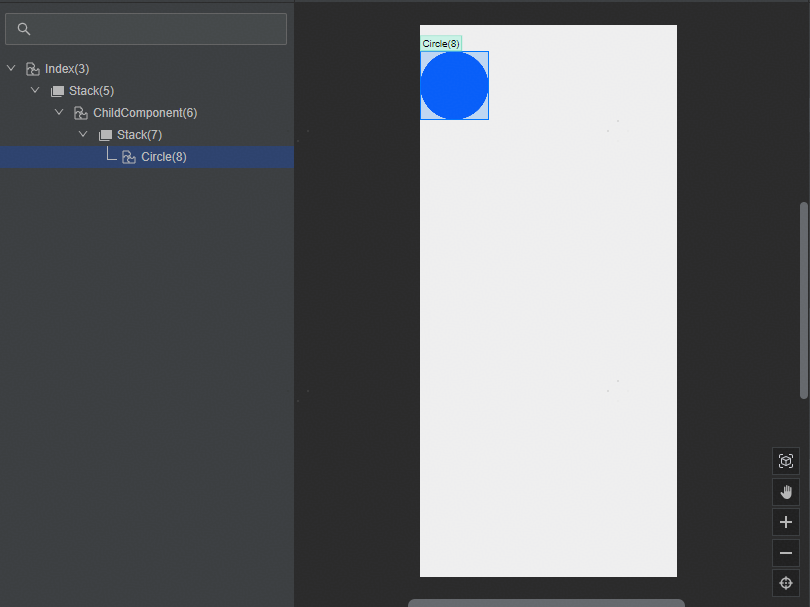
打开DevEco Studio中的ArkUI Inspector工具,对比设置背景色与无背景色的自定义子组件的节点树。发现设置背景色的自定义子组件外层嵌套了一层容器组件。左图设置背景色,右图无背景色。

修改建议
将width和height设置为auto表示尺寸会自动适应子组件。建议将自定义组件的宽高设置为auto,以实现灵活的自适应布局。若需要给自定义组件设置背景色,建议在封装自定义组件时添加背景色,使背景色跟随子组件。
@Entry
@Component
struct CustomCompLayoutStyle {
  build() {
    Stack({ alignContent: Alignment.Center }) {
      ChildComponent({
        x: 0,
        y: 0,
        pointColor: '#0A59F7',
        bgcolor: '#c7c7cc' // 建议在封装自定义组件时设置背景色
      })
        .height('auto')
        .width('auto');
    }
    .width('100%')
    .height('100%')
    .backgroundColor('#F1F3F5')
    .expandSafeArea([SafeAreaType.SYSTEM], [SafeAreaEdge.TOP, SafeAreaEdge.BOTTOM]);
  }
}

@Component
struct ChildComponent {
  @Prop x: number;
  @Prop y: number;
  @Prop w: number = 100;
  @Prop h: number = 100;
  @Prop pointColor: string;
  @Prop bgcolor: ResourceColor = Color.Transparent;

  build() {
    Stack({ alignContent: Alignment.Center }) {
      Circle()
        .width(this.w)
        .height(this.h)
        .fill(this.pointColor);
    }
    .width(this.w)
    .height(this.h)
    .position({ x: this.x, y: this.y })
    .backgroundColor(this.bgcolor); // 封装组件时添加背景色
  }
}