问题现象
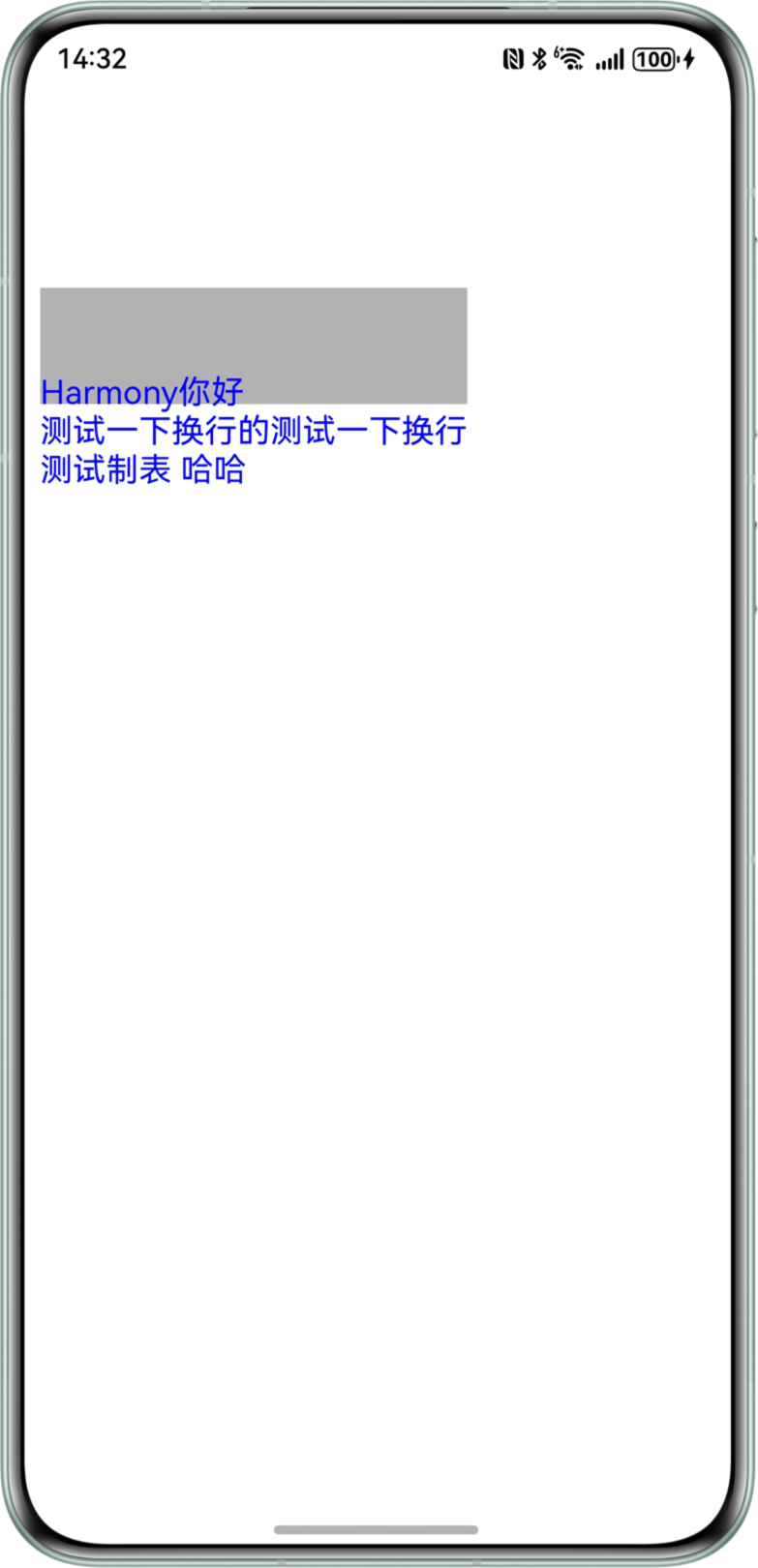
利用Canvas绘制矩形和文字,矩形无法覆盖文字范围。
问题代码示例参考如下:
@Entry
@Component
struct CanvasTestPage {
  private settings: RenderingContextSettings = new RenderingContextSettings(true)
  private context: CanvasRenderingContext2D = new CanvasRenderingContext2D(this.settings)
  drawText: string = 'Harmony你好\n测试一下换行的测试一下换行\n测试制表\t哈哈'

  build() {
    Column() {
      Canvas(this.context)
        .width('100%')
        .height('100%')
        .onReady(() => {
          this.context.font = '18vp sans-serif'
          let text: TextMetrics = this.context.measureText(this.drawText)
          this.context.fillStyle = 'rgba(0,0,0,0.3)'
          this.context.fillRect(0, 100, text.width, text.height)

          this.context.fillStyle = 'rgb(0,0,255)'
          this.context.fillText(this.drawText, 0, 100 + text.height)
        })
    }.margin(10)
  }
}
问题效果预览:

问题定位
根据问题代码运行效果可以看出:灰色矩形宽度和文本宽度一致,x轴起点保持一致,但是蓝色文字y轴起点和灰色矩形y轴起点不一致,可以发现问题出现在fillRect绘制的y轴起点上。
this.context.fillText(this.drawText, 0, 100 + text.height)
该错误代码设置文本的y轴起点为“100+文本高度”。
修改建议
- 修改fillText的文本起点y轴坐标。
- textBaseline可以设置文本绘制中的水平对齐方式,将其设置成top对齐,实现文本基线在文本块的顶部。若不设置,则默认为alphabetic对齐(按字母对齐)。
@Entry
@Component
struct CanvasFillRectPage {
  private settings: RenderingContextSettings = new RenderingContextSettings(true);
  private context: CanvasRenderingContext2D = new CanvasRenderingContext2D(this.settings);
  drawText: string = 'Harmony你好\n测试一下换行的测试一下换行\n测试制表\t哈哈';

  build() {
    Column() {
      Canvas(this.context)
        .width('100%')
        .height('100%')
        .onReady(() => {
          this.context.font = '18vp sans-serif';
          this.context.textBaseline = 'top';
          let text: TextMetrics = this.context.measureText(this.drawText);
          this.context.fillStyle = 'rgba(0,0,0,0.3)';
          this.context.fillRect(0, 100, text.width, text.height);
          this.context.fillStyle = 'rgb(0,0,255)';
          this.context.fillText(this.drawText, 0, 100);
        });
    }.margin(10);
  }
}