背景知识
- Swiper:滑块视图容器,提供子组件滑动轮播显示的能力。
- onAreaChange组件区域变化时触发该回调。仅会响应由布局变化所导致的组件大小、位置发生变化时的回调。返回值类型为Area。
- responseRegion:设置一个或多个触摸热区。
解决方案
实现思路如下:
- Swiper组件实现了滑动页面切换功能,包含多个不同高度的页面项。
- 通过ForEach动态生成滑动页面内容。
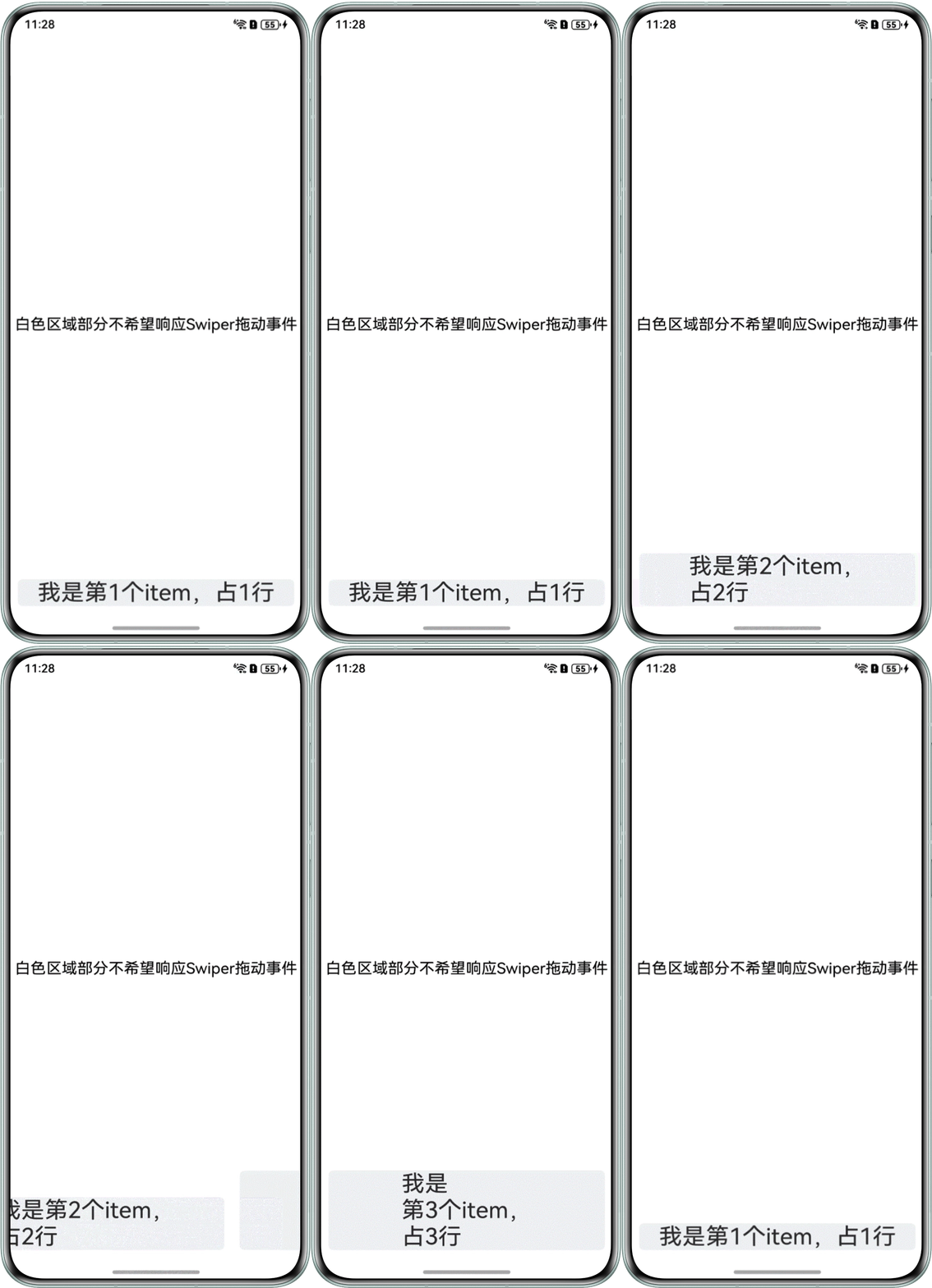
- 使用onAreaChange回调监听页面高度变化,Swiper切换过程中动态计算触摸响应区域。
示例代码如下:
@Entry
@Component
struct SwiperDemo {
  private controller: SwiperController = new SwiperController();
  private list: string[] =
    [
      '我是第1个item,占1行',
      '我是第2个item,\n' + '占2行',
      '我是\n' + '第3个item,\n' + '占3行',
    ];
  @State map: Map<ESObject, number> = new Map(); // 存储Swiper自适应内容区域距离屏幕顶部的距离,用于设置触摸热区
  @State currentIndex: number = 0;
  @State region: Rectangle = {
    x: 0,
    y: 0,
    width: '100%',
    height: '100%'
  };

  build() {
    RelativeContainer() {
      Column() {
        Text('白色区域部分不希望响应Swiper拖动事件')
          .fontSize(20)
          .fontColor(Color.Black);
      }
      .justifyContent(FlexAlign.Center)
      .alignRules({
        left: { anchor: '__container__', align: HorizontalAlign.Start },
        right: { anchor: '__container__', align: HorizontalAlign.End },
        top: { anchor: '__container__', align: VerticalAlign.Top },
        bottom: { anchor: '__container__', align: VerticalAlign.Bottom }
      });

      Swiper(this.controller) {
        ForEach(this.list, (item: number, index: number) => {
          Column() {
            Column() {
              Text(this.list[index])
                .fontSize(30);
            }
            .backgroundColor("#f1f3f5")
            .width('100%')
            .borderRadius(6)
            .onAreaChange((oldValue: Area, newValue: Area) => {
              console.info('item', item);
              console.info('oldValue', oldValue);
              if (!this.map.get(index.toString())) {
                // onAreaChange回调监听页面自适应高度变化,存储Swiper自适应内容区域距离屏幕顶部的距离。
                this.map.set(index.toString(), newValue.position.y as number);
                this.region = {
                  width: '100%',
                  height: '100%',
                  x: 0,
                  y: this.map.get(this.currentIndex.toString()) as number // 触摸热区的范围
                };
              }
            });
          }
          .justifyContent(FlexAlign.End)
          .width('100%')
          .padding(10);
        });
      }
      .onChange((index: number) => {
        this.currentIndex = index;
        // Swiper切换过程中动态设置触摸响应区域
        this.region = {
          width: '100%',
          height: '100%',
          x: 0,
          y: this.map.get(this.currentIndex.toString()) as number
        };
      })
      .indicator(false)
      .autoPlay(false)
      .loop(false)
      .height('100%')
      .responseRegion(
        this.region
      )
      .alignRules({
        left: { anchor: '__container__', align: HorizontalAlign.Start },
        right: { anchor: '__container__', align: HorizontalAlign.End },
        bottom: { anchor: '__container__', align: VerticalAlign.Bottom }
      });
    }
    .width('100%')
    .height('100%');
  }
}
效果图如下: