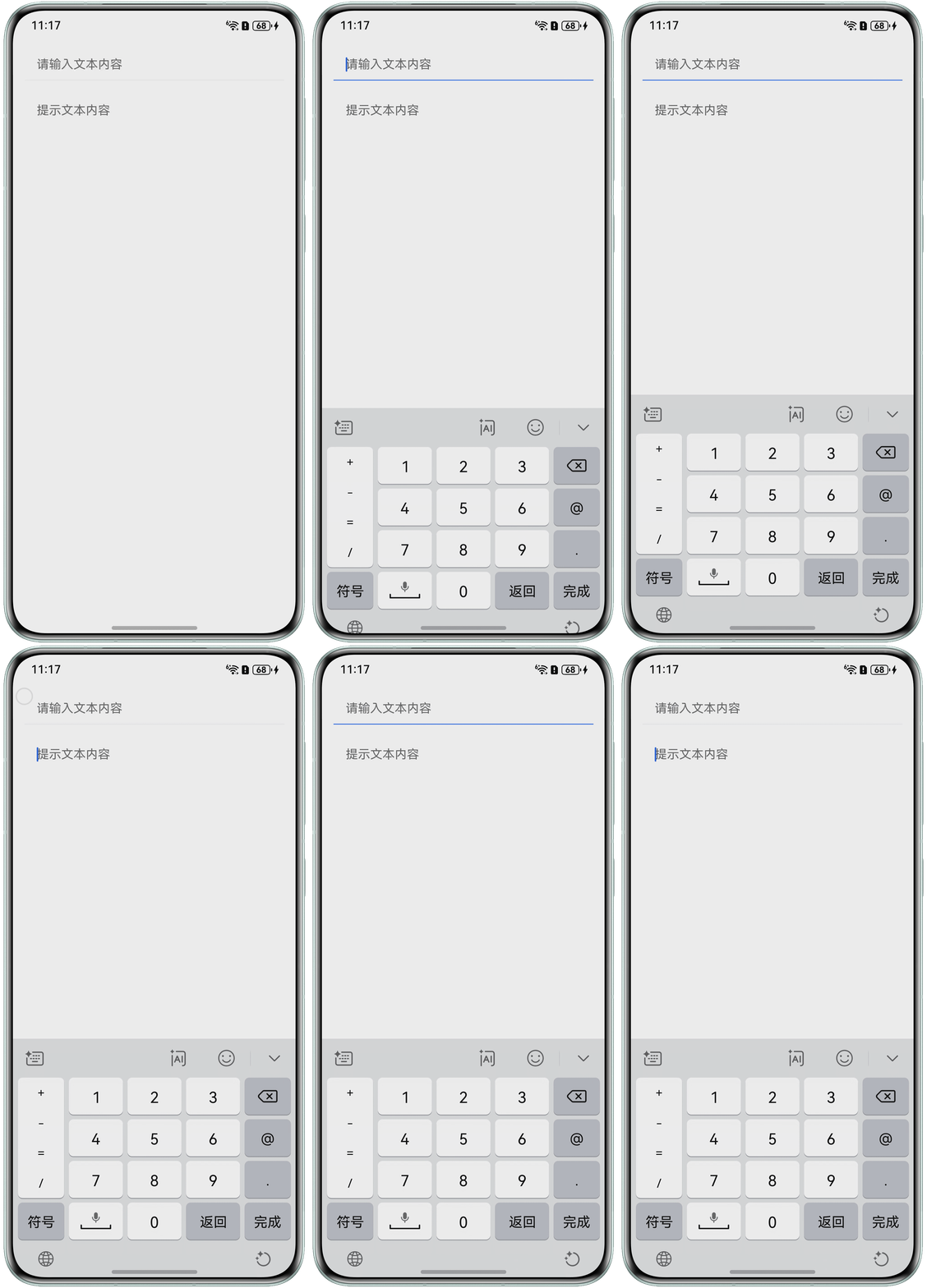
TextInput设置showUnderline下划线只支持InputType.Normal类型,其他类型不生效。可通过outline属性实现动态设置下划线颜色的效果。
- 创建颜色变量bottomLineColor,设置为outline属性的color。
- 在onFocus、onBlur设置切换焦点时的颜色即可。
@Entry
@Component
struct TextInputExample {
  @State bottomLineColor: string = '#F1F3F5';

  build() {
    Column({ space: 20 }) {
      TextInput({ placeholder: '请输入文本内容' })
        .width('100%')
        .type(InputType.NUMBER_DECIMAL)
        .showUnderline(true)
        .borderRadius(0)
        .backgroundColor(Color.White)
        // 设置下划线
        .outline({
          width: { bottom: 1 },
          color: this.bottomLineColor
        })
        .onFocus(() => {
          // 获焦设置蓝色
          this.bottomLineColor = '#0A59F7';
        })
        .onBlur(() => {
          // 失焦设置灰
          this.bottomLineColor = '#F1F3F5';
        })
      TextInput({ placeholder: '提示文本内容' })
        .width('100%')
        .type(InputType.NUMBER_DECIMAL)
        .showUnderline(true)
        .borderRadius(0)
        .backgroundColor(Color.White)
    }
    .width('100%')
    .padding(16)
  }
}
运行效果: