问题现象
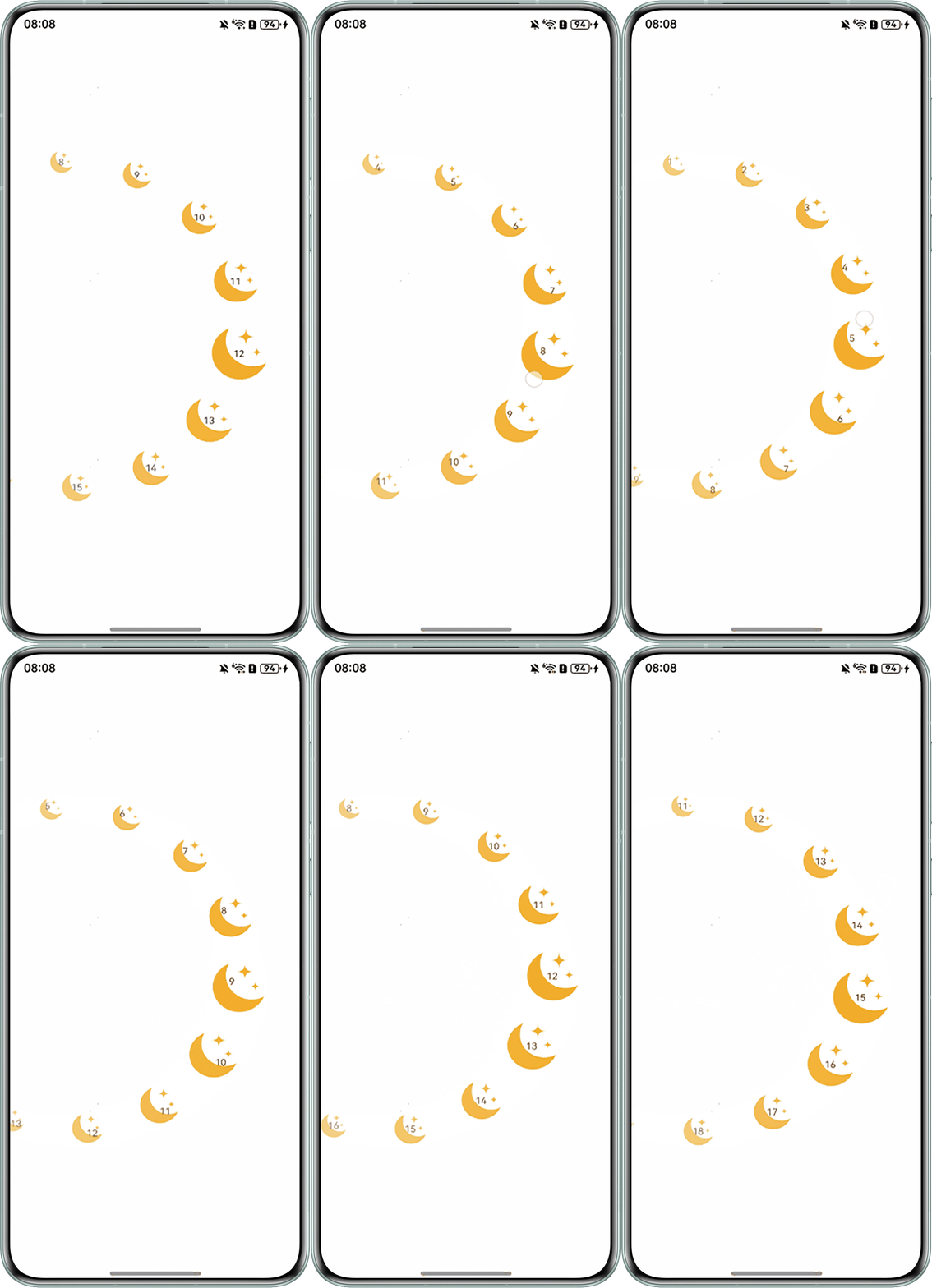
手势滑动只能让月亮图片内的数字变动,月亮图片并没有位移。
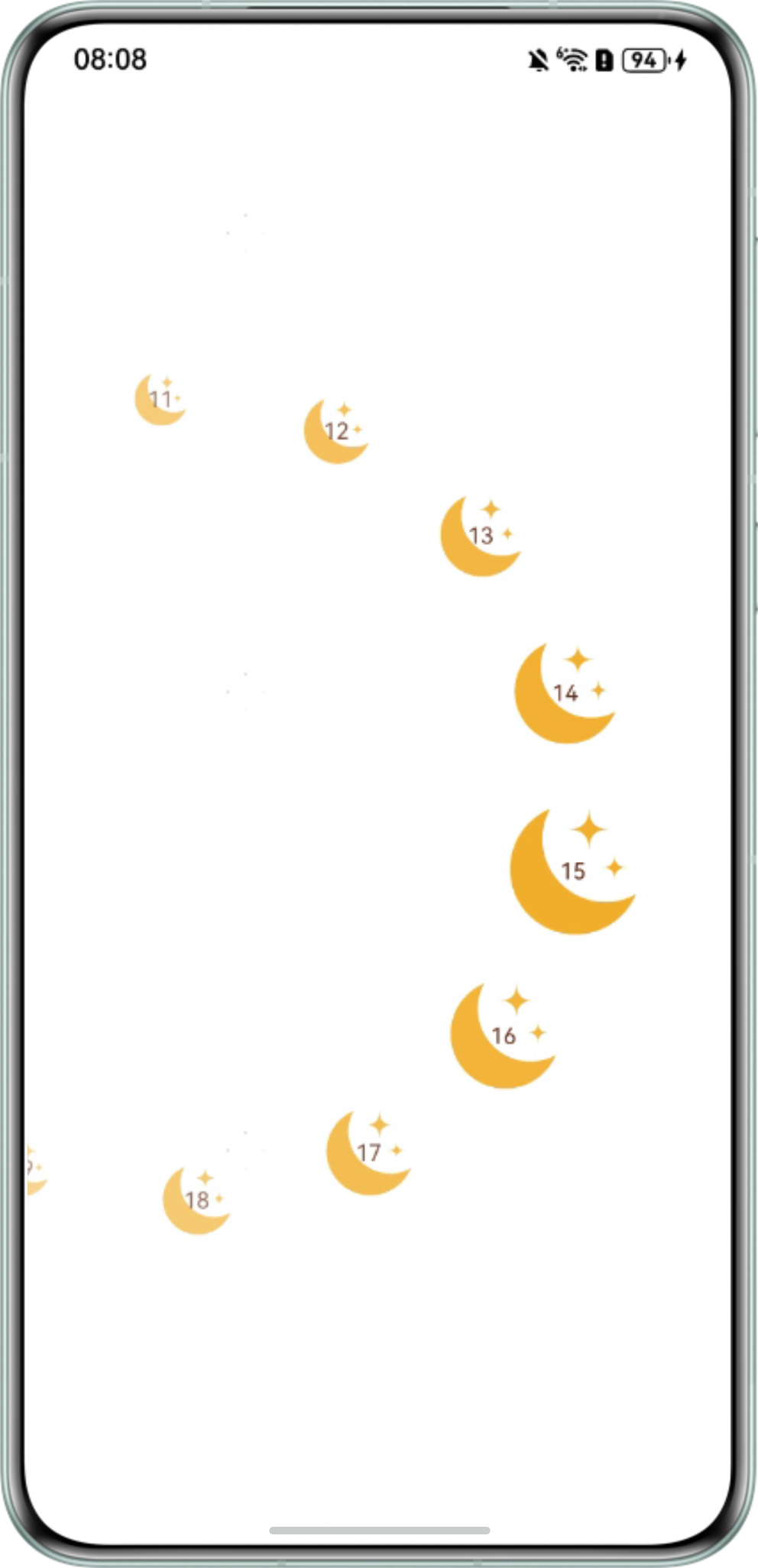
预期描述: 想要实现通过手势滑动让月亮图片以半圆曲线的轨迹滚动的效果。
曲线滑动相关代码:
- 使用ForEach布置月亮图片:
ForEach(this.data, (item: number, i: number) => { Stack() { // 开发者需自行配置媒体资源文件 Image($r('app.media.vip_sn_star')) .width('100%') .height('100%'); Text(item.toString()) .fontSize(14) .fontColor('#FF61240D') .textAlign(TextAlign.Center) .width('100%') .height('100%'); } .animation({ duration: 200, curve: Curve.EaseInOut }) // 根据位置透明度递减,具体数值需要根据具体情况调整。 .opacity(1 - 0.4 * (69 + (this.getStarPosition(i + this.moveDistance).y - this.maxSize * this.getScale(i + this.moveDistance) / 2)) / 324) .rotate({ angle: -90 }) // 保持文字端正 .width(this.maxSize * this.getScale(i + this.moveDistance)) .height(this.maxSize * this.getScale(i + this.moveDistance)) // 位置信息需要添加位移变量(修改部分) .position({ x: this.getStarPosition(i + this.moveDistance).x - this.maxSize * this.getScale(i + this.moveDistance) / 2, y: this.getStarPosition(i + this.moveDistance).y - this.maxSize * this.getScale(i + this.moveDistance) / 2 }); }); - 手势滑动相关代码:
.gesture(
  // 手势需要触发位移变量的改变(修改部分)
  PanGesture({ direction: PanDirection.Vertical, distance: 20 })
    .onActionUpdate((event: GestureEvent) => {
      console.info(`月亮图片:onActionUpdate event.offsetY = + event.offsetY`);
      if (event.offsetY < -20) {
        this.uiContext?.animateTo({ duration: 200 }, () => {
          this.moveDistance -= 0.1;
        });
      } else if (event.offsetY > 20) {
        // 向下滑:回退
        this.uiContext?.animateTo({ duration: 200 }, () => {
          this.moveDistance += 0.1;
        });
      }
    })
    .onActionEnd((event: GestureEvent) => {
      console.info(`event: ${event}`);
    })
);
背景知识
- ForEach接口基于数组类型数据来进行循环渲染,需要与容器组件配合使用,且接口返回的组件应当是允许包含在ForEach父容器组件中的子组件。
- PanGesture:滑动手势事件,当滑动的最小距离达到设定的最小值时触发滑动手势事件。
问题定位
- 检查ForEach中是否使用了合适的数据源:想要实现对整体数据进行一个手势滚动,则数据源应使用完整的数据。如果使用数据片段的话无法实现完整数据滚动的目的。
- 检查PanGesture中手势是否触发合适的属性改变:想要通过手势触发子元素的位移滚动,则需要新增位移变量,并通过手势触发位移变量的改变。如果没有配置合适的位移变量,则无法实现随手势滚动位移的效果。
分析结论
- ForEach中需要使用合适的数据源:想要实现对整体数据进行一个手势滚动,则数据源应使用this.data而非this.data.slice(this.startIndex, this.startIndex + this.starCount)。
- PanGesture中手势需要触发合适的属性改变:需要新增位移变量,并通过手势触发位移变量的改变。
修改建议
参考分析结论,完整示例代码如下:
import { Position } from '@kit.ArkUI';


@Entry
@Component
struct StartPage {
  @State data: number[] = Array.from<number, number>({ length: 30 }, (_, i: number) => i + 1);
  radius: number = 250;
  starCount: number = 8; // 平均分成8份
  maxSize: number = 150;
  scaleStep: number = 0.8; // 缩放比例递减,每边递减20%。
  startIndex: number = 0; // 控制滑动窗口的开始索引
  @State moveDistance: number = 0; // 新增位移变量(修改部分)
  uiContext: UIContext | undefined = undefined;


  aboutToAppear() {
    this.uiContext = this.getUIContext();
    if (!this.uiContext) {
      console.warn('no uiContext');
      return;
    }
  }


  // 计算每个点的坐标
  private getStarPosition(index: number): Position {
    const angleStep = 180 / (this.starCount - 1); // 平均分starCount份,间距starCount-1段
    const angleDeg = Math.min(Math.max(180 - angleStep * index, -90), 270);
    // 从180°往0°递减
    const angleRad = angleDeg * Math.PI / 180;
    // 从右侧0度开始,逆时针画半圆。
    const centerX = this.radius;
    const centerY = this.radius;
    const x = centerX + this.radius * Math.cos(angleRad);
    const y = centerY - this.radius * Math.sin(angleRad);


    return { x, y };
  }


  // 计算每个点的缩放比例
  private getScale(index: number): number {
    const centerIndex = Math.floor(this.starCount / 2);
    const distanceFromCenter = Math.abs(index - centerIndex);
    return Math.pow(this.scaleStep, distanceFromCenter);
  }


  build() {
    Stack() {
      Stack({ alignContent: Alignment.Center }) {
        // 布置月亮图片(修改部分)
        ForEach(this.data, (item: number, i: number) => {
          Stack() {
            // 开发者需自行配置媒体资源文件
            Image($r('app.media.vip_sn_star'))
              .width('100%')
              .height('100%');
            Text(item.toString())
              .fontSize(14)
              .fontColor('#FF61240D')
              .textAlign(TextAlign.Center)
              .width('100%')
              .height('100%');
          }
          .animation({ duration: 200, curve: Curve.EaseInOut })
          // 根据位置透明度递减,具体数值需要根据具体情况调整。
          .opacity(1 - 0.4 * (69 +
            (this.getStarPosition(i + this.moveDistance).y - this.maxSize * this.getScale(i + this.moveDistance) / 2)) /
            324)
          .rotate({ angle: -90 }) // 保持文字端正
          .width(this.maxSize * this.getScale(i + this.moveDistance))
          .height(this.maxSize * this.getScale(i + this.moveDistance))
          // 位置信息需要添加位移变量(修改部分)
          .position({
            x: this.getStarPosition(i + this.moveDistance).x - this.maxSize * this.getScale(i + this.moveDistance) / 2,
            y: this.getStarPosition(i + this.moveDistance).y - this.maxSize * this.getScale(i + this.moveDistance) / 2
          });
        });
      }
      .margin({ left: -this.radius })
      .width(this.radius * 2)
      .height(this.radius * 2)
      .rotate({ angle: 90 }); // 组件旋转90,才符合UI需求。


      // 增加一层覆盖在上面处理手势
      Stack() {
      }
      .width(this.radius * 2)
      .height(this.radius * 2)
      .gesture(
        // 手势需要触发位移变量的改变(修改部分)
        PanGesture({ direction: PanDirection.Vertical, distance: 20 })
          .onActionUpdate((event: GestureEvent) => {
            console.info(`月亮图片:onActionUpdate event.offsetY = + event.offsetY`);
            if (event.offsetY < -20) {
              this.uiContext?.animateTo({ duration: 200 }, () => {
                this.moveDistance -= 0.1;
              });
            } else if (event.offsetY > 20) {
              // 向下滑:回退
              this.uiContext?.animateTo({ duration: 200 }, () => {
                this.moveDistance += 0.1;
              });
            }
          })
          .onActionEnd((event: GestureEvent) => {
            console.info(`event: ${event}`);
          })
      );
    }
    .width('100%')
    .height('100%');
  }
}
改动后效果: