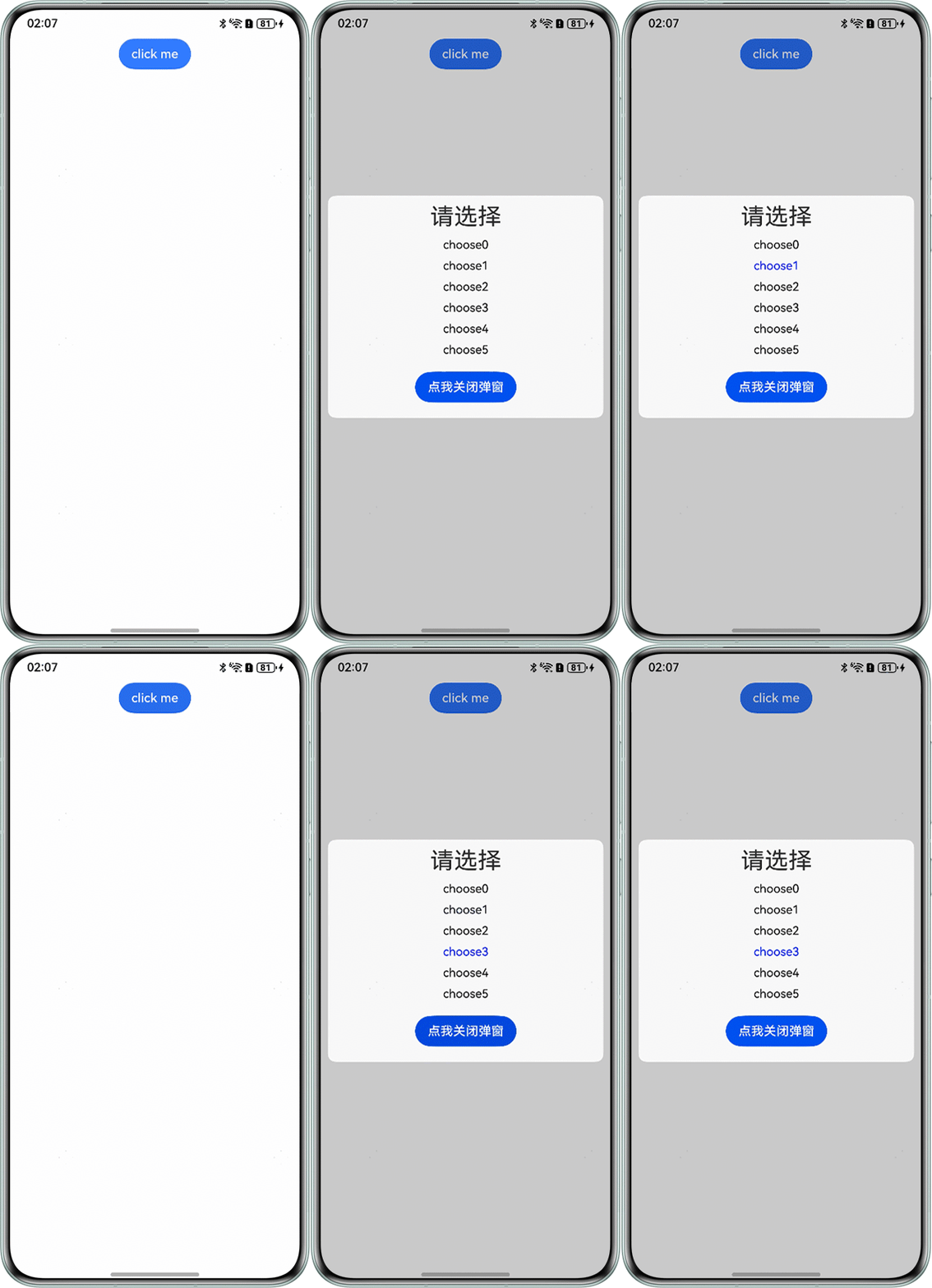
背景知识
- 通过CustomDialogController类显示自定义弹窗,弹窗内容相当于调用弹窗的组件的子组件。因此可以通过状态管理的方式存储选中状态。
- @Link装饰器可以将子组件中被@Link装饰的变量与其父组件中对应的数据源建立双向数据绑定。
解决方案
- 通过CustomDialogController类创建自定义弹窗,@CustomDialog相当于子组件,调用@CustomDialog的相当于父组件。
- 父组件用@State保存用户选择,提供状态源。
- 子组件用@Link接收父组件状态,实现双向绑定。
- 弹窗显示时,将值同步到父组件中。
完整示例参考如下:
- 弹窗组件:
@CustomDialog
struct CustomDialogExampleTwo {
  @Link saveClickNum: number;
  controller?: CustomDialogController;
  private arr: number[] = [0, 1, 2, 3, 4, 5];

  build() {
    Column() {
      Text('请选择')
        .margin({ top: 10 })
        .fontSize(30);
      Scroll() {
        List() {
          ForEach(this.arr, (item: number) => {
            ListItem() {
              Text('choose' + item)
                .fontSize(15)
                .fontColor(item === this.saveClickNum ? Color.Blue : Color.Black);
            }
            .width('100%')
            .margin({ top: 10 })
            .onClick(() => {
              this.saveClickNum = item;
            });
          });
        };
      };

      Button('点我关闭弹窗')
        .onClick(() => {
          if (this.controller !== undefined) {
            this.controller.close();
          }
        })
        .margin(20);
    };
  }
}
- 调用页面组件:
@Entry
@Component
struct CustomDialogUserTwo {
  @State clickNum: number = -1;
  dialogController: CustomDialogController | null = new CustomDialogController({
    builder: CustomDialogExampleTwo({
      saveClickNum: this.clickNum
    }),
    autoCancel: true,
    alignment: DialogAlignment.Center,
    offset: { dx: 0, dy: -20 },
    gridCount: 4,
    showInSubWindow: true,
    isModal: true,
    customStyle: false,
    cornerRadius: 10,
  });

  // 在自定义组件即将析构销毁时将dialogController置空
  aboutToDisappear() {
    this.dialogController = null; // 将dialogController置空
  }

  build() {
    Column() {
      Button('click me')
        .onClick(() => {
          if (this.dialogController != null) {
            this.dialogController.open();
          }
        }).backgroundColor(0x317aff);
    }.width('100%').margin({ top: 5 });
  }
}