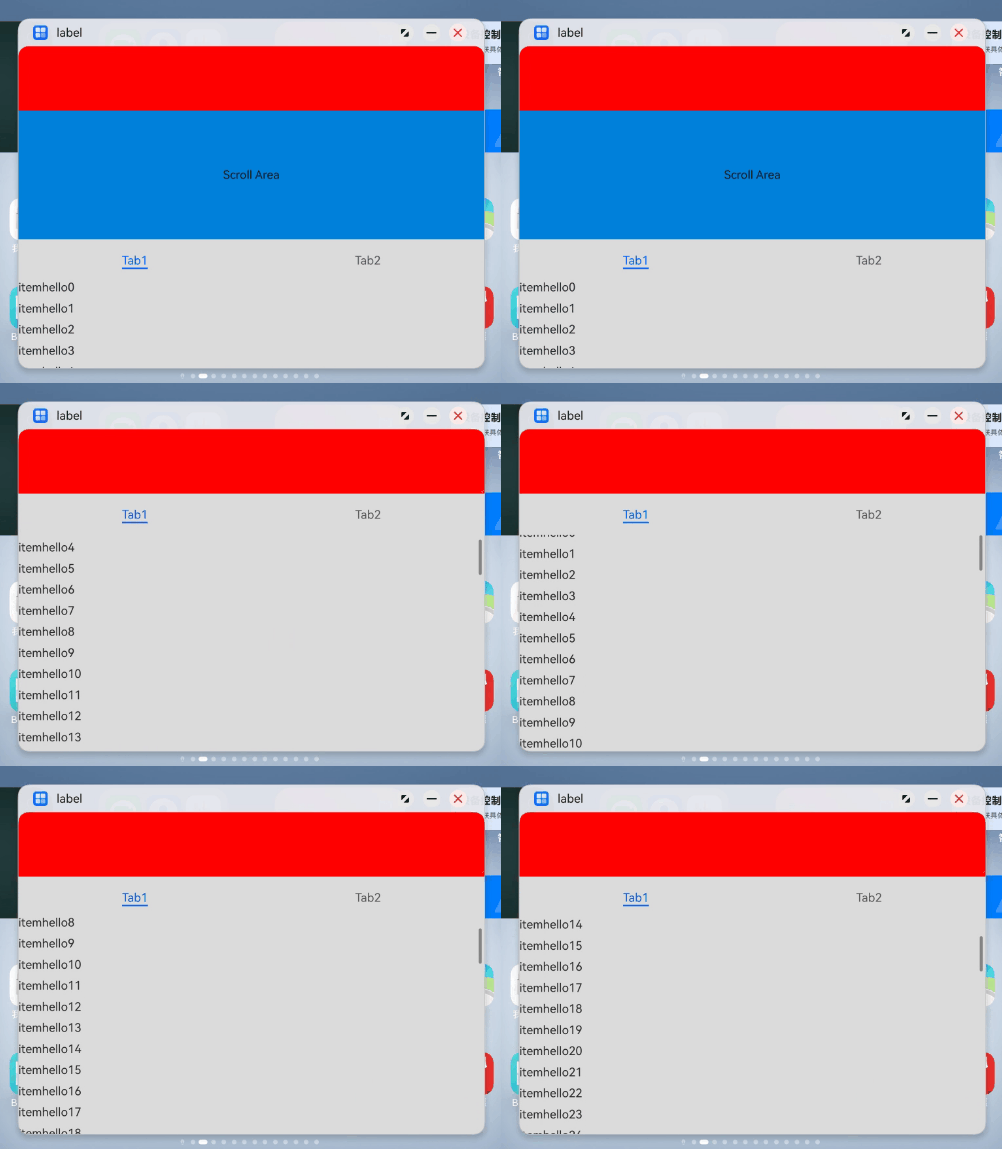
分析结论
页面代码结构为Scroll组件套Tabs组件套List组件,当给Tabs组件设置了固定高度,并且自由多窗小窗场景,Tabs组件的高度高于Scroll组件的显示高度,滑动页面时tabBar会滑出Scroll组件,并且页面代码中调用了scrollTo方法强制将tabBar滑动到页面某个位置,这样就出现了页面内容跳动的情况。
修改建议
- 把Scroll组件中Tabs组件的height属性设置成100%,这样在滑动页面时,滑动的就是TabContent中的List组件内容,tabBar不会滑出Scroll。
- 删掉调用scrollTo方法强制将tabBar滑动到页面某个位置的代码。
@Entry
@Component
struct WindowLeap {
  scrollController: Scroller = new Scroller();
  list1: Array<string> = [];

  aboutToAppear(): void {
    for (let index = 0; index < 200; index++) {
      this.list1.push(`hello${index}`);
    }
  }

  build() {
    Column() {
      Row()
        .backgroundColor(Color.Red)
        .width('100%')
        .height('20%')
      Scroll() {
        Column() {
          Text("Scroll Area")
            .width("100%")
            .height("40%")
            .backgroundColor('#0080DC')
            .textAlign(TextAlign.Center)
          Tabs({ barPosition: BarPosition.Start }) {
            TabContent() {
              List({ space: 10 }) {
                ForEach(this.list1, (item: number) => {
                  ListItem() {
                    Text("item" + item)
                      .fontSize(16)
                  }
                }, (item: string) => item)
              }.width("100%")
              .edgeEffect(EdgeEffect.Spring)
              .nestedScroll({
                scrollForward: NestedScrollMode.PARENT_FIRST,
                scrollBackward: NestedScrollMode.SELF_FIRST
              })
            }.tabBar("Tab1")

            TabContent() {
            }.tabBar("Tab2")
          }
          .vertical(false)
          // 设置Tabs组件的高度,保证页面滑动过程中tabBar不会滑动到Scroll组件外。
          .height("100%")
        }.width("100%")
      }
      .edgeEffect(EdgeEffect.Spring)
      .friction(0.6)
      .backgroundColor('#DCDCDC')
      .scrollBar(BarState.Off)
      .width('100%')
    }
  }
}
效果图: