问题定位
- 通过关键词“包名”过滤日志,出现多次焦点更新日志,部分如下所示:
23873: 10-26 17:51:07.502  3240  3527 I C04207/com.ohos.sceneboard/WMSFocus: [] NotifyFocusStatus(4964): name: com.hm.example/EntryAbility/xxxx0, id: 1364, isFocused: 1
23888: 10-26 17:51:07.504 38016 38066 I C04207/com.hm.example/WMSFocus: [] UpdateFocus(912): Report update focus: 1, id: 1364
- 通过如下代码可复现问题现象:
@Entry
@Component
struct CalculateInput {
@State inputValue: string = '';
controller: TextInputController = new TextInputController();

build() {
    Column() {
    Row() {
        Text("现象复现:")
        .width('30%')
        TextInput({ text: this.inputValue, controller: this.controller })
        .onChange((value:string) => {
            this.inputValue = value;
            this.controller.stopEditing()
        })
        .width('70%')
        .type(InputType.Number)
    }
    .padding(15)
    }
    .height('100%')
    .width('100%')
}
}
效果:
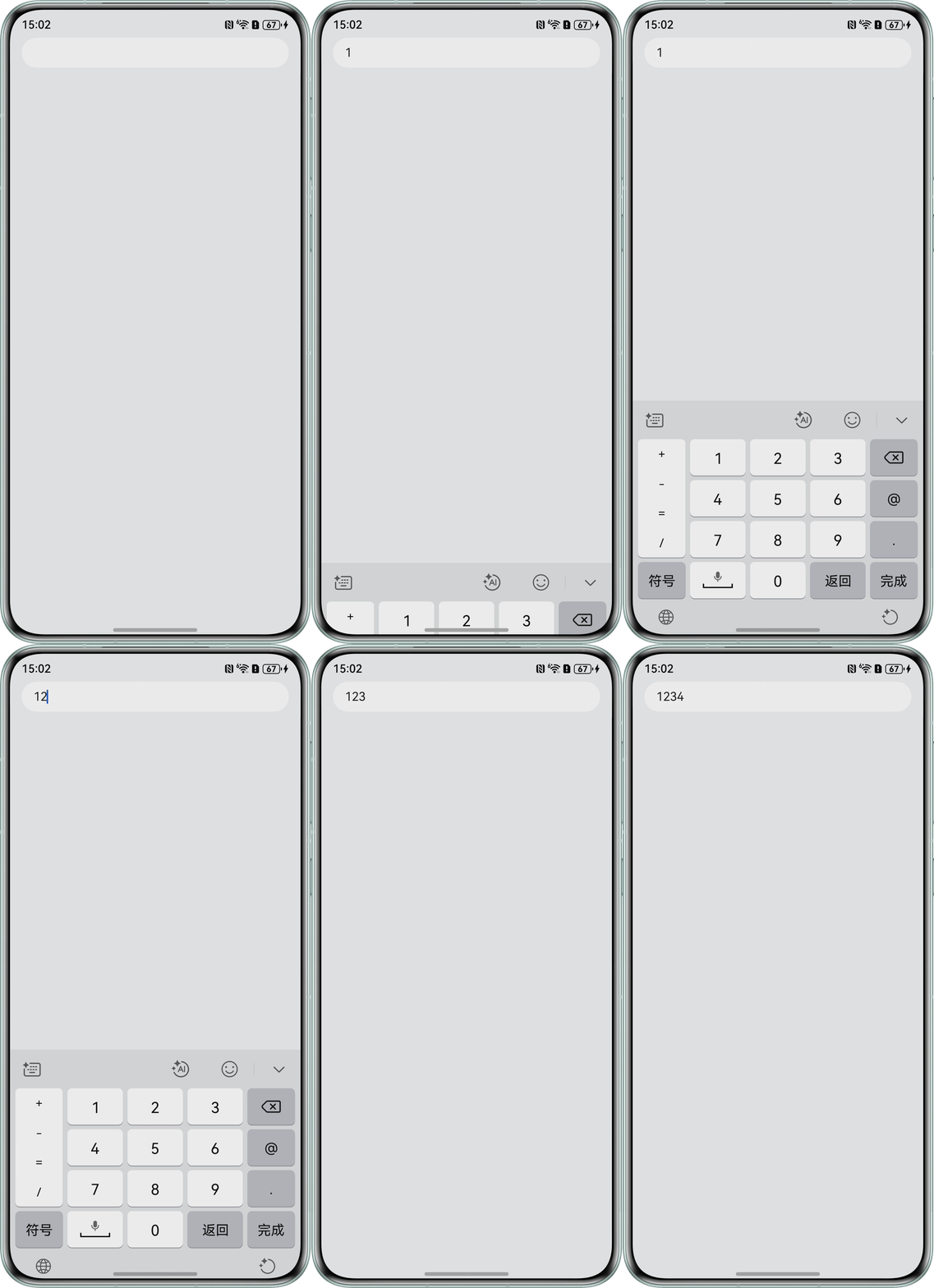
- 排查业务代码中是否存在输入值变化时进行stopEditing函数调用。
- 排查业务代码中是否存在输入值变化时设置输入框失去焦点。
修改建议
使用输入法框架的结束输入会话能力在点击非输入框时,退出编辑能力,且收起输入法。参考代码:
import { inputMethod } from '@kit.IMEKit';

@Entry
@Component
struct CalculateInput {
  @State inputValue: string = '';
  controller: TextInputController = new TextInputController();

  build() {
    Column() {
      TextInput({ text: this.inputValue, controller: this.controller })
        .onChange((value: string) => {
          this.inputValue = value;
        })
        .width('100%')
        .type(InputType.Number)
        .backgroundColor('#FFFFFF');
    }
    .onClick(() => {
      inputMethod.getController().stopInputSession();
    })
    .height('100%')
    .width('100%')
    .padding({
      left: 16,
      right: 16,
      top: 40,
      bottom: 28
    })
    .backgroundColor('#F1F3F5');
  }
}