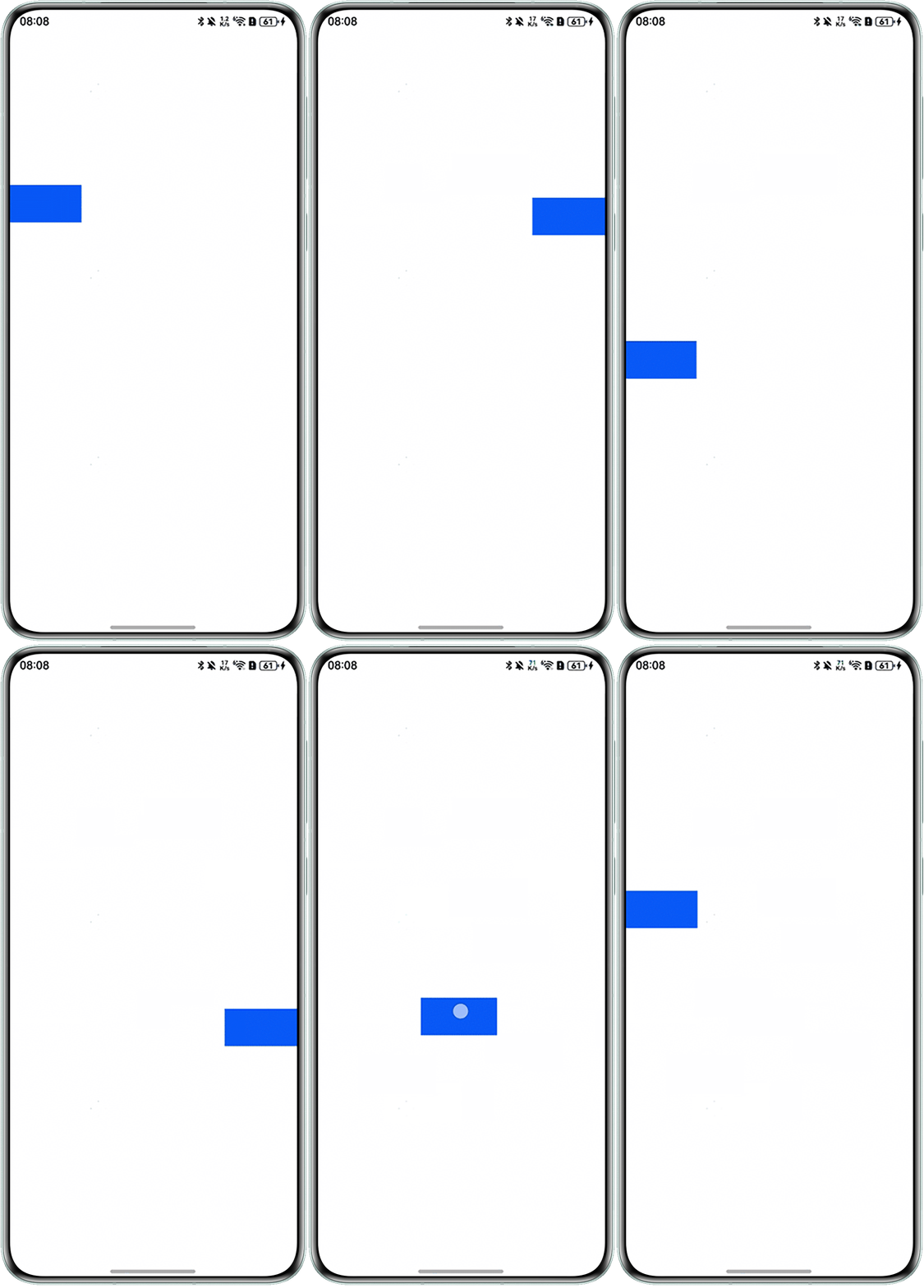
解决方案
为实现上述功能,可通过如下步骤实现:
- 通过组件的触摸事件onTouch,其中使用TouchType.Down记录手指按下时的初始坐标,使用TouchType.Move获取手指移动时的位置信息,通过获取的位置信息修改组件的position属性实现元素的拖拽功能:
// 指针按下事件:记录初始坐标 case TouchType.Down: { this.windowStartX = event.touches[0].windowX; this.windowStartY = event.touches[0].windowY; break; } case TouchType.Move: { const windowX: number = event.touches[0].windowX; const windowY: number = event.touches[0].windowY; // 左边距吸附时:更新左边缘位置 if (this.edge.left !== undefined) { this.edge.left = this.edge.left as number + (windowX - this.windowStartX); } // 右边距吸附时:更新右边缘位置 else { this.edge.right = this.edge.right as number - (windowX - this.windowStartX); } // 更新顶部位置 this.edge.top = this.edge.top as number + (windowY - this.windowStartY); // 更新起始坐标用于下次计算 this.windowStartX = windowX; this.windowStartY = windowY; break; } - 再通过TouchType.Up(手指抬起),对比手指抬起时组件所处位置,与容器组件的中心位置,判断出需要向哪边进行贴边操作,或与容器元素宽度进行对比,判断元素是否超出容器,选择将组件position属性的left或right设置为undefined并将其对立方向设置为0,且位置的调整设置于animateTo中,实现将元素从容器内部或容器外部缓慢调整至容器边缘,从而实现组件拖拽后的贴边效果:
case TouchType.Up: {
  // 计算悬浮窗中心点在父组件中的水平坐标
  let centerX: number;
  if (this.edge.left !== undefined) {
    centerX = this.edge.left as number + this.floatWindowWidth / 2;
  } else {
    centerX = this.containerWidth - (this.edge.right as number) - this.floatWindowWidth / 2;
  }
  // 使用阻尼动画实现吸附效果
  this.uiContext.animateTo({ curve: curves.springMotion() }, () => {
    // 获取屏幕宽度
    let width = this.uiContext.px2vp(display.getDefaultDisplaySync().width);
    // 启用吸附功能时
    if (this.openAdsorb) {
      // 根据中心点位置决定吸附方向
      if (centerX > (this.containerWidth / 2)) {
        // 右侧吸附
        this.edge.right = this.pagePadding;
        this.edge.left = undefined;
      } else {
        // 左侧吸附
        this.edge.right = undefined;
        this.edge.left = this.pagePadding;
      }
    } else {
      // 检查是否超出左侧屏幕
      let overflowLeft = this.edge.right! > width - this.floatWindowWidth;
      // 检查是否超出右侧屏幕
      let overflowRight = this.edge.right! < 0;
      // 处理超出屏幕边界的情况
      if (overflowLeft) { // 超出左边屏幕
        this.edge.left = undefined;
        this.edge.right = width - this.floatWindowWidth;
      } else if (overflowRight) { // 超出右边屏幕
        this.edge.right = this.pagePadding;
        this.edge.left = undefined;
      }
    }
  })
  break;
}
完整实现如下:
import { curves, display } from '@kit.ArkUI';


@Component
export struct FloatWindowView {
  @State edge: Edges = { top: 200, left: 0 };
  @Link containerWidth: number;
  @Link containerHeight: number;
  private windowStartX: number = 0;
  private windowStartY: number = 0;
  // 是否启用吸附功能
  openAdsorb: boolean = true;
  @Prop pagePadding: number = 0; // 页面内容内边距,用于悬浮窗位置计算
  @State floatWindowWidth: number = 100; // 悬浮窗宽度
  @State floatWindowHeight: number = 50; // 悬浮窗高度
  uiContext: UIContext = this.getUIContext();


  // 触摸回调,实现悬浮窗跟手拖拽和贴边吸附动画
  onTouchEvent(event: TouchEvent): void {
    switch (event.type) {
      // 指针按下事件:记录初始坐标
      case TouchType.Down: {
        this.windowStartX = event.touches[0].windowX;
        this.windowStartY = event.touches[0].windowY;
        break;
      }
      case TouchType.Move: {
        const windowX: number = event.touches[0].windowX;
        const windowY: number = event.touches[0].windowY;
        // 左边距吸附时:更新左边缘位置
        if (this.edge.left !== undefined) {
          this.edge.left = this.edge.left as number + (windowX - this.windowStartX);
        }
        // 右边距吸附时:更新右边缘位置
        else {
          this.edge.right = this.edge.right as number - (windowX - this.windowStartX);
        }
        // 更新顶部位置
        this.edge.top = this.edge.top as number + (windowY - this.windowStartY);
        // 更新起始坐标用于下次计算
        this.windowStartX = windowX;
        this.windowStartY = windowY;
        break;
      }
      // 指针抬起事件:实现吸附动画和边界限制
      case TouchType.Up: {
        // 计算悬浮窗中心点在父组件中的水平坐标
        let centerX: number;
        if (this.edge.left !== undefined) {
          centerX = this.edge.left as number + this.floatWindowWidth / 2;
        } else {
          centerX = this.containerWidth - (this.edge.right as number) - this.floatWindowWidth / 2;
        }
        // 使用阻尼动画实现吸附效果
        this.uiContext.animateTo({ curve: curves.springMotion() }, () => {
          // 获取屏幕宽度
          let width = this.uiContext.px2vp(display.getDefaultDisplaySync().width);
          // 启用吸附功能时
          if (this.openAdsorb) {
            // 根据中心点位置决定吸附方向
            if (centerX > (this.containerWidth / 2)) {
              // 右侧吸附
              this.edge.right = this.pagePadding;
              this.edge.left = undefined;
            } else {
              // 左侧吸附
              this.edge.right = undefined;
              this.edge.left = this.pagePadding;
            }
          } else {
            // 检查是否超出左侧屏幕
            let overflowLeft = this.edge.right! > width - this.floatWindowWidth;
            // 检查是否超出右侧屏幕
            let overflowRight = this.edge.right! < 0;
            // 处理超出屏幕边界的情况
            if (overflowLeft) { // 超出左边屏幕
              this.edge.left = undefined;
              this.edge.right = width - this.floatWindowWidth;
            } else if (overflowRight) { // 超出右边屏幕
              this.edge.right = this.pagePadding;
              this.edge.left = undefined;
            }
          }
        })
        break;
      }
      default: {
        break;
      }
    }
  }


  build() {
    Column() {
    }
    .clip(true)
    .backgroundColor('#0A59F7')
    .width(this.floatWindowWidth)
    .height(this.floatWindowHeight)
    .position(this.edge)
    .onTouch((event: TouchEvent) => {
      this.onTouchEvent(event);
    })
  }
}


@Entry
@Component
struct Index {
  // 父组件宽度
  @State containerWidth: number = 0;
  // 父组件高度
  @State containerHeight: number = 0;


  build() {
    Stack() {
      FloatWindowView({
        containerWidth: this.containerWidth, // 传递父容器宽度
        containerHeight: this.containerHeight, // 传递父容器高度
      })
        .width('100%')
    }
    // 设置外层Stack容器的尺寸
    .height('100%')
    .width('100%')


    .onAreaChange((oldValue: Area, newValue: Area) => {
      // 记录父组件的宽高
      if (oldValue.width !== newValue.width) {
        this.containerWidth = newValue.width as number;
      }


      if (oldValue.height !== newValue.height) {
        this.containerHeight = newValue.height as number;
      }
    })
  }
}
实现效果: