Q:如何阻断事件在事件链上的传递?
A:阻断事件在事件链上的传递有以下几种方案:
- 方案一:在子组件的onTouch事件中通过调用event.stopPropagation()方法,阻止事件向上冒泡至父组件。该方法适用于需要在子组件层面处理触摸事件,同时不希望影响到父组件手势识别的场景。示例代码如下:
@Entry @Component struct PageA { build() { Row() { Column() { Text('My Text') .fontSize(50) .onTouch((event: TouchEvent) => { if (event.type === TouchType.Down) { // 消耗事件,阻止向上冒泡 event.stopPropagation(); } }); } .width('100%') .gesture(PanGesture().onActionStart(() => { console.info('Pan action'); })); }; } } - 方案二:使用自定义事件拦截方法。
为每个组件绑定onTouchIntercept回调方法,该方法能够在触摸事件被传递给子组件之前进行拦截。在其中一个组件上设置onTouchIntercept,并且通过回调方法返回HitTestMode的枚举值,从而达到控制触摸事件的效果,例如返回HitTestMode.None,使组件自身不响应事件,达到隔离自身触摸事件的效果,示例代码如下:
@Entry
@Component
struct PageB {
  @State bgColor: string = '#F1F3F5';
  @State text: string = 'Text';

  isPolygon() {
    return true;
  }

  build() {
    Column() {
      Text(this.text)
        .textAlign(TextAlign.Center)
        .fontSize(17)
        .width('25%')
        .height('15%')
        .borderRadius(16)
        .backgroundColor(Color.White)
        .onClick(() => {
          this.text = 'Changed';
        });
    }
    .justifyContent(FlexAlign.Center)
    .onTouchIntercept(() => {
      return HitTestMode.None;
    })
    .width('100%')
    .height(300)
    .backgroundColor(this.bgColor)
    .onClick(() => {
      this.bgColor = '#668c8c8c';
    });
  }
}
实现效果如下:
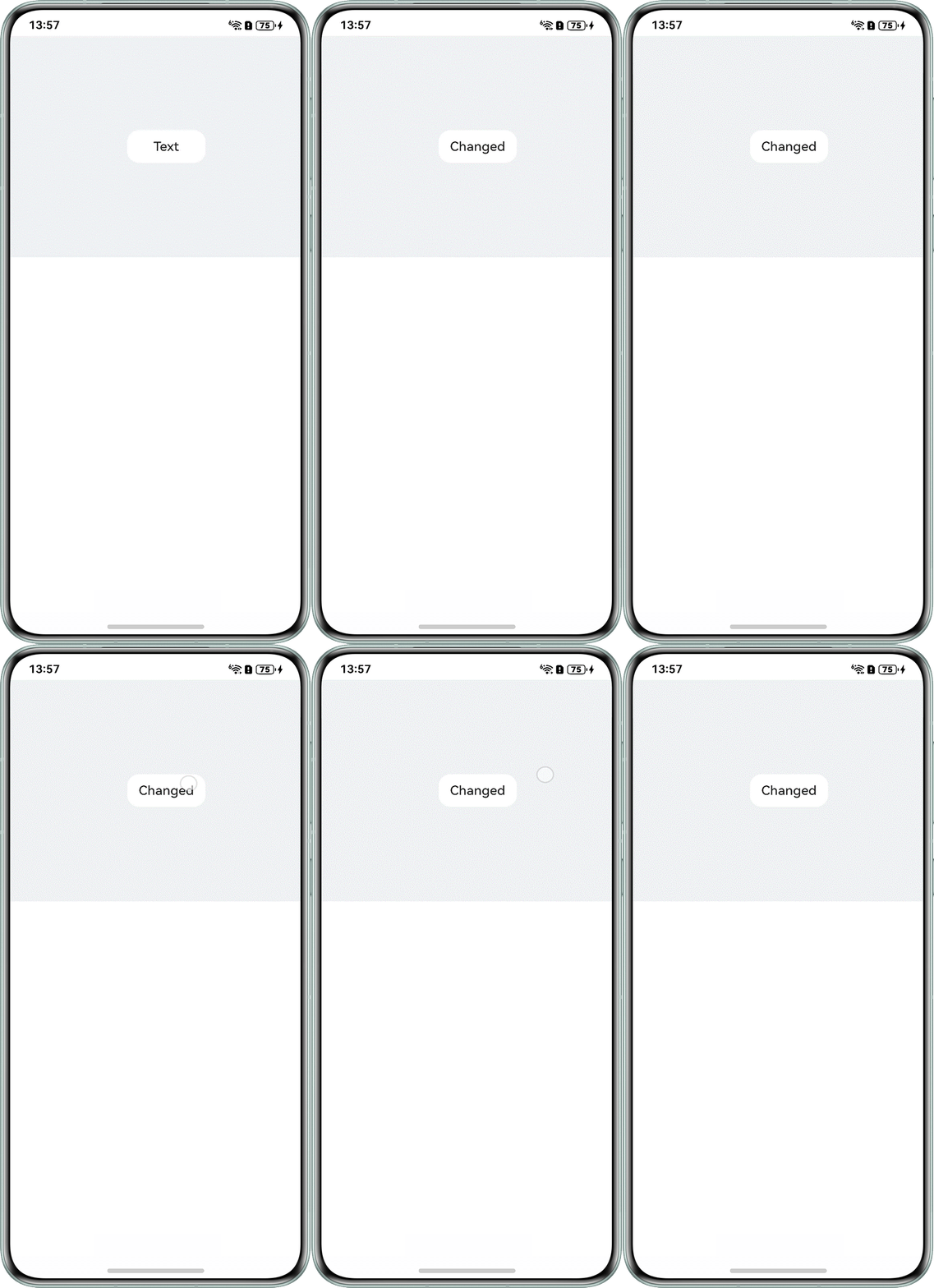
- 方案三:设置事件独占控制:在其中一个组件上设置monopolizeEvents属性,并赋值为true,该组件就将独占所有事件,包括触摸、点击和手势事件,当该组件响应事件后,其他组件将不会响应任何事件,直到事件结束,达到隔离其他触摸事件的效果,具体实现可以参考官网示例。