问题现象
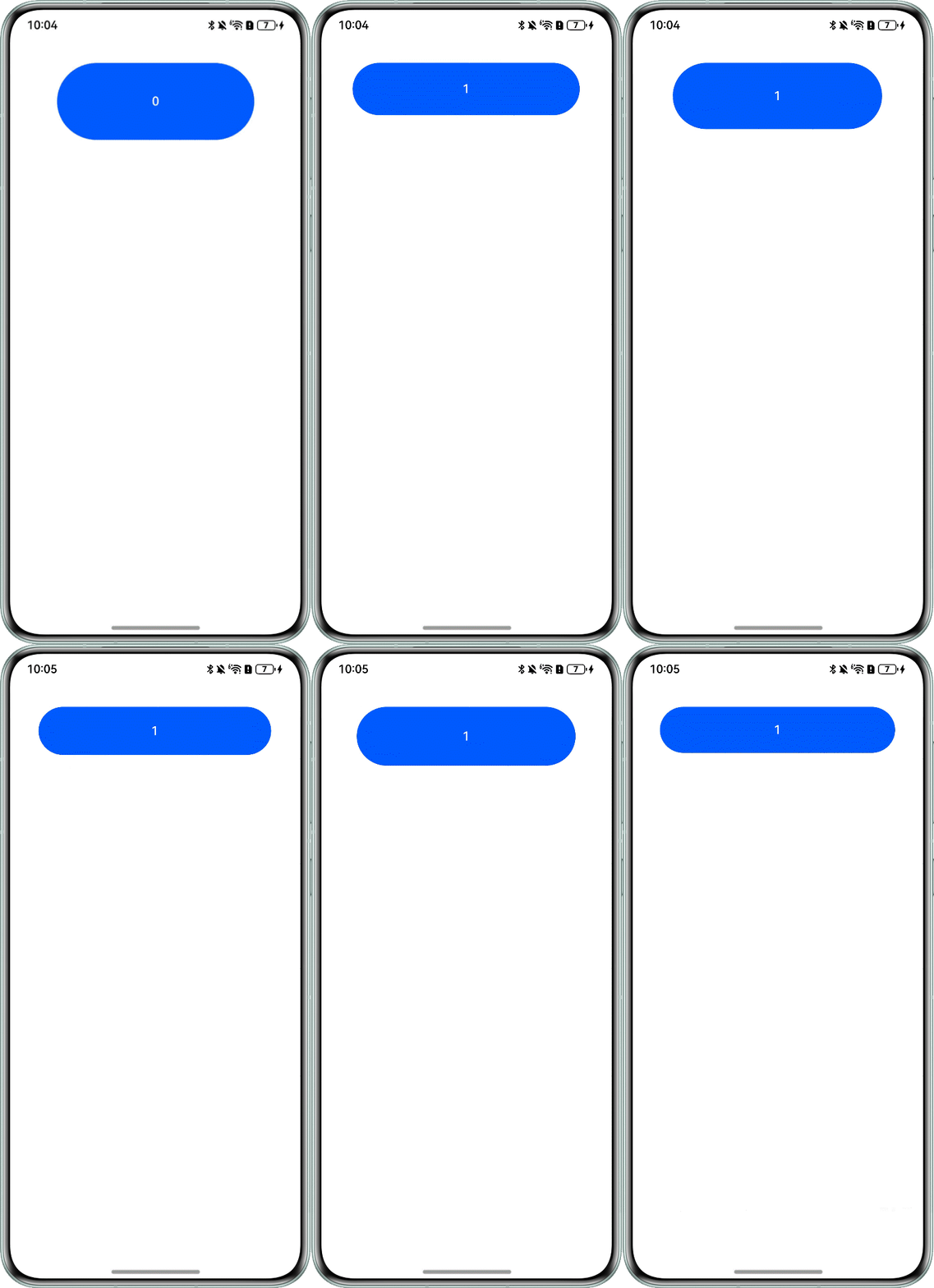
在使用animateTo方法实现循环动画的过程中,如果希望在每次动画播放时通过更新状态变量来刷新UI,可能会遇到UI无法动态响应更新的问题。例如,即使在事件中配置状态变量changeNum每次播放增加1,并设置动画循环播放3次,实际的UI显示仅更新一次,而onFinish的回调中changeNum仅记录1。
@Entry
@Component
struct AnimateToExample {
  @State widthSize: number = 250;
  @State heightSize: number = 100;
  uiContext: UIContext | undefined = undefined;
  @State changeNum: number = 0;
  aboutToAppear() {
    this.uiContext = this.getUIContext();
    if (!this.uiContext) {
      console.warn('no uiContext');
      return;
    }
  }
  playLrc() {
    this.uiContext?.animateTo({
      duration: 2000,
      curve: Curve.EaseOut,
      iterations: 3,
      playMode: PlayMode.Normal,
      onFinish: () => {
        console.info('play end');
      }
    }, () => {
      this.widthSize = 300;
      this.heightSize = 60;
      this.changeNum++;
    });
  }
  build() {
    Column() {
      Button(this.changeNum.toString())
        .width(this.widthSize)
        .height(this.heightSize)
        .margin(30)
        .onClick(() => {
          this.playLrc();
        });
    }.width('100%').margin({ top: 5 });
  }
}
问题效果预览:
背景知识
- animateTo:提供animateTo接口来指定由于闭包代码导致的状态变化插入过渡动效。
- 关键帧动画 (keyframeAnimateTo):在UIContext中提供keyframeAnimateTo接口来指定若干个关键帧状态,实现分段的动画。
解决方案
- 显示动画的参数iterations表示动画的执行次数,并不代表闭包函数里面的逻辑执行次数,所以问题代码中iterations:3并不会使得修改宽高动画执行3次,需要使用关键帧动画。
- 使用关键帧动画,可以分段执行动画逻辑。在动画结束后在onFinish回调中递归执行动画,从而实现预期效果。
@Entry
@Component
struct AnimateToExample {
  @State widthSize: number = 250;
  @State heightSize: number = 100;
  uiContext: UIContext | undefined = undefined;
  @State changeNum: number = 0;

  aboutToAppear() {
    this.uiContext = this.getUIContext();
  };

  playLrc() {
    // 使用关键帧动画
    this.uiContext?.keyframeAnimateTo({
      iterations: 1,
      onFinish: () => {
        if (this.changeNum % 3 !== 0) {
          this.playLrc();
        }
      }
    }, [
      {
        // 第一段关键帧动画
        duration: 800,
        event: () => {
          this.widthSize = 300;
          this.heightSize = 60;
          this.changeNum++;
        }
      },
      // 第二段关键帧动画
      {
        duration: 500,
        event: () => {
          this.widthSize = 250;
          this.heightSize = 100;
        }
      }
    ]);
  }

  build() {
    Column() {
      Button(this.changeNum.toString())
        .width(this.widthSize)
        .height(this.heightSize)
        .margin(30)
        .onClick(() => {
          this.playLrc();
        });
    }.width('100%').margin({ top: 5 });
  }
}