问题现象
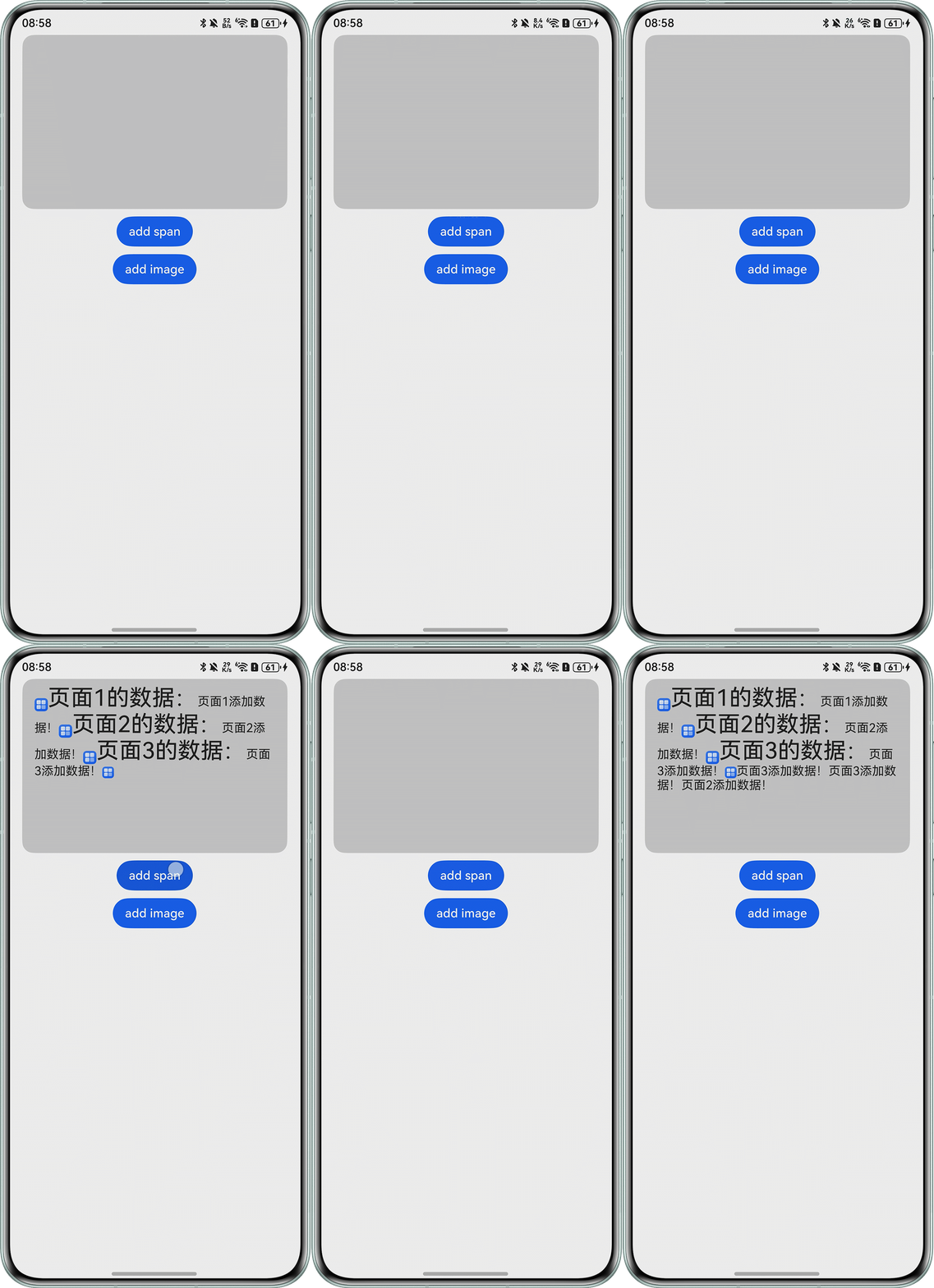
Swiper存在多个页面,每个页面都有一个RichEditor,可横向滑动,想要实现Swiper外的addTextSpan或者addImageSpan按钮给当前Swiper页面的RichEditor添加内容的功能。目前无论滑动到哪一个Swiper页面,添加的内容都只能给到最后一个Swiper页面的RichEditor。
问题代码如下:
@Entry
@Component
struct Index {
  controller: RichEditorController = new RichEditorController();
  option: RichEditorOptions = { controller: this.controller };
  private swiperController: SwiperController = new SwiperController();
  @State list: string[] = ['', '', ''];
  index: number = 0;

  build() {
    Column() {
      Swiper(this.swiperController) {
        ForEach(this.list, (item: string, index: number) => {
          Column() {
            RichEditor(this.option)
              .onReady(() => {
                this.controller.addImageSpan($r('app.media.startIcon'),
                  {
                    imageStyle: { size: ['57px', '57px'] }
                  });
                this.controller.addTextSpan('页面' + (index + 1) + '的数据:',
                  {
                    style: { fontColor: Color.Black, fontSize: 30 }
                  });
              })
              .borderRadius(15)
              .backgroundColor('#33000000')
              .width('90%')
              .height('30%');
          }
          .width('100%');
        });
      }
      .indicator(false)
      .loop(false)
      .index($$this.index);

      Column({ space: 10 }) {
        Button('add span')
          .onClick(() => {
            this.controller.addTextSpan('页面' + (this.index + 1) + '添加数据!');
          });
        Button('add image')
          .onClick(() => {
            this.controller.addImageSpan($r('app.media.startIcon'), {
              imageStyle: { size: ['50px', '50px'], verticalAlign: ImageSpanAlignment.BOTTOM, }
            });
          });
      }.margin({ top: 10 });
    };
  }
}
问题现象如下:

背景知识
Swiper:滑块视图容器,提供子组件滑动轮播显示的能力。
RichEditor:支持图文混排和文本交互式编辑的组件。每一个RichEditor都需要一个单独的RichEditorController,多个RichEditor之间不能共用同一个RichEditorController。
解决方案
问题的关键在于多个RichEditor之间不能共用同一个RichEditorController,所以实现方式如下:
- 根据Swiper页面数量也就是RichEditor数量,创建相同数量的RichEditorController。
@State controllerList: RichEditorController[] = [];
// 每一个Swiper页面有一个RichEditor组件,所以需要设置相同数量的RichEditorController aboutToAppear(): void { for (let index = 0; index < this.list.length; index++) { this.controllerList.push(new RichEditorController()); } } - ForEach的索引index唯一,借助该特性实现每一个数组内的RichEditorController与RichEditor一一对应即可。
@Entry
@Component
struct SwiperInput {
  private swiperController: SwiperController = new SwiperController();
  @State controllerList: RichEditorController[] = [];
  @State list: string[] = ['', '', ''];
  index: number = 0;

  // 每一个Swiper页面有一个RichEditor组件,所以需要设置相同数量的RichEditorController
  aboutToAppear(): void {
    for (let index = 0; index < this.list.length; index++) {
      this.controllerList.push(new RichEditorController());
    }
  }

  build() {
    Column() {
      Swiper(this.swiperController) {
        ForEach(this.list, (item: string, index: number) => {
          Column() {
            // ForEach的索引index唯一,每一个RichEditor拥有一个controllerList中专属的RichEditorController
            RichEditor({ controller: this.controllerList[index] })
              .onReady(() => {
                // 不同RichEditor采用对应的RichEditorController控制
                this.controllerList[index].addImageSpan($r('app.media.startIcon'),
                  {
                    imageStyle: { size: ['57px', '57px'] }
                  });
                this.controllerList[index].addTextSpan('页面' + (index + 1) + '的数据:',
                  {
                    style: { fontColor: Color.Black, fontSize: 30 }
                  });
              })
              .borderRadius(15)
              .backgroundColor('#33000000')
              .width('90%')
              .height('30%');
          }
          .width('100%');
        });
      }
      .indicator(false)
      .loop(false)
      .index($$this.index);

      Column({ space: 10 }) {
        Button('add span')
          .onClick(() => {
            this.controllerList[this.index].addTextSpan('页面' + (this.index + 1) + '添加数据 ');
          });
        Button('add image')
          .onClick(() => {
            this.controllerList[this.index].addImageSpan($r('app.media.startIcon'), {
              imageStyle: { size: ['50px', '50px'], verticalAlign: ImageSpanAlignment.BOTTOM, }
            });
          });
      }
      .margin({ top: 10 });
    };
  }
}