解决方案
本文将介绍几种常见舵式导航样式和实现方案。
实现场景 | 实现方案 |
|---|---|
场景一:中间图标超出标签栏显示。 | 基于Flex布局实现自定义页签栏,居中页签通过offset属性超出页签栏显示。 |
场景二:页签栏实现凸起/凹陷视觉效果,页签点击切换时具有切换动画。 | |
场景三:点击某个页签,此页签能超出页签栏显示。 | 基于tabBar属性实现页签栏,设置TabBar的clip属性为false,被点击页签通过offset属性超出页签栏显示。 |
场景四:中间页签凸起显示,并伴有弧形背景。 | 自定义组件实现页签栏,基于Stack在页签下方叠放弧线背景,设置Stack组件的clip属性为false,居中页签通过offset属性超出页签栏显示。 |
- 场景一:中间图标超出标签栏显示。
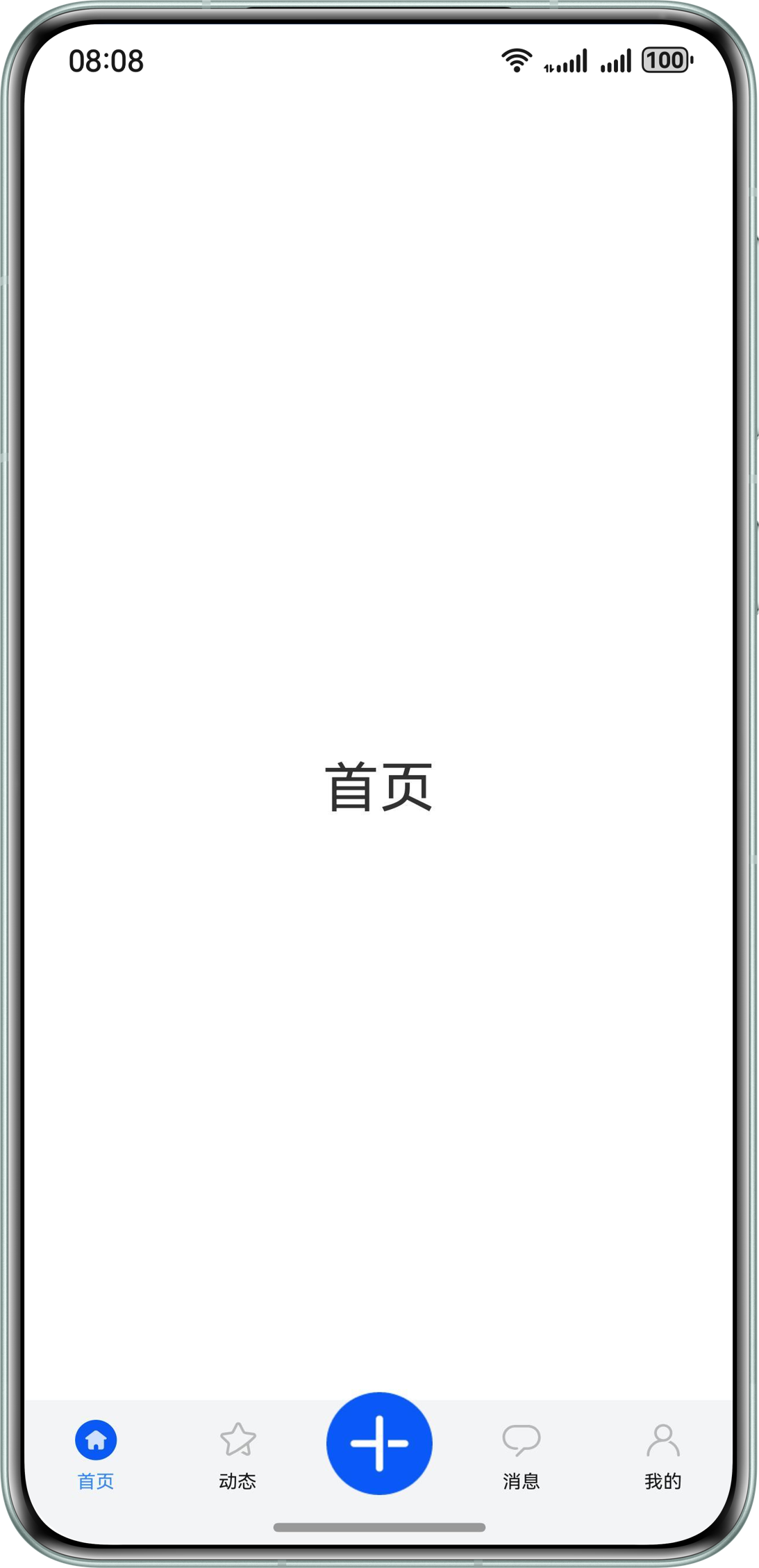
实现方案:导航条通过Flex布局实现,替代tabBar属性设置,并通过offset控制中心图标与两侧图标的位置。详细说明请参考舵式底部导航。实现代码见基于Tabs组件实现常见导航样式。
- 场景二:页签栏实现凸起/凹陷视觉效果,页签点击切换时具有切换动画。
实现方案:未使用tabBar属性,通过自定义组件实现页签栏。详细实现步骤和代码见自定义TabBar页签凸起和凹陷案例。
- 场景三:点击某个页签,此页签能超出页签栏显示。
实现方案:基于tabBar属性实现页签栏,通过使用TabsOptions中的barModifier设置TabBar的clip属性为true,再设置页签的offset属性实现页签超出tabBar区域显示效果。实现代码见页签超出TabBar区域显示。
- 场景四:中间页签凸起显示,并伴有弧形背景。
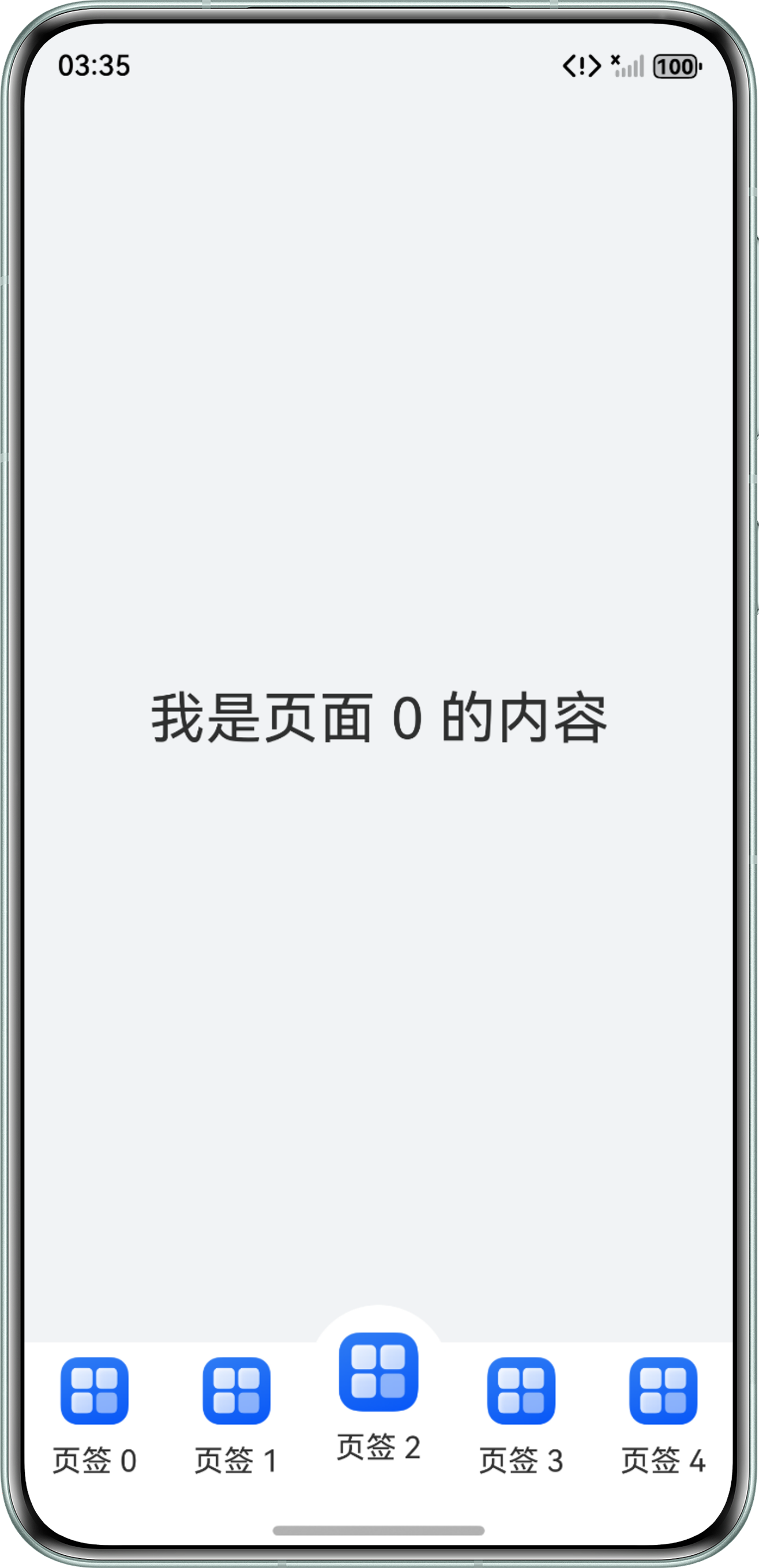
实现方案:未使用tabBar属性,通过自定义组件实现页签栏。通过Stack堆叠组件实现弧形背景,通过offset属性超出页签栏显示。
@Entry
@Component
struct RudderStyleTab {
  @State tabArray: Array<number> = [0, 1, 2, 3, 4];
  @State focusIndex: number = 0;
  private controller: TabsController = new TabsController();

  @Builder
  tabBuilder(tabName: string, tabIndex: number) {
    Column() {
      Stack({ alignContent: Alignment.Center }) {
        if (tabIndex === 2) {
          Column() {
          }
          .width('100%')
          .height('100%')
          .backgroundColor(Color.White)
          .offset({ bottom: 20 })
          .borderRadius({
            topLeft: 100,
            topRight: 100
          });
        }
        Column({ space: 10 }) {
          Image($r('app.media.startIcon'))
            .width(tabIndex === 2 ? 42 : 36);
          Text(tabName);
        }.width('100%').height('100%')
        .offset({ bottom: tabIndex === 2 ? 10 : 0 })
        .justifyContent(FlexAlign.Center);
      }.width('100%').height('100%').clip(false);
    }
    .width('20%')
    .height('100%')
    .justifyContent(FlexAlign.Center)
    .onClick(() => {
      this.controller.changeIndex(tabIndex);
      this.focusIndex = tabIndex;
    });
  }

  build() {
    Flex({ direction: FlexDirection.Column }) {
      Tabs({ barPosition: BarPosition.End, controller: this.controller }) {
        ForEach(this.tabArray, (item: number) => {
          TabContent() {
            Column() {
              Text('我是页面 ' + item + ' 的内容')
                .fontSize(30);
            }.width('100%').height('100%').justifyContent(FlexAlign.Center);
          };
        });
      }
      .background('#F1F3F5')
      .barHeight(0)
      .animationDuration(100)
      .onChange((index: number) => {
        console.info('foo change');
        this.focusIndex = index;
      });

      // 页签
      Flex({ alignItems: ItemAlign.End }) {
        ForEach(this.tabArray, (item: number, index: number) => {
          this.tabBuilder('页签 ' + item, index);
        });
      }
      .expandSafeArea([SafeAreaType.SYSTEM], [SafeAreaEdge.BOTTOM])
      .layoutWeight(0)
      .height('90vp')
      .width('100%');
    }.expandSafeArea([SafeAreaType.SYSTEM], [SafeAreaEdge.BOTTOM])
    .width('100%')
    .height('100%');
  }
}