问题现象
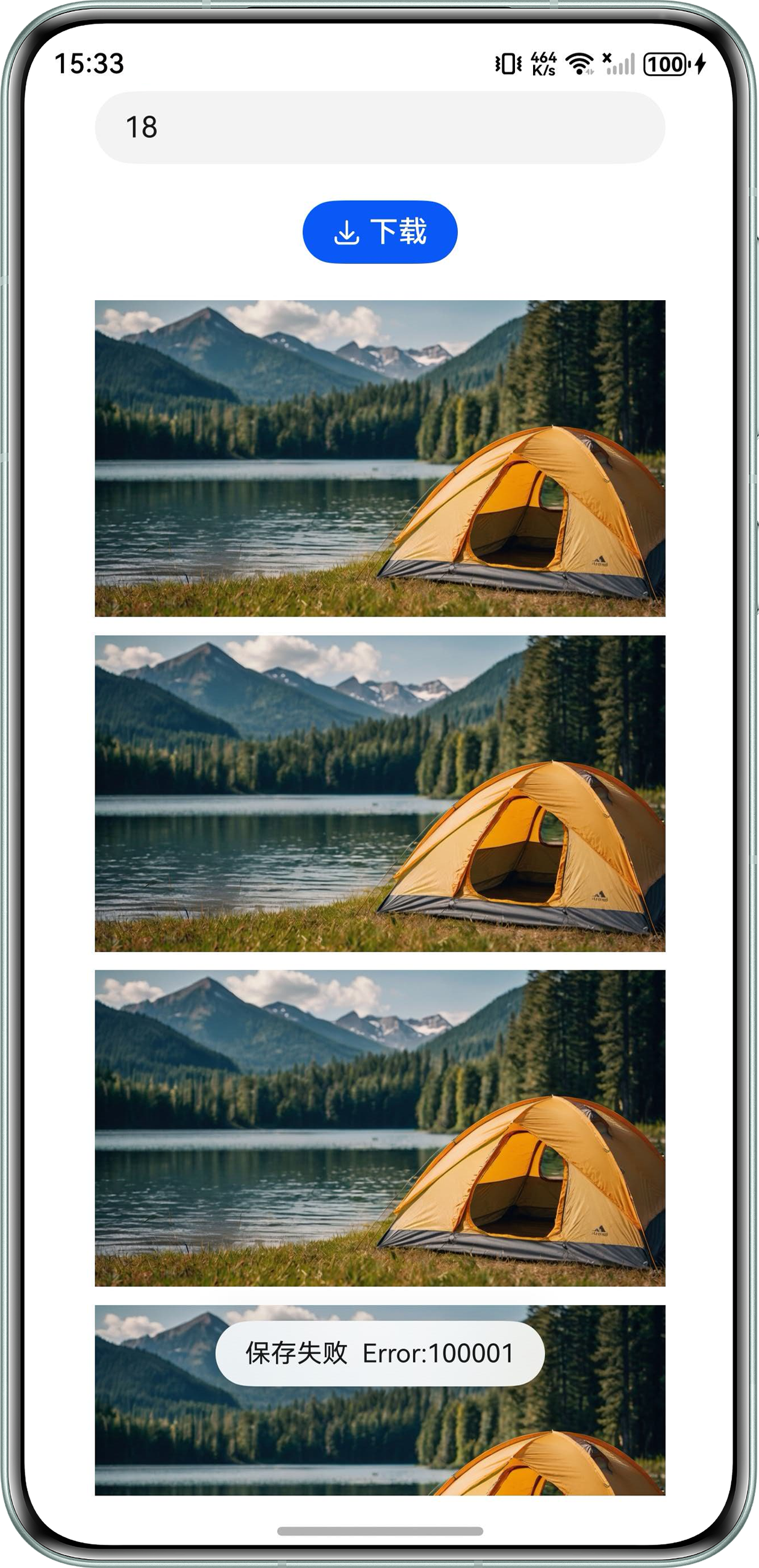
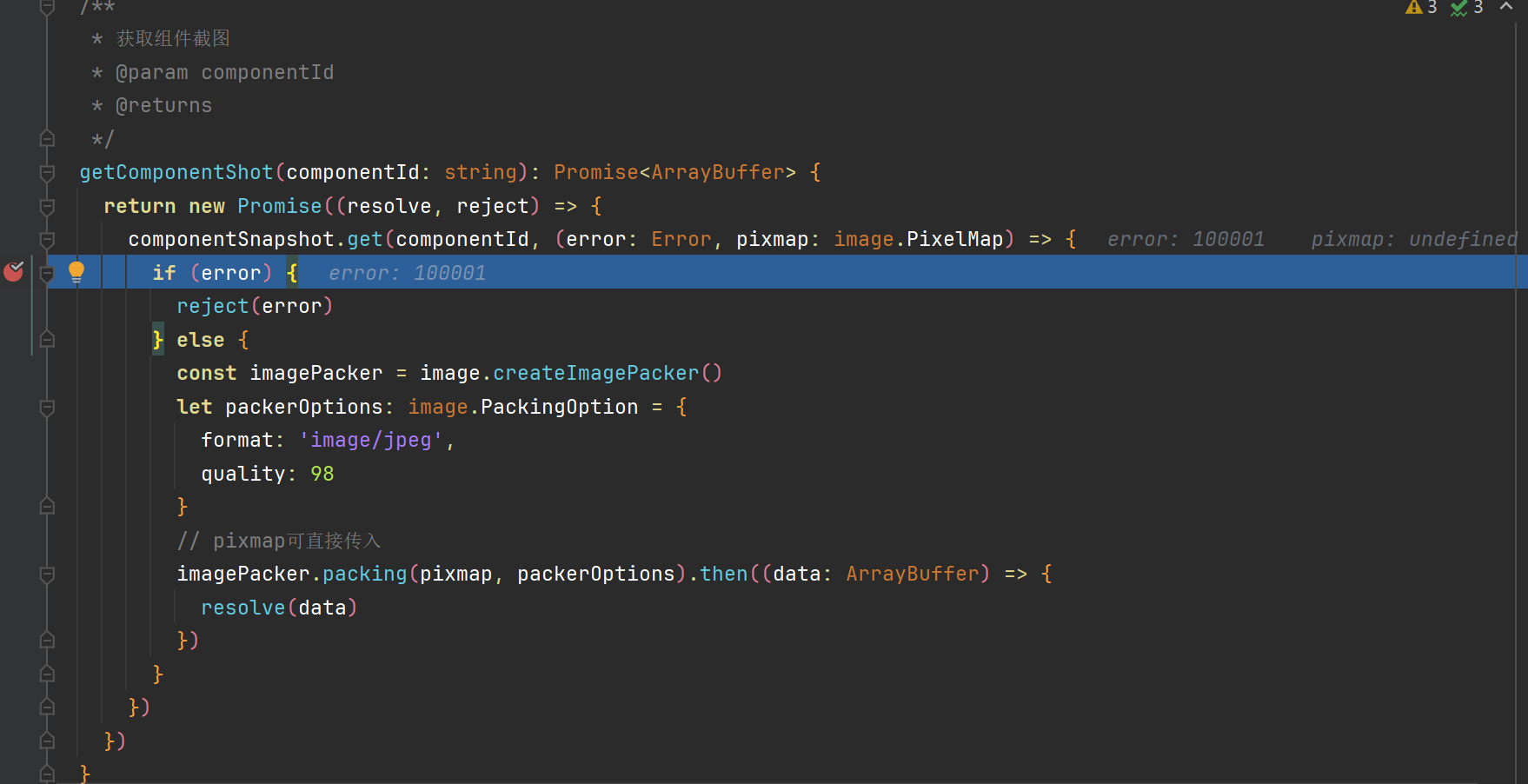
使用componentSnapshot.get接口进行组件截图,组件内容过长会出现截图失败,问题现象和代码如下图,图中是通过输入框数字控制List组件中的图片数量,然后对List组件进行截图:
背景知识
- 组件截图:本模块提供获取组件截图的能力,包括已加载的组件的截图和没有加载的组件的截图。组件截图只能够截取组件大小的区域,如果组件的绘制超出了它的区域,或子组件的绘制超出了父组件的区域,这些在组件区域外绘制的内容不会在截图中呈现。兄弟节点堆叠在组件区域内,截图不会显示兄弟组件。
- SnapshotOptions:SnapshotOptions的scale属性指定截图时图形侧绘制pixelmap的缩放比例,但是请注意比例过大时截图时间会变长,或者截图可能会失败。不要截取过大尺寸的图片,截图不建议超过屏幕尺寸的大小。当要截取的图片目标长宽超过底层限制(8192px)时,截图会返回失败,不同设备的底层限制不同。
解决方案
当组件宽高较大(大于8192px),会导致组件截图失败。组件截图可以通过设置SnapshotOptions的scale缩放压缩图像,具体可以通过onAreaChange监听组件区域变化动态调整scale。
代码示例如下:
import { PromptAction } from '@kit.ArkUI';
import { image } from '@kit.ImageKit';
import { common } from '@kit.AbilityKit';
import { photoAccessHelper } from '@kit.MediaLibraryKit';
import fs from '@ohos.file.fs';
import { BusinessError } from '@kit.BasicServicesKit';


@Entry
@Component
struct Index {
  uiContext: UIContext = this.getUIContext();
  context: common.UIAbilityContext = this.uiContext.getHostContext() as common.UIAbilityContext;
  promptAction: PromptAction = this.getUIContext().getPromptAction();
  @State imageArray: Array<Resource> = [$r('app.media.test')];
  @State ratio: number = 1;


  // 获取组件截图
  getComponentShot(componentId: string): Promise<ArrayBuffer> {
    return new Promise((resolve, reject) => {
      this.uiContext.getComponentSnapshot().get(componentId, (error: Error, pixmap: image.PixelMap) => {
        if (error) {
          reject(error);
        } else {
          const imagePacker = image.createImagePacker();
          let packerOptions: image.PackingOption = {
            format: 'image/jpeg',
            quality: 98
          };
          let pictureObj: image.Picture = image.createPicture(pixmap);
          imagePacker.packing(pictureObj, packerOptions).then((data: ArrayBuffer) => {
            resolve(data);
          }).catch((error: BusinessError) => {
            console.error(`Failed to pack the image.code ${error.code},message is ${error.message}`);
          });
        }
      }, { scale: this.ratio });
    });
  }


  // 保存图片到相册
  async saveImageToAlbum(buffer: ArrayBuffer | string): Promise<boolean> {
    return new Promise(async (resolve, reject) => {
      try {
        let helper = photoAccessHelper.getPhotoAccessHelper(this.context);
        let uri = await helper.createAsset(photoAccessHelper.PhotoType.IMAGE, 'jpg');
        let file = await fs.open(uri, fs.OpenMode.READ_WRITE | fs.OpenMode.CREATE);
        await fs.write(file.fd, buffer);
        await fs.close(file.fd);
        resolve(true);
      } catch (error) {
        reject(false);
      }
    });
  }


  build() {
    Column({ space: 20 }) {
      TextInput({ placeholder: '请输入展示图片数量' })
        .type(InputType.Number)
        .width('80%')
        .onChange((value: string) => {
          this.imageArray = [];
          for (let index = 0; index < Number(value); index++) {
            this.imageArray.push($r('app.media.test'));
          }
        });


      // 创建保存控件按钮
      SaveButton()
        .onClick(async (event, result: SaveButtonOnClickResult) => {
          if (result == SaveButtonOnClickResult.SUCCESS) {
            try {
              this.getComponentShot('ComponentShot').then((data: ArrayBuffer) => {
                this.saveImageToAlbum(data).then((isSuccess: boolean) => {
                  if (isSuccess) {
                    this.promptAction.showToast({
                      message: '保存成功',
                      duration: 1500,
                      bottom: 60
                    });
                  }
                });
              }).catch((error: Error) => {
                this.promptAction.showToast({
                  message: '保存失败' + '  Error:' + JSON.stringify(error),
                  duration: 1500,
                  bottom: 60
                });
              });
            } catch (err) {
              console.error(`create asset failed with error: ${err.code}, ${err.message}`);
            }
          } else {
            console.error('SaveButtonOnClickResult create asset failed');
          }
        });


      Scroll(new Scroller()) {
        Column({ space: 10 }) {
          ForEach(this.imageArray, (item: Resource) => {
            Image(item)
              .width('80%')
              .objectFit(ImageFit.Contain);
          });
        }
        .id('ComponentShot')
        .backgroundColor('#FFFFFF')
        .justifyContent(FlexAlign.Center)
        .onAreaChange((oldValue: Area, newValue: Area) => {
          let comHeight = this.uiContext.vp2px(newValue.height as number);
          let comWidth = this.uiContext.vp2px(newValue.width as number);
          if (comHeight >= comWidth) {
            this.ratio = comHeight <= 8192 ? 1 : 8191 / comHeight;
          } else {
            this.ratio = comWidth <= 8192 ? 1 : 8191 / comWidth;
          }
          console.info(`getComponentShot, Component height: ${comHeight}px, width: ${comWidth}px, ratio: ${this.ratio}`);
        });
      }
      .layoutWeight(1)
      .width('100%')
      .backgroundColor('#FFFFFF');
    }
    .width('100%')
    .alignItems(HorizontalAlign.Center);
  }
}