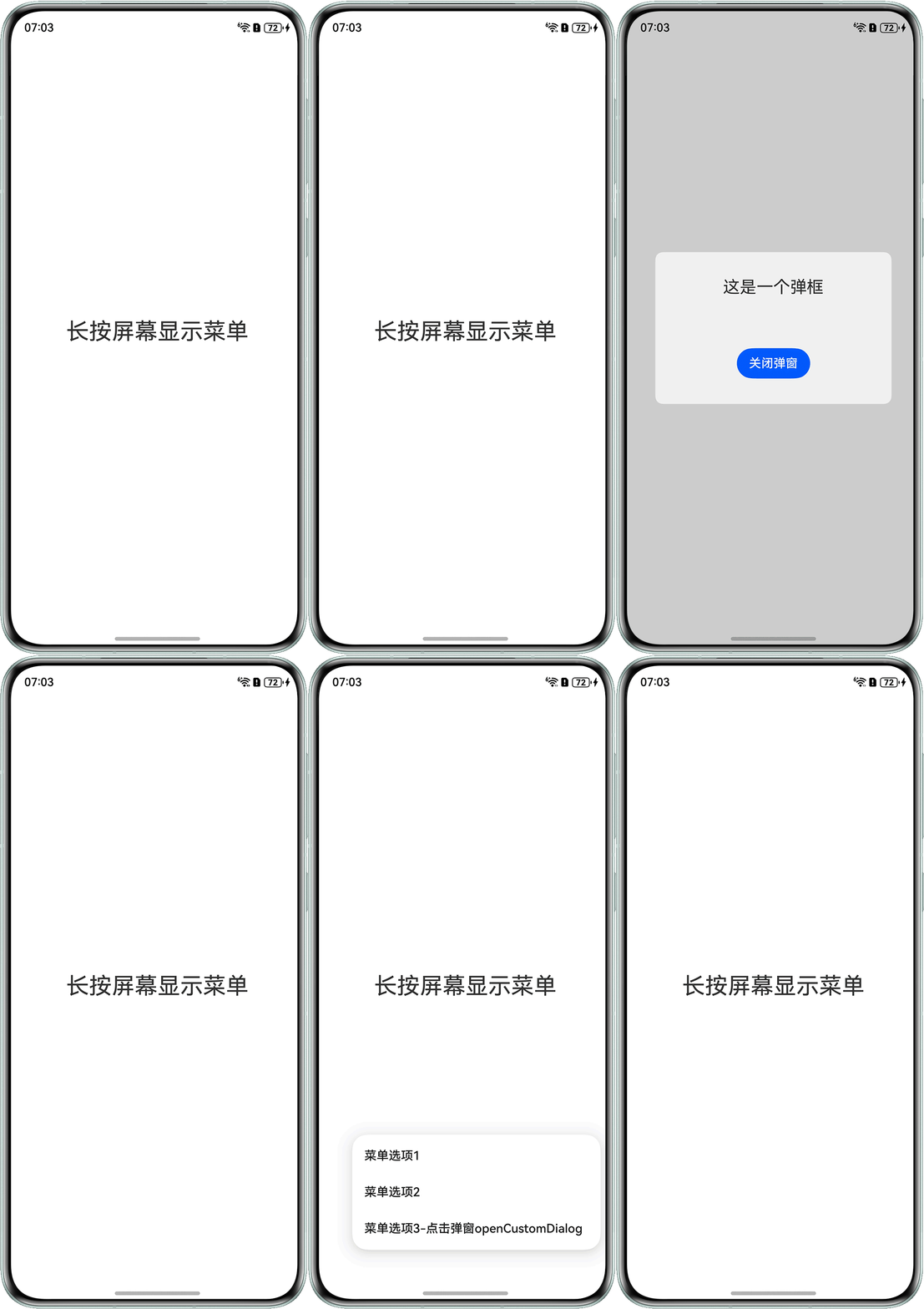
Q:如何实现点击Menu组件菜单选项弹出自定义弹框?要求如下:
- 点击屏幕任意位置显示菜单列表。
- 点击菜单某个选项后,首先隐藏当前显示的菜单列表,随后展示对应的自定义弹窗。
A:实现思路如下:
- 在entry/src/main/ets/entryability/EntryAbility.ets文件的onWindowStageCreate中存储下windowStage。
onWindowStageCreate(windowStage: window.WindowStage): void { // onWindowStageCreate中存储下windowStage AppStorage.setOrCreate('windowStage', windowStage); windowStage.loadContent('pages/Index', (err) => { if (err.code) { hilog.error(DOMAIN, 'testTag', 'Failed to load the content. Cause: %{public}s', JSON.stringify(err)); return; } hilog.info(DOMAIN, 'testTag', 'Succeeded in loading the content.'); }); } - 使用ComponentContent和@Builder构建可复用的弹窗组件,弹窗包含文本和关闭按钮,通过promptAction控制显示/隐藏,通过Params类传递弹窗内容。
import { ComponentContent } from '@ohos.arkui.node'; import { window } from '@kit.ArkUI'; export class Params { text: string = ''; close?: () => void; constructor(text: string) { this.text = text; } } export const uiContext = (AppStorage.get('windowStage') as window.WindowStage).getMainWindowSync().getUIContext(); export const contentNode = new ComponentContent(uiContext, wrapBuilder(buildText), new Params('这是一个弹框')); export const promptAction = uiContext.getPromptAction(); AppStorage.setOrCreate('isHide',false); // 可复用的弹窗组件,弹窗包含文本和关闭按钮,通过promptAction控制显示/隐藏,通过Params类传递弹窗内容。 @Builder function buildText(params: Params) { Column() { Text(params.text) .fontSize(22) Button('关闭弹窗') .onClick(() => { promptAction.closeCustomDialog(contentNode); AppStorage.setOrCreate('isHide',false); }) } .borderRadius(10) .backgroundColor('#FFF0F0F0') .width('80%') .height(200) .alignItems(HorizontalAlign.Center) .justifyContent(FlexAlign.SpaceAround) } - 使用MyMenuComponent结构体封装菜单逻辑,通过bindContextMenu绑定自定义菜单模板,点击事件记录坐标并控制菜单显示状态,菜单位置根据点击坐标动态计算偏移量。
@Component export struct MyMenuComponent { @StorageLink ('isHide') isHide:boolean = false; private positionX: number = 0; private positionY: number = 0; @BuilderParam customMenu: () => void = this.customBuilder; @Builder customBuilder() { } build() { Column() { Row() { }.width('0%') .height('0%') .bindContextMenu(this.isHide, this.customMenu, { placement: Placement.BottomRight, // 根据点击屏幕位置设置菜单偏移 offset: { x: this.positionX, y: this.positionY } }) Column() { Text('长按屏幕显示菜单') .fontSize(30) } .justifyContent(FlexAlign.Center) .alignItems(HorizontalAlign.Center) .width('100%') .height('100%') .onClick((event?: ClickEvent) => { // 修改位置信息 if (!this.isHide) { this.positionX = event!.displayX; this.positionY = event!.displayY; this.isHide = true; } else { this.isHide = false; }; }) } } } - 菜单项通过onChange事件处理选择逻辑。
import { BusinessError } from '@kit.BasicServicesKit';
import { MyMenuComponent } from './MyMenuComponent';
import {promptAction,contentNode}from './buildText';

@Entry
@Component
struct Index {
  @Builder
  MyMenu() {
    Menu() {
      MenuItem({ content: '菜单选项1' })
      MenuItem({ content: '菜单选项2' })
      MenuItem({ content: '菜单选项3-点击弹窗openCustomDialog' })
        .onChange((selected: boolean) => {
          if (selected) {
            try {
              promptAction.openCustomDialog(contentNode, { autoCancel: false });
            } catch (error) {
              let message = (error as BusinessError).message;
              let code = (error as BusinessError).code;
              console.error(`OpenCustomDialog args error code is ${code}, message is ${message}`);
            }
            ;
          }
        })
    }
  }

  build() {
    Column() {
      MyMenuComponent({
        customMenu: this.MyMenu.bind(this)
      })
    }
  }
}
效果如下: