问题现象
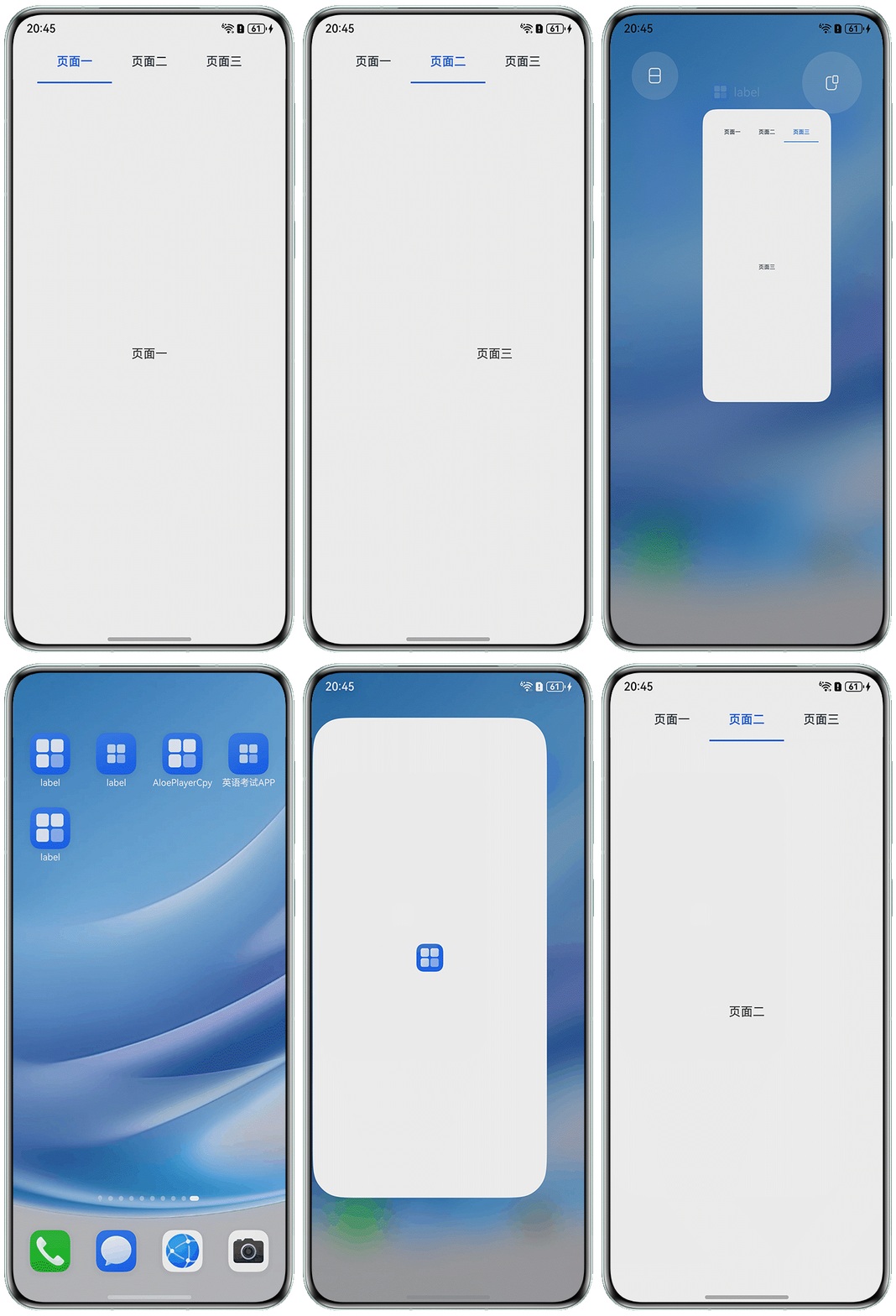
使用Tabs组件,点击页签导航栏可以展示对应的TabContent页面,需要实现下次登录时,自动打开退出时最后点击的TabContent页面。
效果预览
背景知识
- Tabs组件不支持自定义组件作为子组件,仅可包含子组件TabContent,以及渲染控制类型if/else和ForEach,并且if/else和ForEach下也仅支持TabContent,不支持自定义组件。参数TabsOptions类型包含四个元素,其中index参数可以根据页签的索引位置,设置创建Tabs组件时显示的页签,默认为0。
- 首选项模块(Preferences)可以提供Key-Value键值型数据的处理接口,实现对轻量级数据的查询、修改和持久化功能。
解决方案
- 创建用户首选项对象。用户首选项实现指南详见通过用户首选项实现数据持久化。
import { preferences } from '@kit.ArkData';

export class PreferencesUtil {
  preference?: preferences.Preferences;

  getIndex(context: Context) {
    this.preference = preferences.getPreferencesSync(context, { name: 'TabsIndex' });
  }

  saveIndex(currentIndex: number) {
    this.preference?.putSync('currentIndex', currentIndex);
    this.preference?.flush();
  }

  getChangeIndex() {
    let currentIndex: number = 0;
    currentIndex = this.preference?.getSync('currentIndex', 0) as number;
    return currentIndex;
  }
}

let preferenceUtilsObject: PreferencesUtil = new PreferencesUtil();

export default preferenceUtilsObject; - 应用启动时获取储存的用户首选项。
onCreate(): void {
  try {
    this.context.getApplicationContext().setColorMode(ConfigurationConstant.ColorMode.COLOR_MODE_NOT_SET);
  } catch (err) {
    hilog.error(DOMAIN, 'testTag', 'Failed to set colorMode. Cause: %{public}s', JSON.stringify(err));
  }
  preferenceUtilsObject.getIndex(this.context);
  hilog.info(DOMAIN, 'testTag', '%{public}s', 'Ability onCreate');
} - 通过onChange方法获取点击页签的实时索引位置,并储存。通过aboutToAppear方法,在页面显示前获取上一次退出Tabs页面的索引位置。
import preferenceUtilsObject from '../pages/Preferences';

@Entry
@Component
struct Index {
  @State currentIndex: number = 0;
  private controller: TabsController = new TabsController();

  aboutToAppear(): void {
    this.currentIndex = preferenceUtilsObject.getChangeIndex();
  }

  @Builder
  tabBuilder(index: number, name: string) {
    RelativeContainer() {
      Text(name)
        .fontColor(this.currentIndex === index ? '#0A59F7' : '#182431')
        .fontSize(16)
        .fontWeight(this.currentIndex === index ? 500 : 400)
        .height('auto')
        .padding({
          left: 8,
          right: 8,
          top: 6,
          bottom: 6
        })
        .id('textTitle')
        .alignRules({
          middle: { anchor: '__container__', align: HorizontalAlign.Center },
          center: { anchor: '__container__', align: VerticalAlign.Center }
        });
      Divider()
        .strokeWidth(2)
        .color('#0A59F7')
        .opacity(this.currentIndex === index ? 1 : 0)
        .width(100)
        .alignRules({ bottom: { anchor: '__container__', align: VerticalAlign.Bottom } });
    }
    .width(100)
  }

  build() {
    RelativeContainer() {
      Tabs({ barPosition: BarPosition.Start, index: $$this.currentIndex, controller: this.controller }) {
        TabContent() {
          Text('页面一');
        }.tabBar(this.tabBuilder(0, '页面一'))

        TabContent() {
          Text('页面二');
        }
        .tabBar(this.tabBuilder(1, '页面二'))

        TabContent() {
          Text('页面三');
        }
        .tabBar(this.tabBuilder(2, '页面三'))
      }
      .barMode(BarMode.Scrollable)
      .onChange((index) => {
        preferenceUtilsObject.saveIndex(index);
      })
      .animationDuration(400)
      .scrollable(true)
      .vertical(false)
      .width('100%')
      .fadingEdge(false);
    };
  }
}
总结
官方提供的数据持久化方式有通过用户首选项实现数据持久化、通过键值型数据库实现数据持久化、通过关系型数据库实现数据持久化、通过向量数据库实现数据持久化四种方式,一般存储简单的数据采用第一种用户首选项方式。在应用启动时,获取储存的数据,赋值给Tabs显示默认页面即可。