问题现象
- 场景一:
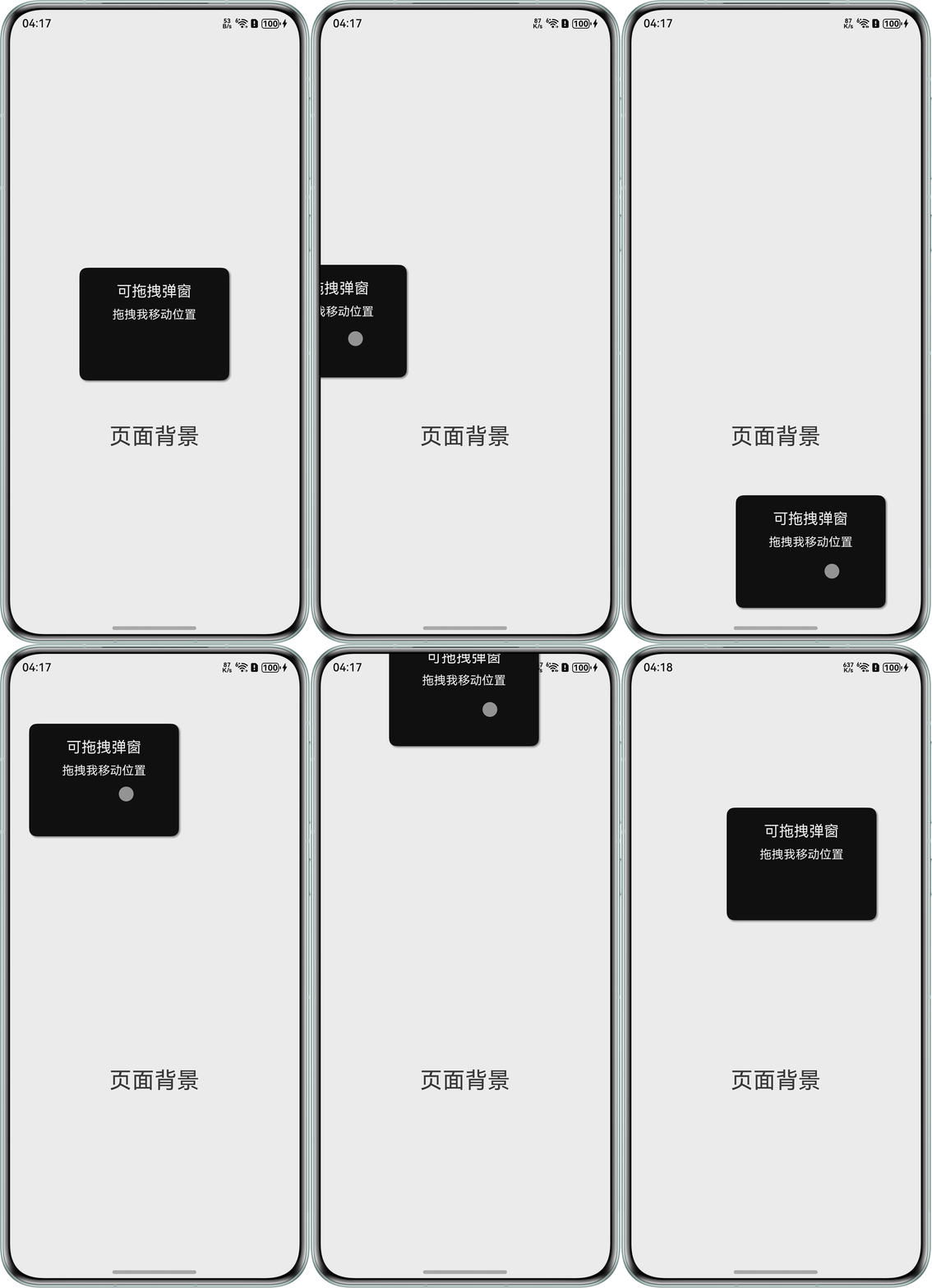
使用offset属性定位和PanGesture手势实现组件拖拽,如何限制组件拖拽范围?目前按照如下代码实现,被拖拽组件会超出限定区域,期望组件在拖拽过程中不会超出限定区域。
问题代码示例参考如下:
@Entry
@Component
struct DraggableDialog {
  @State offsetX: number = 0
  @State offsetY: number = 0
  @State startX: number = 0
  @State startY: number = 0

  build() {
    Stack() {
      // 弹框主体
      Column() {
        Text('可拖拽弹窗')
          .fontSize(20)
          .fontColor(Color.White)
          .margin({ bottom: 10 })

        Text('拖拽我移动位置')
          .fontSize(16)
          .fontColor(Color.White)
      }
      .width(200)
      .height(150)
      .backgroundColor(Color.Black)
      .borderRadius(10)
      .shadow({
        radius: 8,
        color: Color.Gray,
        offsetX: 5,
        offsetY: 5
      })
      .padding(20)
      .offset({ x: this.offsetX, y: this.offsetY })
      .gesture(
        PanGesture()
          .onActionStart(() => {
            this.startX = this.offsetX
            this.startY = this.offsetY
          })
          .onActionUpdate((event: GestureEvent) => {
            this.offsetX = this.startX + event.offsetX
            this.offsetY = this.startY + event.offsetY
          })
      )

      // 页面背景文字
      Text('页面背景')
        .fontSize(30)
        .margin({ top: 300 })
    }
    .width('100%')
    .height('100%')
  }
}
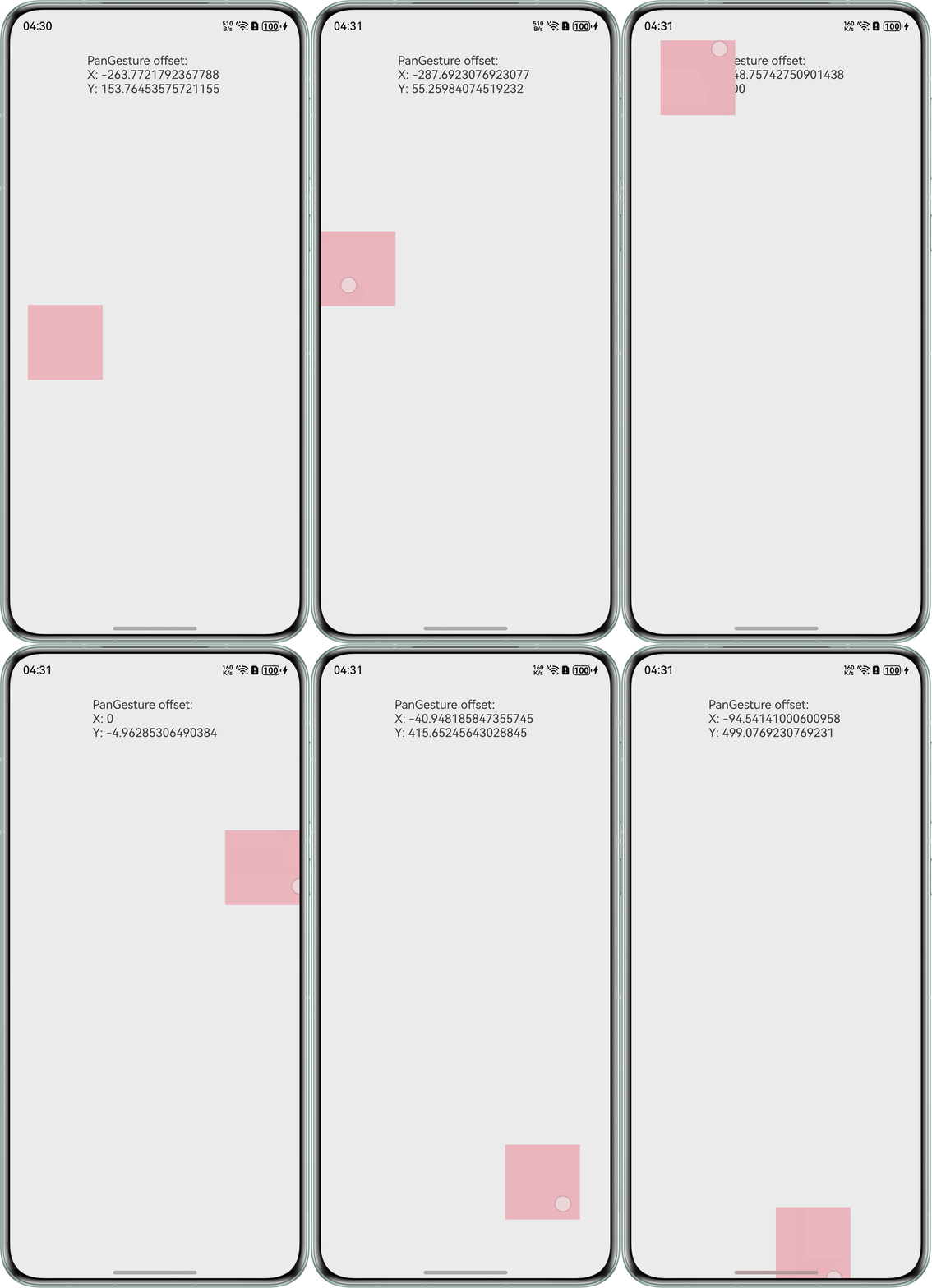
问题效果预览:
- 场景二:
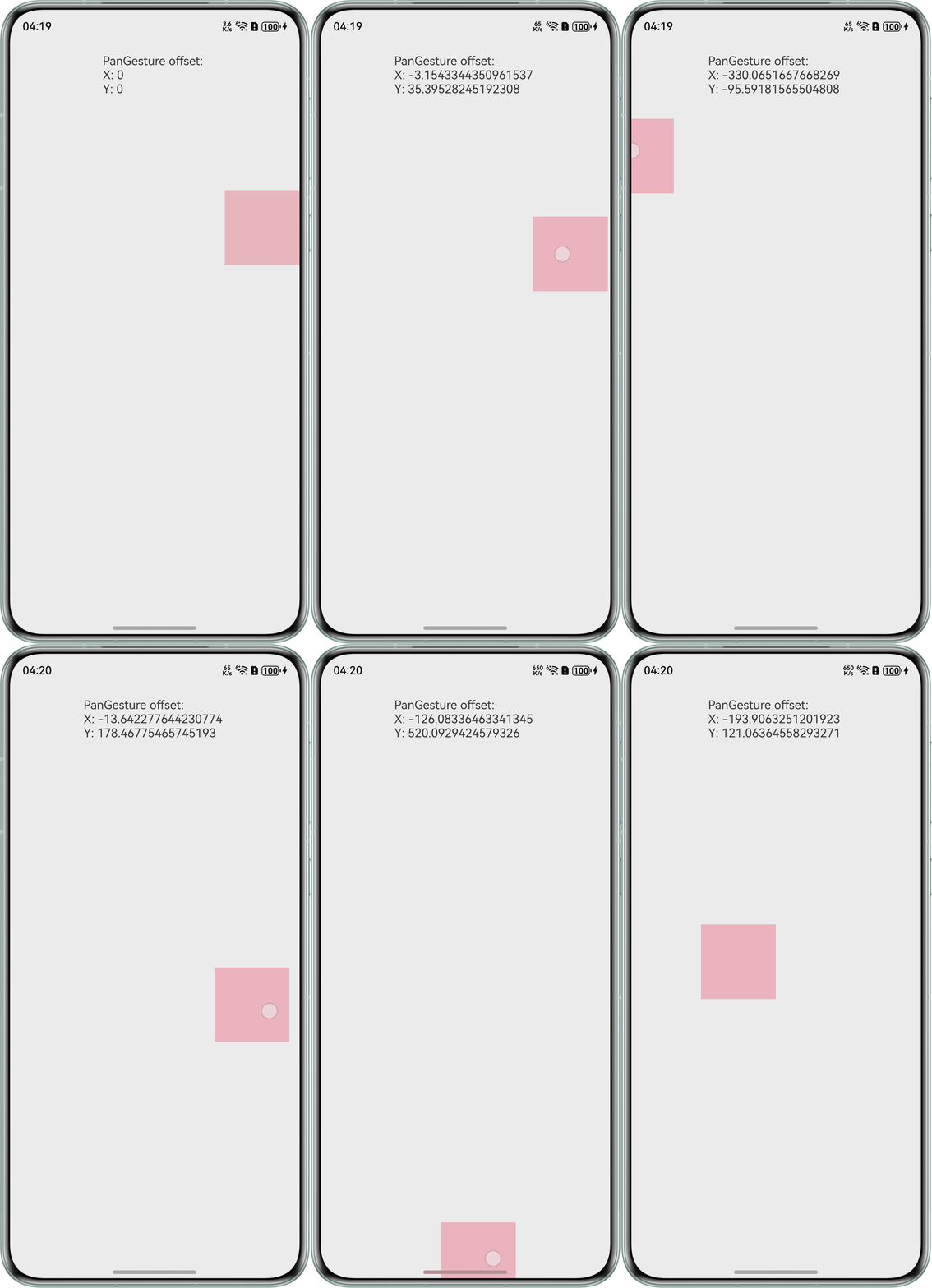
可拖拽组件的初始位置(Stack({ alignContent: Alignment.End }))不在屏幕左上角的场景时,如何限制组件拖拽范围?在代码中给Stack组件添加了拖动事件,设置了任意方向可拖动,当前发现组件会拖动到屏幕以外的区域,期望能够实现组件只在屏幕内拖动的效果。
问题代码示例参考如下:
@Entry
@Component
struct Index {
  private panOption: PanGestureOptions = new PanGestureOptions({ direction: PanDirection.All })
  @State offsetX: number = 0
  @State offsetY: number = 0
  @State positionX: number = 0
  @State positionY: number = 0

  build() {
    Column() {
      Text(`PanGesture offset: \nX: ${this.offsetX} \nY: ${this.offsetY}`).height(100)
      Stack({ alignContent: Alignment.End }) {
        Column()
          .width(100)
          .height(100)
          .backgroundColor(Color.Pink)
          .margin({ top: '200lpx' })
          .align(Alignment.End)
          .translate({ x: this.offsetX, y: this.offsetY, z: 0 })
          .gesture(
            PanGesture(this.panOption)
              .onActionStart((event: GestureEvent) => {
                console.info('Pan start')
                this.panOption.setDirection(PanDirection.All) // 往任意方向拖动
              })
              .onActionUpdate((event: GestureEvent) => {
                if (event) {
                  this.offsetX = this.positionX + event.offsetX
                  this.offsetY = this.positionY + event.offsetY
                }
              })
              .onActionEnd((event: GestureEvent) => {
                this.positionX = this.offsetX
                this.positionY = this.offsetY
                console.info('Pan end')
              })
          )
      }.height(200)
      .width('100%')
    }.height('100%')
    .width('100%')
  }
}
问题效果预览:
背景知识
- PanGesture手势事件通过设置distance属性定义触发阈值,当滑动距离达到阈值时,通过事件回调参数GestureEvent可获取X/Y轴偏移量。
- onAreaChange是组件区域变化回调,当组件尺寸或位置发生改变时触发,可通过事件参数获取组件宽高、坐标等布局信息。对于指定位置的组件拖拽,需要调整拖拽区域位置。
解决方案
- 场景一:
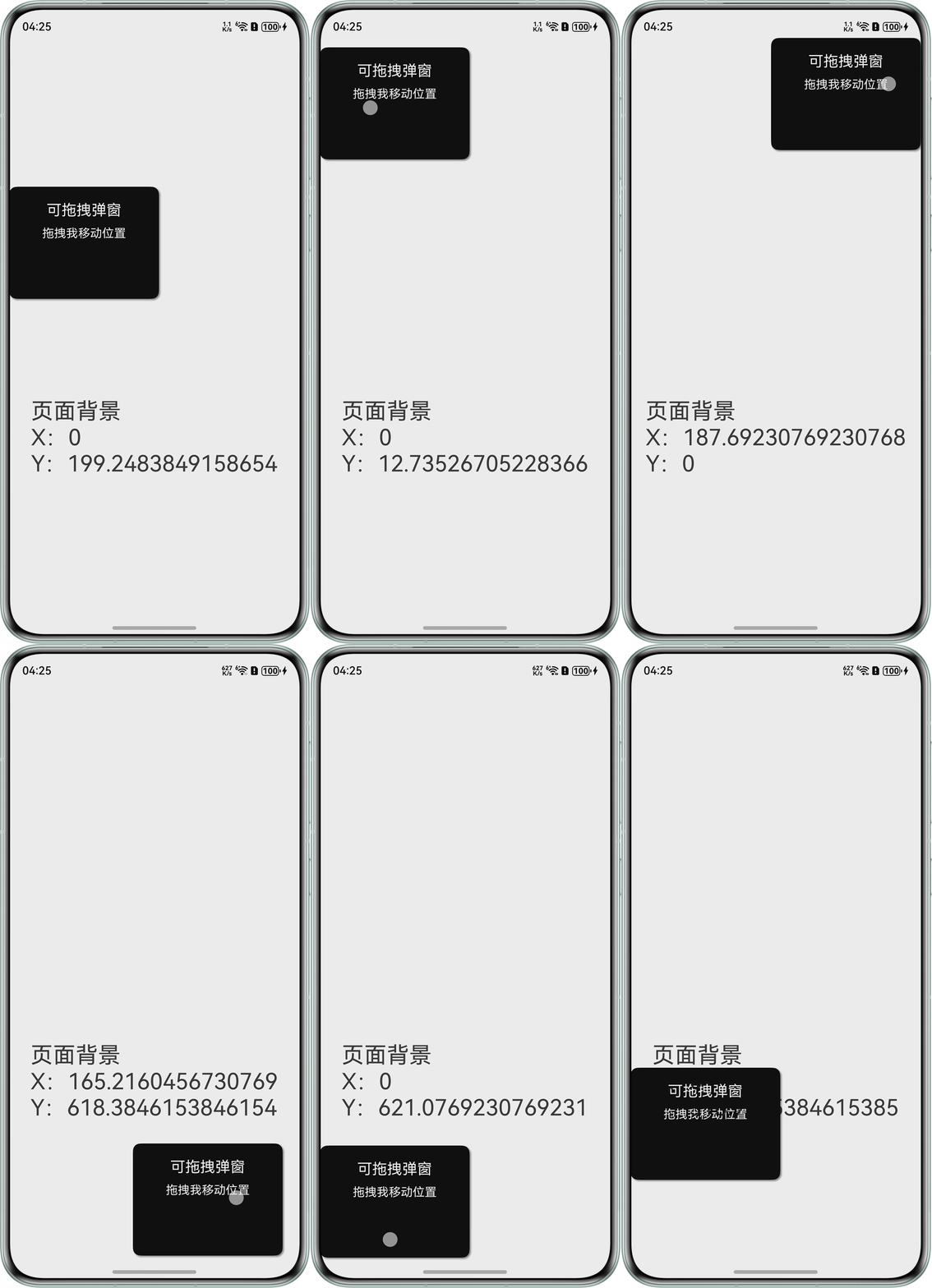
问题代码没有对坐标的取值作限制,导致组件可以被拖动到屏幕外。可以考虑通过onAreaChange回调获取容器尺寸参数,结合被拖动组件的尺寸限制计算位移边界阈值,在PanGesture的onActionUpdate回调中实时计算并约束组件位置偏移量。
@Entry
@Component
struct DraggableDialog1 {
  @State offsetX: number = 0;
  @State offsetY: number = 0;
  @State startX: number = 0;
  @State startY: number = 0;
  @State outerContainerWidth: number = 0;
  @State outerContainerHeight: number = 0;
  private dialogWidth = 200;
  private dialogHeight = 150;
  private minX: number = 0;
  private maxX: number = 0;
  private minY: number = 0;
  private maxY: number = 0;

  build() {
    Stack() {
      // 弹框主体
      Column() {
        Text('可拖拽弹窗')
          .fontSize(20)
          .fontColor(Color.White)
          .margin({ bottom: 10 });

        Text('拖拽我移动位置')
          .fontSize(16)
          .fontColor(Color.White);
      }
      .width(this.dialogWidth)
      .height(this.dialogHeight)
      .backgroundColor(Color.Black)
      .borderRadius(10)
      .shadow({
        radius: 8,
        color: Color.Gray,
        offsetX: 5,
        offsetY: 5
      })
      .padding(20)
      .position({ x: this.offsetX, y: this.offsetY })
      .gesture(
        PanGesture()
          .onActionStart(() => {
            this.startX = this.offsetX;
            this.startY = this.offsetY;
          })
          .onActionUpdate((event: GestureEvent) => {
            this.offsetX = this.startX + event.offsetX;
            this.offsetY = this.startY + event.offsetY;
            // 判断坐标是否超出区域限定,超出后重新赋值
            if (this.offsetX <= this.minX) {
              this.offsetX = this.minX;
            }
            if (this.offsetX >= this.maxX) {
              this.offsetX = this.maxX;
            }
            if (this.offsetY <= this.minY) {
              this.offsetY = this.minY;
            }
            if (this.offsetY >= this.maxY) {
              this.offsetY = this.maxY;
            }
          })
      );

      // 页面背景文字
      Text(`页面背景\nX:${this.offsetX}\nY:${this.offsetY}`)
        .fontSize(30)
        .margin({ top: 300 });
    }
    .width('100%')
    .height('100%')
    .onAreaChange((oldvalue: Area, newValue: Area) => {
      console.info(` ${oldvalue}`);
      // 限定区域宽高
      this.outerContainerWidth = Number(newValue.width);
      this.outerContainerHeight = Number(newValue.height);
      // 最大横纵坐标
      this.maxX = this.outerContainerWidth - this.dialogWidth;
      this.maxY = this.outerContainerHeight - this.dialogHeight;
    });
  }
}
效果预览:
- 场景二:
设置Stack({ alignContent: Alignment.End })后,布局为尾端纵向居中,此时,坐标(0,0)不在屏幕的左上角,而是在方块右上角向左平移100vp,向下平移(xx)vp的位置。此时,整个屏幕被划分成了四个区域,左上角为(x<0,y<0),右上角为(x>0,y<0),左下角为(x<0,y>0),右下角为(x>0,y>0)。
import { window } from '@kit.ArkUI';

@Entry
@Component
struct DraggableDialog2 {
  private panOption: PanGestureOptions = new PanGestureOptions({ direction: PanDirection.All });
  @State offsetX: number = 0;
  @State offsetY: number = 0;
  @State positionX: number = 0;
  @State positionY: number = 0;
  @State windowRectWidth: number = 0;
  @State windowRectHeight: number = 0;

  aboutToAppear(): void {
    // 获取窗口尺寸
    window.getLastWindow(this.getUIContext().getHostContext()).then((win) => {
      const properties = win.getWindowProperties();
      this.windowRectWidth = this.getUIContext().px2vp(properties.windowRect.width);
      this.windowRectHeight = this.getUIContext().px2vp(properties.windowRect.height);

      const avoidArea = win.getWindowAvoidArea(window.AvoidAreaType.TYPE_SYSTEM);
      // 获取顶部状态栏高度
      const topRectHeight = this.getUIContext().px2vp(avoidArea.topRect.height);
      // 获取底部导航栏高度
      const bottomRectHeight = this.getUIContext().px2vp(avoidArea.bottomRect.height);
      this.windowRectHeight = this.windowRectHeight - topRectHeight - bottomRectHeight;

      console.info(`window width: ${this.windowRectWidth}`);
      console.info(`window height: ${this.windowRectHeight}`);
    });
  }

  build() {
    Column() {
      Text(`PanGesture offset: \nX: ${this.offsetX} \nY: ${this.offsetY}`).height(100);
      Stack({ alignContent: Alignment.End }) {
        Column()
          .width(100)
          .height(100)
          .backgroundColor(Color.Pink)
          .margin({ top: '200lpx' })
          .align(Alignment.End)
          .translate({ x: this.offsetX, y: this.offsetY, z: 0 })
          .gesture(
            PanGesture(this.panOption)
              .onActionStart(() => {
                console.info('Pan start');
                this.panOption.setDirection(PanDirection.All); // 往任意方向拖动
              })
              .onActionUpdate((event: GestureEvent) => {
                if (event) {
                  this.offsetX = this.positionX + event.offsetX;
                  this.offsetY = this.positionY + event.offsetY;
                  if (this.offsetX > 0) {
                    this.offsetX = 0;
                  } else if (this.offsetX < -this.windowRectWidth + 100) {
                    this.offsetX = -this.windowRectWidth + 100;
                  }
                  if (this.offsetY < -200) {
                    this.offsetY = -200;
                  } else if (this.offsetY > this.windowRectHeight - 300) {
                    this.offsetY = this.windowRectHeight - 300;
                  }
                }
              })
              .onActionEnd(() => {
                this.positionX = this.offsetX;
                this.positionY = this.offsetY;
                console.info('Pan end');
              })
          );
      }.height(200)
      .width('100%');
    }.height('100%')
    .width('100%');
  }
}
效果预览: