问题现象
当前页面弹出软键盘时,显示自定义弹窗后,会导致软键盘被收起,代码如下:
@Component
@Entry
export struct DialogIssue {
  build() {
    Column({ space: 20 }) {
      TextInput()
        .width('90%');
      Button('弹窗显示2秒后关闭').onClick(() => {
        const dialog = new CustomDialogController({
          builder: TestDialogController(),
          customStyle: true,
          autoCancel: false,
          isModal: true,
          onWillDismiss: () => {
          }
        });
        dialog.open();
        setTimeout(() => {
          dialog.close();
        }, 2000);
      });
    }.width('100%').height('100%');
  }
}

@CustomDialog
export struct TestDialogController {
  controller?: CustomDialogController;

  build() {
    Text('测试信息');
  }
}
问题示意图如下:
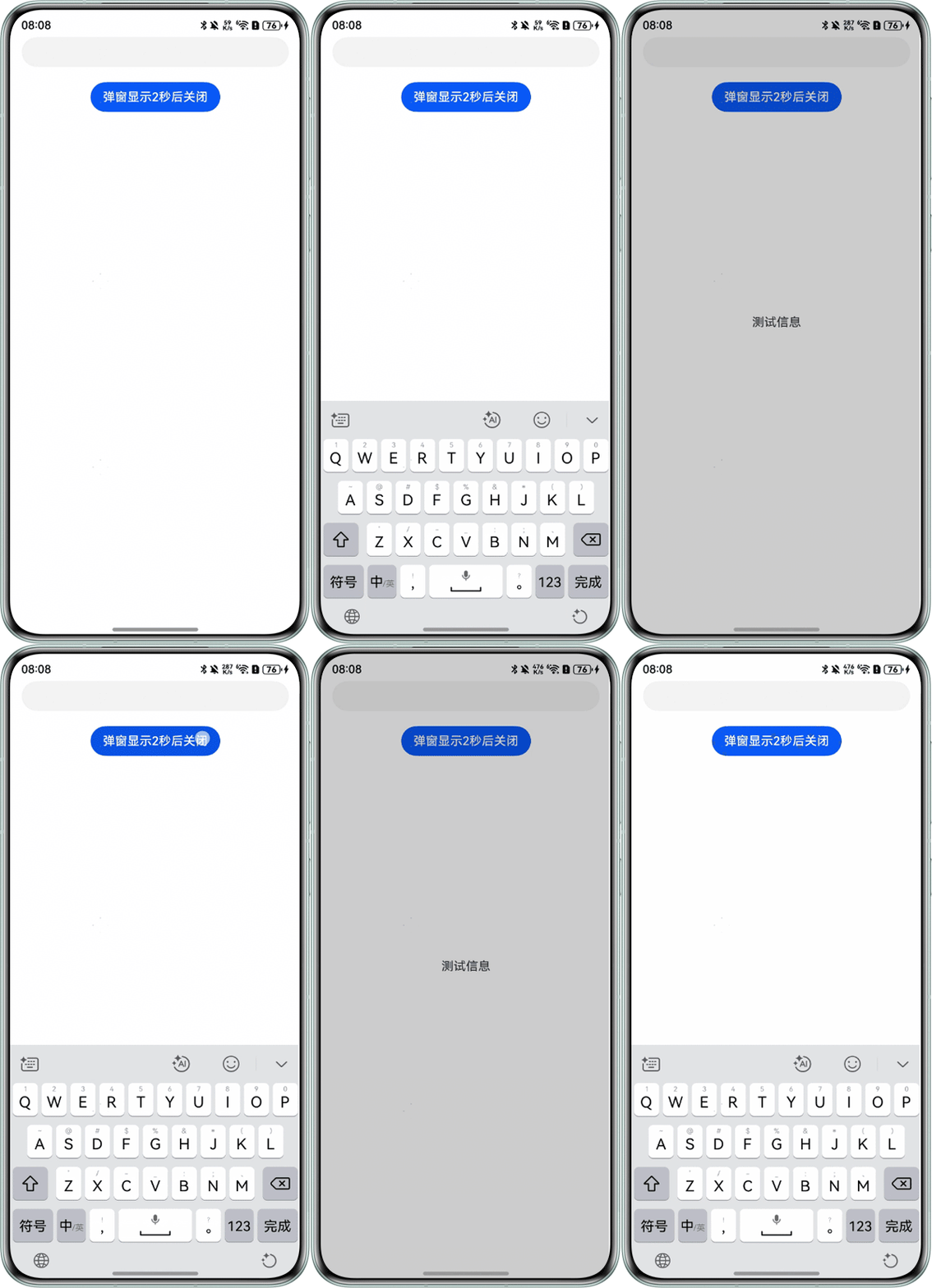
期望是显示弹窗时,软键盘不收起,如何实现?

背景知识
- focusable设置当前组件是否可以获焦。
- showTextInput进入文本编辑状态。使用promise异步回调。
- attach自绘控件绑定输入法。使用promise异步回调。通过参数showKeyboard绑定输入法成功后,是否拉起输入法键盘。
解决方案
可以通过以下步骤实现弹出弹窗时不自动收起软键盘:
- 设置TextInput不可获焦:在TextInput组件中使用.focusable(false),防止其获取焦点,避免弹窗弹出时焦点切换导致软键盘隐藏。
- 手动控制软键盘显示:inputController.showTextInput()方法手动显示软键盘,而不是依赖默认行为。这样可以在弹窗弹出时保持软键盘可见。
- 绑定输入法控制器:在组件生命周期中绑定输入法控制器,并订阅键盘状态变化事件,确保软键盘状态不受弹窗弹出影响。
import { inputMethod } from '@kit.IMEKit';
import { BusinessError } from '@kit.BasicServicesKit';

@CustomDialog
export struct TestDialogController {
  controller?: CustomDialogController;

  build() {
    Text('测试信息');
  }
}

@Entry
@Component
struct TextInputTest {
  private inputController: inputMethod.InputMethodController = inputMethod.getController();
  @State codeTxt: string = '';
  keyboardStatus: number = 0;

  async detach() {
    await this.inputController.detach();
    console.info('Succeeded in detaching inputMethod.');
  }

  async aboutToAppear(): Promise<void> {
    await this.attachAndListener();
  }

  build() {
    Column({ space: 10 }) {
      Button('弹窗显示2秒后关闭').onClick(() => {
        const dialog = new CustomDialogController({
          builder: TestDialogController(),
          customStyle: true,
          autoCancel: false,
          isModal: true,
          onWillDismiss: () => {
          }
        });
        dialog.open();
        setTimeout(() => {
          dialog.close();
        }, 2000);
      });
      TextInput({ text: this.codeTxt, placeholder: '内容' })
        .width('90%')
        .focusable(false)
        .onClick(async () => {
          this.inputController.showTextInput((err: BusinessError) => {
            if (err) {
              console.error(`Failed to showTextInput: ${err}`);
              return;
            }
            console.info('Succeeded in showing the inputMethod.');
          });
        });
    }
    .width('100%').height('100%');
  }

  // 绑定和设置监听
  async attachAndListener() {
    // 输入法配置项
    let textConfig: inputMethod.TextConfig = {
      inputAttribute: {
        textInputType: inputMethod.TextInputType.TEXT,
        enterKeyType: inputMethod.EnterKeyType.GO
      }
    };
    // 控件绑定输入法
    await this.inputController.attach(false, textConfig);
    this.attachListener();
  }

  // 订阅输入法回调
  attachListener(): void {
    this.inputController.on('insertText', (text) => {
      this.codeTxt += text;
      console.info(`this.inputText, insertText this.inputText= ${this.codeTxt}`);
    });
    // 订阅输入法应用向左删除事件
    this.inputController.on('deleteLeft', (length) => {
      this.codeTxt = this.codeTxt.substring(0, this.codeTxt.length - 1);
      console.info(`this.inputText, deleteLeft this.inputText= ${this.codeTxt}, length ${length}`);
    });
    // 订阅输入法应用发送输入法软键盘状态事件
    this.inputController.on('sendKeyboardStatus', async (keyboardStatus: inputMethod.KeyboardStatus) => {
      this.keyboardStatus = keyboardStatus;
      console.info(`IsaKit this.inputText keyboardStatus= ${this.keyboardStatus}`);
    });
  }
}