背景知识
- bindSheet:给组件绑定半模态页面,点击后显示模态页面。
- stack:堆叠容器,子组件按照顺序依次入栈,后一个子组件覆盖前一个子组件。
- visibility:控制组件的显示或隐藏。当未设置visibility时,组件默认为显示。
解决方案
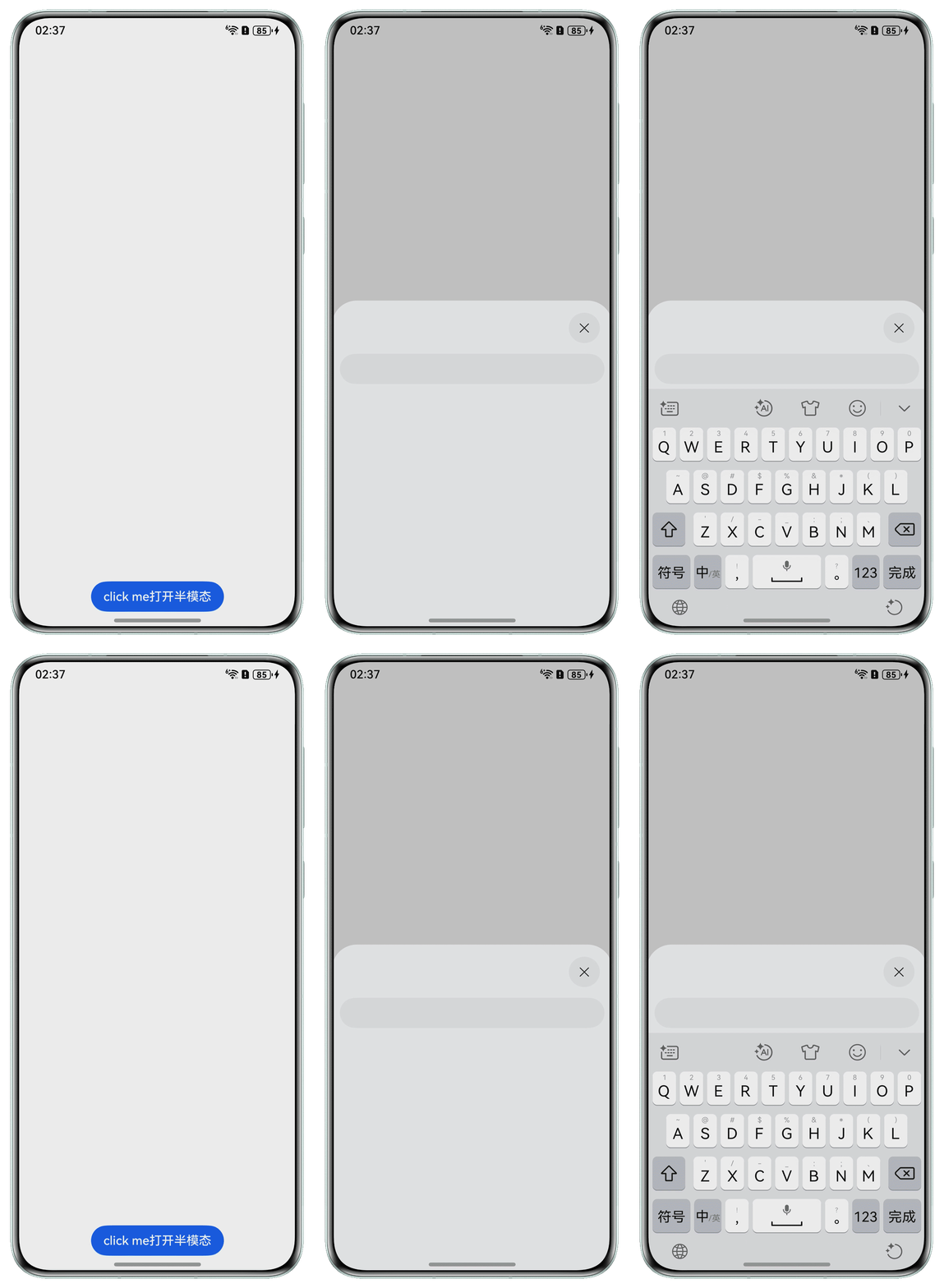
- 方案一:使用bindSheet绑定半模态页面弹窗,设置options参数,将keyboardAvoidMode设置为SheetKeyboardAvoidMode.NONE。
@Entry
@Component
struct Example1 {
  @State isShow: boolean = false;

  @Builder
  myBuilder() {
    Column() {
      TextInput();
    }
    .margin({ top: 70 })
    .padding({ left: 10, right: 10 })
    .borderRadius(10)
    .width('100%')
  }

  build() {
    Column() {
      Button('click me打开半模态')
        .margin({ bottom: 20 })
        .onClick(() => {
          this.isShow = !this.isShow;
        })
    }
    .bindSheet($$this.isShow, this.myBuilder(), { height: 430, keyboardAvoidMode: SheetKeyboardAvoidMode.NONE })
    .justifyContent(FlexAlign.End)
    .width('100%')
    .height('100%')
  }
}
效果预览:
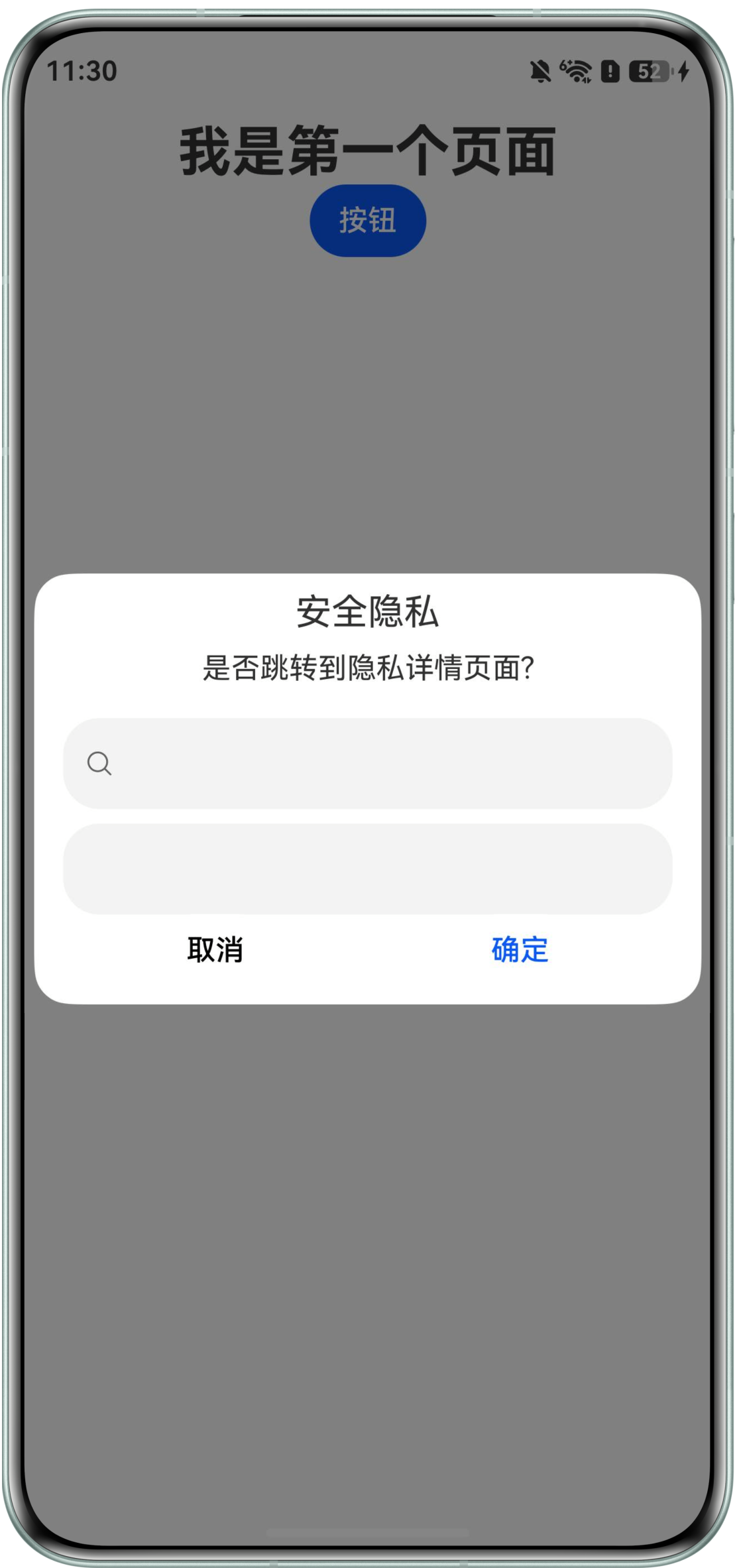
- 方案二:使用stack层叠布局,最下层初始页面设置弹窗按钮,中层和上层设置visibility属性,控制组件的显隐。点击按钮,显示中层的蒙层和上层的弹窗页面,实现弹窗不避让软键盘。
@Entry
@Component
struct Example2 {
  // 显隐控制设置为不占用
  @State visible: Visibility = Visibility.None;

  build() {
    Navigation() {
      Stack() {
        Row() {
          // 初始页面
          Column() {
            Text('我是第一个页面')
              .fontSize(30)
              .fontWeight(FontWeight.Bold)
            // 触发dialog的地方
            Button('按钮')
              .onClick(() => {
                console.info('hit me!');
                if (this.visible === Visibility.Visible) {
                  this.visible = Visibility.None;
                } else {
                  this.visible = Visibility.Visible;
                }
              })
          }
          .height('100%')
          .width('100%')
          .justifyContent(FlexAlign.Start)
          .alignItems(HorizontalAlign.Center)
        }
        .height('100%')
        .backgroundColor('#FFF')
        .margin({top:100})

        // 这里开始是构造弹窗效果主要需要修改的地方,首先是加了一个半透明灰色的蒙层效果
        Text('')
          .onClick(() => {
            if (this.visible === Visibility.Visible) {
              this.visible = Visibility.None;
            } else {
              this.visible = Visibility.Visible;
            }
          })
          .width('100%')
          .height('100%') // 透明度可以自己调节一下
          .opacity(0.5)
          .backgroundColor(Color.Black)
          .visibility(this.visible)

        Column() {
          // 这个可以调节对话框效果,栅格布局,xs,sm,md,lg分别为四种规格
          // 下面的breakpoints是用来区别当前属于哪个类型的断点
          // gridRow里的栅格数量为总数,gridCol里的就是偏移和假Dialog所占据的栅格数
          GridRow({
            columns: {
              xs: 1,
              sm: 4,
              md: 8,
              lg: 12
            },
            breakpoints: {
              value: ['400vp', '600vp', '800vp'],
              reference: BreakpointsReference.WindowSize
            },
          }) {
            GridCol({
              span: {
                xs: 1,
                sm: 2,
                md: 4,
                lg: 8
              },
              offset: {
                xs: 0,
                sm: 1,
                md: 2,
                lg: 2
              }
            }) {
              // 这里放的就是原Dialog里的column里的东西,稍微改改应该就可以用了
              Column() {
                Text('安全隐私').fontSize(20).margin({ top: 10, bottom: 10 });
                Text('是否跳转到隐私详情页面?').fontSize(16).margin({ bottom: 10 });
                Search()
                  .height(50)
                TextInput()
                  .height(50)
                Flex({ justifyContent: FlexAlign.SpaceAround }) {
                  Button('取消')
                    .onClick(() => {
                      if (this.visible === Visibility.Visible) {
                        this.visible = Visibility.None;
                      } else {
                        this.visible = Visibility.Visible;
                      }
                    }).backgroundColor(0xffffff).fontColor(Color.Black)
                  Button('确定')
                    .onClick(() => {
                    }).backgroundColor(0xffffff).fontColor('#0a59f7')
                }.margin({ bottom: 10 })
              }
              .padding({ left: 16, right: 16 })
              .backgroundColor(0xffffff)
              .visibility(this.visible)
              .borderRadius(20)
            }
          }
        }.width('100%') // 设置弹窗宽度
        .padding({ left: 10, right: 10 })
      }.height('100%')
    }
    .hideTitleBar(true)
  }
}
效果预览: