背景知识
- 推荐使用UIContext中获取到的PromptAction对象提供的openCustomDialog接口在相对应用复杂的场景来实现自定义弹出框,相较于CustomDialogController优势点在于页面解耦,支持动态刷新。
- Navigation组件是路由导航的根视图容器,一般作为Page页面的根容器使用,其内部默认包含了标题栏、内容区和工具栏,其中内容区默认首页显示导航内容(Navigation的子组件)或非首页显示(NavDestination的子组件),首页和非首页通过路由进行切换。
解决方案
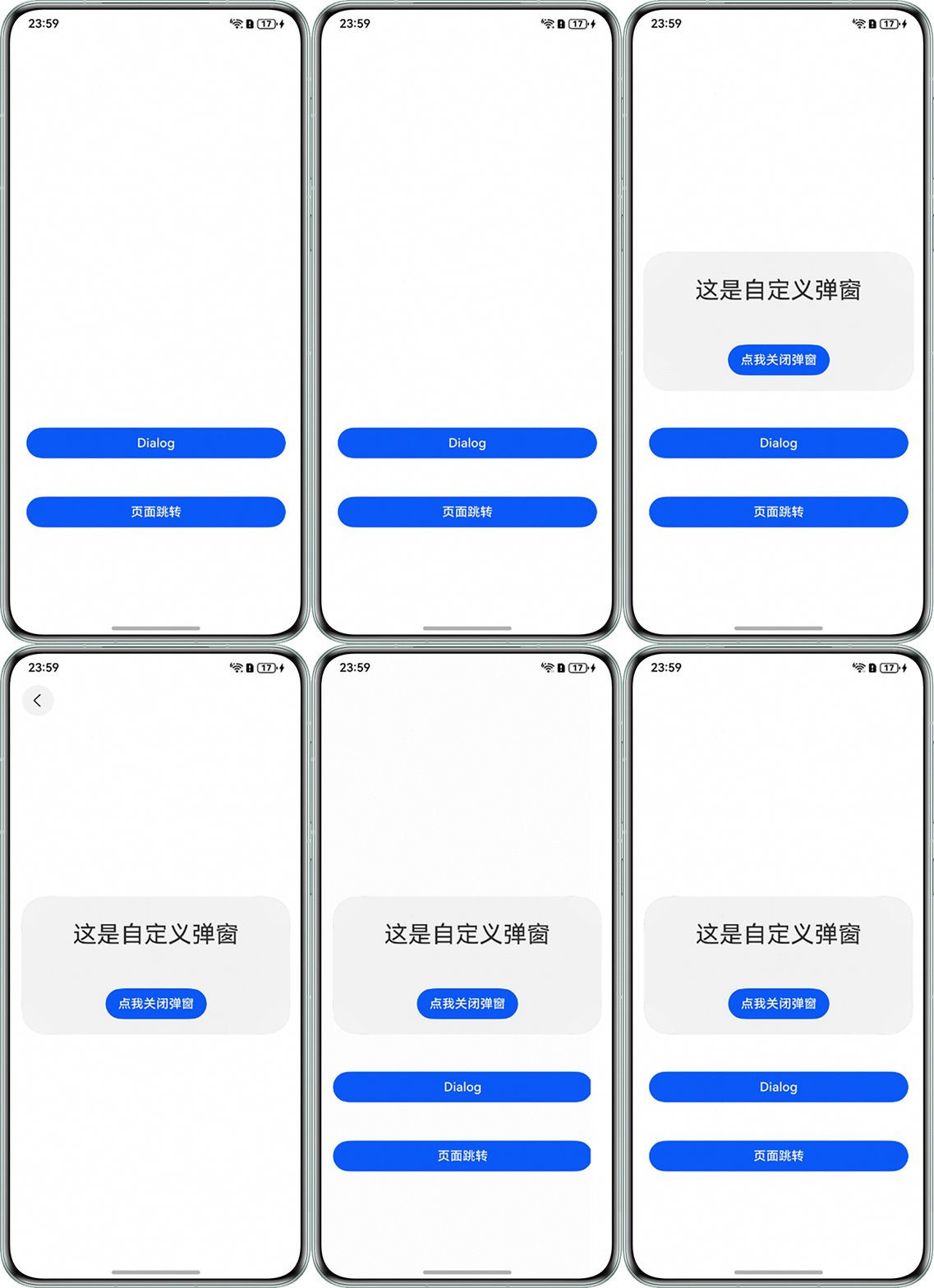
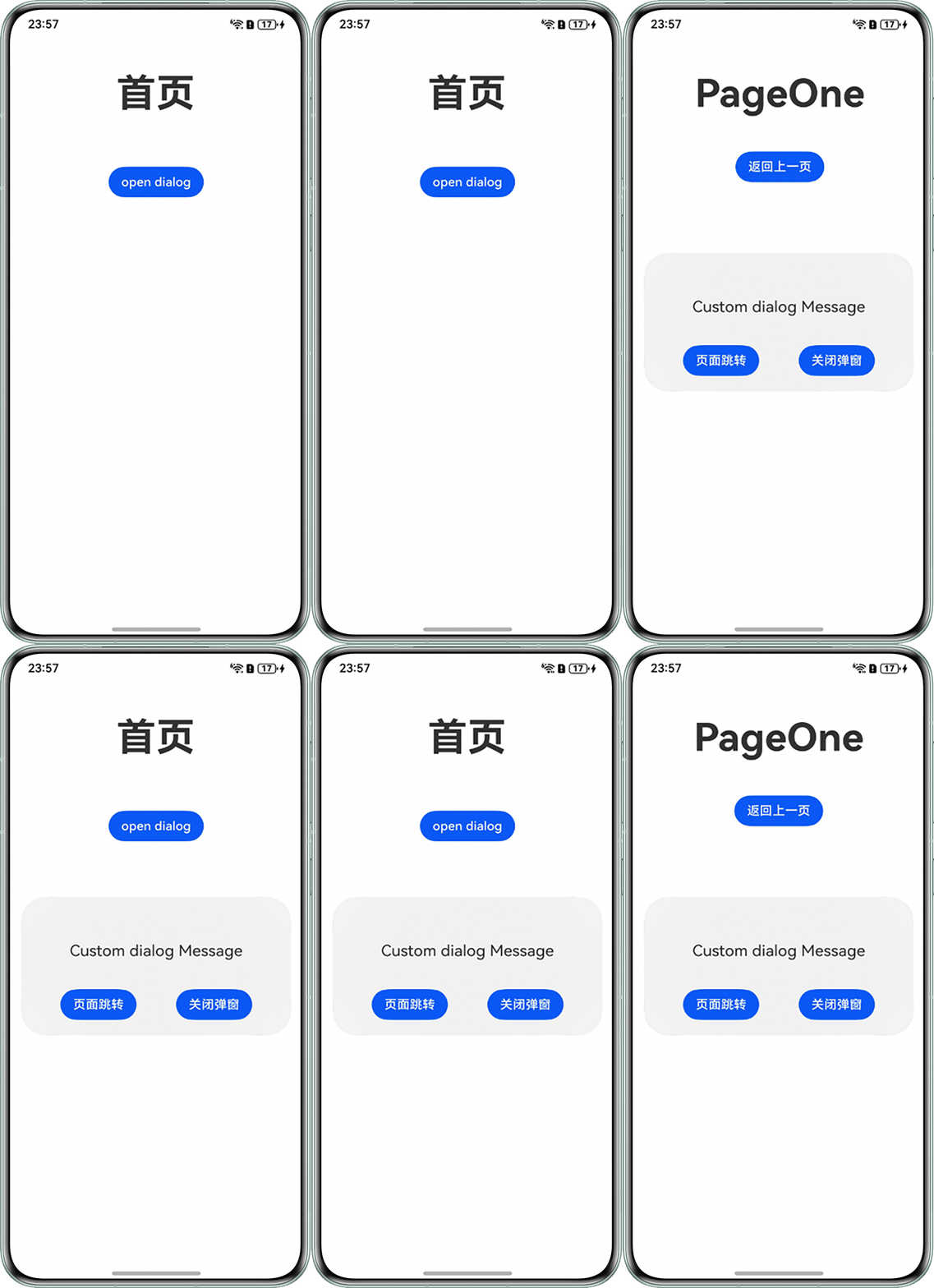
实现页面跳转时弹窗不关闭有2种方案,一种是使用不依赖UI组件的全局自定义弹出框(openCustomDialog),该全局自定义弹出框在页面跳转时不会主动关闭。另外一种是使用Navigation子页面实现跳转,整个Navigation本质上是同一个Page,因此跳转时弹窗不会关闭。样例代码如下:
方案一:使用不依赖UI组件的全局自定义弹出框(openCustomDialog)。
index.ets:
let customDialogId: number = 0;

@Builder
function customDialogBuilder(uiContext: UIContext) {
  Column() {
    Text('Custom dialog Message').fontSize(20).height(100);
    Row() {
      Button('页面跳转').onClick(() => {
        uiContext.getRouter().pushUrl({ url: 'pages/PageOne' });
      });
      Blank().width(50);
      Button('关闭弹窗').onClick(() => {
        uiContext.getPromptAction().closeCustomDialog(customDialogId);
      });
    };
  }.padding(20);
}

@Entry
@Component
struct Index {
  private uiContext: UIContext = this.getUIContext();

  @Builder
  customDialogComponent() {
    customDialogBuilder(this.uiContext);
  }

  build() {
    Column({ space: 20 }) {
      Text('首页')
        .fontSize($r('app.float.page_text_font_size'))
        .fontWeight(FontWeight.Bold)
        .height('20%');
      Button('open dialog')
        .onClick(() => {
          this.uiContext.getPromptAction().openCustomDialog({
            builder: () => {
              this.customDialogComponent();
            },
            isModal: false, // 模态窗蒙层
            backgroundColor: Color.Gray,
            onWillDismiss: (dismissDialogAction: DismissDialogAction) => {
              if (dismissDialogAction.reason == DismissReason.CLOSE_BUTTON) {
                // 关闭弹窗
                dismissDialogAction.dismiss();
              }
            }
          }).then((dialogId: number) => {
            customDialogId = dialogId;
          });
        });
    }
    .width('100%')
    .height('100%');
  }
}
PageOne.ets:
@Entry
@Component
export struct PageOne {
  build() {
    Column() {
      Text('PageOne')
        .fontSize($r('app.float.page_text_font_size'))
        .fontWeight(FontWeight.Bold)
        .height('20%');
      Button('返回上一页')
        .onClick(() => {
          this.getUIContext().getRouter().back();
        });
    }
    .height('100%')
    .width('100%');
  }
}
效果预览:
方案二:使用Navigation子页面实现跳转,整个Navigation本质上是同一个Page,因此跳转时弹窗不会关闭。
@Builder
export function MainPageBuilder() {
  CustomDialog2();
}

@CustomDialog
struct CustomDialogExample {
  controller?: CustomDialogController;
  cancel: () => void = () => {
  };
  confirm: () => void = () => {
  };

  build() {
    Column() {
      Text('这是自定义弹窗')
        .fontSize(30)
        .height(100);
      Button('点我关闭弹窗')
        .onClick(() => {
          if (this.controller != undefined) {
            this.controller.close();
          }
        })
        .margin(20);
    };
  }
}

@Entry
@Component
struct CustomDialog2 {
  pageInfos: NavPathStack = new NavPathStack();
  dialogController: CustomDialogController | null = new CustomDialogController({
    builder: CustomDialogExample({}),
    alignment: DialogAlignment.Center,
    autoCancel: false, // 是否允许点击遮障层退出
    isModal: false, // 是否有蒙层
    backgroundColor: Color.Gray,
  });

  onPageShow(): void {
    this.dialogController?.open();
  }

  build() {
    Navigation(this.pageInfos) {
      Column({ space: 50 }) {
        Button('Dialog')
          .fontSize(16)
          .width(328)
          .backgroundColor('#0A59F7')
          .onClick(() => {
            this.dialogController?.open();
          });
        Button('页面跳转')
          .fontSize(16)
          .width(328)
          .backgroundColor('#0A59F7')
          .onClick(() => {
            this.pageInfos.pushPathByName('routerPage', null);
          });
      }
      .width('100%')
      .height('100%')
      .margin({ bottom: 40 })
      .justifyContent(FlexAlign.End);
    };
  }
}
效果预览: