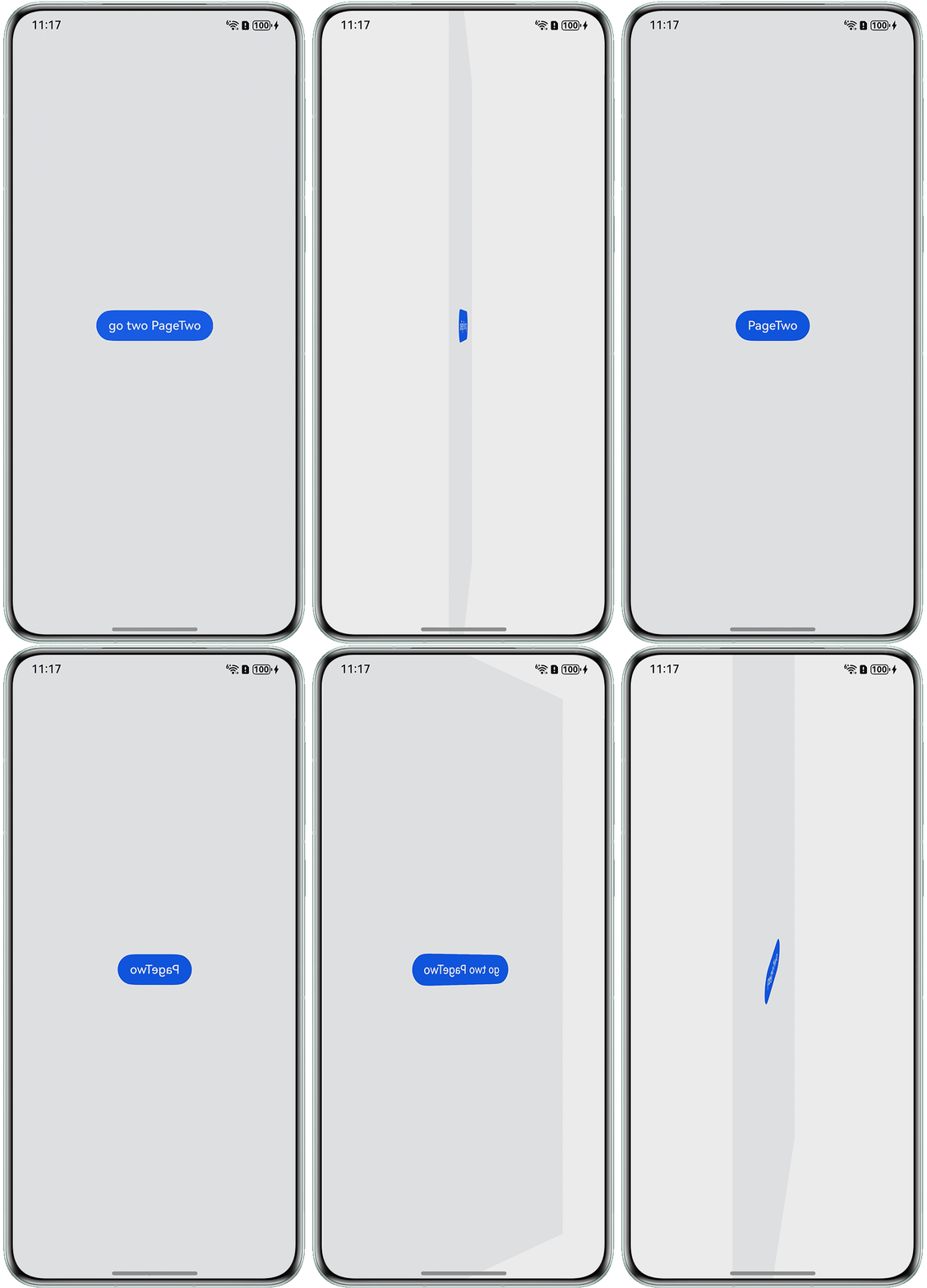
背景知识
- pageTransition:当路由(router)进行切换时,可以通过在pageTransition函数中自定义页面入场和页面退场的转场动效。
- rotate:可使组件在以组件左上角为坐标原点的坐标系中进行旋转。
解决方案
- 参照禁用某页面的页面转场以关闭路由跳转时的默认动画效果。
pageTransition() { PageTransitionEnter({ type: RouteType.None, duration: 0 }); PageTransitionExit({ type: RouteType.None, duration: 0 }); } - 在页面根节点绑定旋转属性以实现页面级视觉变换。
.rotate({ x: 0, y: 1, z: 0, angle: this.angle, centerX: '50%', centerY: '50%', centerZ: 0, perspective: 0 }); - 通过帧动画实现旋转角度的连续变化效果。
aboutToAppear(): void {
  this.result = this.getUIContext().createAnimator(this.options);
  this.result.onFrame = (value: number) => {
    this.angle = -value * 180;
  };
  this.result.onFinish = () => {
    this.getUIContext().getRouter().pushUrl({ url: 'pages/Index2' });
  };
}
完整代码参考如下:
import { AnimatorOptions, AnimatorResult } from '@kit.ArkUI';

@Entry
@Component
struct Index {
  @State angle: number = 1;
  @State result: AnimatorResult | undefined = undefined;
  private options: AnimatorOptions = {
    duration: 1200,
    easing: 'friction',
    delay: 0,
    fill: 'forwards',
    direction: 'normal',
    iterations: 1,
    begin: 0,
    end: 1
  };

  aboutToAppear(): void {
    this.result = this.getUIContext().createAnimator(this.options);
    this.result.onFrame = (value: number) => {
      this.angle = -value * 180;
    };
    this.result.onFinish = () => {
      this.getUIContext().getRouter().pushUrl({ url: 'pages/Index2' });
    };
  }


  build() {
    Stack() {
      Button('go to PageTwo')
        .onClick(() => {
          this.result?.play();
        });
    }
    .width('100%')
    .height('100%')
    .backgroundColor('#f1f3f5')
    .expandSafeArea([SafeAreaType.SYSTEM], [SafeAreaEdge.TOP, SafeAreaEdge.BOTTOM])
    .rotate({
      x: 0,
      y: 1,
      z: 0,
      angle: this.angle,
      centerX: '50%',
      centerY: '50%',
      centerZ: 0,
      perspective: 0
    });

  }

  pageTransition() {
    PageTransitionEnter({ type: RouteType.None, duration: 0 });
    PageTransitionExit({ type: RouteType.None, duration: 0 });
  }

}
import { AnimatorOptions, AnimatorResult } from '@kit.ArkUI';

@Entry
@Component
struct Index2 {
  @State angle: number = 0;
  @State result: AnimatorResult | undefined = undefined;
  private options: AnimatorOptions = {
    duration: 1200,
    easing: 'friction',
    delay: 0,
    fill: 'forwards',
    direction: 'normal',
    iterations: 1,
    begin: 0,
    end: 1
  };

  aboutToAppear(): void {
    this.result = this.getUIContext().createAnimator(this.options);
    this.result.onFrame = (value: number) => {
      this.angle = value * 180;
    };
    this.result.onFinish = () => {
      this.getUIContext().getRouter().pushUrl({ url: 'pages/Index' });
    };
  }

  build() {
    Stack() {
      Button('PageTwo')
        .onClick(() => {
          this.result?.play();
        });
    }
    .width('100%')
    .height('100%')
    .backgroundColor('#f1f3f5')
    .expandSafeArea([SafeAreaType.SYSTEM], [SafeAreaEdge.TOP, SafeAreaEdge.BOTTOM])
    .rotate({
      x: 0,
      y: 1,
      z: 0,
      angle: this.angle,
      centerX: '50%',
      centerY: 0,
      centerZ: 0,
      perspective: 0
    });
  }

  pageTransition() {
    PageTransitionEnter({ type: RouteType.None, duration: 0 });
    PageTransitionExit({ type: RouteType.None, duration: 0 });
  }
}
实现效果如下: