背景知识
- setWindowSystemBarProperties在全屏主窗口下用于设置窗口内导航栏和状态栏的属性。
- SystemBarProperties包括背景颜色、文字颜色、图标是否高亮和图标动画等属性,适配可以参考如何实现状态栏背景颜色沉浸。
- setWindowLayoutFullScreen可设置主窗口或子窗口的布局是否为沉浸式布局,使用Promise异步回调。系统窗口调用不生效。
- expandSafeArea可以控制组件扩展其安全区域。
问题定位
查看状态栏设置,全局搜索setWindowSystemBarProperties,发现对SystemBarProperties中的statusBarColor进行了设置,且值没有设置为透明色。
import { window } from '@kit.ArkUI';
import { common } from '@kit.AbilityKit';

@Entry
@Component
struct Index {
  aboutToAppear(): void {
    let context: common.UIAbilityContext = this.getUIContext().getHostContext() as common.UIAbilityContext;
    window.getLastWindow(context).then((lastWindow) => {
      let systemBarProperties: window.SystemBarProperties = {
        statusBarColor: '#000000', // 状态栏背景色黑色
        statusBarContentColor: '#ffffff' // 状态栏文字白色
      };
      lastWindow.setWindowSystemBarProperties(systemBarProperties); // 设置主窗口状态栏的属性
    });
  }

  build() {
    Column() {
      Text('Hello World')
        .width('100%')
        .height('100%')
        .fontColor(Color.White)
        .fontSize(20)
        .textAlign(TextAlign.Center);
    }
    .width('100%')
    .height('100%')
    .backgroundColor(Color.Black)
    .expandSafeArea([SafeAreaType.SYSTEM], [SafeAreaEdge.BOTTOM]);
  }
} 修改建议
- 将statusBarColor值设置为透明。
- 使用setWindowLayoutFullScreen设置页面全屏并使用expandSafeArea扩展页面到状态栏。
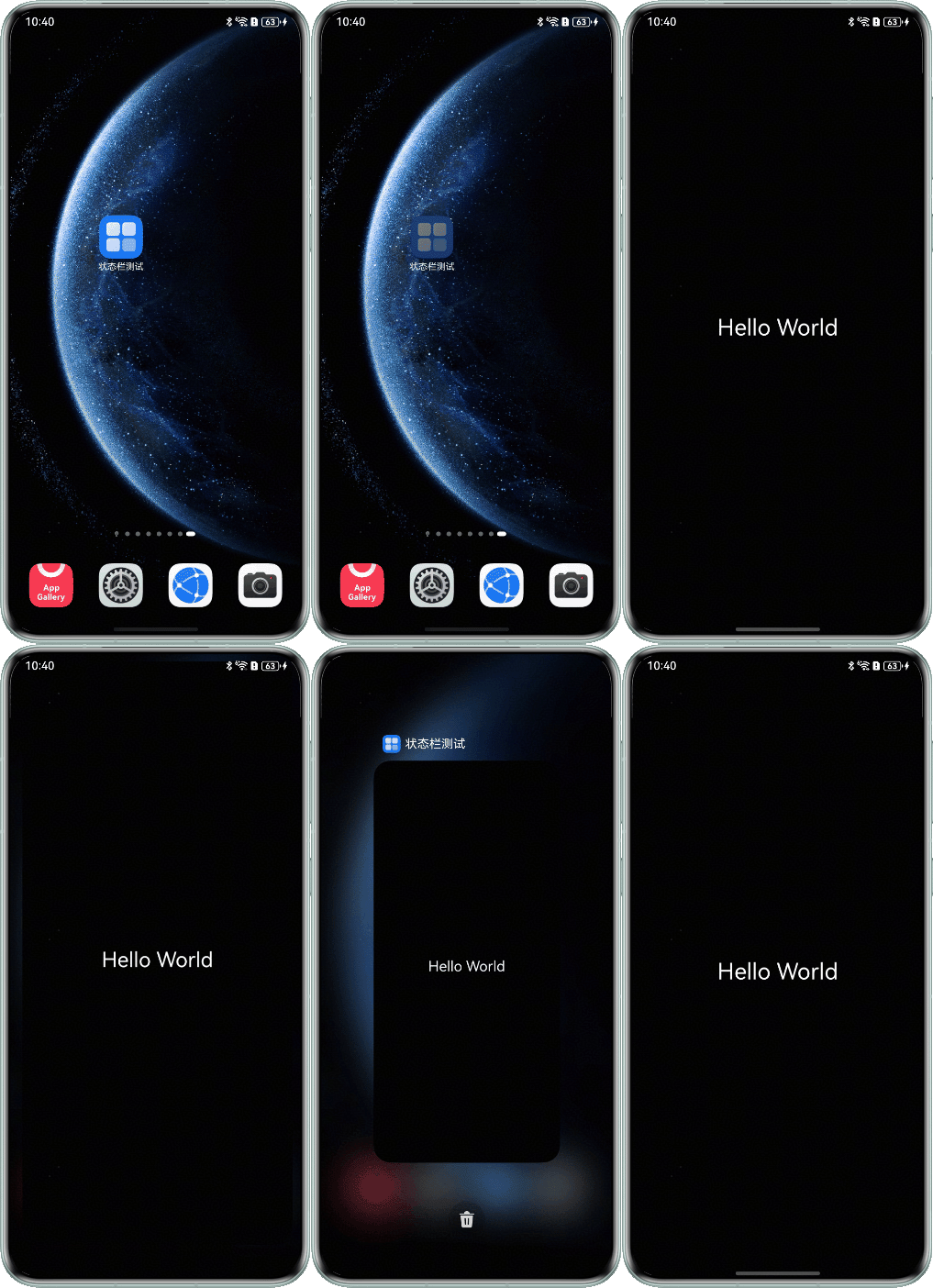
- 完整示例如下:
import { window } from '@kit.ArkUI';
import { common } from '@kit.AbilityKit';

@Entry
@Component
struct Index {
  aboutToAppear(): void {
    let context: common.UIAbilityContext = this.getUIContext().getHostContext() as common.UIAbilityContext;
    window.getLastWindow(context).then((lastWindow) => {
      lastWindow.setWindowLayoutFullScreen(true);
      let systemBarProperties: window.SystemBarProperties = {
        statusBarColor: 'rgba(0, 0, 0, 0)', // 透明
        statusBarContentColor: '#ffffff' // 状态栏文字白色
      };
      lastWindow.setWindowSystemBarProperties(systemBarProperties); // 设置主窗口状态栏的属性
    });
  }

  build() {
    Column() {
      Text('Hello World')
        .width('100%')
        .height('100%')
        .fontColor(Color.White)
        .fontSize(20)
        .textAlign(TextAlign.Center);
    }
    .width('100%')
    .height('100%')
    .backgroundColor(Color.Black)
    .expandSafeArea([SafeAreaType.SYSTEM], [SafeAreaEdge.TOP,SafeAreaEdge.BOTTOM]);
  }
}
效果图如下: