问题现象
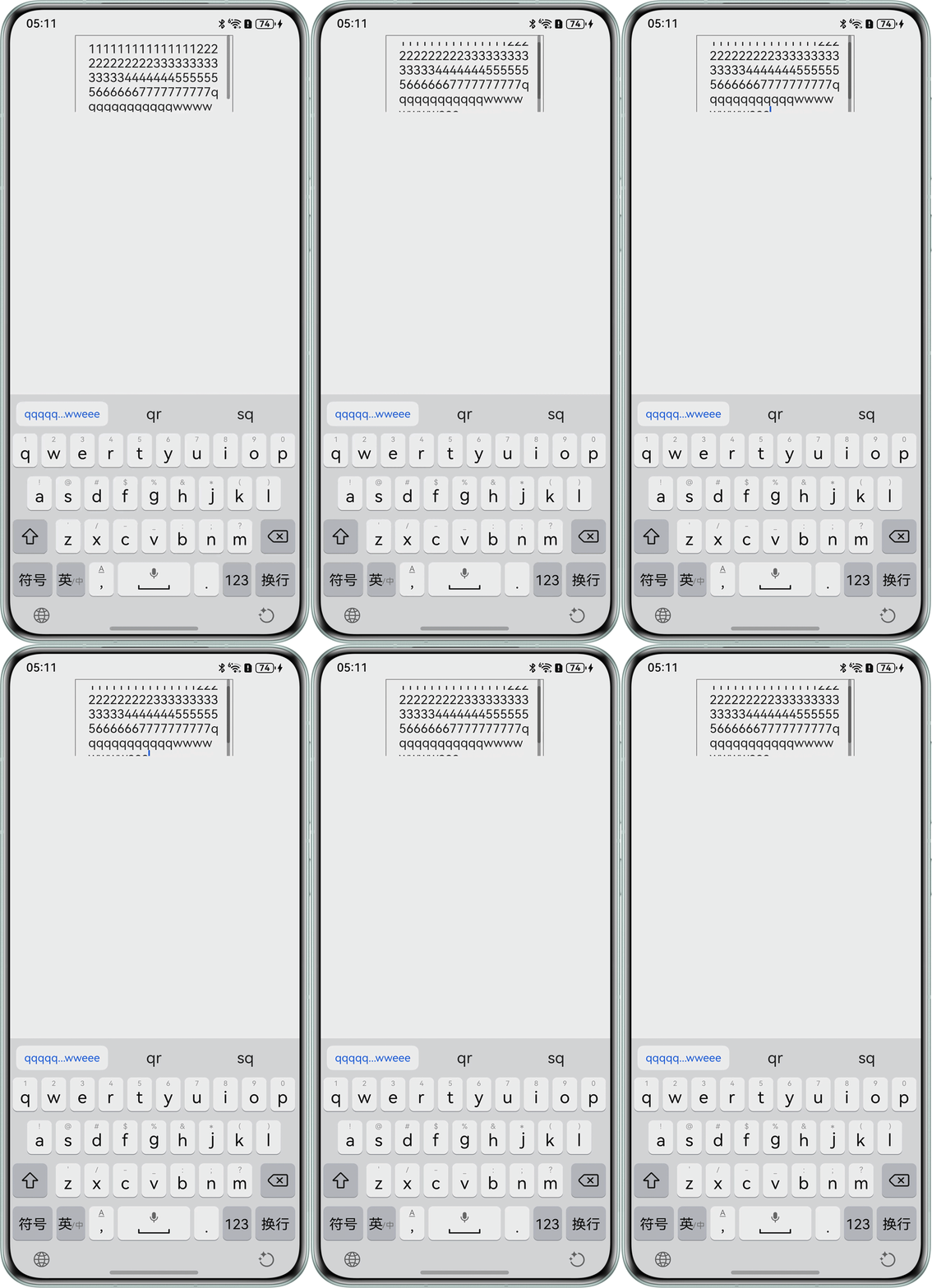
RichEditor设置固定高度,文本过多会出现滚动条,导致和父组件Scroll产生滚动冲突,导致不能滑动到最底部,怎么避免这种情况?
问题代码示例参考如下:
@Entry
@Component
struct Problem {
  controller: RichEditorController = new RichEditorController();
  scroller: Scroller = new Scroller();

  build() {
    Column() {
      Scroll(this.scroller) {
        RichEditor({ controller: this.controller })
          .borderWidth(1)
          .borderColor(Color.Gray)
          .height(120)
          .width(200);
      }
      .height(100)
      .scrollBar(BarState.On);
    }
    .height('100%')
    .width('100%');
  }
}
问题效果预览:
解决方案
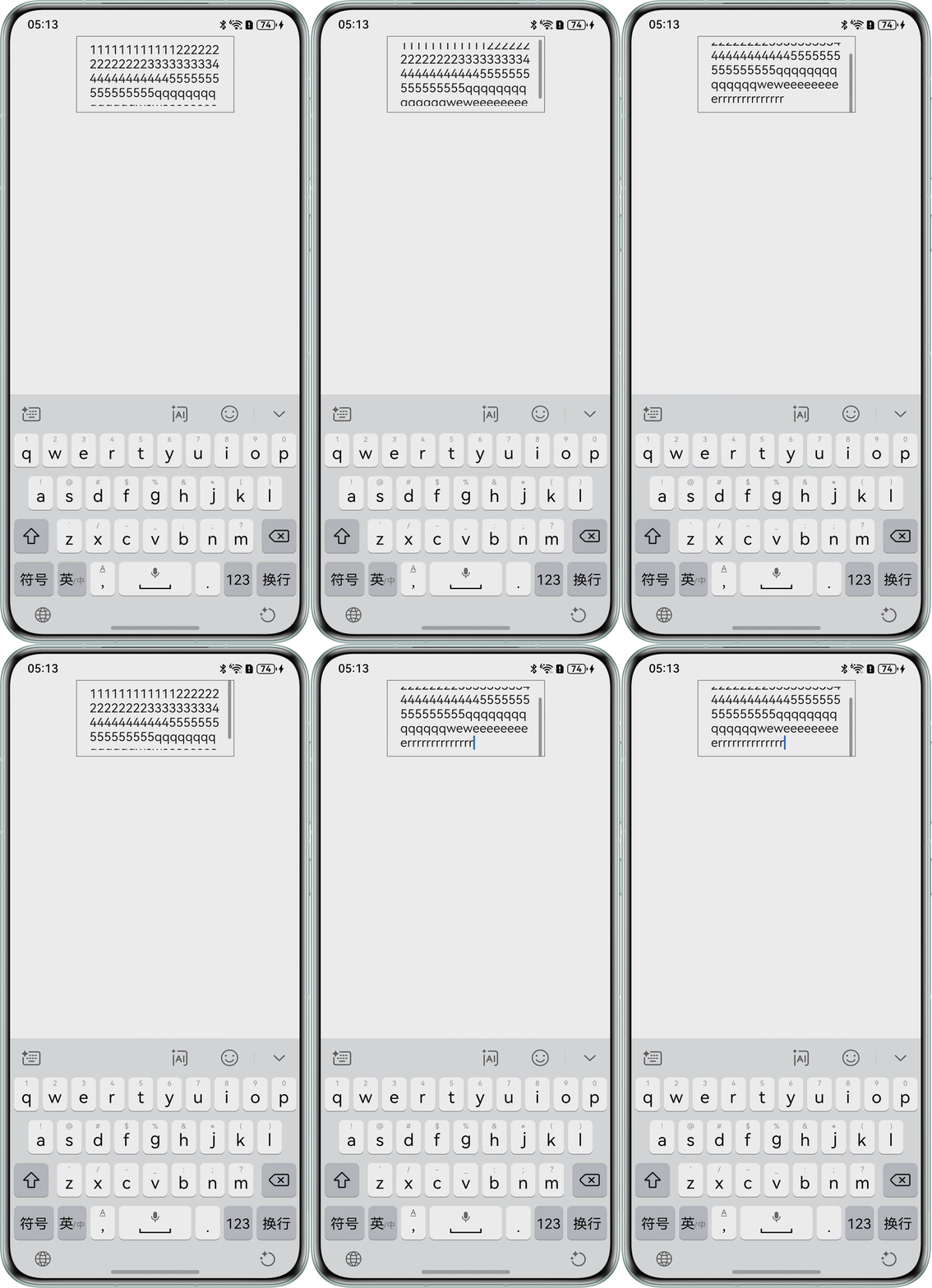
- 方案一:设置父组件Scroll的高度大于等于子组件RichEditor的高度,此时只会出现子组件RichEditor的滚动条,RichEditor组件大小固定,否则只要子组件高度大于父组件高度,则父组件Scroll就会出现滚动条。
@Entry
@Component
struct OptionOne {
  controller: RichEditorController = new RichEditorController();
  scroller: Scroller = new Scroller();

  build() {
    Column() {
      Scroll(this.scroller) {
        RichEditor({ controller: this.controller })
          .borderWidth(1)
          .borderColor(Color.Gray)
          .height(100)
          .width(200);
      }
      .height(100)
      .scrollBar(BarState.Off); // 关掉Scroll组件的滚动条
    }
    .height('100%')
    .width('100%');
  }
}
效果预览:
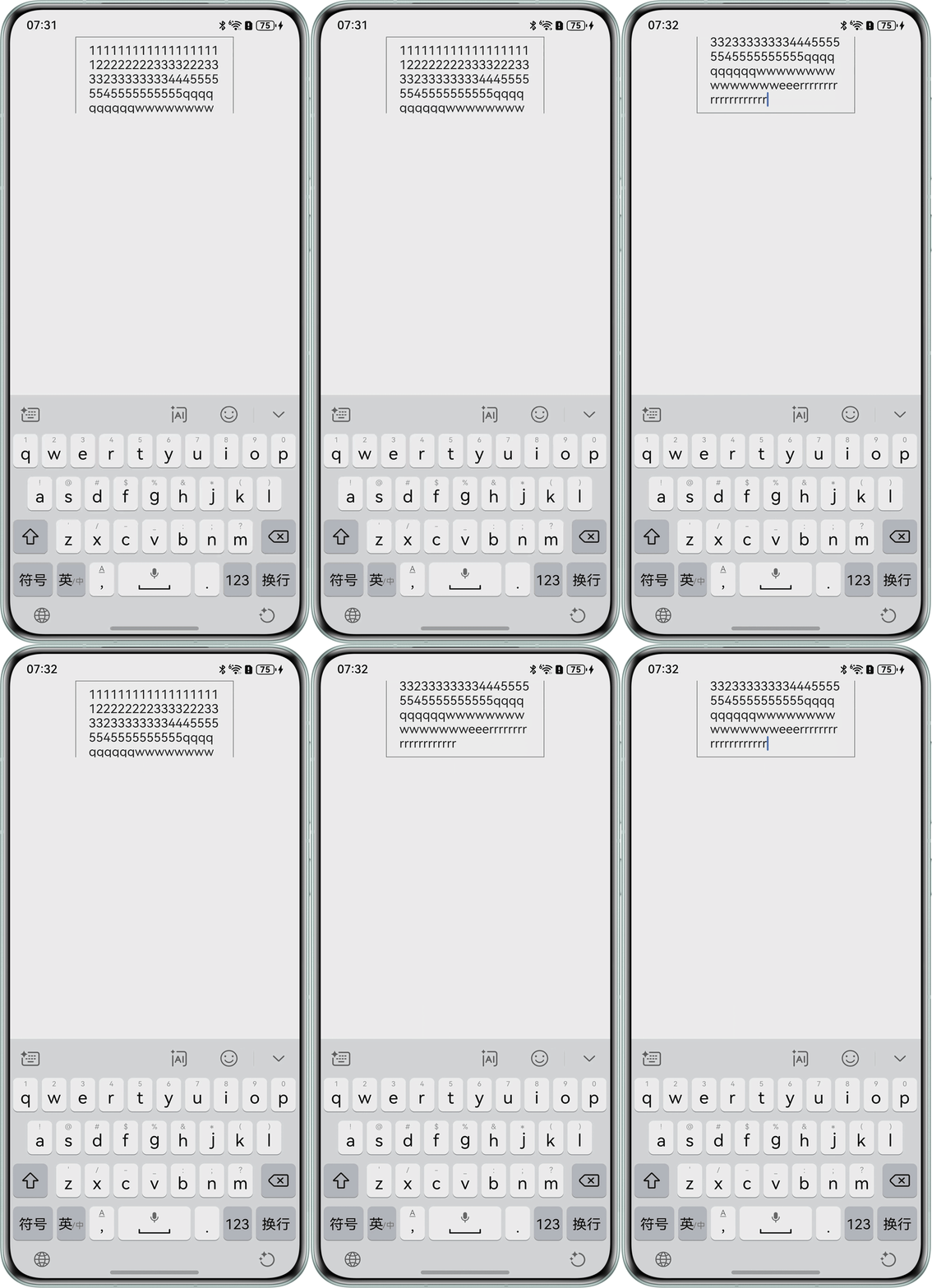
- 方案二:去掉子组件RichEditor的高度。此时RichEditor组件大小随着文本变化,超过父组件Scroll的高度后,只会出现父组件Scroll的滚动条,此时关掉Scroll组件的滚动条后就没有滚动条。
@Entry
@Component
struct OptionTwo {
  controller: RichEditorController = new RichEditorController();
  scroller: Scroller = new Scroller();

  build() {
    Column() {
      Scroll(this.scroller) {
        RichEditor({ controller: this.controller })
          .borderWidth(1)
          .borderColor(Color.Gray)
          .width(200);
      }
      .height(100)
      .scrollBar(BarState.Off); // 关掉Scroll组件的滚动条
    }
    .height('100%')
    .width('100%');
  }
}
效果预览:
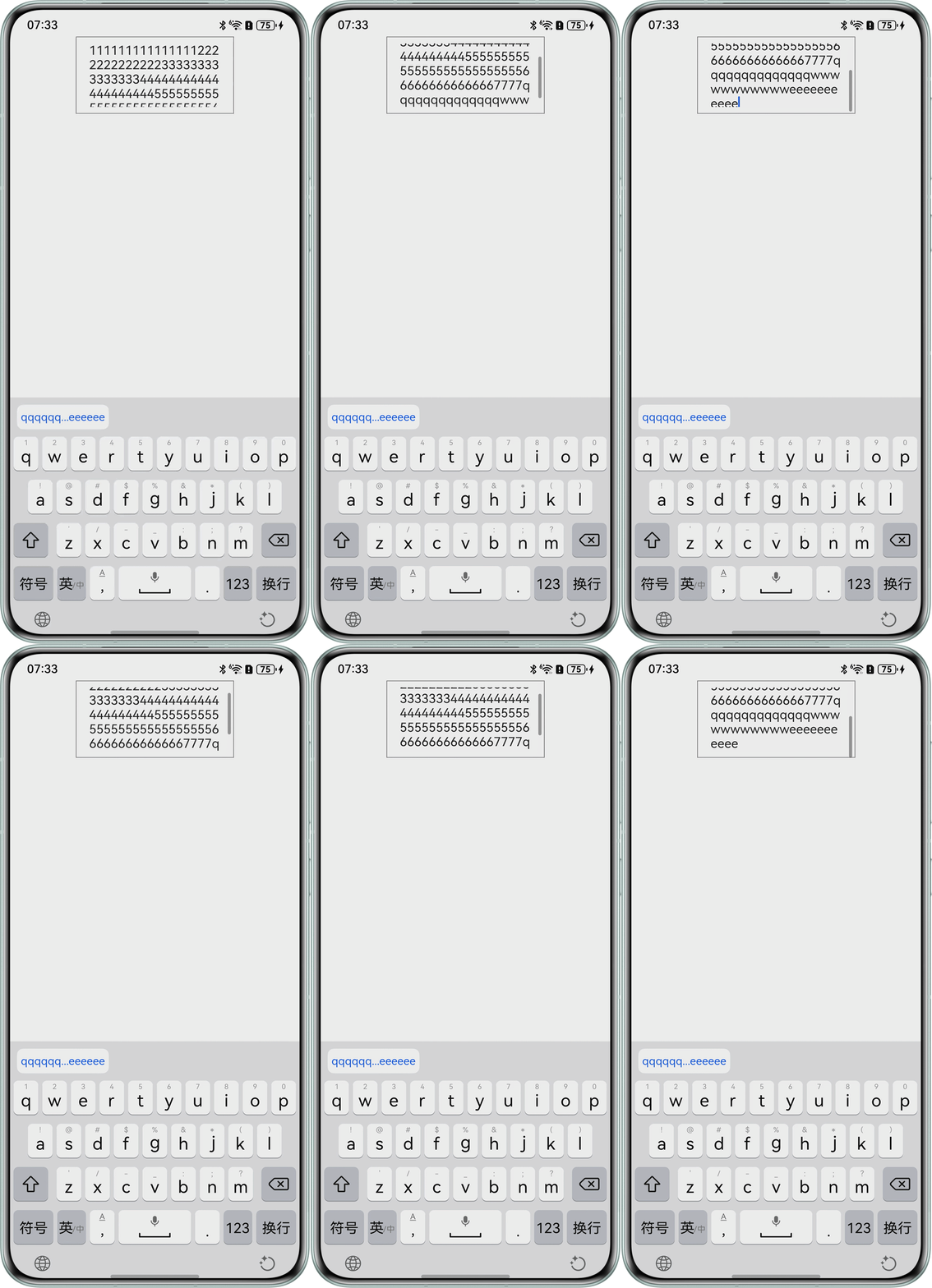
- 方案三:去掉父组件Scroll的高度,此时只会出现子组件RichEditor的滚动条,RichEditor组件大小固定。
@Entry
@Component
struct OptionThree {
  controller: RichEditorController = new RichEditorController();
  scroller: Scroller = new Scroller();

  build() {
    Column() {
      Scroll(this.scroller) {
        RichEditor({ controller: this.controller })
          .borderWidth(1)
          .borderColor(Color.Gray)
          .height(100)
          .width(200);
      }
      .scrollBar(BarState.Off); // 关掉Scroll组件的滚动条
    }
    .height('100%')
    .width('100%');
  }
}
效果预览:
总结
上述三种解决方案都通过关掉Scroll组件的滚动条实现,这样不仅可以规避滚动冲突问题,还可以确定是哪个组件在进行滚动,方案一与方案三都是RichEditor在进行滚动,出现了RichEditor组件的滚动条,而方案二是Scroll组件进行滚动,此时可以对滚动条进行隐藏,由于RichEditor目前没有去掉滚动条的属性或者方法,所以方案二可以作为RichEditor组件去掉滚动条的问题的替代方案。
常见FAQ
Q:可以通过滚动组件通用接口nestedScroll来处理嵌套滚动模式,实现与父组件的滚动联动吗?
A:此场景下不可以,因为此时的子组件为RichEditor,而滚动组件通用属性和事件目前只支持List、Grid、Scroll和WaterFlow组件。