问题现象
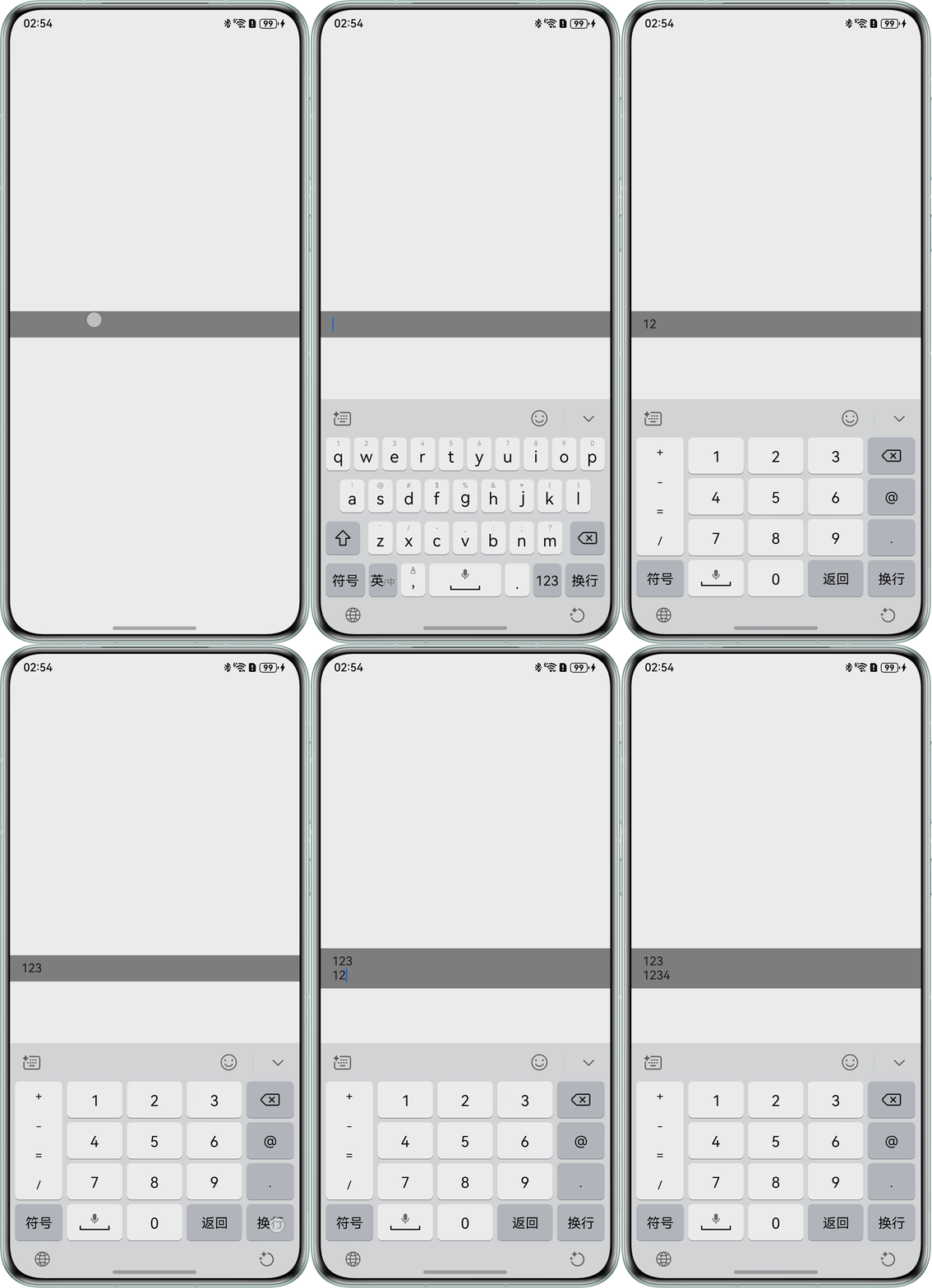
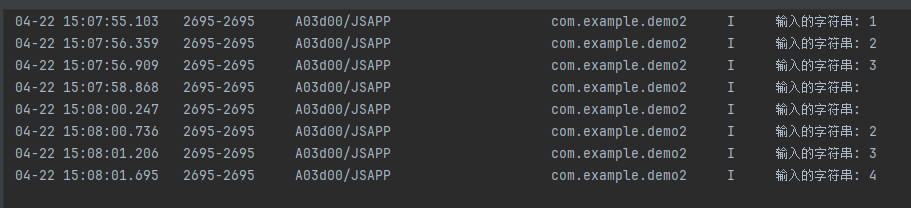
正常输入文字如'1,2,3'等,inputStr都能准确获取,如果先输入一个换行符,再输入文字,如'1,2,3','1'这个文字就获取不到,再次输入'2','3'能监听到,如何解决该问题?
问题代码示例参考如下:
@Entry
@Component
struct StackExample {
  private controller: RichEditorController = new RichEditorController()

  build() {
    Row() {
      // 输入框
      RichEditor({ controller: this.controller })
        .backgroundColor(Color.Gray)
        .enterKeyType(EnterKeyType.NEW_LINE)
        .width('100%')
        .constraintSize({
          maxHeight: 100,
          minHeight: 35
        })
        .defaultFocus(true)
        .onSubmit((enterKey: EnterKeyType, event: SubmitEvent) => {
          event.keepEditableState() // 保持输入状态
        })
        .onIMEInputComplete((value: RichEditorTextSpanResult) => {
          // 监听文字输入
          const start = value.offsetInSpan[0]
          const end = value.offsetInSpan[1]
          // 获取输入的字符串
          const inputStr = value.value.substring(start, end)
        })
    }
    .width('100%')
    .height('100%')
  }
}
问题效果预览:


背景知识
RichEditor支持图文混排和文本交互式编辑的组件。
- onSubmit按下软键盘输入法回车键触发该回调。
- onDidIMEInput输入法完成输入时,触发回调。
- getSpans获取span信息。
- onIMEInputComplete:输入法完成输入后,触发回调。
解决方案
onIMEInputComplete接口仅支持返回一个文本span的信息,存在\n会触发span分裂,所以换行后监听异常。
- 使用onDidIMEInput代替onIMEInputComplete,获取当前输入内容的范围。
- 使用getSpans获取当前输入的内容并打印,实现监听。
@Entry
@Component
struct StackExample {
  private controller: RichEditorController = new RichEditorController();

  build() {
    Row() {
      // 输入框
      RichEditor({ controller: this.controller })
        .backgroundColor(Color.Gray)
        .enterKeyType(EnterKeyType.NEW_LINE)
        .width('100%')
        .constraintSize({
          maxHeight: 100,
          minHeight: 35
        })
        .defaultFocus(true)
        .onSubmit((enterKey: EnterKeyType, event: SubmitEvent) => {
          event.keepEditableState(); // 保持输入状态
        })
        .onDidIMEInput((value: TextRange) => {
          const start = value.start;
          const end = value.end;
          const curSpans = this.controller.getSpans({
            start: start,
            end: end
          });
          curSpans.forEach(item => {
            if (typeof (item as RichEditorTextSpanResult)) {
              const cur = item as RichEditorTextSpanResult;
              console.info("输入的字符: " + cur.value.substring(cur.offsetInSpan[0], cur.offsetInSpan[1]));
            }
          });
        });
    }
    .width('100%')
    .height('100%');
  }
}