背景知识
- onWillScroll为滚动事件回调,Scroll滚动前触发。回调当前帧将要滚动的偏移量和当前滚动状态和滚动操作来源,其中回调的偏移量为计算得到的将要滚动的偏移量值,并非最终实际滚动偏移。可以通过该回调返回值指定Scroll将要滚动的偏移。
- onDidScroll为滚动事件回调,Scroll滚动时触发。返回当前帧滚动的偏移量和当前滚动状态。
- 滚动事件的回调函数在滚动过程中会被频繁触发,因此应避免在该回调函数中执行耗时操作,以防止应用出现卡顿和丢帧的问题。具体内容请参考主线程耗时操作优化指导-高频回调场景。
问题定位
- 使用DevEco Testing-实用工具-UIViewer查看布局实现,确认滚动页面基于Scroll组件实现。
- 排查代码中关于顶部固定区域透明度变化的相关事件是否在onWillScroll回调函数中执行。
class Item {
  text: string = '';
  color: string = '';

  constructor(text: string) {
    this.text = text;
  }
}

@Entry
@Component
struct StackDemo {
  private items: Item[] = [
    new Item('hello'),
    new Item('hello'),
    new Item('hello'),
    new Item('hello'),
    new Item('hello'),
    new Item('hello'),
    new Item('hello'),
    new Item('hello'),
    new Item('hello'),
    new Item('hello'),
    new Item('hello'),
    new Item('hello'),
    new Item('hello'),
    new Item('hello'),
    new Item('hello'),
    new Item('hello'),
    new Item('hello')
  ];
  private scroller: Scroller = new Scroller();
  private topHeight: number = 88;
  @State private percentage: number = 0.0;
  @StorageLink('statusBarHeight') statusBarHeight: number = 0;

  @Builder
  textLine(text: string) {
    Column() {
      Text(text)
        .backgroundColor('#f1f3f5')
        .borderRadius(25)
        .padding({
          left: 155,
          right: 155,
          bottom: 25,
          top: 25
        });
    }
    .borderRadius(10)
    .width('100%')
    .height('10%');

  }

  build() {
    NavDestination() {
      Stack() {
        Row() {
          Text('顶部区域')
            .fontSize(24)
            .height(56)
            .padding({ left: 24, bottom: 25 })
            .width('100%')
            .textAlign(TextAlign.Start);
        }
        .width('100%')
        .height(this.topHeight)
        .backgroundColor('rgba(255, 255, 255,' + this.percentage + ')')
        .zIndex(1)
        .expandSafeArea([SafeAreaType.SYSTEM], [SafeAreaEdge.TOP]);

        Scroll(this.scroller) {
          Column() {

            Image($r('app.media.top_picture'))
              .width('100%')
              .objectFit(ImageFit.Fill)
              .padding({ bottom: 25 })
              .expandSafeArea([SafeAreaType.SYSTEM], [SafeAreaEdge.TOP]);

            ForEach(this.items, (item: Item) => {
              this.textLine(item.text);
            });
          };
        }
        .expandSafeArea([SafeAreaType.SYSTEM], [SafeAreaEdge.TOP, SafeAreaEdge.BOTTOM])
        .zIndex(0)
        .scrollBar(BarState.Off)
        .onWillScroll(() => {
          let yOffset = this.scroller.currentOffset().yOffset;
          console.info('yOffset=%f, statusBarHeight=%f', yOffset, this.statusBarHeight);
          let res = parseFloat((yOffset / this.topHeight).toFixed(1));
          res = Math.max(0, Math.min(1, res));
          this.percentage = res;
        });
      }
      .height('100%')
      .width('100%')
      .alignContent(Alignment.TopStart);
    }
    .hideTitleBar(true);
  }
}

@Builder
export function StackDemoBuilder() {
  StackDemo();
}

分析结论
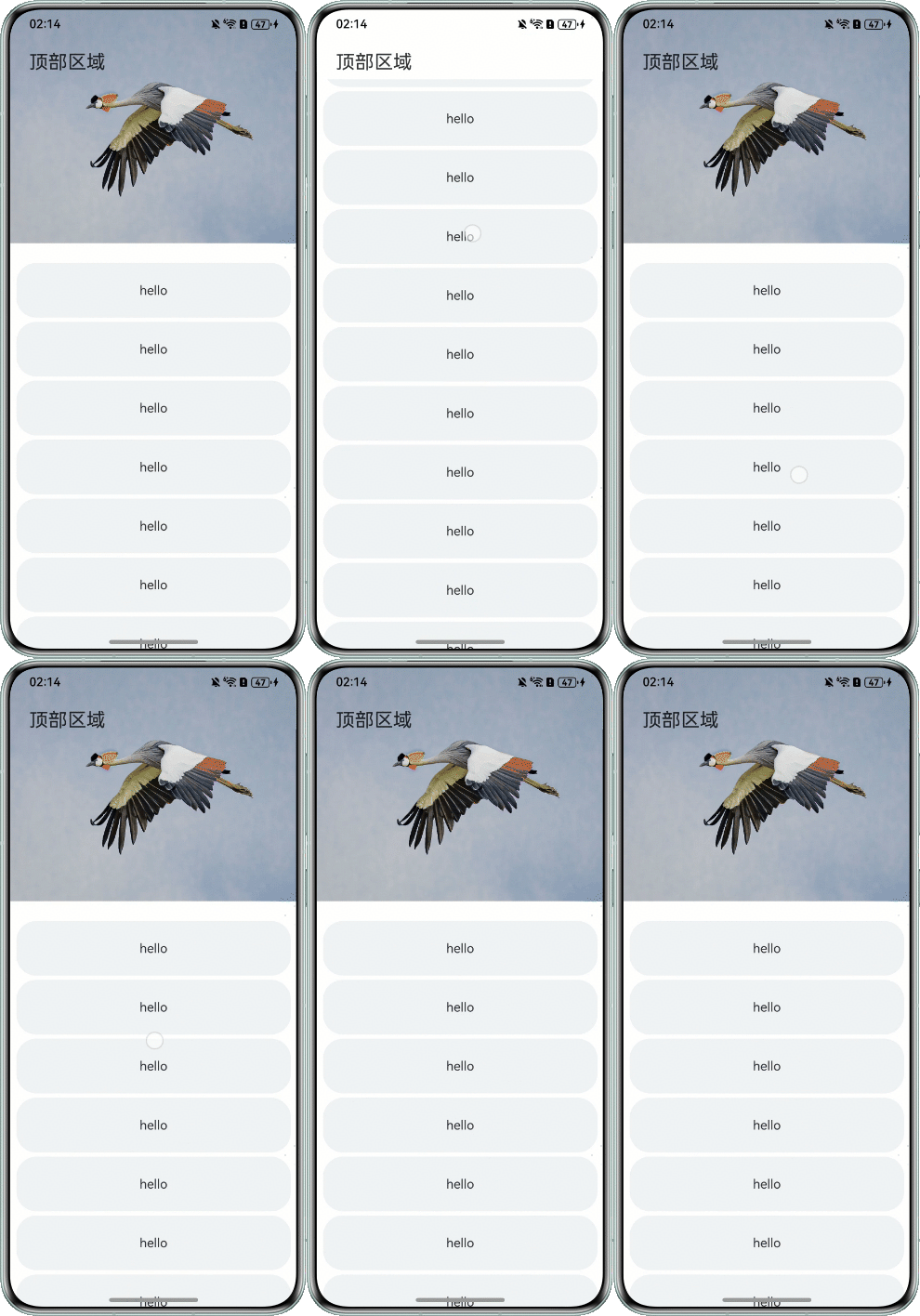
顶部固定区域透明度变化相关事件在onWillScroll回调函数中执行,其中回调的偏移量为计算得到的将要滚动的偏移量值,并非最终实际滚动偏移,因此在滑动时可能会导致偏移量无法及时更新,顶部区域透明度随之无法更新。
修改建议
建议将顶部固定区域透明度变化相关事件在onDidScroll回调函数中执行。
实现代码如下:
class Item {
  text: string = '';
  color: string = '';

  constructor(text: string) {
    this.text = text;
  }
}

@Entry
@Component
struct StackDemo {
  private items: Item[] = [
    new Item('hello'),
    new Item('hello'),
    new Item('hello'),
    new Item('hello'),
    new Item('hello'),
    new Item('hello'),
    new Item('hello'),
    new Item('hello'),
    new Item('hello'),
    new Item('hello'),
    new Item('hello'),
    new Item('hello'),
    new Item('hello'),
    new Item('hello'),
    new Item('hello'),
    new Item('hello'),
    new Item('hello')
  ];
  private scroller: Scroller = new Scroller();
  private topHeight: number = 88;
  @State private percentage: number = 0.0;
  @StorageLink('statusBarHeight') statusBarHeight: number = 0;

  @Builder
  textLine(text: string) {
    Column() {
      Text(text)
        .backgroundColor('#f1f3f5')
        .borderRadius(25)
        .padding({
          left: 155,
          right: 155,
          bottom: 25,
          top: 25
        });
    }
    .borderRadius(10)
    .width('100%')
    .height('10%');

  }

  build() {
    NavDestination() {
      Stack() {
        Row() {
          Text('顶部区域')
            .fontSize(24)
            .height(56)
            .padding({ left: 24, bottom: 25 })
            .width('100%')
            .textAlign(TextAlign.Start);
        }
        .width('100%')
        .height(this.topHeight)
        .backgroundColor('rgba(255, 255, 255,' + this.percentage + ')')
        .zIndex(1)
        .expandSafeArea([SafeAreaType.SYSTEM], [SafeAreaEdge.TOP]);

        Scroll(this.scroller) {
          Column() {

            Image($r('app.media.top_picture'))
              .width('100%')
              .objectFit(ImageFit.Fill)
              .padding({ bottom: 25 })
              .expandSafeArea([SafeAreaType.SYSTEM], [SafeAreaEdge.TOP]);

            ForEach(this.items, (item: Item) => {
              this.textLine(item.text);
            });
          };
        }
        .expandSafeArea([SafeAreaType.SYSTEM], [SafeAreaEdge.TOP, SafeAreaEdge.BOTTOM])
        .zIndex(0)
        .scrollBar(BarState.Off)
        .onDidScroll(() => {
          let yOffset = this.scroller.currentOffset().yOffset;
          console.info('yOffset=%f, statusBarHeight=%f', yOffset, this.statusBarHeight);
          let res = parseFloat((yOffset / this.topHeight).toFixed(1));
          res = Math.max(0, Math.min(1, res));
          this.percentage = res;
        });
      }
      .height('100%')
      .width('100%')
      .alignContent(Alignment.TopStart);
    }
    .hideTitleBar(true);
  }
}

@Builder
export function StackDemoBuilder() {
  StackDemo();
}
效果图如下: