问题现象
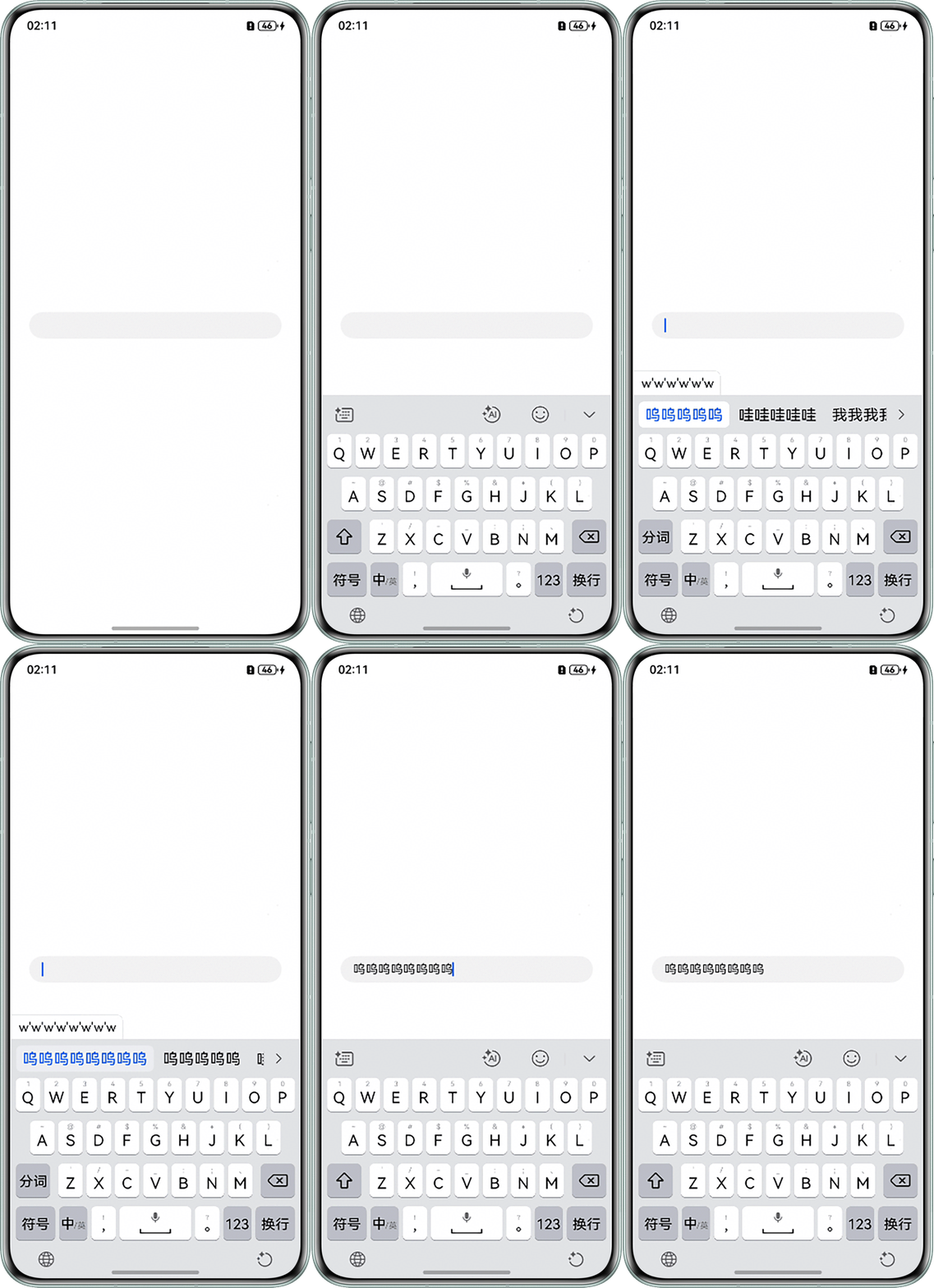
在ForEach嵌套TextArea组件的使用场景下,TextArea输入完成后软键盘会收起,导致继续输入不方便,如何确保软键盘在输入后不退出?
问题代码如下:
@Entry
@Component
struct TextAreaPage {
  @State contentArr: Array<string> = [''];

  build() {
    Row() {
      Column({ space: 24 }) {
        ForEach(this.contentArr, (item: string, index: number) => {
          TextArea({ text: item })
            .width('95%')
            .onChange((val: string) => {
              this.contentArr[index] = val;
            })
            .textAlign(TextAlign.Start)
            .height(42);
        });
      }
      .width('100%');
    }
    .height('100%');
  }
}
问题效果图如下:
解决方案
上述问题是由于@State装饰的变量contentArr在TextArea值发生改变时同步更新,导致UI刷新,最后软键盘收起。因此将ForEach使用的变量contentArr和TextArea值分开更新即可解决问题。
示例代码如下:
@Entry
@Component
struct TextAreaPage {
  @State contentArr: Array<string> = [''];
  @State editContentArr: Array<string> = [];

  build() {
    Row() {
      Column({ space: 24 }) {
        ForEach(this.contentArr, (item: string) => {
          TextArea({ text: item })
            .width('95%')
            .onChange((val: string) => {
              this.editContentArr.push(val); // 使用editContentArr替代contentArr存入输入值
            })
            .textAlign(TextAlign.Start);
        })
      }
      .width('100%');
    }
    .margin({ left: 16, right: 16 })
    .height('100%');
  }
}
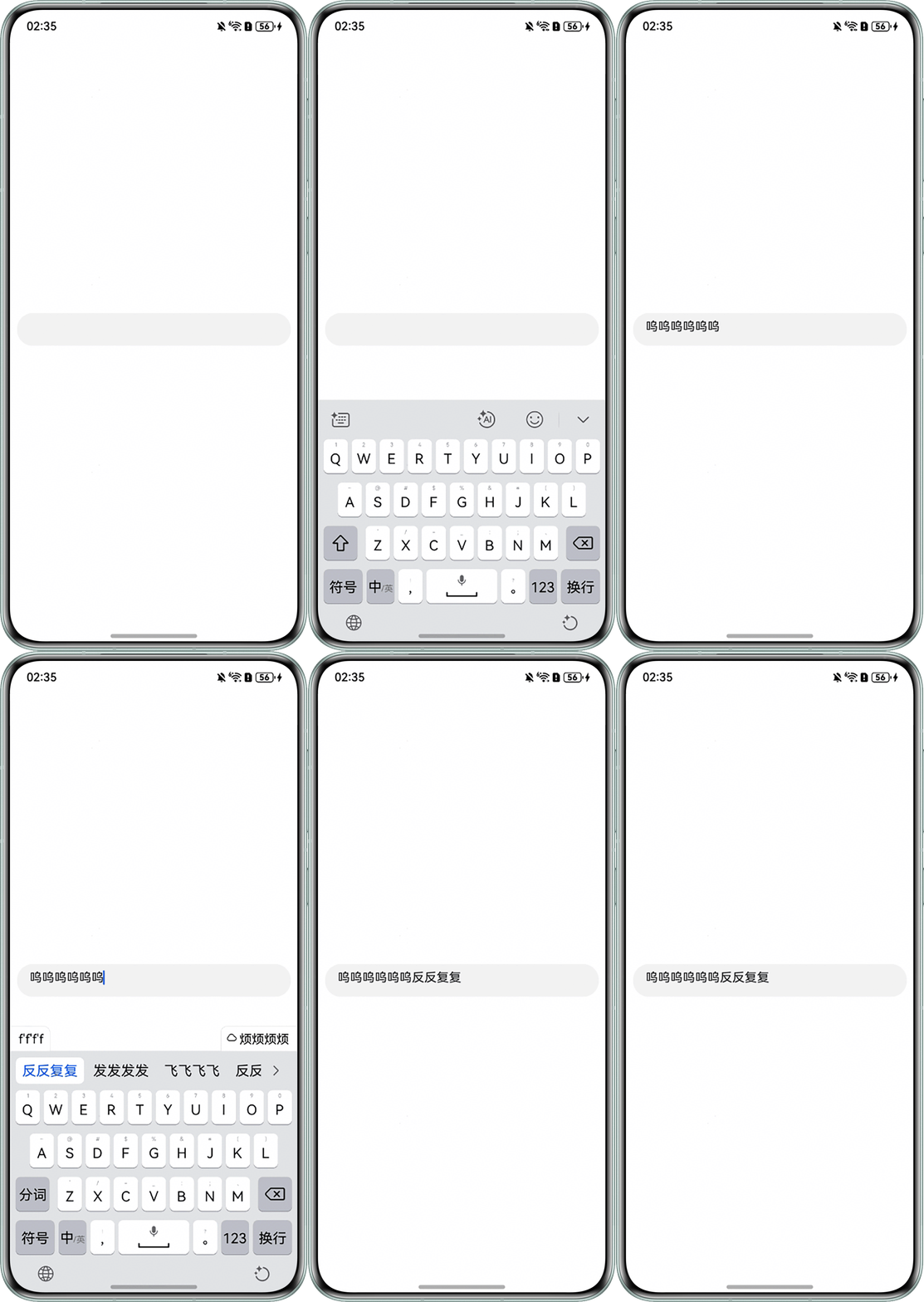
效果如下: