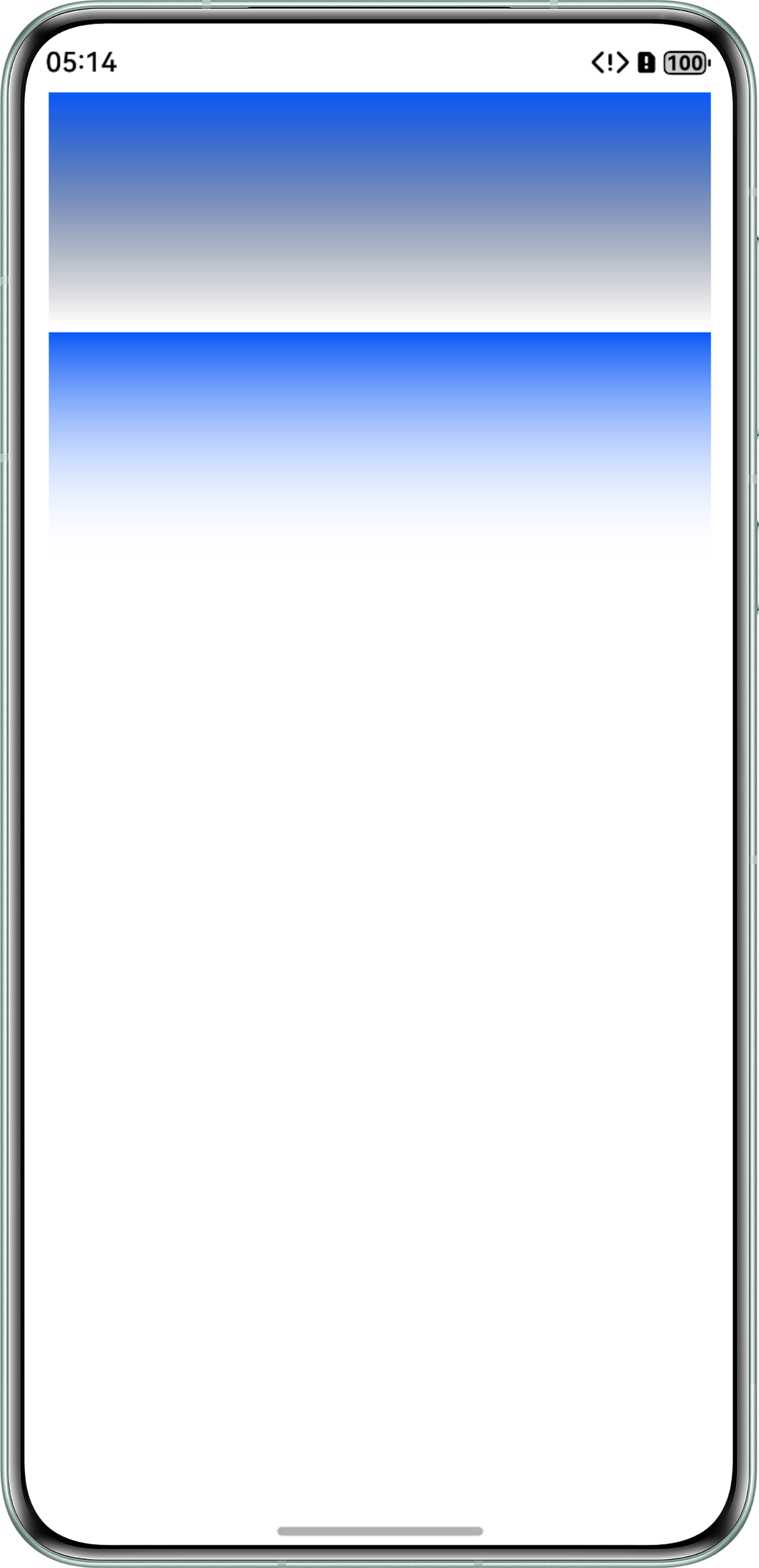
问题现象
使用linearGradient实现渐变色,颜色渐变成透明,但不符合预期,比如中间会出现黑色,问题代码如下:
@Entry
@Component
struct LinearGradientDemo {
  build() {
    Column({ space: 5 }) {
      Row()
        .width('calc(100% - 32vp)')
        .height(150)
        .margin({
          left: 16,
          right: 16
        })
        .linearGradient({
          direction: GradientDirection.Bottom,
          colors: [['#0A59F7', 0], [Color.Transparent, 1]]
        })
    }
    .width('100%')
    .height('100%')
  }
}
问题现象如下:

解决方案
Color.Transparent的值为rgba(0,0,0,0),相当于完全透明的黑色,颜色从'#0A59F7'到Color.Transparent,过程中趋近黑色,所以渐变到透明的中间有黑色,将渐变颜色改成值为'#00FFFFFF'的全透明白色即可,实现代码如下:
@Entry
@Component
struct LinearGradientDemo {
  build() {
    Column({ space: 5 }) {
      Row()
        .width('calc(100% - 32vp)')
        .height(150)
        .margin({
          left: 16,
          right: 16
        })
        .linearGradient({
          direction: GradientDirection.Bottom,
          colors: [['#0A59F7', 0], [Color.Transparent, 1]]
        })
      Row()
        .width('calc(100% - 32vp)')
        .height(150)
        .margin({
          left: 16,
          right: 16
        })
        .linearGradient({
          direction: GradientDirection.Bottom,
          colors: [['#0A59F7', 0], ['#00FFFFFF', 1]]
        })
    }
    .width('100%')
    .height('100%')
  }
}
效果图如下,第二个渐变色中间无黑色。