问题现象
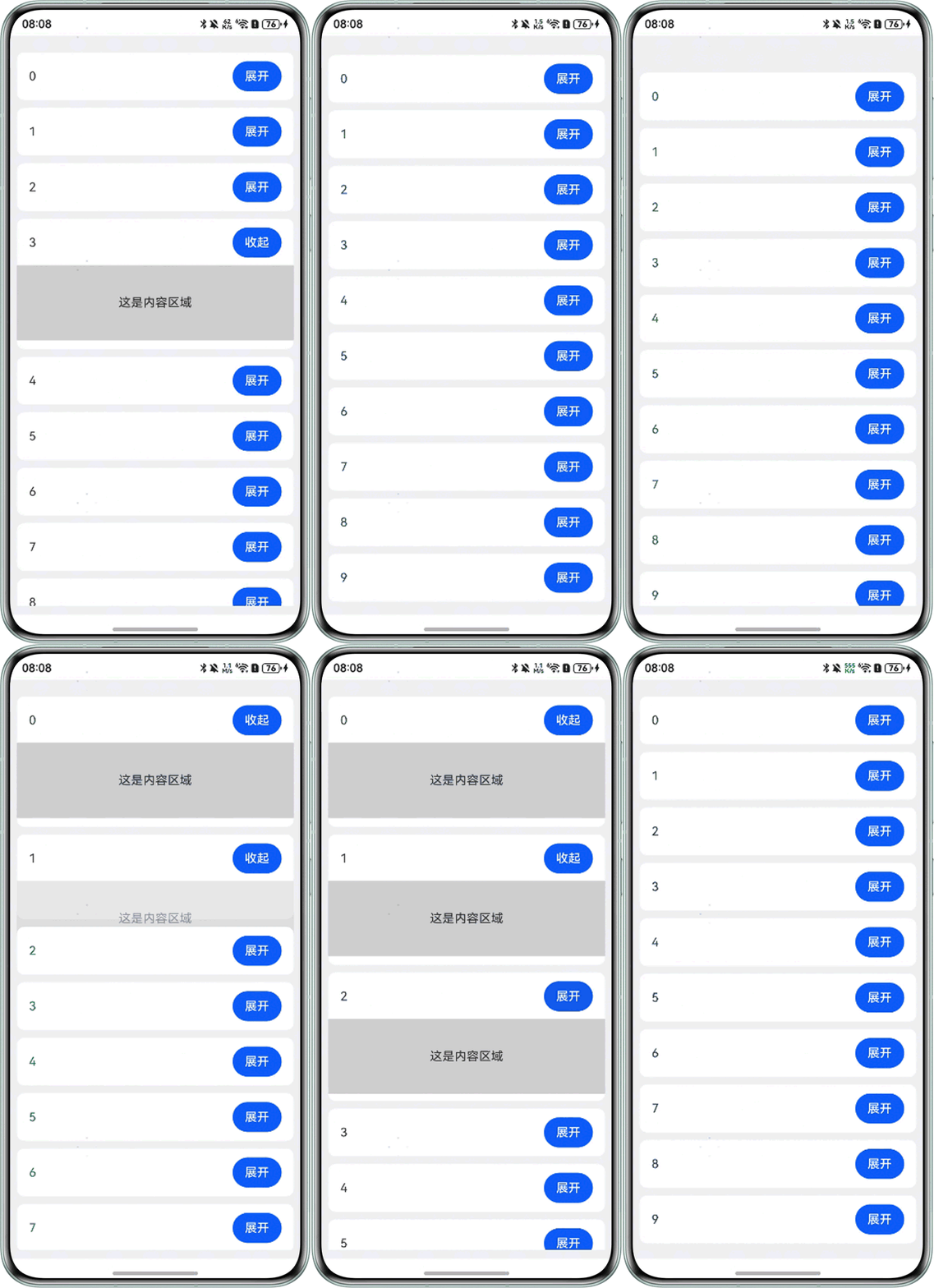
如何实现列表项可折叠和展开,类似QT中TreeWidget组件的效果?
效果预览
解决方案
- 方案一:可以使用TreeView组件实现简单树视图效果,可以对各节点项目新增、删除、重命名操作,推荐使用此方法。
- 方案二:可以直接使用List组件构建列表容器,列表ListItem子项中添加Button按钮绑定点击事件和条件判断实现折叠和展开效果。
@Entry
@Component
struct ListTest {
  private arr: number[] = [0, 1, 2, 3, 4, 5, 6, 7, 8, 9, 10, 11, 12, 13, 14];
  @State isContentShow: boolean[] = new Array(15).fill(false);
  context: UIContext = this.getUIContext();

  build() {
    Column() {
      List({ initialIndex: 0 }) {
        ForEach(this.arr, (item: number, index: number) => {
          ListItem() {
            Column({ space: 10 }) {
              Row() {
                Text(item.toString());
                Button(this.isContentShow[index] ? '收起' : '展开')
                  .onClick(() => {
                    this.context.animateTo({
                      // 设置按钮收起展开动画效果
                      duration: 300,
                      onFinish: () => {
                        console.info('animation end');
                      }
                    }, () => {
                      this.isContentShow[index] = !this.isContentShow[index];
                    });
                  });
              }
              .padding({ left: 16, right: 16 })
              .width('100%')
              .justifyContent(FlexAlign.SpaceBetween);

              if (this.isContentShow[index]) { // 判断当前按钮为“收起”显示内容区域
                Text('这是内容区域')
                  .backgroundColor('#33000000')
                  .textAlign(TextAlign.Center)
                  .width('100%')
                  .height(100);
              }
            }
            .backgroundColor('#FFFFFF')
            .width('100%')
            .padding({
              top: 12,
              bottom: 12
            })
            .margin({ top: 10 })
            .borderRadius(10);
          };
        }, (item: string) => item.toString());
      }
      .scrollBar(BarState.Off)
      .height('100%')
      .width('100%');
    }
    .backgroundColor('#F1F3F5')
    .padding(12);
  }
}