问题现象
使用@Prop装饰器在父子组件间传递数据,当UI首次成功刷新时,子组件@Prop修饰的值并没有更新。
问题代码如下:
@Component
struct Child {
  @Prop propMessage: string = '';
  callback: () => Promise<void> = () => {
    return Promise.resolve();
  };

  build() {
    Column() {
      Button(this.propMessage)
        .onClick(() => {
          this.callback().then(() => {
            console.info('from Child callback Prop', this.propMessage);
            this.getUIContext().getPromptAction().showToast({ message: this.propMessage });
          });
        });
    }
    .justifyContent(FlexAlign.Center)
    .width('100%')
    .height('100%');
  }
}

@Entry
@Component
struct Parent {
  @State stateMessage: string = '初始值';
  parentFunc = () => {
    const updatePromise: Promise<void> = new Promise((resolve: Function) => {
      this.stateMessage = '变更值';
      console.info('from Parent State', this.stateMessage);
      resolve();
    });
    return updatePromise;
  };

  build() {
    Column() {
      Child({
        propMessage: this.stateMessage,
        callback: this.parentFunc
      });
    };
  }
}
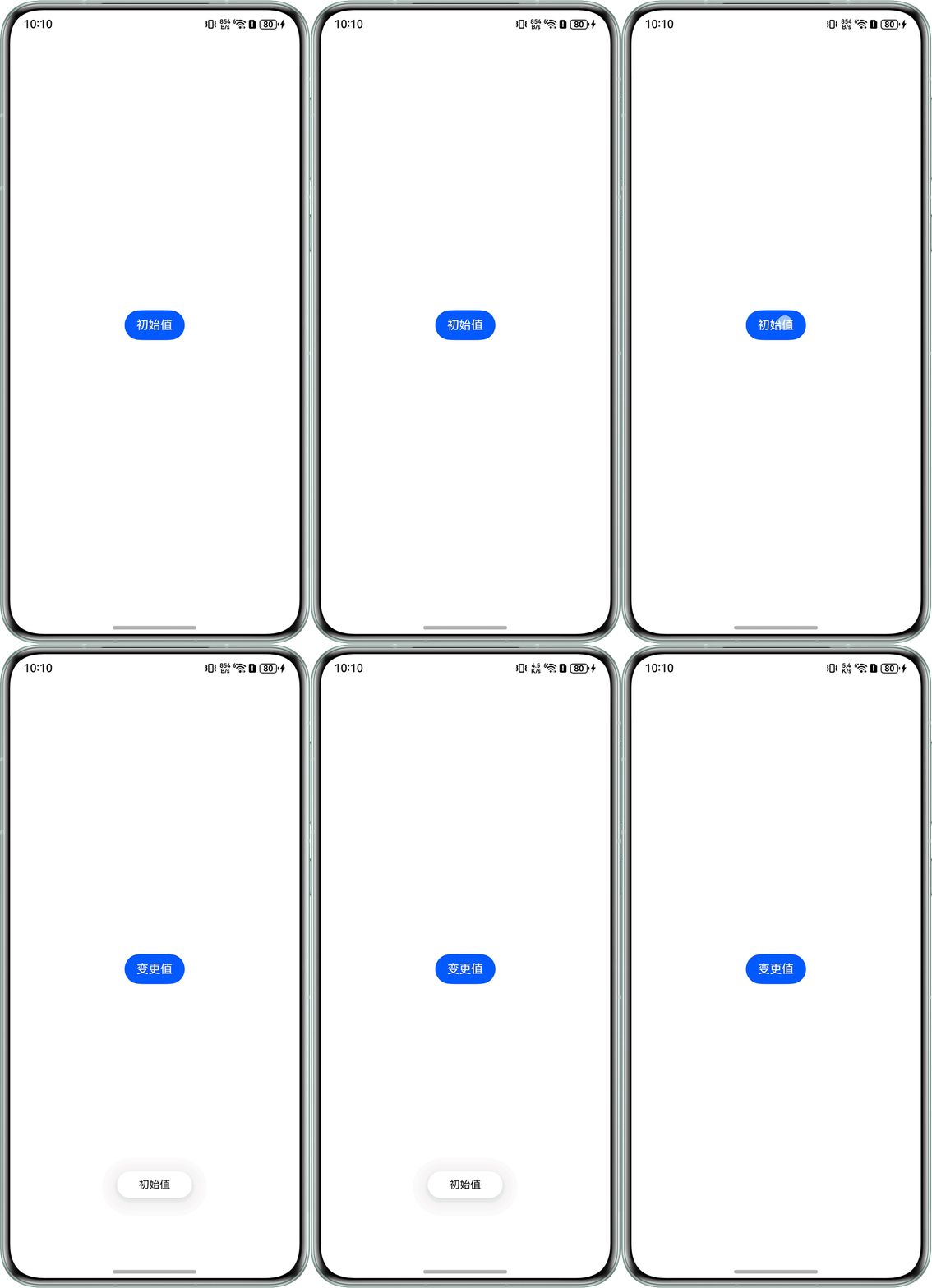
期待的效果:点击Button后,Button中、弹框提示和日志输出文本均为“变更值”。
问题表现如下:
当首次点击Button时,Button中文本“初始值”变更为“变更值”,UI刷新成功,但弹窗showToast和输出日志的“from Child callback Prop”的值仍为“初始值”,只有再次点击后,弹窗showToast和输出日志的“from Child callback Prop”的值才会变更为“变更值”。
12-22 15:41:50.041   13492-13492   A03d00/JSAPP                    com.examp...42649434  I     from Parent State 变更值
12-22 15:41:50.042   13492-13492   A03d00/JSAPP                    com.examp...42649434  I     from Child callback Prop 初始值
12-22 15:41:51.793   13492-13492   A03d00/JSAPP                    com.examp...42649434  I     from Parent State 变更值
12-22 15:41:51.793   13492-13492   A03d00/JSAPP                    com.examp...42649434  I     from Child callback Prop 变更值
问题定位
UI可以正常刷新,说明@Prop的值已经被修改,但弹窗showToast和输出日志的“from Child callback Prop”的值没有变化,是因为@Prop装饰变量时会进行深拷贝,也就是说,@Prop更新变量不是即时的,需要一定时间。
参考@Watch的触发时机,@Watch的回调函数会在其修饰值变更的同时触发,因此,通过@Watch的回调可以验证@Prop的刷新时机。
以下示例代码通过@Watch回调的触发时机来观察@Link和@Prop的刷新时机。
@Component
struct Child {
  @Prop @Watch('onPropChange') propMessage: string;
  @Link @Watch('onLinkChange') linkMessage: string;

  onPropChange() {
    console.info('from Child Prop', this.propMessage);
  }

  onLinkChange() {
    console.info('from Child Link', this.linkMessage);
  }

  callback: () => Promise<void> = () => {
    return Promise.resolve();
  };

  build() {
    Column() {
      Button(this.propMessage)
        .onClick(() => {
          this.callback().then(() => {
            console.info('from Child callback Prop', this.propMessage);
            console.info('from Child callback Link', this.linkMessage);
            this.getUIContext().getPromptAction().showToast({ message: this.linkMessage });
          });
        });
    }
    .justifyContent(FlexAlign.Center)
    .width('100%')
    .height('100%');
  }
}

@Entry
@Component
struct Parent {
  @State stateMessage: string = '初始值';
  parentFunc = () => {
    const updatePromise: Promise<void> = new Promise((resolve: Function) => {
      this.stateMessage = '变更值';
      console.info('from Parent State', this.stateMessage);
      resolve();
    });
    return updatePromise;
  };

  build() {
    Column() {
      Child({
        propMessage: this.stateMessage,
        linkMessage: this.stateMessage,
        callback: this.parentFunc
      });
    };
  }
}
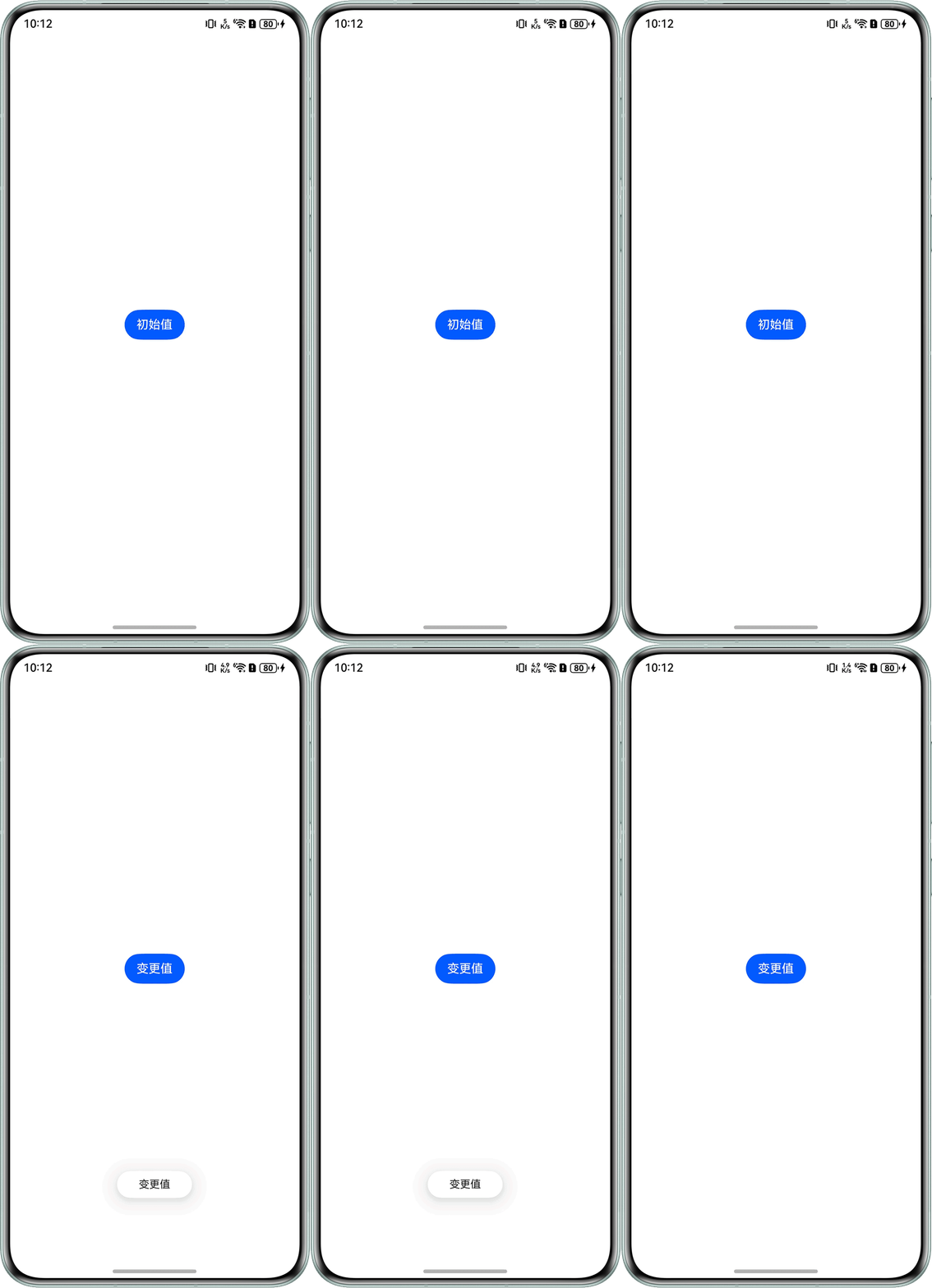
第一次点击Button后,弹窗显示内容为“变更值”。
打印日志如下:
12-22 15:47:04.556   20280-20280   A03d00/JSAPP                    com.examp...42649434  I     from Child Link 变更值
12-22 15:47:04.556   20280-20280   A03d00/JSAPP                    com.examp...42649434  I     from Parent State 变更值
12-22 15:47:04.556   20280-20280   A03d00/JSAPP                    com.examp...42649434  I     from Child callback Prop 初始值
12-22 15:47:04.556   20280-20280   A03d00/JSAPP                    com.examp...42649434  I     from Child callback Link 变更值
12-22 15:47:04.565   20280-20280   A03d00/JSAPP                    com.examp...42649434  I     from Child Prop 变更值
查看上述日志的触发时间,发现在同一时间,子组件通过@Link接收父组件中传来的值时,这个值的变更与父组件中值的变更是同步的。而@Prop虽然也能感知父组件中值的变化并更新变量,但由于需要进行深拷贝,所以会略晚于@Link的同步更新。
修改建议
如果希望父组件中msg的值更新时,子组件中msg也同步变更,有以下两种方法:
- 使用可以与父组件同步更新变量的@Link去同步数据。但需要注意的是,@Prop仅仅是接收数据,修改@Prop的值不会同步给父组件中的变量,而修改@Link的值会同步给父组件中的变量。
- 不依靠装饰器传值,使用代理类的替代方案:
- 定义一个controller类,在controller类中定义和子组件中类型相同的属性,在子组件中将实际封装的属性给到controller。
- 父组件在使用时,new一个controller对象然后转入子类中,在父组件中调用controller对应的属性。
完整示例代码如下:
// 定义controller类
class ChildController {
  message: string = '';
}

@Component
struct Child {
  @State private message: string = '初始值';
  private controller: ChildController = new ChildController();
  callback: () => Promise<void> = () => {
    return Promise.resolve();
  };

  build() {
    Column() {
      Button(this.message)
        .onClick(() => {
          this.callback().then(() => {
            if (this.controller) {
              this.message = this.controller.message;
            }
            console.info('from Child ', this.message);
            this.getUIContext().getPromptAction().showToast({ message: this.message });
          });
        });
    };
  }
}

@Entry
@Component
struct Parent {
  private childRef = new ChildController();
  parentFunc = () => {
    const updatePromise: Promise<void> = new Promise((resolve: Function) => {
      this.childRef.message = '变更值';
      console.info('from Parent State', this.childRef.message);
      resolve();
    });
    return updatePromise;
  };

  build() {
    Column() {
      Child({ controller: this.childRef, callback: this.parentFunc });
    }
    .justifyContent(FlexAlign.Center)
    .width('100%')
    .height('100%');
  }
}
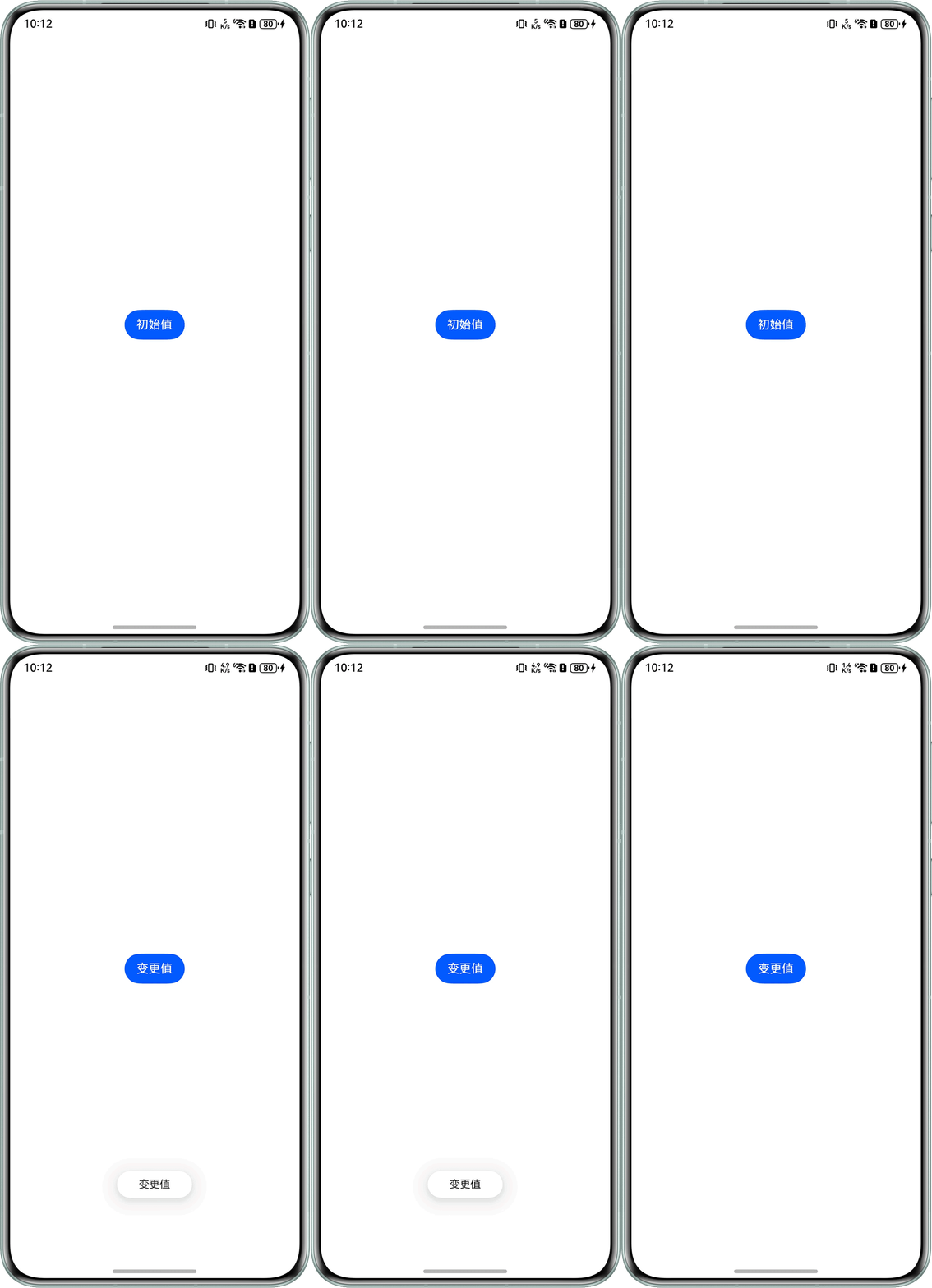
点击Button时,弹窗显示“变更值”。
日志输出如下:
12-22 15:52:19.572   21177-21177   A03d00/JSAPP                    com.examp...42649434  I     from Parent State 变更值
12-22 15:52:19.573   21177-21177   A03d00/JSAPP                    com.examp...42649434  I     from Child  变更值