背景知识
Scroll是滚动的容器组件,当子组件的布局尺寸超过父组件的尺寸时,内容可以滚动。
- scrollTo:滑动到指定位置。
- scrollBy:滑动指定距离。
- scrollToIndex:滑动到指定Index,支持设置滑动额外偏移量。
- scrollToItemInGroup:滑动到指定的ListItemGroup中指定的ListItem。
scrollTo、scrollBy和scrollToIndex可实现通用滚动控制,scrollToItemInGroup适用于多层级分组结构定位场景。
解决方案
- 场景一:单层列表的快速定位。
- 使用scrollTo,通过设置xOffset,yOffset的值来实现滑动到指定位置。
// scene1:使用scrollTo,通过设置xOffset,yOffset的值来实现滑动到指定位置。 sceneOne() { this.scroller.scrollTo({ xOffset: 700, yOffset: 700 }); } - 使用scrollBy,设置dx,dy滑动指定距离。
// scene2:使用scrollBy,设置dx,dy滑动指定距离。 sceneTwo() { this.scroller.scrollBy(700, 700); // dx=700,dy=700 } - 使用scrollToIndex,通过设置其中的参数value,options来实现滑动到指定位置的效果。
// scene3:使用scrollToIndex,通过设置其中的参数value,options来实现。
sceneThree() {
  this.scroller.scrollToIndex(1, false, ScrollAlign.START, {
    extraOffset: { value: 80, unit: 0 } // 设置额外偏移量
  });
}
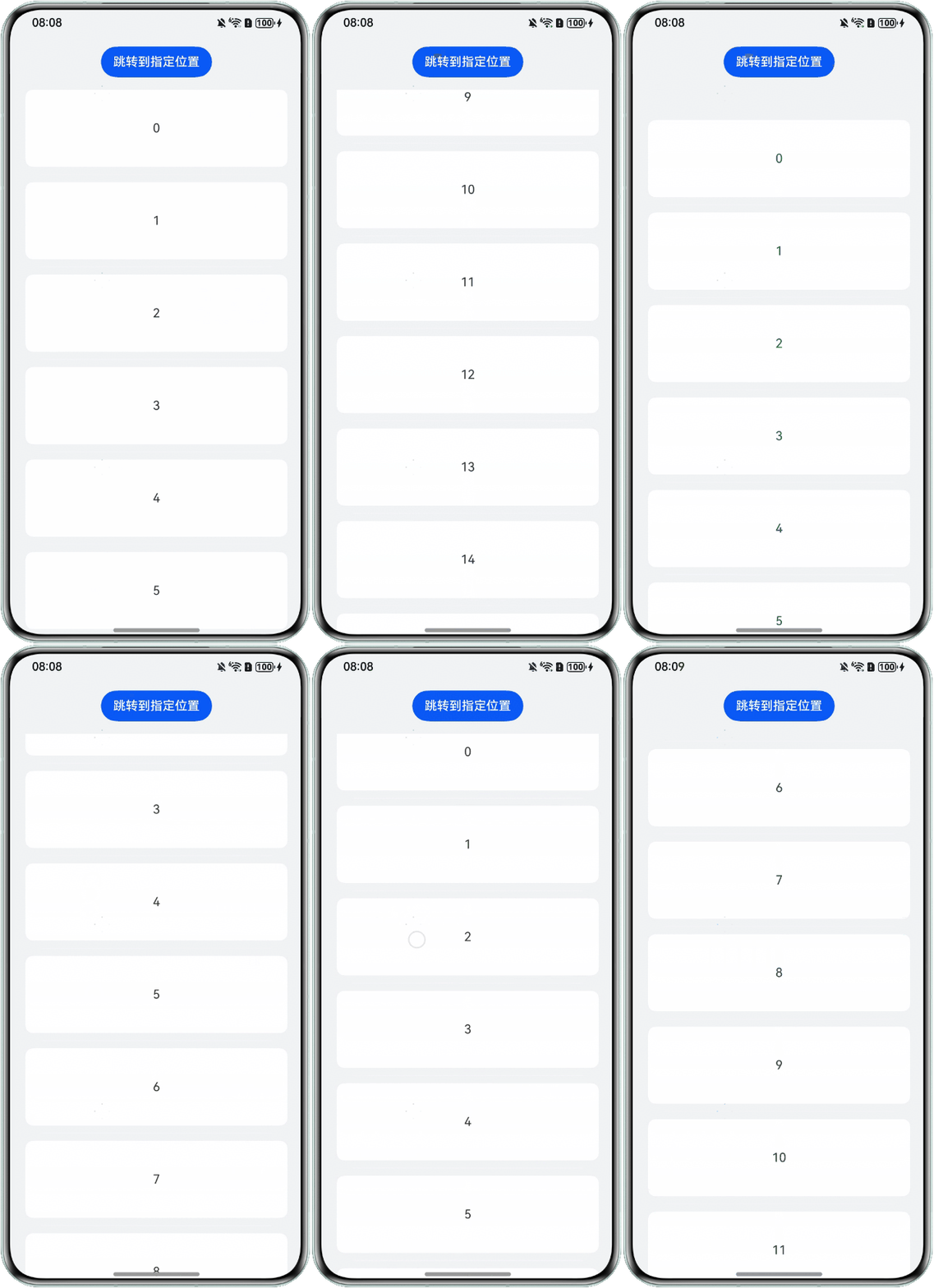
使用scrollTo完整示例参考如下:
@Entry
@Component
struct ListExample {
  private arr: number[] = [0, 1, 2, 3, 4, 5, 6, 7, 8, 9, 10, 11, 12, 13, 14, 15];
  private scroller: Scroller = new Scroller();

  // scene1:使用scrollTo,通过设置xOffset,yOffset的值来实现滑动到指定位置。
  sceneOne() {
    this.scroller.scrollTo({ xOffset: 700, yOffset: 700 });
  }

  // scene2:使用scrollBy,设置dx,dy滑动指定距离。
  sceneTwo() {
    this.scroller.scrollBy(700, 700); // dx=700,dy=700
  }

  // scene3:使用scrollToIndex,通过设置其中的参数value,options来实现。
  sceneThree() {
    this.scroller.scrollToIndex(1, false, ScrollAlign.START, {
      extraOffset: { value: 80, unit: 0 } // 设置额外偏移量
    });
  }

  build() {
    Column() {
      Button('跳转到指定位置')
        .margin({ bottom: 16 })
        .onClick(() => {
          this.sceneOne();
        });
      List({ space: 20, initialIndex: 0, scroller: this.scroller }) {
        ForEach(this.arr, (item: number) => {
          ListItem() {
            Text('' + item)
              .width('100%')
              .height(100)
              .fontSize(16)
              .textAlign(TextAlign.Center)
              .borderRadius(10)
              .backgroundColor(0xFFFFFF);
          }
          .borderRadius(10)
          .backgroundColor('#fff');
        }, (item: string) => item);
      }
      .listDirection(Axis.Vertical)
      .scrollBar(BarState.Off)
      .friction(0.6)
      .divider({
        strokeWidth: 2,
        color: '#33ffffff',
        startMargin: 20,
        endMargin: 20,
      })
      .edgeEffect(EdgeEffect.Spring)
      .width('100%');
    }
    .expandSafeArea([SafeAreaType.SYSTEM], [SafeAreaEdge.TOP, SafeAreaEdge.BOTTOM])
    .width('100%')
    .height('100%')
    .backgroundColor('#f1f3f5')
    .padding(16);
  }
}
效果预览:
- 使用scrollTo,通过设置xOffset,yOffset的值来实现滑动到指定位置。
- 场景二:多层级分组结构,精准跳转至某个特定的分组中的某一项。
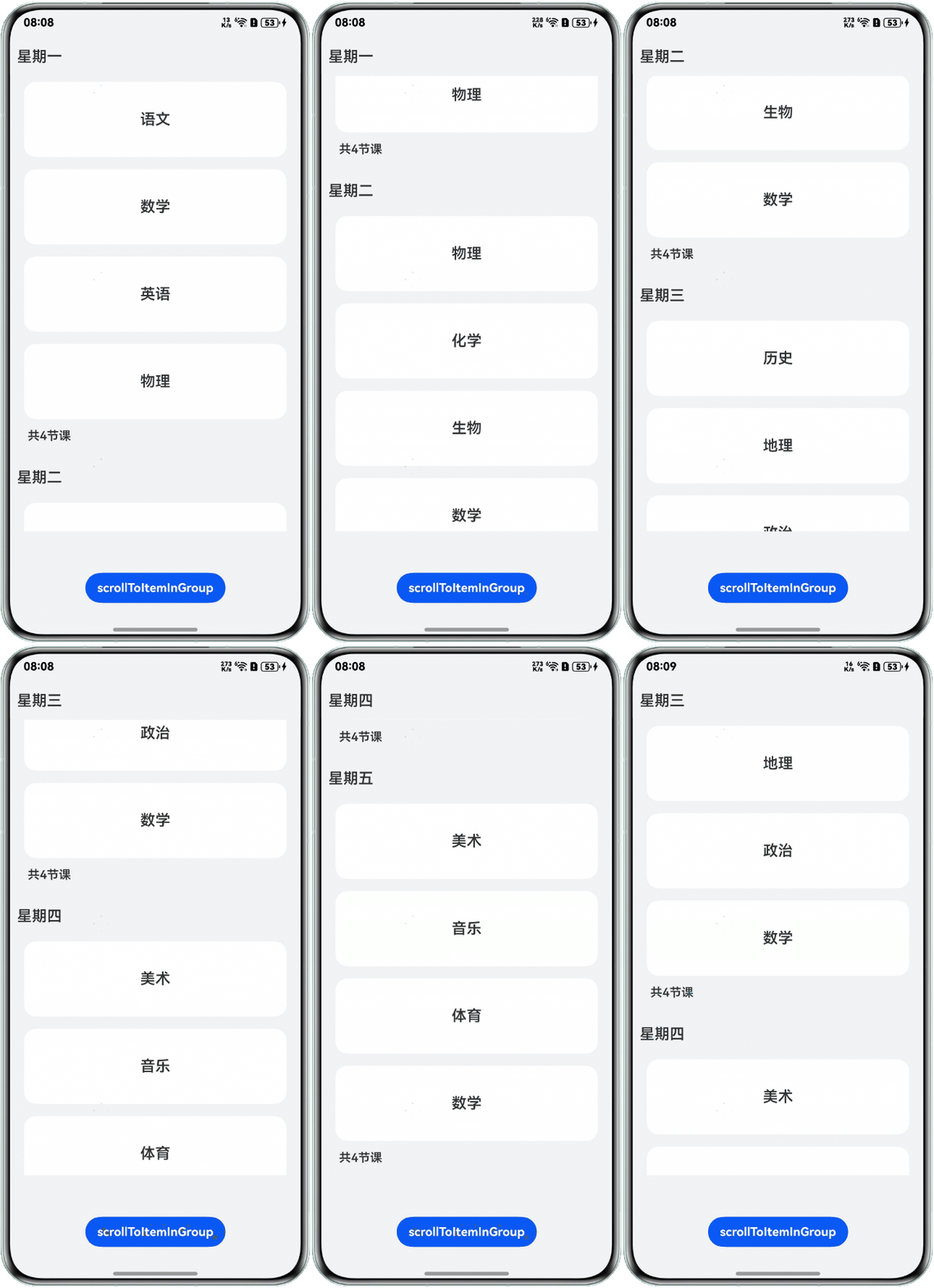
使用scrollToItemInGroup定位到分组列表中指定分组内的目标项。
@Entry
@Component
struct ListItemGroupExample {
  listScroller: ListScroller = new ListScroller();
  //列表数据
  private timeTable: TimeTable[] = [
    {
      title: '星期一',
      projects: ['语文', '数学', '英语', '物理']
    },
    {
      title: '星期二',
      projects: ['物理', '化学', '生物', '数学']
    },
    {
      title: '星期三',
      projects: ['历史', '地理', '政治', '数学']
    },
    {
      title: '星期四',
      projects: ['美术', '音乐', '体育', '数学']
    },
    {
      title: '星期五',
      projects: ['美术', '音乐', '体育', '数学']
    }
  ];

  @Builder
  itemHead(text: string) {
    Column() {
      Text(text)
        .fontSize(20)
        .borderRadius(8)
        .padding(10);
    }
    .justifyContent(FlexAlign.Center)
    .alignItems(HorizontalAlign.Start)
    .backgroundColor('#f1f3f5')
    .width('100%')
    .height(50);
  }

  @Builder
  itemFoot(num: number) {
    Text('共' + num + '节课')
      .fontSize(16)
      .width('90%')
      .borderRadius(8)
      .padding(5);
  }

  build() {
    Column({ space: 20 }) {
      List({ space: 16, scroller: this.listScroller }) {
        ForEach(this.timeTable, (item: TimeTable) => {
          ListItemGroup({ header: this.itemHead(item.title), footer: this.itemFoot(item.projects.length) }) {
            ForEach(item.projects, (project: string) => {
              ListItem() {
                Text(project)
                  .width('90%')
                  .height(100)
                  .fontSize(20)
                  .textAlign(TextAlign.Center);

              }
              .backgroundColor('#fff')
              .borderRadius(16)
              .margin({ top: 8, bottom: 8 });
            }, (item: string) => item);
          };
        });
      }
      .alignListItem(ListItemAlign.Center)
      .width('100%')
      .height(655)
      .sticky(StickyStyle.Header)
      .scrollBar(BarState.Off);

      Button('scrollToItemInGroup')
        .margin({
          bottom: 16
        })
        .onClick(() => {
          try {
            //使用scrollToItemInGroup定位到分组列表中指定分组内的目标项
            this.listScroller.scrollToItemInGroup(2, 1);
          } catch (error) {
            console.error(`error: ${error}`);
          }
        });
    }
    .justifyContent(FlexAlign.SpaceBetween)
    .expandSafeArea([SafeAreaType.SYSTEM], [SafeAreaEdge.TOP, SafeAreaEdge.BOTTOM])
    .width('100%')
    .height('100%')
    .backgroundColor('#f1f3f5')
    .padding({ top: 5 });
  }
}

interface TimeTable {
  title: string;
  projects: string[];
}
效果预览:
总结
方法名称 | 适用场景 | 核心特点 |
|---|---|---|
scrollTo | 精准定位(如跳转到固定坐标、锚点、特定区域)。 | 直接指定像素坐标,无需计算索引,适合固定位置的快速跳转(如跳转到顶部、底部或某个模块)。 |
scrollBy | 动态调整(如手势滑动后的微调、自动滚动补偿)。 | 基于当前滚动位置的增量滑动,适配用户交互行为,常用于实时响应用户操作(如拖动后继续滑动)。 |
scrollToIndex | 单层列表快速定位(如跳转到列表中的某一项)。 | 通过索引直接定位,支持额外偏移量(如居中显示某一项),简化索引计算,适合列表数据密集的场景。 |
scrollToItemInGroup | 多层级分组结构精准跳转。 | 直接定位到分组内的具体子项(多级分类导航、分组列表的快速跳转)。 |