问题现象
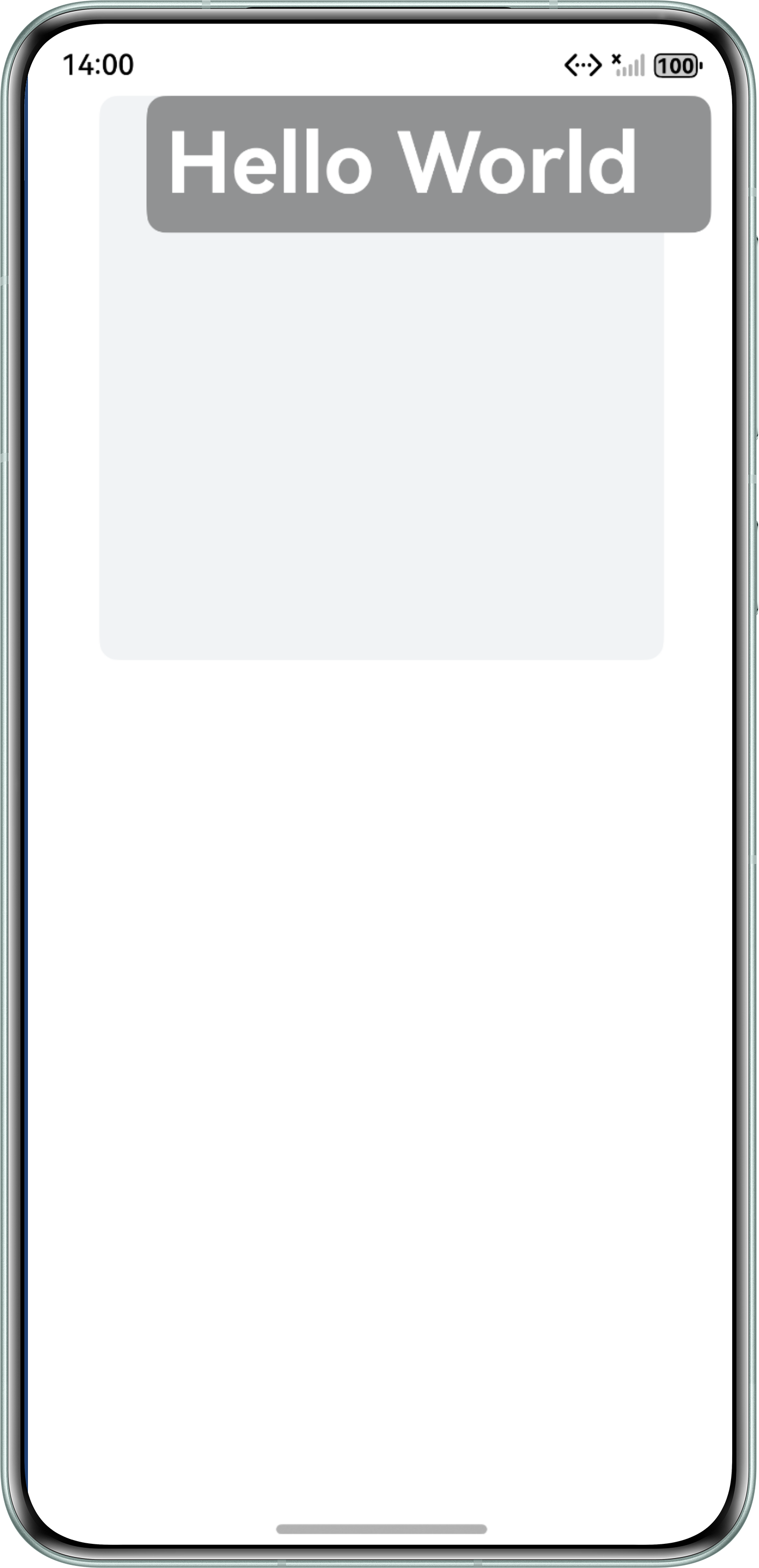
使用Column组件作为容器,一般情况下子组件应该在父容器内,但是却超出了父容器的范围。如何解决这个问题?
参考Demo如下所示:
@Entry
@Component
struct ProblemCode {
  build() {
    Column() {
      Column() {
        Row() {
          Text('Hello World')
            .fontSize(45)
            .fontWeight(FontWeight.Bold)
            .fontColor('#ffffff');
        }
        .borderRadius(10)
        .margin({ left: 50 })
        .padding(10)
        .backgroundColor('#919293')
        .width('100%');
      }
      .borderRadius(10)
      .width(300)
      .height(300)
      .backgroundColor('#f1f3f5');
    }
    .width('100%')
    .height('100%');
  }
}
问题效果预览:
背景知识
- Column组件为沿垂直方向布局的容器。可以设置通用属性width/height,若子组件的宽/高大于父组件的宽/高,则会超出父组件的范围。
- margin设置组件的外边距属性。在计算位置时外边距视为组件大小的一部分,从而影响组件位置。
- constraintSize属性用于设置约束尺寸,组件布局时,进行尺寸范围限制。
解决方案
在HarmonyOS开发中,Column子组件的大小超出其容器是因为子组件过大、位置设置不当,或者容器的尺寸不足导致的。
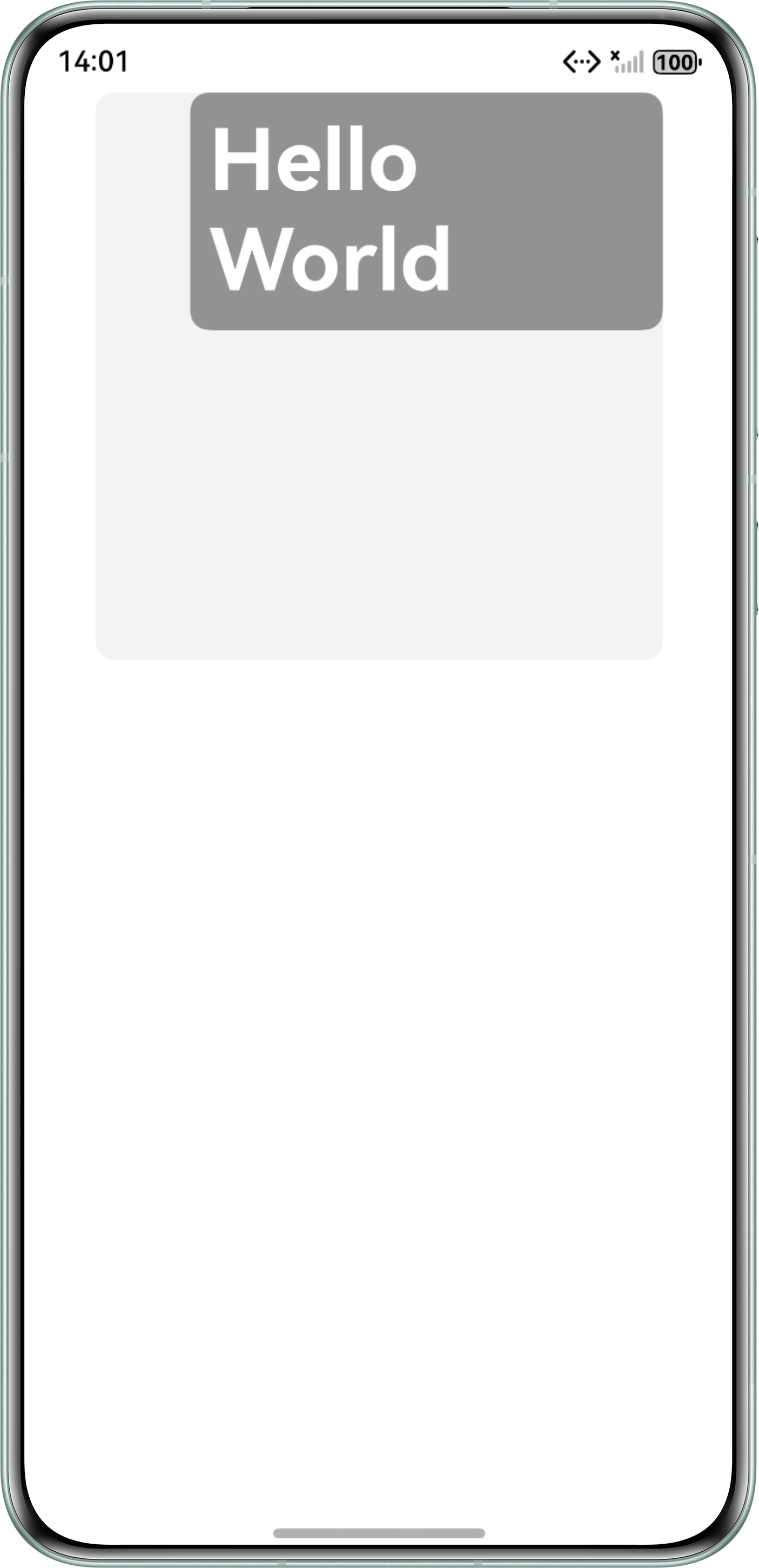
在上述Demo中,子组件Row设置.margin({ left: 40 })导致问题现象发生。可以通过constraintSize属性约束子组件的宽度来解决问题。
@Entry
@Component
struct OptionOne {
  build() {
    Column() {
      Column() {
        Row() {
          Text('Hello World')
            .fontSize(45)
            .fontWeight(FontWeight.Bold)
            .fontColor('#ffffff');
        }
        .borderRadius(10)
        .margin({ left: 50 })
        .padding(10)
        .backgroundColor('#919293')
        .constraintSize({ maxWidth: '100%' })
        .width('100%');
      }
      .borderRadius(10)
      .width(300)
      .height(300)
      .backgroundColor('#f1f3f5');
    }
    .width('100%')
    .height('100%');
  }
}
修改后的预览效果图如下:
另外,在使用constraintSize的时候,注意constraintSize(minWidth/maxWidth/minHeight/maxHeight)取值对width/height影响。
例如:在使用constraintSize设置子组件尺寸约束时,如果constraintSize也设置了百分比高度(例如maxHeight: '25%'),会出现一个问题。
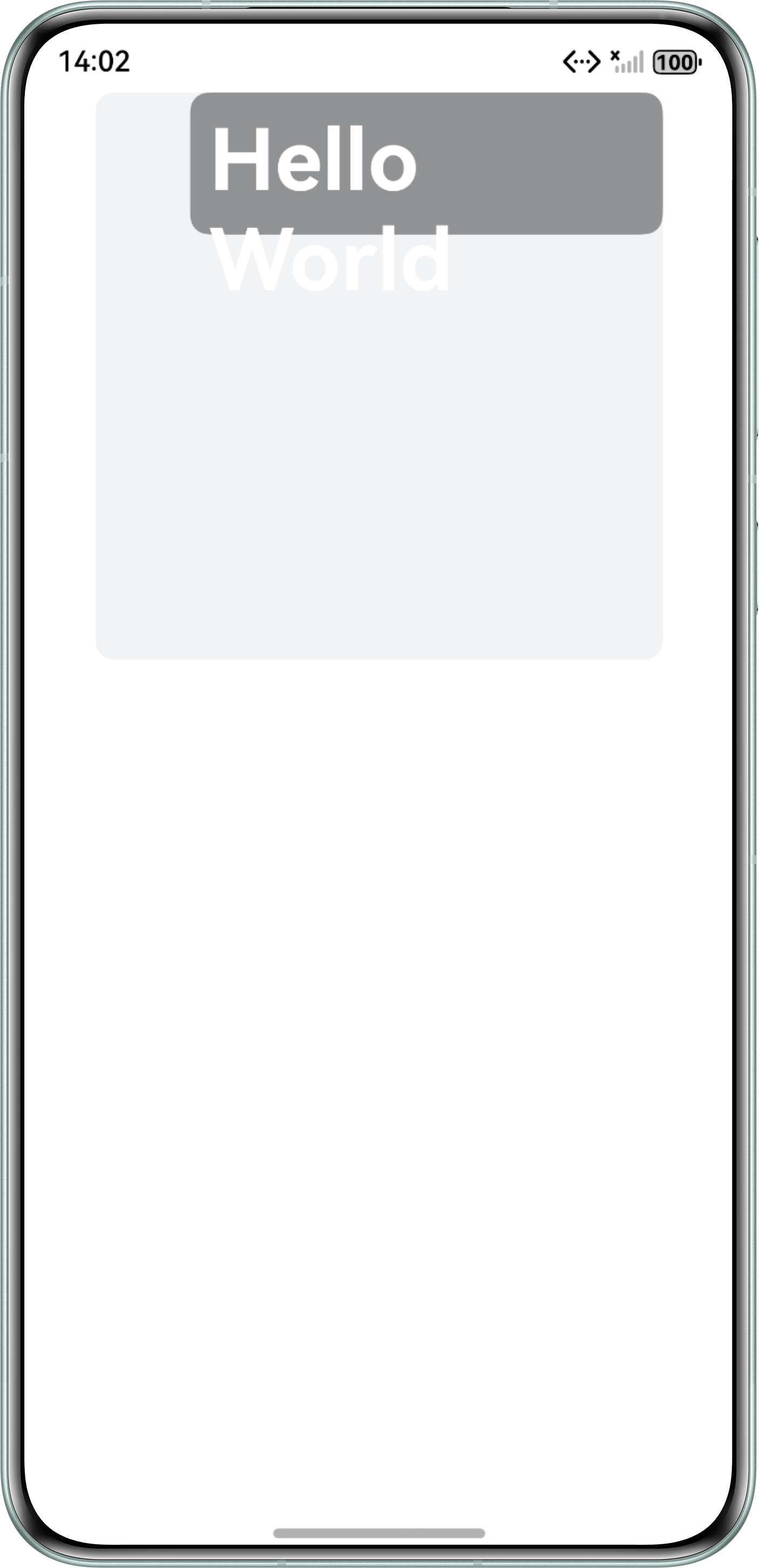
子组件的高度会默认父组件的高度和constraintSize中设置的最大高度中更小的值(即height=MIN(maxHeight,height)),当高度太小会导致子组件中Text超出当前子组件范围,看起来像是constraintSize的设置没有生效。
在上述解决方案的基础上,同时对子组件的高度进行约束,给constraintSize设置百分比高度maxHeight:'25%',会出现子组件的Text大小超出子组件,代码如下所示:
@Entry
@Component
struct OptionTwo {
  build() {
    Column() {
      Column() {
        Row() {
          Text('Hello World')
            .fontSize(45)
            .fontWeight(FontWeight.Bold)
            .fontColor('#ffffff');
        }
        .borderRadius(10)
        .margin({ left: 50 })
        .padding(10)
        .backgroundColor('#919293')
        .constraintSize({ maxWidth: '100%', maxHeight: '25%' })
        .width('100%');
      }
      .borderRadius(10)
      .width(300)
      .height(300)
      .backgroundColor('#f1f3f5');
    }
    .width('100%')
    .height('100%');
  }
}
预览效果图如下:
如果需要处理这个问题,可以在外部使用Scroll组件,并在Scroll组件上设置constraintSize。此时当子组件的占用空间超过constraintSize设置的约束值时,就会出现滚动条,从而不会破坏整个布局的结构。
修改后的Demo如下所示:
@Entry
@Component
struct OptionThree {
  build() {
    Column() {
      Column() {
        Scroll() {
          Text('Hello World')
            .fontSize(45)
            .fontWeight(FontWeight.Bold)
            .fontColor('#ffffff');
        }
        .borderRadius(10)
        .margin({ left: 50 })
        .padding(10)
        .backgroundColor('#919293')
        .constraintSize({ maxWidth: '100%', maxHeight: '25%' })
        .width('100%');
      }
      .borderRadius(10)
      .width(300)
      .height(300)
      .backgroundColor('#f1f3f5');
    }
    .width('100%')
    .height('100%');
  }
}
修改后的预览效果图如下:
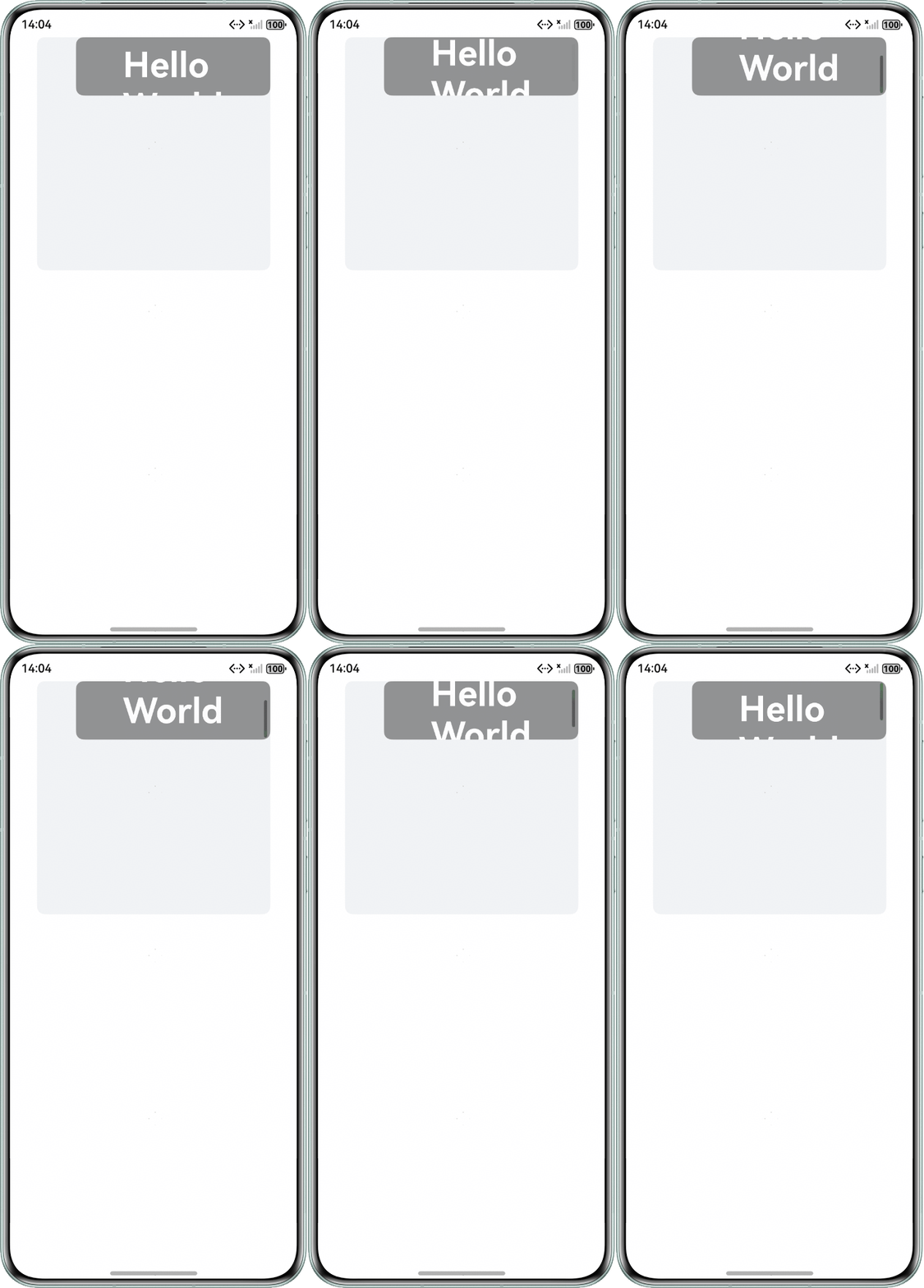
这样不仅保持了constraintSize的有效性,还通过滚动条提供了一种查看超出部分内容的方式,确保了用户体验不受影响。