问题现象
- 场景一:在拉起新的页面或者弹窗时,如何设置当前页面背景的透明度?
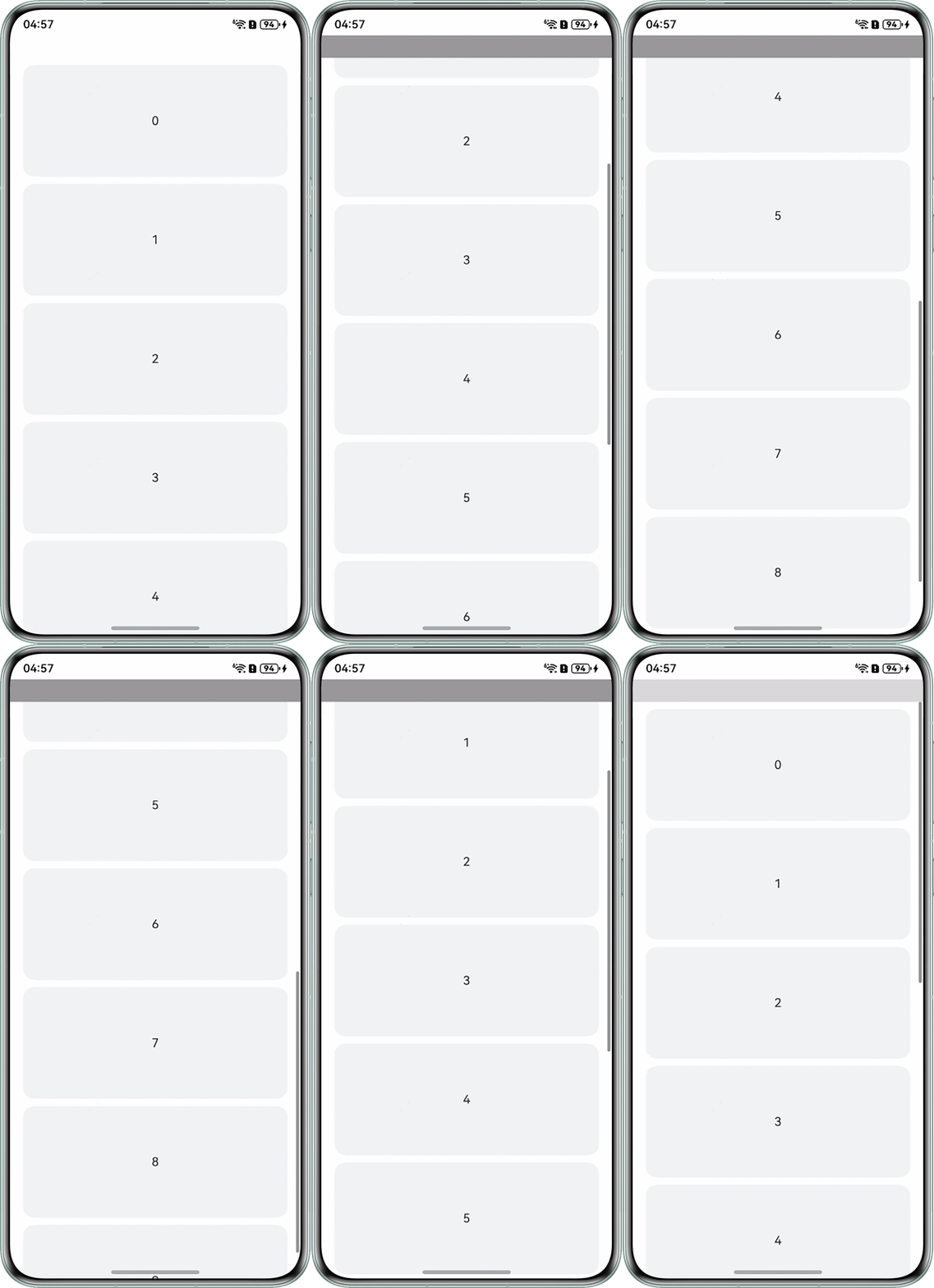
- 场景二:顶部bar组件的背景色需要根据下面的scroll组件滑动而改变背景色透明度,但是顶部bar组件是容器,里面文本的颜色不能透明,修改组件的opacity属性会导致整个组件的透明而不是单纯的背景色透明。是否存在方案能够实现该场景下背景透明效果?
背景知识
- router和Navigation是ArkUI中用于实现页面路由的两种不同组件,它们各自的特点和应用场景如下:
- router是较传统的页面路由解决方案,主要通过URL地址来管理不同页面之间的跳转,支持多种跳转模式,如pushUrl和replaceUrl。router的局限性在于不支持获取页面参数,对于页面返回操作的支持也较为简单。
- Navigation组件导航系统,提供了更丰富的动效和支持多端部署的能力,允许通过NavDestination容器实现基于组件的页面跳转,支持动态加载和更灵活的页面管理,支持跳转结果回调,跳转单例页面等业务场景。
- backgroundColor:设置组件背景色,支持设置的类型为ResourceColor,可支持的Color、number、string类型的颜色参数。
- opacity:设置组件的不透明度,通过设置opacity(0)可以实现组件透明,但会使组件及其所有子组件均变为透明。
[h2]场景一
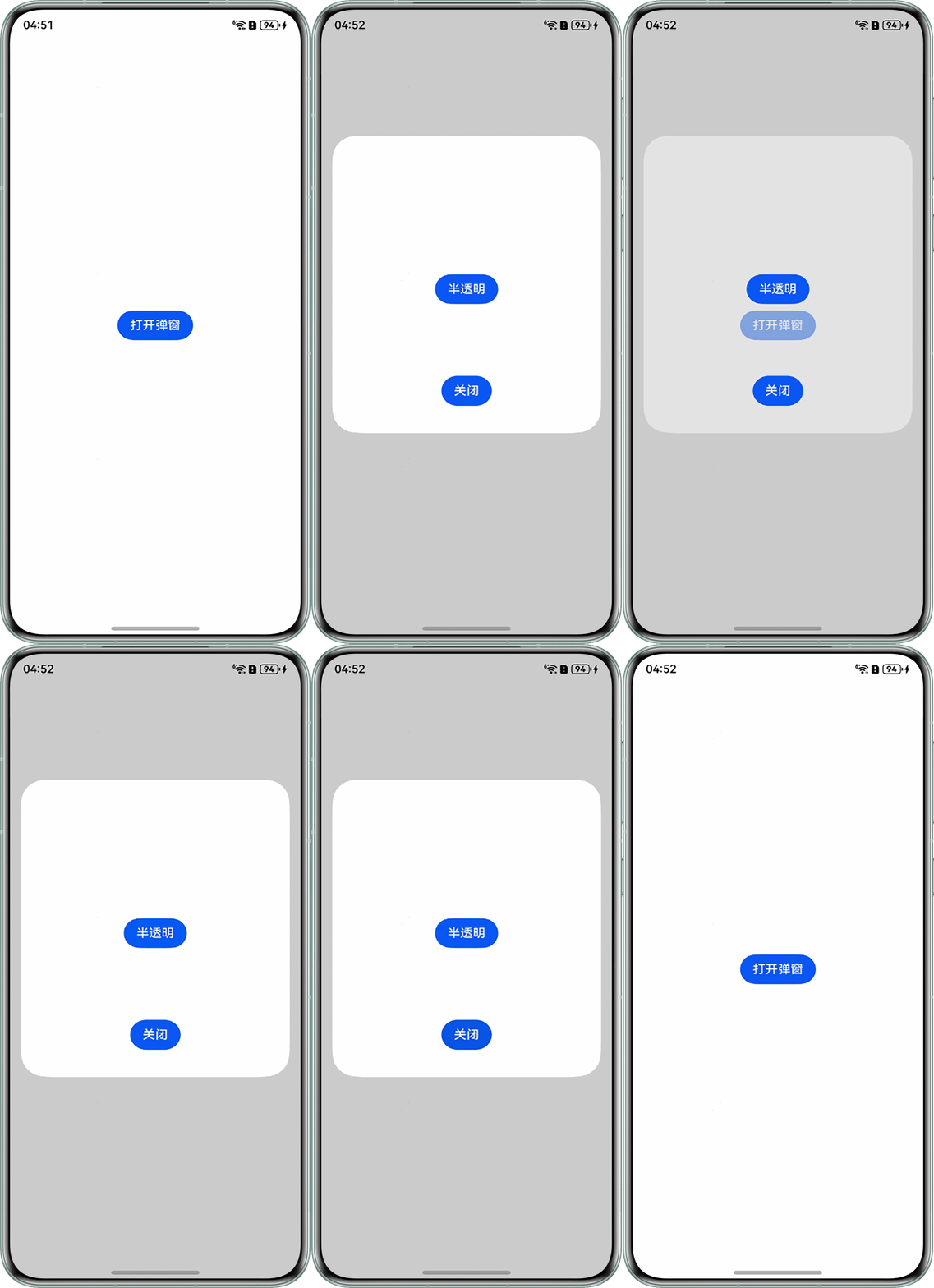
- 方案一:以backgroundColor为透明色的四种写法,分别对上层组件设置透明色。
- 0x00000000。
- Color.Transparent。
- rgba(0, 0, 0, 0)。
- #00000000。
示例代码如下@Entry @Component struct Index { dialogController: CustomDialogController = new CustomDialogController( { builder: CustomDialogComponent(), backgroundBlurStyle:BlurStyle.NONE, offset:{dx:0,dy:-50} }); build() { Column({ space: 5 }) { Button('打开弹窗') .height(40) .onClick(() => { this.dialogController.open(); }); } .justifyContent(FlexAlign.Center) .padding(20) .height('100%') .width('100%'); } } // 自定义弹窗组件 @CustomDialog struct CustomDialogComponent { controller?: CustomDialogController; @State showDialog: boolean = false; build() { Column() { Button('半透明') .height(40) .margin({top:150,bottom:60}) .onClick(() => { this.showDialog = !this.showDialog; }); Button('关闭') .height(40) .backgroundColor('#0a59f7') .onClick(() => { // 关闭弹窗 this.controller?.close(); }) } .justifyContent(FlexAlign.SpaceEvenly) .width('100%') .height(400) // 7F表示50%透明度 .backgroundColor(this.showDialog ? '#7FFFFFFF' : '#FFFFFF') } }效果图如下:
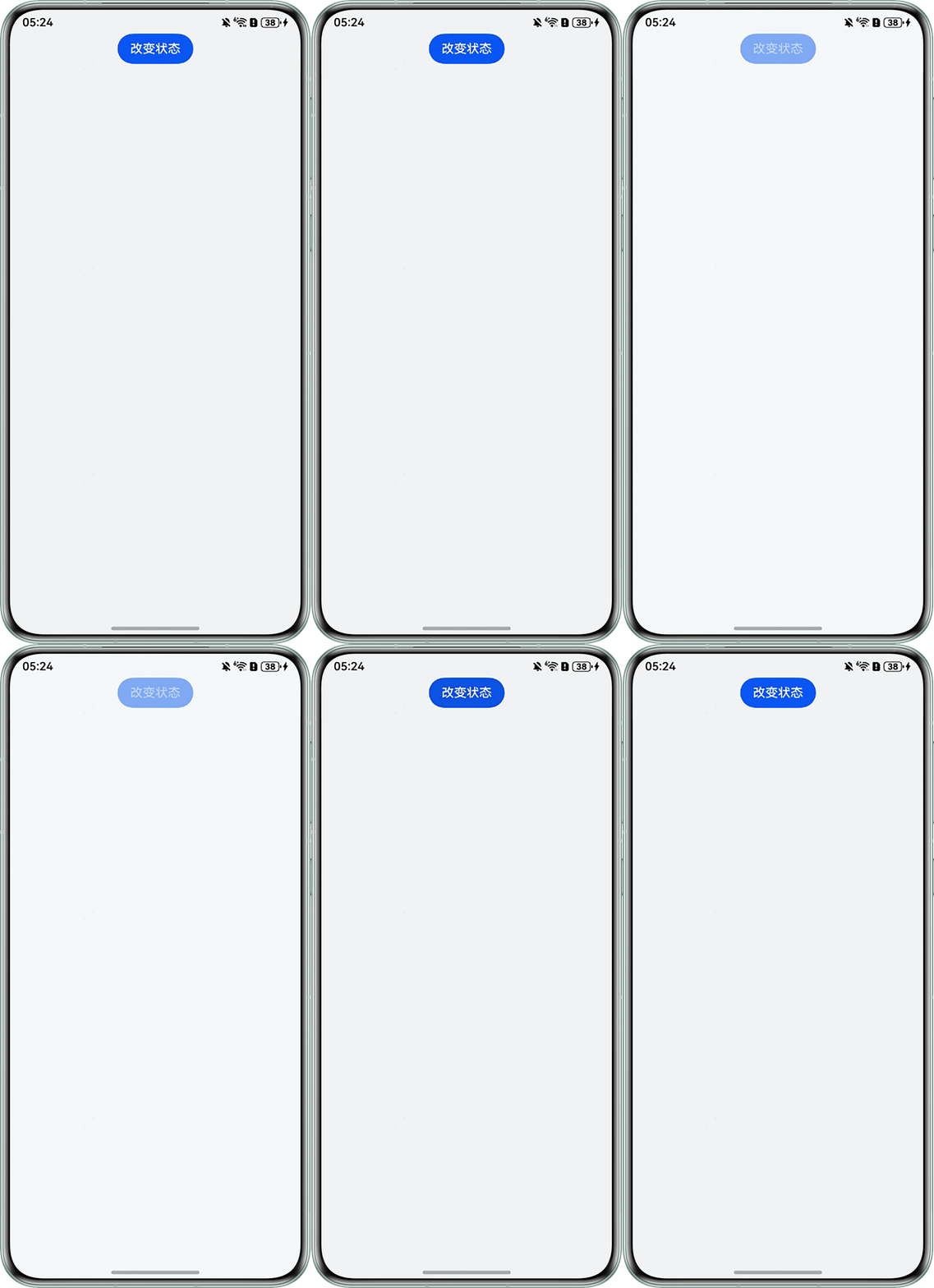
- 方案二:在entry页面的根组件下设置透明度属性opacity,实现当前页面整体透明度变化,示例代码如下:
@Entry
@Component
struct OpacityExample {
  @State IsOpacity: Boolean = false;

  build() {
    Column({ space: 5 }) {
      Button('改变状态')
        .onClick(() => {
          this.IsOpacity = !this.IsOpacity;
        });
    }
    .expandSafeArea([SafeAreaType.SYSTEM], [SafeAreaEdge.TOP, SafeAreaEdge.BOTTOM])
    .height('100%')
    .width('100%')
    .backgroundColor('#f1f3f5')
    .opacity(this.IsOpacity ? 0.5 : 1);

  }
}
效果图如下:
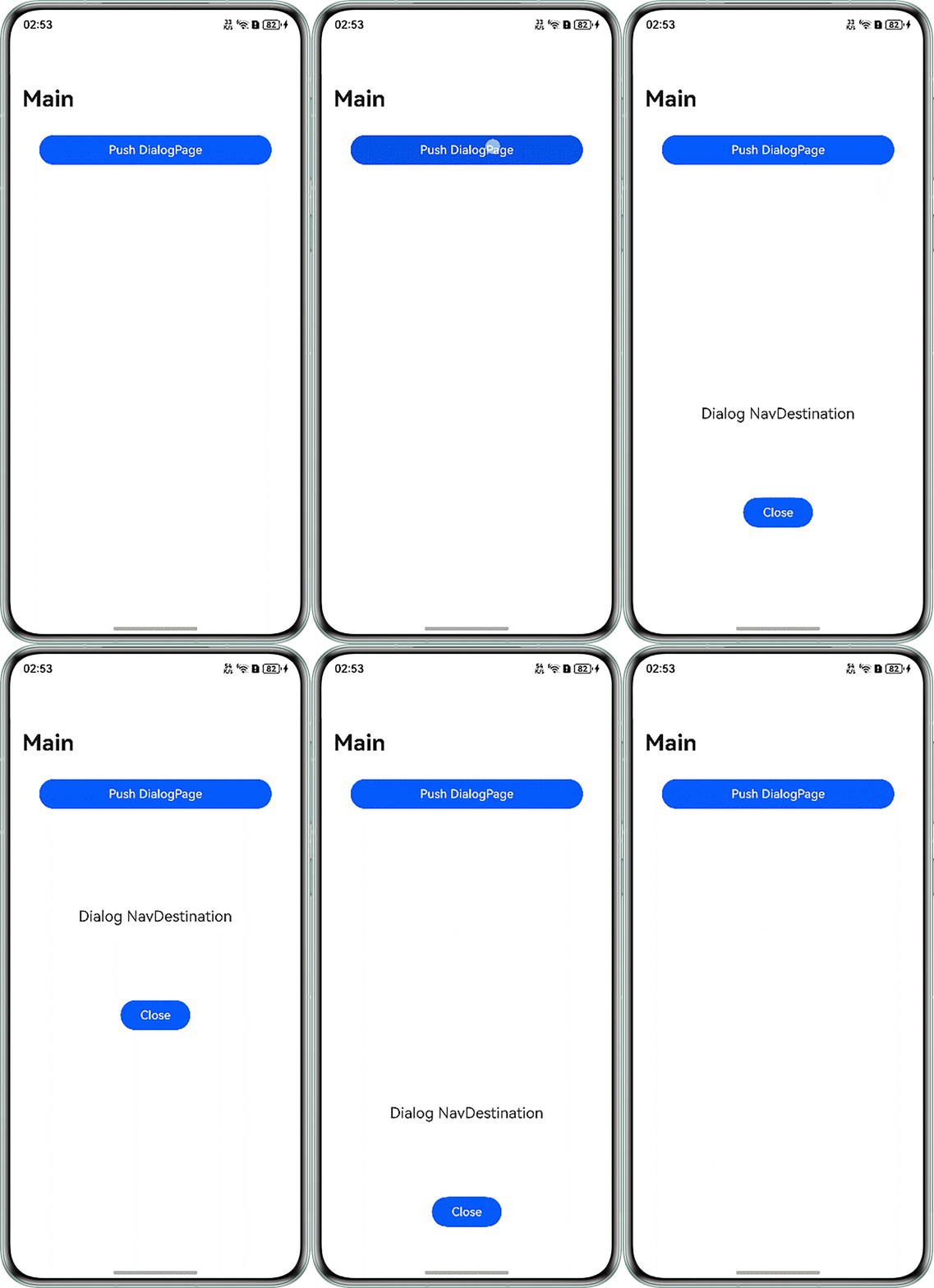
- 方案三:由于官方已不推荐使用@ohos.router页面路由,建议使用Navigation完成页面跳转,可以通过NavDestination组件中的NavDestinationMode.DIALOG来设置透明,实现拉起弹窗的全透明效果,使用说明具体如下:
名称
值
说明
STANDARD
0
标准模式的NavDestination
DIALOG
1
默认透明,进出页面栈不影响下层NavDestination的生命周期
示例代码如下:
@Entry
@Component
struct TransparentPage {
  @Provide('NavPathStack') pageStack: NavPathStack = new NavPathStack();

  @Builder
  PagesMap(name: string) {
    if (name === 'DialogPage') {
      DialogPage();
    }
  }

  build() {
    Navigation(this.pageStack) {
      Button('Push DialogPage')
        .margin(20)
        .width('80%')
        .onClick(() => {
          this.pageStack.pushPathByName('DialogPage', '');
        });
    }.mode(NavigationMode.Stack)
    .title('Main')
    .navDestination(this.PagesMap);
  }
}

@Component
export struct DialogPage {
  @Consume('NavPathStack') pageStack: NavPathStack;

  build() {
    NavDestination() {
      Stack({ alignContent: Alignment.Center }) {
        Column() {
          Text('Dialog NavDestination')
            .fontSize(20)
            .margin({ bottom: 100 });
          Button('Close')
            .onClick(() => {
              this.pageStack.pop();
            })
            .width('30%');
        }
        .justifyContent(FlexAlign.Center)
        .borderRadius(10)
        .height('30%')
        .width('80%');
      }
      .height('100%')
      .width('100%');
    }
    .mode(NavDestinationMode.DIALOG)
    .hideTitleBar(true)
    .expandSafeArea([SafeAreaType.KEYBOARD]);
  }
}
效果图如下:
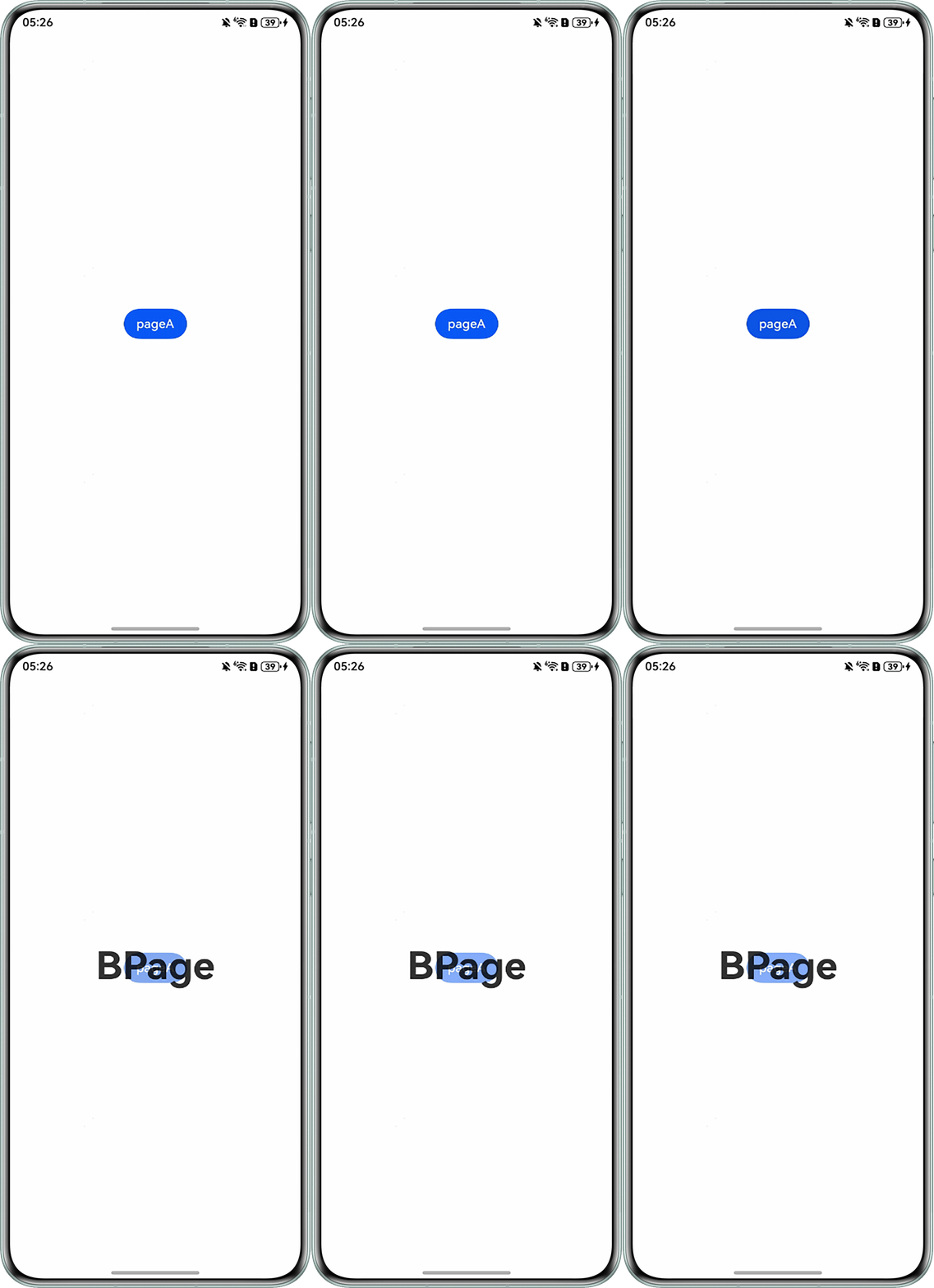
- 方案四:A页面弹出B页面,将B页面作为一个子窗口加载并设置其组件背景为半透明,可以看到A页面内容。
页面A代码实现:
import window from '@ohos.window';

@Entry
@Component
struct APage {
  build() {
    Row() {
      Column() {
        Button('pageA').onClick(() => {
          let windowStage_: window.WindowStage = AppStorage.get('windowStage') as window.WindowStage;
          // 创建透明子窗口并打开
          windowStage_.createSubWindow('subWindow', (err, win) => {
            console.error(`err: ${err}`);
            win.setUIContent('pages/BPage');
            win.showWindow();
          });
        });
      }
      .width('100%');
    }
    .height('100%')
    .backgroundColor(Color.White);
  }
}
页面B代码实现:
import window from '@ohos.window';

@Entry
@Component
struct BPage {
  message: string = 'BPage';

  aboutToAppear() {
    // 设置子窗口背景透明
    window.findWindow('subWindow').setWindowBackgroundColor('#00000000');
  }

  onBackPress() { // 关闭子窗口
    window.findWindow('subWindow').destroyWindow().then((res) => {
      console.info(`destroyWindow success res: ${res}`);
    }).catch(() => {
      console.error('destroyWindow fail');
    });
    return true;
  }

  build() {
    Row() {
      Column() {
        Text(this.message)
          .fontSize(50)
          .fontWeight(FontWeight.Bold);
      }
      .width('100%');
    }
    // 组件背景,可以修改为#00000000透明
    .backgroundColor('#80FFFFFF')
    .height('100%');
  }
}
EntryAbility.ets关键代码:
onWindowStageCreate(windowStage: window.WindowStage): void {
  // Main window is created, set main page for this ability
  hilog.info(DOMAIN, 'testTag', '%{public}s', 'Ability onWindowStageCreate');

  // 全局存储窗口变量
  AppStorage.setOrCreate('windowStage', windowStage);
  windowStage.loadContent('pages/Index', (err) => {
    if (err.code) {
      hilog.error(DOMAIN, 'testTag', 'Failed to load the content. Cause: %{public}s', JSON.stringify(err));
      return;
    }
    hilog.info(DOMAIN, 'testTag', 'Succeeded in loading the content.');
  });
}
效果预览:
[h2]场景二
可通过给组件添加backgroundColor属性,使用rgba来实现透明背景,具体可参考文档:ResourceColor。
参考demo:
@Entry
@Component
struct ScrollExample {
  scroller: Scroller = new Scroller();
  private arr: number[] = [0, 1, 2, 3, 4, 5, 6, 7, 8, 9];
  @State alpha: string = '';

  build() {
    Column() {
      Row()
      .width('100%')
        .height(30)
      .backgroundColor(this.alpha);

      Scroll(this.scroller) {
        Column() {
          ForEach(this.arr, (item: string) => {
            Text(item.toString())
              .width('90%')
              .height(150)
              .backgroundColor('#f1f3f5')
              .borderRadius(15)
              .fontSize(16)
              .textAlign(TextAlign.Center)
              .margin({ top: 10 });
          }, (item: string) => item);
        }.width('100%');
      }
      .width('100%')
      // 滚动事件回调,Scroll滚动前触发。
      .onWillScroll((xOffset: number, yOffset: number) => {
        console.info(`xOffset: ${xOffset}, yOffset: ${yOffset}`);
        let offset = this.scroller.currentOffset().yOffset;
        if (offset >= 150) {
          this.alpha = 'rgba(128, 128, 128, 0.80)';
        } else if (offset <= 0) {
          this.alpha = 'rgba(128, 128, 128, 0.60)';
        } else {
          this.alpha = 'rgba(128, 128, 128, 0.30)';
        }
      });
    };
  }
}
效果图如下:
常见FAQ
Q:在元服务中通过setWindowBackgroundColor('#00000000')设置子窗口为透明色为什么不生效?
A:当前的元服务应用内所有子窗都会显示menubar,menubar会产生不透明背景,该效果为当前规格。
Q:编译时报错,提示“Argument of Type 'string|ColorMetrics' is not assignable to parameter of type 'string'”?
A:setWindowBackgroundColor函数从API9开始支持,但ColorMetrics入参类型从API18开始支持,请关注API接口变更情况。
总结
- 页面背景的透明度仅适用于页面本身,即使将整个页面设为透明,也不能实现应用透明并看到桌面。如果是希望应用窗口透明,需要将窗口的背景色设为透明色。需要注意的是,在手机端,通过给主窗口背景色设为透明,可以实现应用背景的毛玻璃效果,但无法做到完全透明;在PC端,窗口为自由窗口,可以实现完全透明的窗口并看到桌面。
- 将页面根容器的透明度设为0,会导致该页面中的所有子组件不可见,如果仅仅是希望页面的背景色透明,可以给根容器设置带有透明度的背景色。
- 如果希望实现跳转后页面透明并可以看到跳转前的页面,无法通过router路由实现,router跳转后的页面会覆盖跳转前的页面。建议使用Navigation路由实现,NavDestination的mode属性设为DIALOG时,可以让NavDestination变成透明显示。即可以透过上层的NavDestination页面看到跳转前的NavDestinatio页面。