背景知识
- Tabs组件是通过TabContent页签进行内容视图切换的容器组件,每个页签对应一个内容视图。
- Tabs组件不支持自定义组件作为子组件,仅可包含子组件TabContent以及渲染控制类型if/else和ForEach。
解决方案
- 方案一:通过if/else控制Tabs页面渲染。实现重点如下:
- 在渲染过程中需注意渲染的页面位置判定参数的连续性,即下文中tabBuilder(index: number, name: string)组件的index参数需是本页面的位置参数。
- 跳转到本位置时,采用this.currentIndex===index语句控制当前页面tabBar页高亮显示。
- 由于页面隐藏后,this.currentIndex的获取方式会保证其总是连续的,所以index参数也必须重设为连续的,否则tabBar会显示异常。
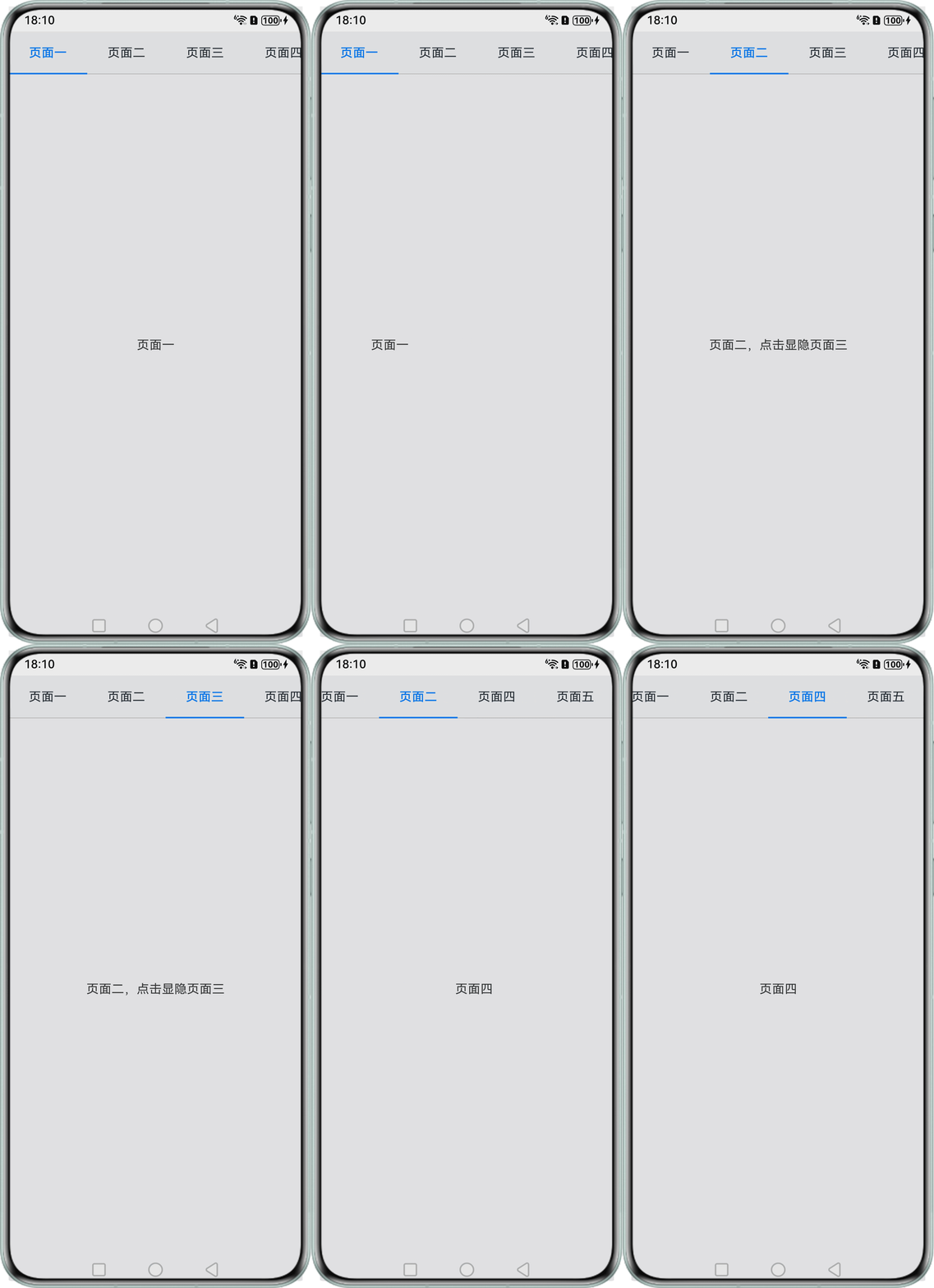
完整示例代码如下:@Entry @Component struct Index { @State private currentIndex: number = 0; private controller: TabsController = new TabsController(); @State change: boolean = true; // tabBar组件 @Builder tabBuilder(index: number, name: string) { RelativeContainer() { Text(name) .fontColor(this.currentIndex === index ? '#0a59f7' : '#182431') .fontSize(16) .fontWeight(this.currentIndex === index ? 500 : 400) .height('auto') .padding({ left: 8, right: 8, top: 6, bottom: 6 }) .id('textTitle') .alignRules({ middle: { anchor: '__container__', align: HorizontalAlign.Center }, center: { anchor: '__container__', align: VerticalAlign.Center } }); Divider() .strokeWidth(2) .color('#0a59f7') .opacity(this.currentIndex === index ? 1 : 0) .width(100) .alignRules({ bottom: { anchor: '__container__', align: VerticalAlign.Bottom } }); } .width(100); } build() { RelativeContainer() { Tabs({ barPosition: BarPosition.Start, index: this.currentIndex, controller: this.controller }) { TabContent() { Text('页面一'); }.tabBar(this.tabBuilder(0, '页面一')); TabContent() { Text('页面二,点击显隐页面三') .onClick(() => { this.change = !this.change; }); } .tabBar(this.tabBuilder(1, '页面二')); if (this.change) { TabContent() { Text('页面三'); } .tabBar(this.tabBuilder(2, '页面三')); TabContent() { Text('页面四'); } .tabBar(this.tabBuilder(3, '页面四')); TabContent() { Text('页面五'); } .tabBar(this.tabBuilder(4, '页面五')); } else { // 当隐藏页面后需要保证TabContent页面的第一个参数Index连续 TabContent() { Text('页面四'); } .tabBar(this.tabBuilder(2, '页面四')); TabContent() { Text('页面五'); } .tabBar(this.tabBuilder(3, '页面五')); } } .barMode(BarMode.Scrollable) .onChange((index) => { this.currentIndex = index; }) .animationDuration(400) .scrollable(true) .vertical(false) .width('100%') .fadingEdge(false); }; } }实现效果如下:
- 方案二:使用ForEach操作数组进行页面部分隐藏。实现重点如下:
- 将Tabs栏的数据封装在数组中,使用ForEach遍历展示;
- 操作数组来对Tab页面进行部分隐藏。
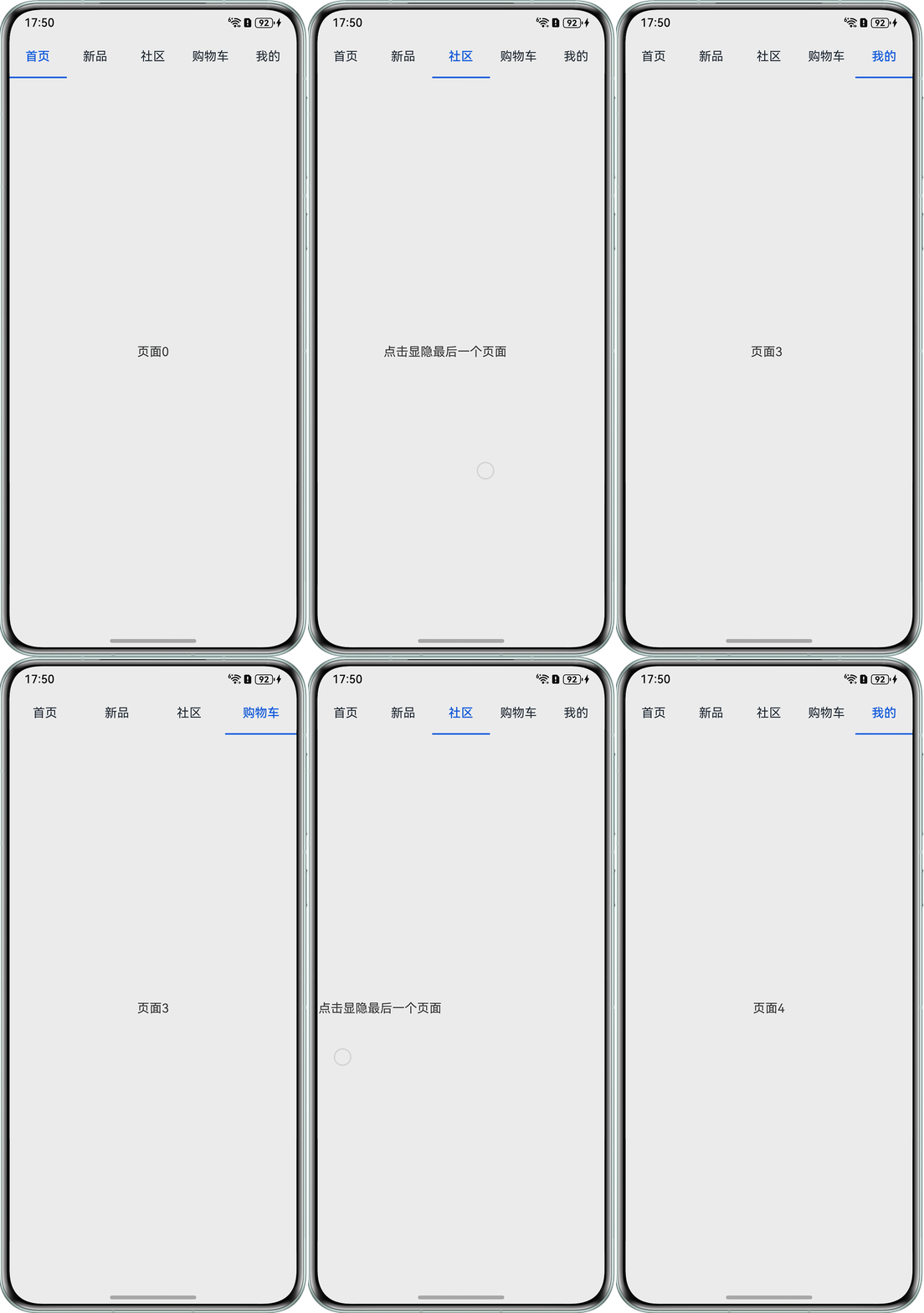
完整示例代码如下:interface Info { id: number; name: string; } @Entry @Component struct PageTwo { private controller: TabsController = new TabsController(); @State currentIndex: number = 0; @State colorArray: Info[] = [ { id: 0, name: '首页' }, { id: 1, name: '新品' }, { id: 2, name: '社区' }, { id: 3, name: '购物车' }, { id: 4, name: '我的' }, ]; @Builder tabBuilder(index: number, name: string) { RelativeContainer() { Text(name) .fontColor(this.currentIndex === index ? '#0a59f7' : '#182431') .fontSize(16) .fontWeight(this.currentIndex === index ? 500 : 400) .height('auto') .padding({ left: 8, right: 8, top: 6, bottom: 6 }) .id('textTitle') .alignRules({ middle: { anchor: '__container__', align: HorizontalAlign.Center }, center: { anchor: '__container__', align: VerticalAlign.Center } }); Divider() .strokeWidth(2) .color('#0a59f7') .opacity(this.currentIndex === index ? 1 : 0) .width(100) .alignRules({ bottom: { anchor: '__container__', align: VerticalAlign.Bottom } }); } .width(100); } build() { Tabs({ barPosition: BarPosition.Start, index: this.currentIndex, controller: this.controller }) { ForEach(this.colorArray, (item: Info, index: number) => { TabContent() { if (index === 2) { Text('点击显隐最后一个页面') .onClick(() => { if (this.colorArray.length === 5) { this.colorArray.splice(this.colorArray.length - 1, 1); } else { this.colorArray.push({ id: 4, name: '我的' }); } }); } else { Text(`页面${index}`); } }.tabBar(this.tabBuilder(index, item.name)); }); } .onChange((index) => { this.currentIndex = index; }); } }实现效果如下: