背景知识
- 层叠布局用于在屏幕上预留一块区域来显示组件中的元素,提供元素可以重叠的布局。层叠布局通过Stack容器组件实现位置的固定定位与层叠,容器中的子元素依次入栈,后一个子元素覆盖前一个子元素,子元素可以叠加,也可以设置位置。animateTo用于显式动画接口。在需要动画时,显式调用该接口改变状态以产生动画。
- Canvas是提供画布的组件,用于自定义绘制图形。其基于CanvasRenderingContext2D进行绘制,绘制对象可以是矩形、文本、图片等。
解决方案
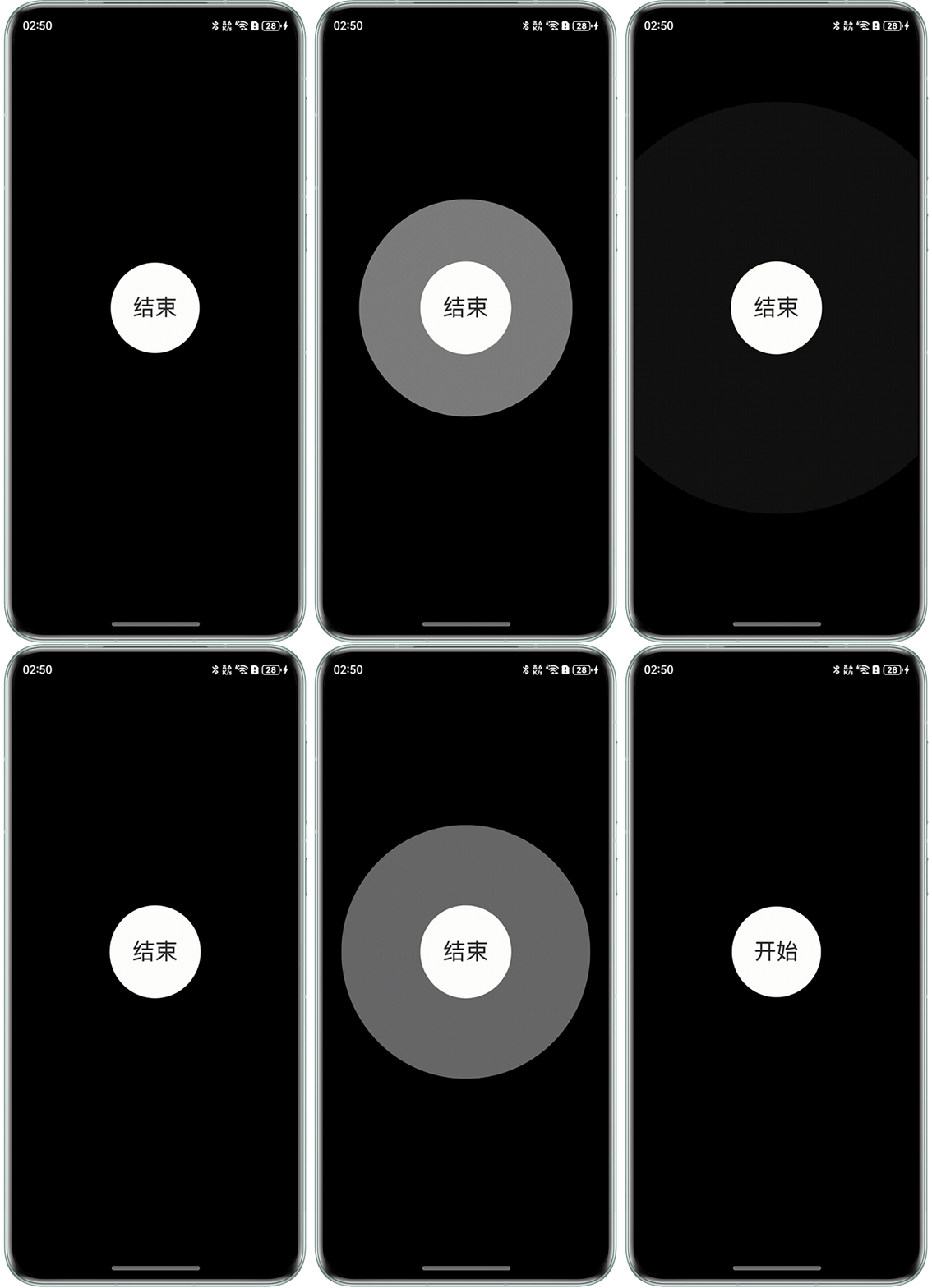
- 场景一:水波纹。使用Stack组件来给按钮添加类似水波纹扩散效果,点击按钮,添加动画,效果为透明度0.8->0,半径扩大到6倍,持续时间无限。再次点击按钮,则用持续时间为0的动画来打断持续时间无限的动画。
import { Scale } from '@kit.ArkUI';

@Entry
@Component
struct scan_effect_test {
  @State isListening: boolean = false;
  uiContext: UIContext | undefined = undefined;

  aboutToAppear() {
    this.uiContext = this.getUIContext();
  }

  build() {
    Column() {
      ButtonWithWaterRipples({ isListening: this.isListening });
    }
    .backgroundColor(Color.Black)
    .justifyContent(FlexAlign.Center)
    .width('100%')
    .height('100%');
  }
}

@Component
struct ButtonWithWaterRipples {
  @Link isListening: boolean;
  @State immediatelyOpacity: number = 0.8; // 立刻触发动画的Stack初始透明度
  @State immediatelyScale: Scale = { x: 1, y: 1 }; // 立刻触发动画的Stack初始缩放度
  private readonly BUTTON_SIZE: number = 120; // 按钮大小
  private readonly BUTTON_CLICK_SCALE: number = 0.8; // 按钮点击时缩放比例
  private readonly ANIMATION_DURATION: number = 1300; // 动画持续时间

  @Styles
  ripplesStyle() {
    .width(this.BUTTON_SIZE * this.BUTTON_CLICK_SCALE)
    .height(this.BUTTON_SIZE * this.BUTTON_CLICK_SCALE)
    .borderRadius(this.BUTTON_SIZE * this.BUTTON_CLICK_SCALE / 2)
    .backgroundColor(Color.White);
  }

  build() {
    Stack() {
      Stack()
        .ripplesStyle()
        .opacity(this.immediatelyOpacity)
        .scale(this.immediatelyScale);
      Button() {
        Text(this.isListening ? '结束' : '开始')
          .fontSize(30);
      }
      .clickEffect({ level: ClickEffectLevel.HEAVY, scale: this.BUTTON_CLICK_SCALE })
      .backgroundColor($r('app.color.start_window_background'))
      .type(ButtonType.Circle)
      .width(this.BUTTON_SIZE)
      .height(this.BUTTON_SIZE)
      .zIndex(1)
      .onClick(() => {
        this.isListening = !this.isListening;
        if (this.isListening) {
          // 生成透明度0.8->0和扩大1->6倍半径的动画,iterations设置为-1表示无限重复
          this.getUIContext()?.animateTo({ duration: this.ANIMATION_DURATION, iterations: -1, curve: Curve.EaseInOut },
            () => {
              this.immediatelyOpacity = 0;
              this.immediatelyScale = { x: 6, y: 6 };
            });
        } else {
          // 设置duration为0动画打断扩散的特效
          this.getUIContext()?.animateTo({ duration: 0 }, () => {
            this.immediatelyOpacity = 0.8;
            this.immediatelyScale = { x: 1, y: 1 };
          });
        }
      });
    };
  }
}
效果预览:
- 场景二:雷达扫描。
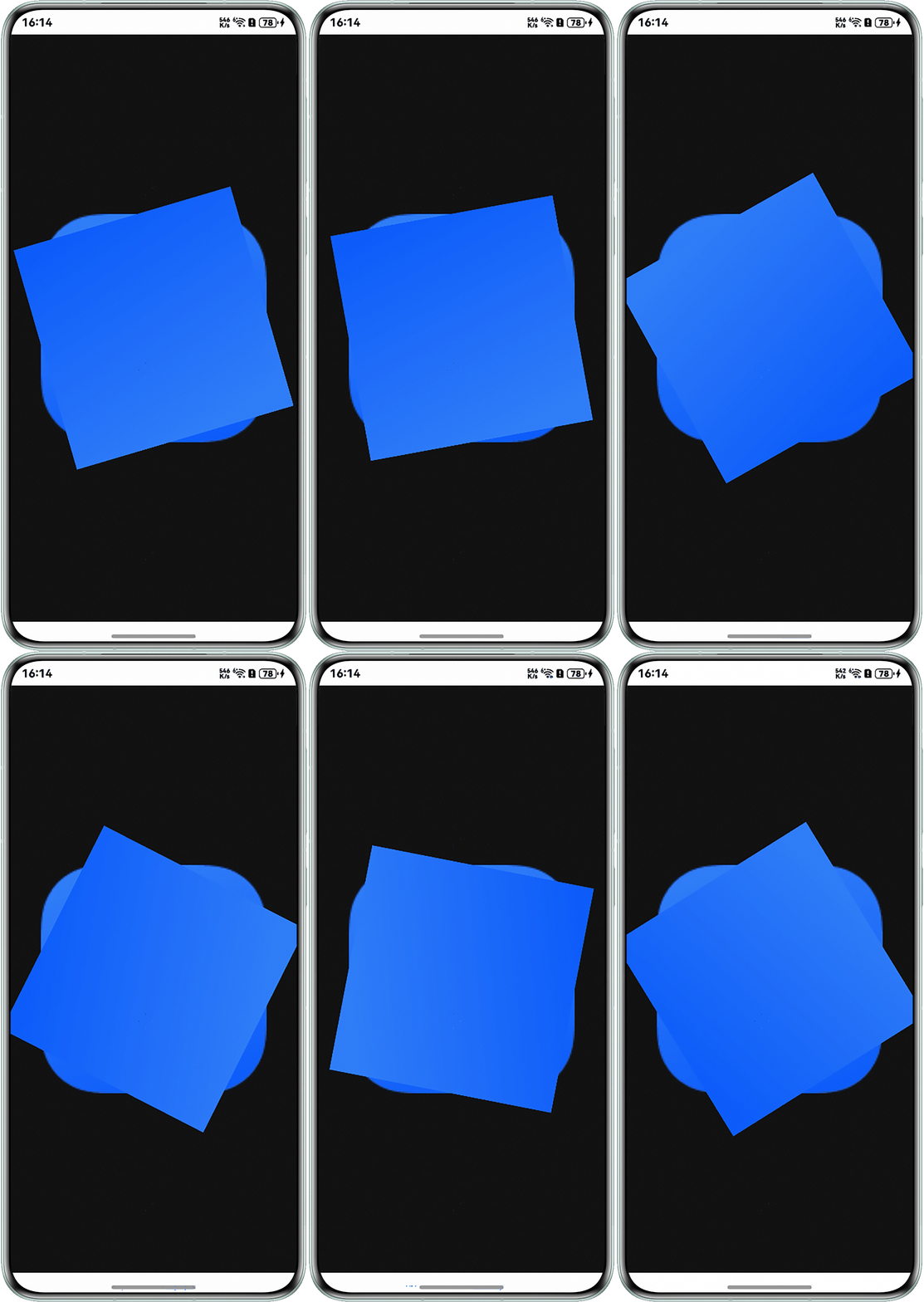
- 雷达扫描方案一:通过Stack组件叠加静态底图与动态旋转扇形图,并配合animation设置无限循环的线性动画(iterations: -1),使扇形图持续旋转实现。
@Entry
@Component
struct RadarScan2 {
  @State angle: number = 0; // 旋转角度变量

  aboutToAppear() {
    // 初始化动画(2秒完成360度旋转)
    setTimeout(() => {
      this.angle = 360;
    }, 200);
  }

  build() {
    Row() {
      Stack() {
        // 静态网格底图
        Image($r('app.media.startIcon'))
          .width(300)
          .height(300);

        // 动态扇形扫描图
        Image($r('app.media.background'))
          .width(300)
          .height(300)
          .rotate({ z: 1, angle: this.angle })  // 绕Z轴旋转
          .animation({
            duration: 2000,
            curve: Curve.Linear,
            iterations: -1  // 无限循环
          });
      };
    }
    .justifyContent(FlexAlign.Center)
    .backgroundColor(0x111111) // 深色背景增强视觉效果
    .width('100%')
    .height('100%');
  }
}
效果预览:
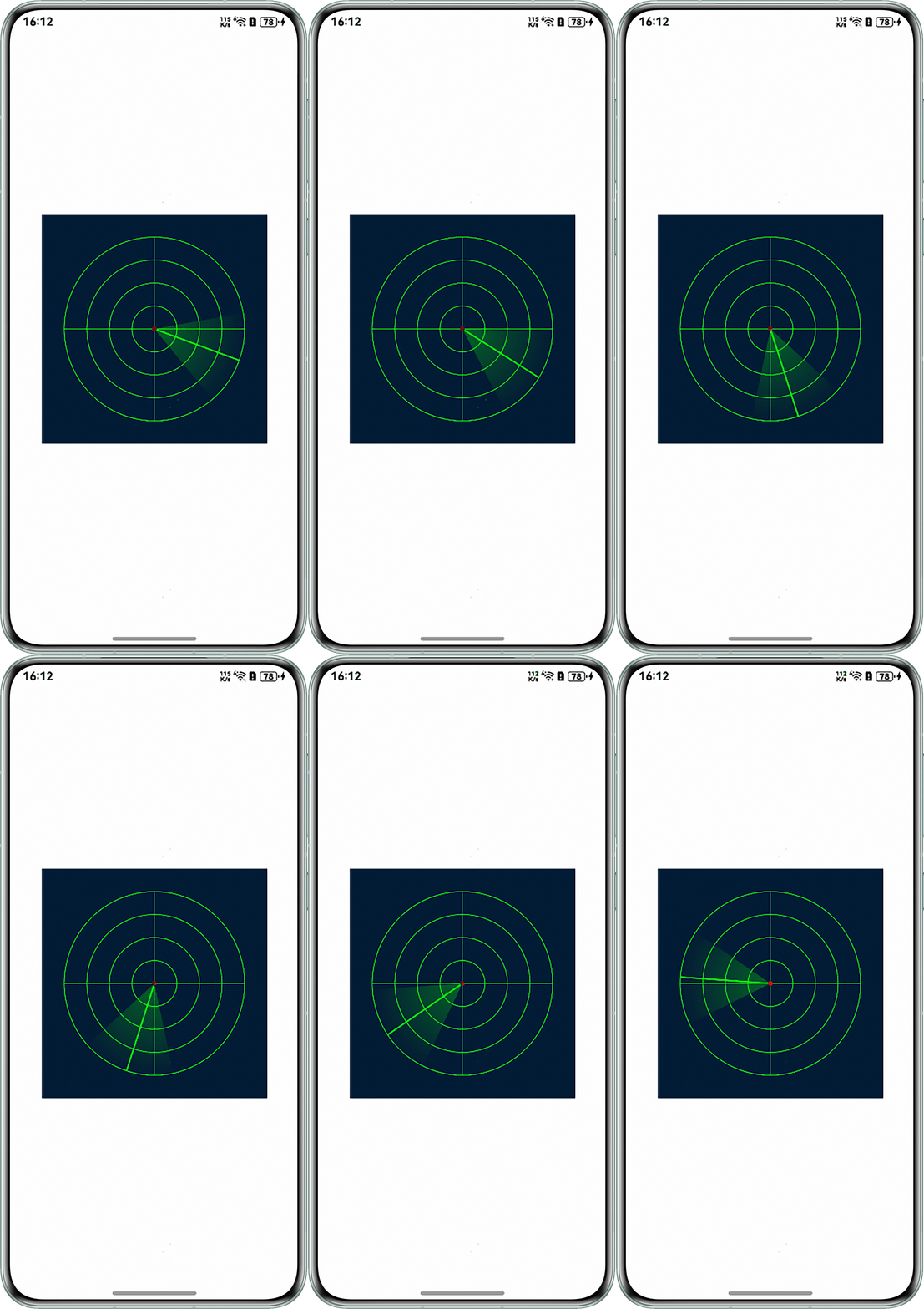
- 雷达扫描方案二:通过Canvas组件实现雷达扫描动画效果,包含网格绘制、扫描线旋转、扇形渐变区域和随机目标点。并使用定时器驱动角度变化实现动画效果,createRadialGradient创建扫描扇形渐变效果。
import cryptoFramework from '@ohos.security.cryptoFramework';

@Entry
@Component
struct RadarScan3 {
  @State @Watch('onDraw') angle: number = 0;
  private centerX: number = 150;
  private centerY: number = 150;
  private radius: number = 120;
  private settings: RenderingContextSettings = new RenderingContextSettings(true);
  private context: CanvasRenderingContext2D = new CanvasRenderingContext2D(this.settings);
  private random: cryptoFramework.Random = cryptoFramework.createRandom(); // 生成随机数实例

  build() {
    Column() {
      Canvas(this.context)
        .width(300)
        .height(300)
        .backgroundColor('#001a33')
        .onReady(() => {
          this.onDraw();
        });
    }
    .width('100%')
    .height('100%')
    .justifyContent(FlexAlign.Center)

    .onAppear(() => {
      setInterval(() => {
        this.angle = (this.angle + 2) % 360;
      }, 50);
    });
  }

  onDraw() {
    let ctx = this.context;
    ctx.clearRect(0, 0, 300, 300); // 清除画布

    // 绘制雷达网格
    ctx.strokeStyle = '#00ff00';
    ctx.lineWidth = 1;
    for (let r = 30; r <= this.radius; r += 30) {
      ctx.beginPath();
      ctx.arc(this.centerX, this.centerY, r, 0, Math.PI * 2);
      ctx.stroke();
    }

    // 绘制十字坐标线
    ctx.beginPath();
    ctx.moveTo(this.centerX, 30);
    ctx.lineTo(this.centerX, 270);
    ctx.moveTo(30, this.centerY);
    ctx.lineTo(270, this.centerY);
    ctx.stroke();

    // 绘制扫描线
    const radian = this.angle * Math.PI / 180;
    ctx.beginPath();
    ctx.moveTo(this.centerX, this.centerY);
    ctx.lineTo(
      this.centerX + this.radius * Math.cos(radian),
      this.centerY + this.radius * Math.sin(radian)
    );
    ctx.strokeStyle = '#00ff00';
    ctx.lineWidth = 2;
    ctx.stroke();

    // 绘制扫描扇形
    const gradient = ctx.createRadialGradient(
      this.centerX, this.centerY, 0,
      this.centerX, this.centerY, this.radius
    );
    gradient.addColorStop(0, 'rgba(0,255,0,0.3)');
    gradient.addColorStop(1, 'rgba(0,255,0,0)');
    ctx.fillStyle = gradient;
    ctx.beginPath();
    ctx.moveTo(this.centerX, this.centerY);
    ctx.arc(
      this.centerX, this.centerY,
      this.radius,
      radian - Math.PI / 6,
      radian + Math.PI / 6
    );
    ctx.closePath();
    ctx.fill();
    this.drawRandomTargets(ctx); // 随机目标点
  }

  drawRandomTargets(ctx: CanvasRenderingContext2D) {
    let randData = this.random.generateRandomSync(3);
    let speed = Math.floor(randData.data[0] / 255);
    for (let i = 0; i < 5; i++) {
      const r = speed * this.radius;
      const a = speed * Math.PI * 2;
      const x = this.centerX + r * Math.cos(a);
      const y = this.centerY + r * Math.sin(a);

      ctx.beginPath();
      ctx.arc(x, y, 3, 0, Math.PI * 2);
      ctx.fillStyle = '#ff0000';
      ctx.fill();
    }
  }
}
效果预览:
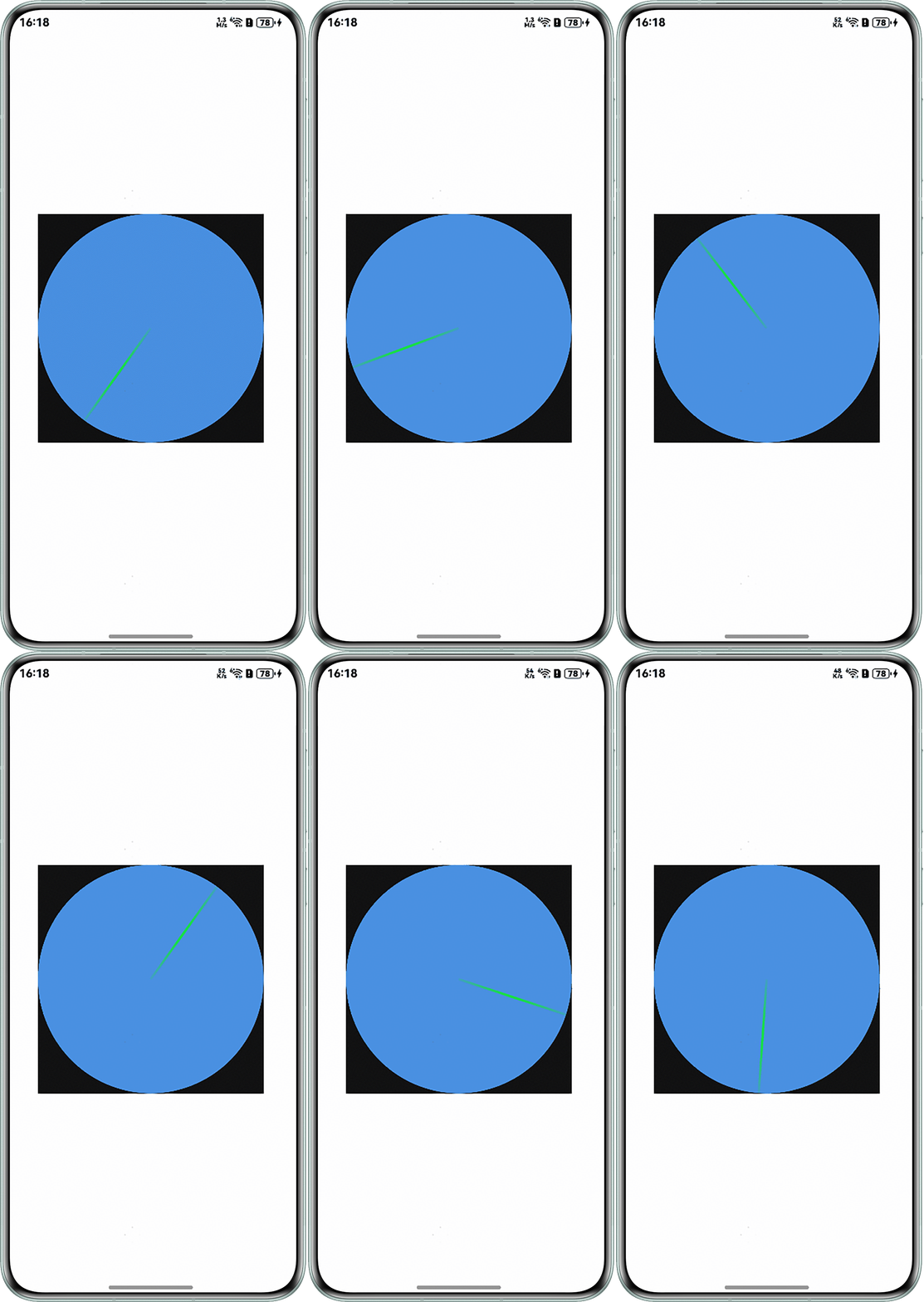
- 雷达扫描方案三:通过Row的linearGradient属性创建扇形渐变效果,结合rotate动画实现扫描效果。渐变颜色使用半透明绿色模拟雷达波束,Stack容器实现图层叠加。
@Entry
@Component
struct RadarScan4 {
  @State angle: number = 0;
  private timerID: number = -1;
  private colors: Array<[string, number]> = [
    ['rgba(0,255,0,0.1)', 0],
    ['rgba(0,255,0,0.8)', 0.5],
    ['rgba(0,255,0,0.1)', 1]
  ];

  aboutToAppear() {
    this.timerID = setInterval(() => {
      this.angle = (this.angle + 2) % 360;
    }, 50);
  }

  aboutToDisappear() {
    clearInterval(this.timerID);
  }

  build() {
    Column() {
      Stack() {
        // 静态网格背景
        Row() {
          // 这里可以添加网格绘制逻辑
        }
        .width(300)
        .height(300)
        .borderRadius(150)
        .backgroundColor('#4A90E2');

        // 扫描扇形(使用渐变Row模拟)
        Row()
          .width(150)
          .height(3)
          .margin({ left: 150 })
          .linearGradient({
            angle: this.angle,
            colors: this.colors
          })
          .rotate({ angle: this.angle, centerX: 0, centerY: '50%' });
      }
      .backgroundColor(0x111111);
    }
    .width('100%')
    .height('100%')
    .justifyContent(FlexAlign.Center);

  }
}
效果预览:
- 雷达扫描方案一:通过Stack组件叠加静态底图与动态旋转扇形图,并配合animation设置无限循环的线性动画(iterations: -1),使扇形图持续旋转实现。
- 整体方案对比:
方案
优点
缺点
Image组件
实现简单,性能开销小
动态效果有限
Canvas绘制
可定制扫描轨迹
代码复杂度高
渐变属性
无需图片资源
视觉效果较单一