问题现象
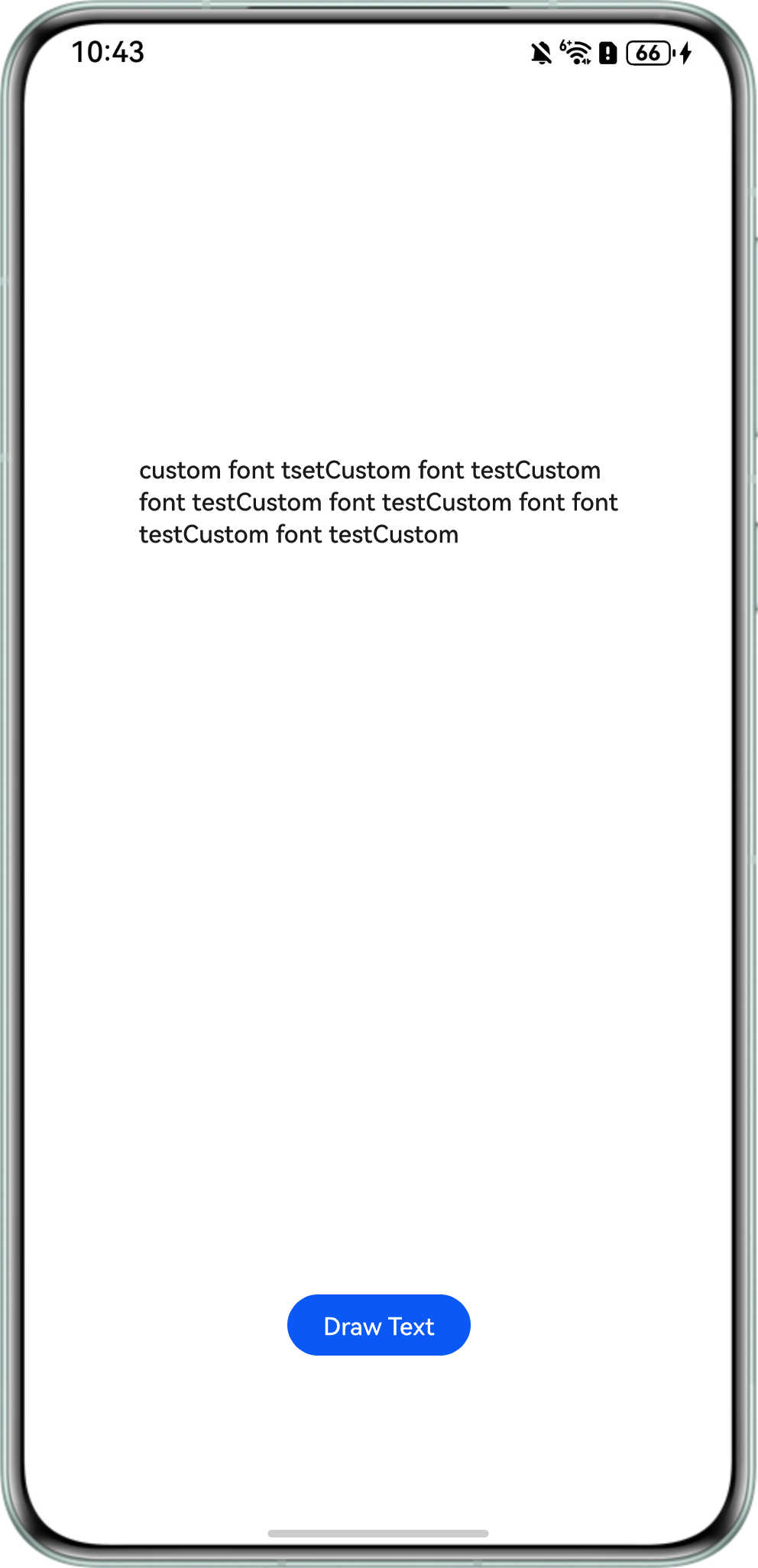
参考案例自定义字体的注册和使用(ArkTS),使用text.Paragraph绘制文本段落时,文本无法在画布中水平和垂直居中。通过paint()方法绘制文本,但未正确计算居中坐标,导致文本位置偏移。
问题效果预览:

背景知识
- text.Paragraph布局机制:
- Paragraph是ArkTS的文本布局引擎,需通过layoutSync指定布局宽度(通常为画布宽度),才能计算文本的实际尺寸。
- 关键方法:getMaxWidth获取文本实际宽度(可能小于布局宽度);getHeight获取文本总高度(含多行行高)。
- 居中原理:需动态计算坐标,而非固定值。
- 水平居中:(画布宽度-文本宽度)/2。
- 垂直居中:(画布高度-文本高度)/2。
解决方案
- 动态获取画布尺寸:使用this.frame.width/height替换固定值,适配不同画布大小,其中frame.width/height为子节点RenderNode的宽高。
- 正确布局宽度:layoutSync(canvasWidth)确保文本按画布宽度换行,避免溢出。
- 精准坐标计算:getMaxWidth()和getHeight()获取文本真实尺寸,避免因字体/换行导致的偏差。
- 水平居中修正:设置text.ParagraphStyle中的TextAlign属性为2(居中对齐),并通过文本实际最大宽度与画布宽度计算X轴起点(canvasWidth-textWidth)/2。
- 垂直居中修正:直接使用(canvasHeight-textHeight)/2计算Y轴起点。
完整示例参考如下:
import { NodeController, FrameNode, RenderNode, DrawContext, UIContext } from '@kit.ArkUI';
import { text } from '@kit.ArkGraphics2D';

let UContext: UIContext;

class MyRenderNode extends RenderNode {
  async draw(context: DrawContext) {
    const canvas = context.canvas;
    const canvasWidth = this.frame.width; // 获取画布宽度
    const canvasHeight = this.frame.height; // 获取画布高度

    let fontCollection = text.FontCollection.getGlobalInstance();
    // /system/fonts/myFontFile.ttf文件仅为示例路径,应用根据自身实际填写文件路径
    fontCollection.loadFontSync('myFamilyName', 'file:///system/fonts/NotoSansMalayalamUI-SemiBold.ttf');

    let myFontFamily: Array<string> = ['myFamilyName'];
    let myTextStyle: text.TextStyle = {
      color: {
        alpha: 255,
        red: 26,
        green: 26,
        blue: 26
      },
      fontSize: 30,
      fontFamilies: myFontFamily
    };

    let myParagraphStyle: text.ParagraphStyle = {
      textStyle: myTextStyle,
      align: text.TextAlign.CENTER, // 对应TextAlign.CENTER
      wordBreak: text.WordBreak.NORMAL
    };

    let paragraphGraphBuilder = new text.ParagraphBuilder(myParagraphStyle, fontCollection);
    paragraphGraphBuilder.pushStyle(myTextStyle);
    paragraphGraphBuilder.addText('Custom font test Custom font testCustom font testCustom font testCustom font testCustom font testCustom font testCustom font testCustom font test');
    let paragraph = paragraphGraphBuilder.build();

    // 修改:动态获取画布尺寸
    const layoutWidth = canvasWidth; // 使用实际画布宽度布局
    paragraph.layoutSync(layoutWidth);

    // 计算居中坐标
    const textWidth = paragraph.getMaxWidth(); // 获取实际文本宽度
    const textHeight = paragraph.getHeight(); // 获取实际文本高度
    const startX = (UContext!.vp2px(canvasWidth) - textWidth) / 2;
    const startY = (UContext!.vp2px(canvasHeight) - textHeight) / 2;
    paragraph.paint(canvas, startX, startY); // 应用居中坐标
  }
}

// 创建节点实例(需在类外部声明以便重复使用)
let newNode: MyRenderNode | null = null;

class MyNodeController extends NodeController {
  private rootNode: FrameNode | null = null;

  makeNode(uiContext: UIContext): FrameNode {
    this.rootNode = new FrameNode(uiContext);
    if (this.rootNode == null) {
      return this.rootNode;
    }
    const renderNode = this.rootNode.getRenderNode();
    if (renderNode != null) {
      renderNode.frame = {
        x: 0,
        y: 0,
        width: 380,
        height: 600
      };
      renderNode.pivot = { x: 0, y: 0 };
    }
    return this.rootNode;
  }

  addNode(): void {
    if (!newNode) {
      newNode = new MyRenderNode();
      newNode.frame = {
        x: 0,
        y: 0,
        width: 380,
        height: 600
      }; // 设置与画布一致尺寸
    }
    this.rootNode?.getRenderNode()?.appendChild(newNode);
  }

  clearNodes(): void {
    this.rootNode?.getRenderNode()?.clearChildren();
    newNode = null; // 重置节点
  }
}

@Entry
@Component
struct RenderTest {
  private myNodeController: MyNodeController = new MyNodeController();

  aboutToAppear(): void {
    UContext = this.getUIContext();
  }

  build() {
    Column() {
      Row() {
        NodeContainer(this.myNodeController)
          .width(380)
          .height(600)
          .backgroundColor(Color.White);
      }
      .height('80%');

      Row() {
        Button('Draw Text')
          .onClick(() => {
            this.myNodeController.clearNodes();
            this.myNodeController.addNode();
          })
          .width('50%')
          .height(40);
      }
      .height('20%');
    };
  }
}