问题现象
在获取视频特定帧图片时,有以下三种不同的场景:
- 访问本地视频(沙箱内),获取视频特定帧图片.
- 访问网络视频,获取视频特定帧图片。
- 访问手机系统相册,获取视频特定帧图片。
同时,在这三种常见获取视频的场景里,也会遇到一些可能发生的问题:
- 特定帧获取异常。
- 特定帧图像模糊。
背景知识
获取视频特定帧根据场景需求可以使用不同的方法实现:
- AVImageGenerator.fetchFrameByTime:异步方式获取视频缩略图。
- AVMetadataExtractor.fetchFrameByTime:异步获取视频缩略图,可直接获取网络视频的缩略图。
- PhotoAsset.getThumbnail:获取文件的缩略图,传入缩略图尺寸,使用promise方式返回异步结果。
获取方式 | 使用场景 | 目标场景 |
|---|---|---|
AVImageGenerator.fetchFrameByTime | 视频编辑、逐帧分析、自定义时间点截图 | 动态解码视频帧生成缩略图(支持任意时间点帧提取) |
AVImageGenerator.fetchFrameByTime | 获取网络视频任意时间视频帧,可用于视频播放预览 | 动态解码视频帧生成缩略图(支持获取网络视频任意时间视频帧) |
PhotoAsset.getThumbnail | 相册浏览、快速预览 | 直接获取相册中图片/视频的预生成缩略图 |
[h2]方案一:访问本地视频(沙箱内),获取视频特定帧图片
- 业务场景:用户导入本地视频后,实时生成缩略图预览。
- 实现步骤:
- 读取视频文件:通过file.openSync或ResourceManager.getRawFd获取沙箱内视频文件的文件描述符(fd)。
- 创建AVImageGenerator:使用media.createAVImageGenerator()初始化图像生成器。
- 提取特定帧:调用fetchFrameByTime(0,AV_IMAGE_QUERY_NEXT_SYNC,{width,height})获取首帧的PixelMap对象。
- 具体代码:
import { image } from '@kit.ImageKit'; import { media } from '@kit.MediaKit'; import { BusinessError } from '@ohos.base'; import { fileIo as fs } from '@kit.CoreFileKit'; import { photoAccessHelper } from '@kit.MediaLibraryKit'; @Entry @Component struct frameExtraction { // pixelMap对象声明,用于图片显示 @State pixelMap: image.PixelMap | string | undefined = undefined; build() { Column() { Button() { Text('select').fontSize(20).fontWeight(FontWeight.Bold).fontColor(Color.White) }.margin({ top: 20 }).width(100).height(40).onClick(() => this.showPicker()); Image(this.pixelMap).width(300).height(300).margin({ top: 20 }); }.width('100%').height('100%'); } showPicker() { // 创建图库选择器对象实例 const photoViewPicker = new photoAccessHelper.PhotoViewPicker(); // 图库选项配置,类型与数量 let selectOptions = new photoAccessHelper.PhotoSelectOptions(); selectOptions.MIMEType = photoAccessHelper.PhotoViewMIMETypes.VIDEO_TYPE; selectOptions.maxSelectNumber = 1; // 调用select()接口拉起图库界面进行文件选择,文件选择成功后,返回PhotoSelectResult结果集 photoViewPicker.select(selectOptions) .then((photoSelectResult: photoAccessHelper.PhotoSelectResult) => { // 用一个全局变量存储返回的uri if (photoSelectResult.photoUris?.[0]) { this.testFetchFrameByTime(photoSelectResult.photoUris[0]); } }).catch((err: BusinessError) => { console.error(`Invoke photoViewPicker.select failed, code is ${err.code}, message is ${err.message}`); }); } // 获取缩略图 async testFetchFrameByTime(filePath: string) { let fileDescriptor: number | undefined; try { let fileDescriptor = fs.openSync(filePath, fs.OpenMode.READ_ONLY); // 创建AVImageGenerator let avImageGenerator: media.AVImageGenerator = await media.createAVImageGenerator(); let avFileDescriptor: media.AVFileDescriptor = { fd: fileDescriptor.fd }; avImageGenerator.fdSrc = avFileDescriptor; // 初始化入参 let timeUs = 0; // 需要获取的缩略图在视频中的时间点 let queryOption = media.AVImageQueryOptions.AV_IMAGE_QUERY_NEXT_SYNC; // AV_IMAGE_QUERY_NEXT_SYNC表示选取传入时间点或之后的关键帧 // 输出缩略图的格式参数 let param: media.PixelMapParams = { width: 300, // 输出的缩略图宽度 height: 300 // 输出的缩略图高度 }; // 获取缩略图 this.pixelMap = await avImageGenerator.fetchFrameByTime(timeUs, queryOption, param); // 释放AVImageGenerator资源 await avImageGenerator.release(); console.info(`release success.`); } catch (e) { console.error('Error in fetchFrameByTime:', e); } finally { if (fileDescriptor !== undefined) { try { fs.closeSync(fileDescriptor); console.info('File descriptor closed.'); } catch (closeError) { console.error('Failed to close file descriptor:', closeError); } } } } } - 效果图:

- 可能会遇到的问题:成功提取音视频文件首帧图像后,无法对原始音视频文件执行压缩操作。
- 问题根因:应用默认只能访问自身沙箱目录,其他目录的文件无法直接操作。
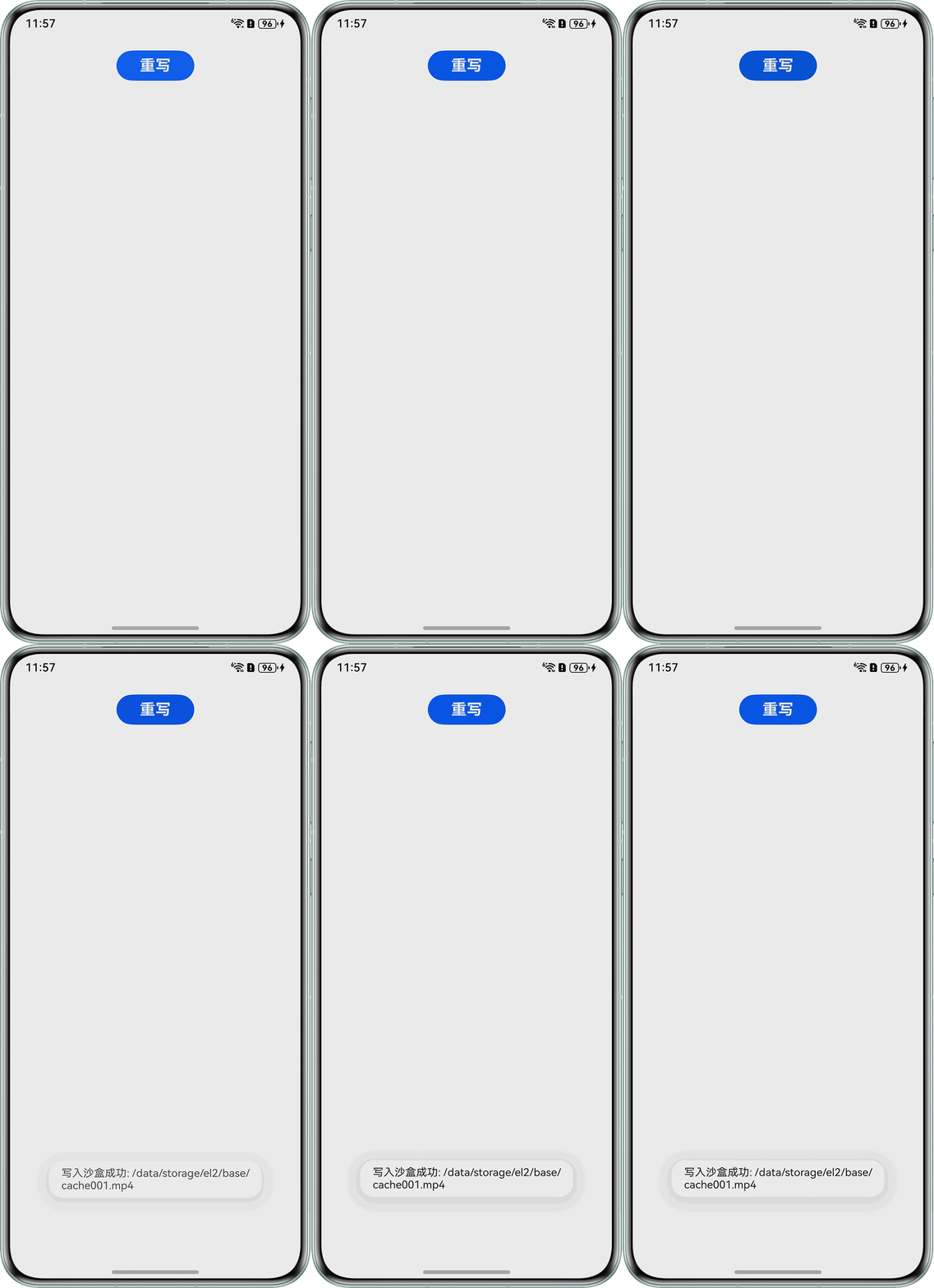
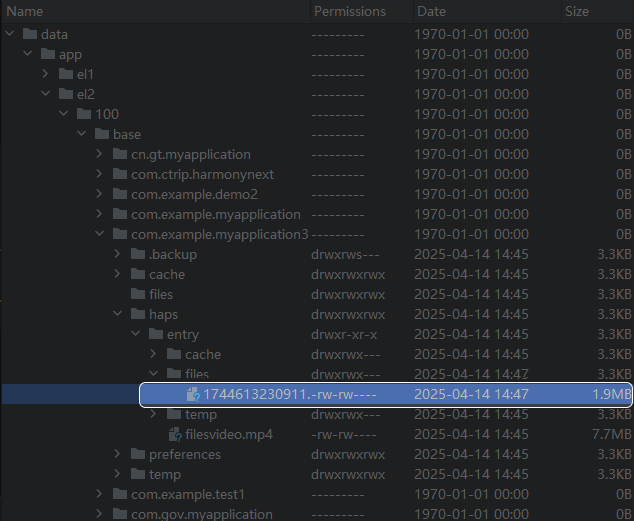
- 解决方案:若音视频文件存储在非沙箱路径,应用无法直接读取或修改,需通过fs接口将文件拷贝至沙箱目录后才能处理。实测:7.76M左右原视频,COMPRESS_QUALITY_LOW下为1.9M左右。安装三方库:ohpm install @ohos/videocompressor
import { common } from '@kit.AbilityKit'; import { fileIo as fs } from '@kit.CoreFileKit'; import { promptAction } from '@kit.ArkUI'; import { BusinessError } from '@ohos.base'; import { VideoCompressor, CompressQuality, CompressorResponseCode } from '@ohos/videocompressor'; @Entry @Component struct CompressVideo { private context = this.getUIContext().getHostContext() as common.UIAbilityContext; async writeFile(destPath: string) { let srcFd: number | null = null; let file: fs.File | null = null; try { let context = this.getUIContext().getHostContext() as Context; let srcFileDescriptor = context.resourceManager.getRawFdSync('test.mp4'); // 获取resources/rawfile目录下开发者根据实际情况替换 if (!srcFileDescriptor) { console.error('资源文件 test.mp4 不存在或无法读取'); return; } srcFd = srcFileDescriptor.fd; file = fs.openSync(destPath, fs.OpenMode.CREATE | fs.OpenMode.READ_WRITE); let bufsize = 4096; const buf = new ArrayBuffer(bufsize); let off = 0; let readedLen = 0; while (true) { const len = fs.readSync(srcFd, buf, { offset: srcFileDescriptor.offset + off, length: bufsize }); if (len === 0) { break; } readedLen += len; fs.writeSync(file.fd, buf, { offset: off, length: len }); off += len; // 动态调整buffer大小 const remaining = srcFileDescriptor.length - readedLen; if (remaining < bufsize) { bufsize = remaining; } } promptAction.openToast({ message: '写入沙盒成功: ' + destPath, duration: 2000 }); let videoCompressor = new VideoCompressor(); videoCompressor.compressVideo(context, destPath, CompressQuality.COMPRESS_QUALITY_LOW) .then((data) => { if (data.code === CompressorResponseCode.SUCCESS) { console.info(`压缩成功,输出路径: ${data.outputPath}`); } else { console.error(`压缩失败: ${data.message}`); } }) .catch((err: BusinessError) => { console.error(`压缩异常: ${err.message}`); }); } catch (err) { console.error('写入文件时发生错误:', err); promptAction.openToast({ message: '写入失败,请检查权限或路径', duration: 2000 }); } finally { if (srcFd !== null) { try { fs.closeSync(srcFd); } catch (e) { console.warn('关闭源文件流失败:', e); } } if (file !== null) { try { fs.closeSync(file); } catch (e) { console.warn('关闭目标文件流失败:', e); } } } } build() { Column() { Button() { Text('重写').fontSize(20).fontWeight(FontWeight.Bold).fontColor(Color.White) }.margin({ top: 20 }).width(100).height(40).onClick(() => { let path = this.context.getApplicationContext().cacheDir + '001.mp4'; this.writeFile(path); }); }.width('100%').height('100%'); } } - 效果图:
[h2]方案二:下载网络视频到沙箱,然后获取视频特定帧图片
- 业务场景一:在6.0之前,无法直接获取网络视频的特定时间帧。需要下载视频到本地后再提取视频帧。
- 实现步骤:
- 需添加网络权限:ohos.permission.INTERNET。
- 下载视频到沙箱:使用request.agent.create下载网络视频到沙箱临时目录。
- 读取本地缓存文件:下载完成后,通过文件路径调用本地提取方案。
- 具体代码:
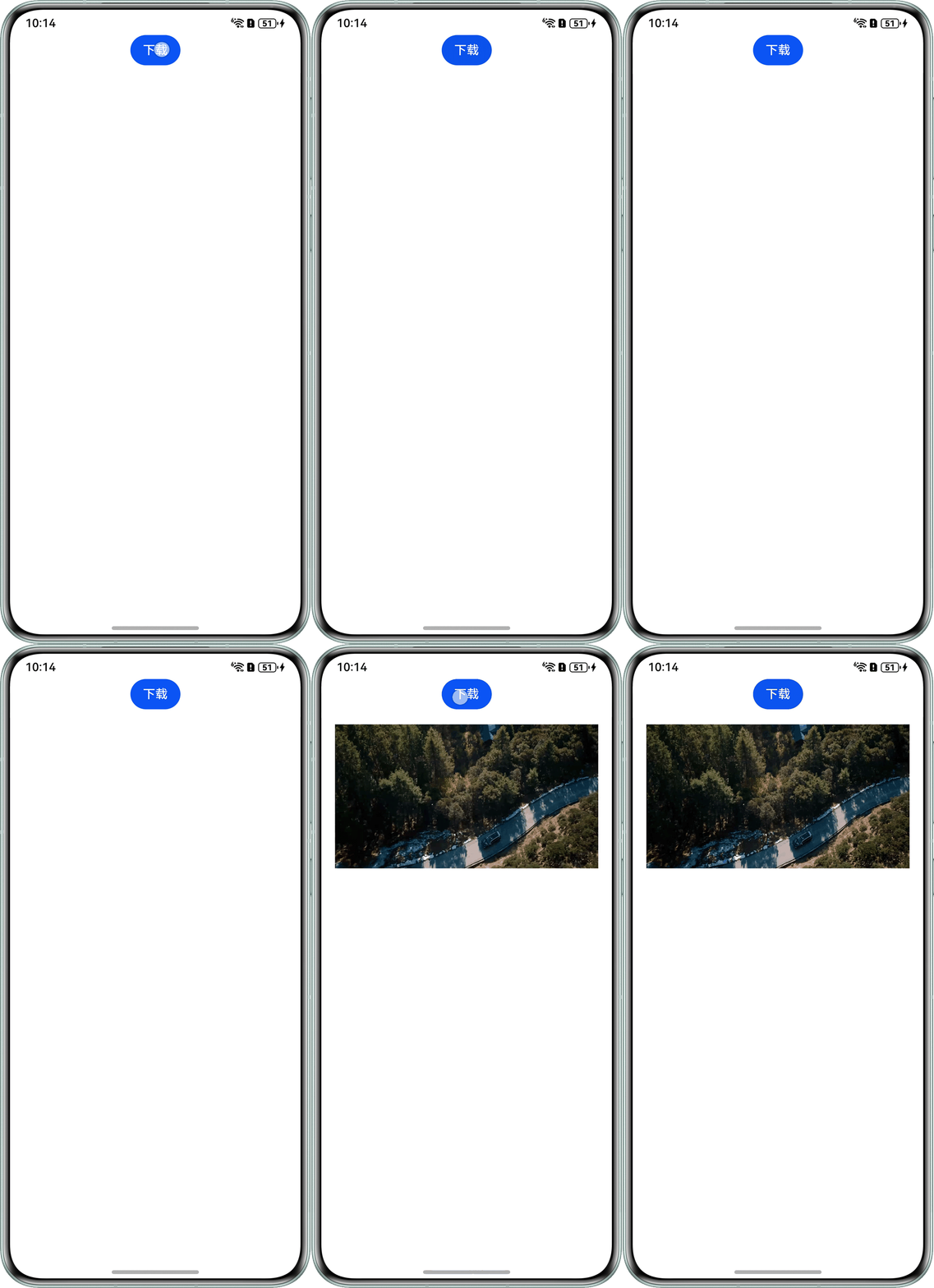
import { image } from '@kit.ImageKit'; import { media } from '@kit.MediaKit'; import { request } from '@kit.BasicServicesKit'; import type { common } from '@kit.AbilityKit'; import type { BusinessError } from '@ohos.base'; import { fileIo as fs } from '@kit.CoreFileKit'; // 下载并提取第一帧 async function downloadAndExtractFrame(context: Context, url: string, tempFilePath: string): Promise<void> { // 下载任务配置 let config: request.agent.Config = { action: request.agent.Action.DOWNLOAD, url: url, mode: request.agent.Mode.BACKGROUND, saveas: tempFilePath, overwrite: true, network: request.NETWORK_WIFI, // 仅限WiFi下载 method: 'GET' }; try { const task = await new Promise<request.agent.Task>((resolve, reject) => { request.agent.create(context, config, (err: BusinessError, task: request.agent.Task) => { if (err) { reject(err); return; } console.info(`下载任务创建成功: ${JSON.stringify(task.config)}`); task.start((err: BusinessError) => { if (err) { console.error(`Failed to start the download task, Code: ${err.code}, message: ${err.message}`); return; } console.info(`Succeeded in starting a download task.`); }); resolve(task); }); }); await new Promise<void>((resolve, reject) => { task.on('completed', () => { console.info('下载完成,开始提取第一帧'); request.agent.remove(task.tid); resolve(); }); task.on('failed', (error) => { console.error('下载失败:', JSON.stringify(error)); reject(error); }); }); } catch (err) { console.error(`下载失败: ${JSON.stringify(err)}`); } } // 提取视频第一帧 async function getLocalVideoFirstFrame(filePath: string): Promise<image.PixelMap | null> { let file: fs.File | undefined = undefined; try { let avImageGenerator: media.AVImageGenerator = await media.createAVImageGenerator(); file = fs.openSync(filePath, fs.OpenMode.READ_ONLY); let avFileDescriptor: media.AVFileDescriptor = { fd: file.fd }; avImageGenerator.fdSrc = avFileDescriptor; let timeUs = 0; let queryOption = media.AVImageQueryOptions.AV_IMAGE_QUERY_NEXT_SYNC; let param: media.PixelMapParams = { width: 1920, height: 1080 }; let pixelMap = await avImageGenerator.fetchFrameByTime(timeUs, queryOption, param); avImageGenerator.release(); console.info('第一帧提取成功'); return pixelMap; } catch (err) { console.error('提取第一帧失败:', err); return null; } finally { if (file !== undefined) { try { fs.closeSync(file); console.info('File descriptor closed.'); } catch (closeError) { console.error('Failed to close file descriptor:', closeError); } } } } @Entry @Component struct networkFrame { @State pixelMap: image.PixelMap | null = null; ratio: number = 16 / 9; private context = this.getUIContext().getHostContext() as common.UIAbilityContext; build() { Column() { Button('下载') .onClick(async () => { const url = 'https://xxx'; // 开发者根据实际替换 const cacheDir = this.context.filesDir; const tempFilePath = `${cacheDir}/temp_video.mp4`; // 开发者根据实际替换下载保存路径 try { // 1.下载视频 await downloadAndExtractFrame(this.context, url, tempFilePath); // 2.提取第一帧 const pixelMap = await getLocalVideoFirstFrame(tempFilePath); if (pixelMap) { this.pixelMap = pixelMap; console.info('第一帧提取成功,已显示'); } else { console.warn('提取第一帧失败,返回 null'); } } catch (err) { console.error('下载或提取失败:', err); } }); Image(this.pixelMap) .width('100%') .aspectRatio(this.ratio) .margin({ top: 20 }); } .height('100%') .width('100%'); } } - 效果图:
- 实现步骤:
- 业务场景二:对于大数量的大视频文件,如何展示所有视频的封面图。解决方案:缓存视频资源过多容易因为内存占用过多导致应用崩溃。API 17起,用户可以通过setMediaSource预下载流媒体资源,并通过设置PlaybackStrategy中的showFirstFrameOnPrepare实现封面图展示。当参数设置为true时,Prepare之后便显示视频起播首帧,参考如下。
async function setupPlayer() {
  let headers: Record<string, string> = { 'User-Agent': 'User-Agent-Value' };
  let mediaSource: media.MediaSource = media.createMediaSourceWithUrl('http://xxx', headers);
  let uuid: number = 1;
  let requests: HashMap<number, media.MediaSourceLoadingRequest> = new HashMap();

  let sourceOpenCallback: media.SourceOpenCallback = (request: media.MediaSourceLoadingRequest) => {
    console.info(`Opening resource: ${request.url}`);
    // 成功打开资源,返回唯一的句柄, 保证uuid和request对应
    uuid += 1;
    requests.set(uuid, request);
    return uuid;
  };

  let sourceReadCallback: media.SourceReadCallback =
    (uuid: number, requestedOffset: number, requestedLength: number) => {
      console.info(`Reading resource with handle ${uuid}, offset: ${requestedOffset}, length: ${requestedLength}`);
      // 判断uuid是否合法、存储read请求,不要在read请求阻塞去推送数据和头信息
    };

  let sourceCloseCallback: media.SourceCloseCallback = (uuid: number) => {
    console.info(`Closing resource with handle ${uuid}`);
    // 清除当前uuid相关资源
    requests.remove(uuid);
  };

  // 应用按需实现
  let mediaSourceLoader: media.MediaSourceLoader = {
    open: sourceOpenCallback,
    read: sourceReadCallback,
    close: sourceCloseCallback
  };

  mediaSource.setMediaResourceLoaderDelegate(mediaSourceLoader);
  let playStrategy: media.PlaybackStrategy = {
    preferredBufferDuration: 20,
    showFirstFrameOnPrepare: true
  };

  let player = await media.createAVPlayer();
  player.setMediaSource(mediaSource, playStrategy);
}
[h2]方案三:通过网络视频Url,直接获取视频特定帧图片
- 实现步骤:
- 通过createAVMetadataExtractor接口,创建AVMetadataExtractor。
- 通过setUrlSource接口,设置网络视频Url。
- 通过fetchFrameByTime接口,获取网络视频特定帧的速率图。
- 具体代码:
import { media } from '@kit.MediaKit';
import image from '@ohos.multimedia.image';

const VIDEO_URL = 'xxxx'; // 网络视频url

@Entry
@Component
struct AVMetadataExtractorDemo {
  @State pixelMap?: image.PixelMap = undefined; // 用于显示缩略图

  /**
   * 获取网络视频指定时间的缩略图(仅支持http/https,不支持hls/dash)
   * @param url 网络视频Url
   * @param timeUs 指定需要获取视频帧的时间
   */
  async fetchFrameByTime(url: string, timeUs: number) {
    let oldPixelMap: image.PixelMap | undefined;
    let avMetadataExtractor: media.AVMetadataExtractor | undefined = undefined;
    try {
      // 创建AVMetadataExtractor
      avMetadataExtractor = await media.createAVMetadataExtractor();
      // 设置网络视频url
      avMetadataExtractor.setUrlSource(url);
      // 获取指定时间视频帧
      let param: media.PixelMapParams = { width: 300, height: 300 };
      let queryOptions: media.AVImageQueryOptions = media.AVImageQueryOptions.AV_IMAGE_QUERY_PREVIOUS_SYNC;
      let newPixelMap = await avMetadataExtractor.fetchFrameByTime(timeUs, queryOptions, param);
      // 显示图片
      oldPixelMap = this.pixelMap;
      this.pixelMap = newPixelMap;
    } catch (error) {
      let err = error as BusinessError;
      console.error(`Failed to fetchFrameByTime: Cause: ${err.code}, ${err.message}`);
    } finally {
      if (avMetadataExtractor) {
        await avMetadataExtractor.release();
      }
      if (oldPixelMap) {
        await oldPixelMap.release();
      }
    }
  }

  build() {
    Column() {
      Button() {
        Text('select').fontSize(20).fontWeight(FontWeight.Bold).fontColor(Color.White);
      }
      .width(100)
      .height(40)
      .margin({ top: 20 })
      .onClick(() => {
        const timeUs = 0;
        this.fetchFrameByTime(VIDEO_URL, timeUs);
      });

      Image(this.pixelMap).width(300).height(300).margin({ top: 20 });
    }
    .width('100%')
    .height('100%')
    .justifyContent(FlexAlign.Center)
    .alignItems(HorizontalAlign.Center);
  }
}
[h2]方案四:访问手机系统相册,获取视频特定帧图片
- 适用场景:用户从相册选择视频后,快速显示特定帧作为封面。
- 实现步骤:
- 查询视频URI:通过AVStorage查询相册视频的URI。
- 提取首帧:使用AVImageGenerator从URI提取特定帧。
- 具体代码:
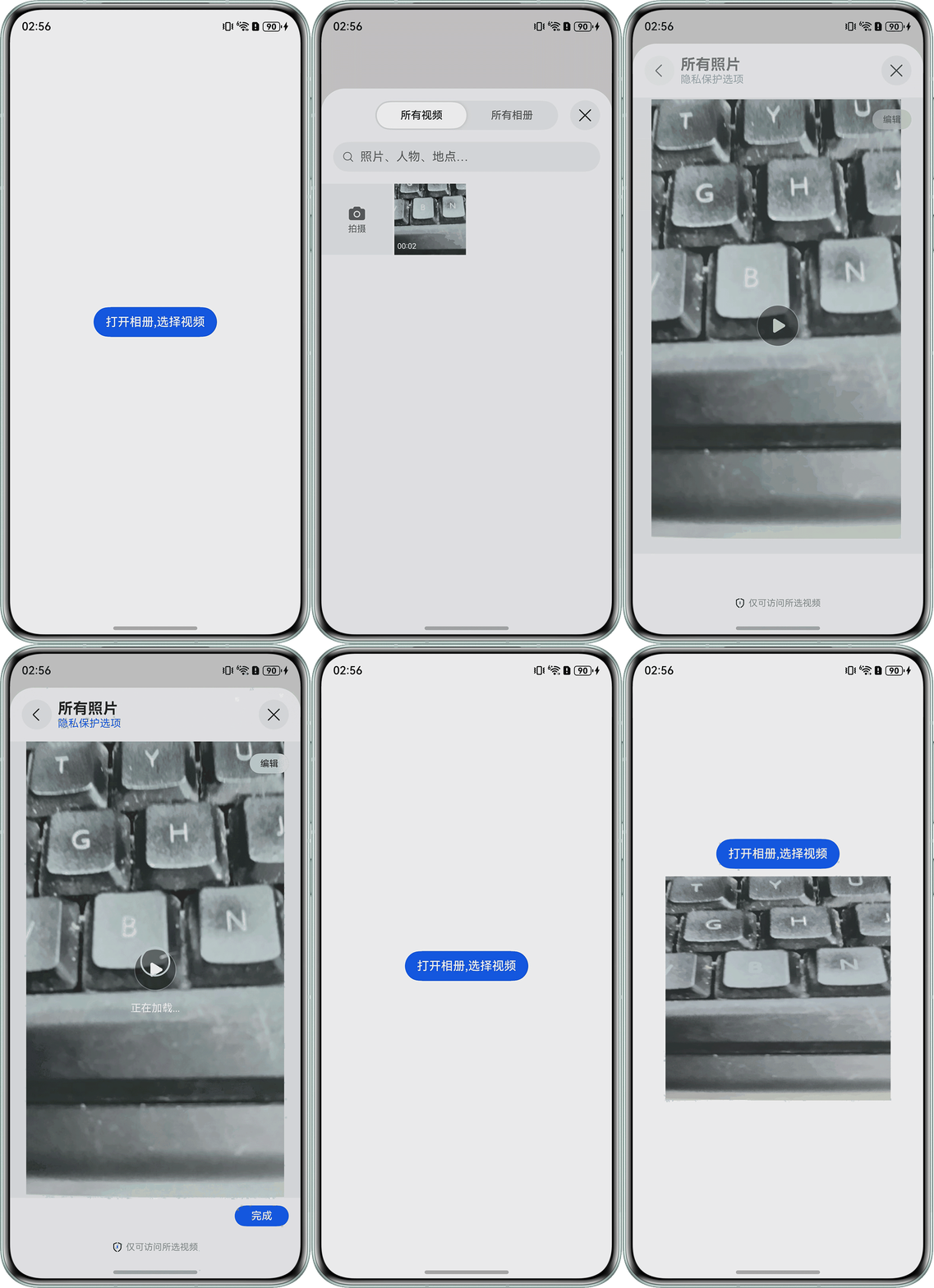
import { media } from '@kit.MediaKit'; import { image } from '@kit.ImageKit'; import { photoAccessHelper } from '@kit.MediaLibraryKit'; import { fileIo as fs } from '@kit.CoreFileKit'; @Entry @Component struct AVImageGenera { @State uris: Array<string> = []; @State duration: number = 0; @State times: number = 0; // pixelMap对象声明,用于图片显示 pixelMap: image.PixelMap | undefined = undefined; // pixelMap对象数组,用于保存取到的帧图 @State pixelMapArr: image.PixelMap[] = []; build() { Row() { Column({ space: 10 }) { Button('打开相册,选择视频') .onClick(() => { // 缩略图数组清空 this.pixelMapArr = []; // 使用picker打开图库,选择一个视频,保存其uri const photoSelectOptions = new photoAccessHelper.PhotoSelectOptions(); photoSelectOptions.MIMEType = photoAccessHelper.PhotoViewMIMETypes.VIDEO_TYPE; // 过滤选择媒体文件类型为IMAGE photoSelectOptions.maxSelectNumber = 1; // 选择媒体文件的最大数目 const photoViewPicker = new photoAccessHelper.PhotoViewPicker(); photoViewPicker.select(photoSelectOptions) .then((photoSelectResult: photoAccessHelper.PhotoSelectResult) => { this.uris = photoSelectResult.photoUris; // 获取缩略图 this.testFetchFrameByTime(); }); }); Image(this.pixelMapArr[0]) .width(300); } .width('100%'); } .height('100%'); } // 获取视频指定时间的缩略图,并通过Image控件显示在屏幕上 async testFetchFrameByTime() { // 获取视频时长,单位是毫秒 let avMetadataExtractor: media.AVMetadataExtractor = await media.createAVMetadataExtractor(); avMetadataExtractor.fdSrc = await fs.open(this.uris[0]); avMetadataExtractor.fetchMetadata().then((metadata: media.AVMetadata) => { console.info(`Succeeded in fetching Metadata, genre: ${metadata.duration}`); this.duration = Number(metadata.duration); // 若需要间隔2秒获取一次,则用视频时长计算需要获取多少次(向下取整,加上0秒获取的第一次) this.times = Math.floor(this.duration / 2000) + 1; this.createImageGeneratorAndFetchFrames(); }); } async createImageGeneratorAndFetchFrames() { // 以下为获取缩略图 // 创建AVImageGenerator对象 let avImageGenerator: media.AVImageGenerator = await media.createAVImageGenerator(); // 设置fdSrc avImageGenerator.fdSrc = await fs.open(this.uris[0]); // 初始化入参 let timeUs = 0; let queryOption = media.AVImageQueryOptions.AV_IMAGE_QUERY_NEXT_SYNC; let param: media.PixelMapParams = { width: 300, height: 300 }; // 获取缩略图,参数单位是微秒(promise模式) // 这里for循环控制获取多少次缩略图,timeUs控制每次间隔多少微秒(2秒=2000000微秒) for (let i = 1; i <= this.times; i++) { this.pixelMap = await avImageGenerator.fetchFrameByTime(timeUs, queryOption, param); this.pixelMapArr.push(this.pixelMap); console.log(JSON.stringify(this.pixelMapArr)); timeUs = timeUs + 2000000; } // 释放资源(promise模式) avImageGenerator.release(); }; } - 效果图:
- 可能会遇到的问题:无法从系统相册中读取视频文件的帧序列数据。问题根因:
- 权限问题:当前读取媒体库图片或视频有两种方案:
- 推荐方案(无需申请权限):使用Picker读取媒体库的图片与视频;使用保存控件保存媒体库的图片与视频。
- 受限使用方案:申请受限权限ohos.permission.READ_IMAGEVIDEO或ohos.permission.WRITE_IMAGEVIDEO读取媒体库的图片与视频。
- 文件路径未适配沙箱机制:
相册文件默认存储在系统沙箱外(如content://media/external/video/media),应用需通过fs(文件管理)接口将文件复制到沙箱目录后才能访问。
- 视频解码器配置错误:
硬件编解码限制:HarmonyOS优先使用硬件解码(如H.264/HEVC),但部分设备可能不支持特定格式。若视频编码格式(如AV1)不被硬件支持,需切换至软件解码。
- 文件状态异常:
文件被占用:若视频文件正在被其他进程(如相册应用)播放或编辑,当前应用无法读取。
文件损坏:视频文件头信息缺失或损坏,导致解码器无法解析。
- 权限问题:
常见FAQ
Q:提取的特定帧图像分辨率显著低于源视频实际分辨率,产生模糊现象。
A:PixelMapParams的格式参数设置错误,导致获取到的首帧图像的分辨率与实际的图像分辨率不同,从而导致首帧图像的模糊。需将特定帧图像的分辨率与实际的图像分辨率设置相同(或比例增大),确保PixelMapParams与视频的实际帧率和分辨率匹配。
// 以下为视频的原始分辨率
let param: media.PixelMapParams = {
  width:1280,
  height:720
}
输出结果:

Q:为什么相册选择视频后,获取到视频缩略图并转成PixelMap,封装成对象msg:{thumbnail: pixelMap},传到另一个组件@Prop msg无法展示?
A:@Prop不支持PixelMap类型,具体可参考@Prop组件的限制条件。
Q:为什么getThumbnail获取到的PixelMap,用JSON.stringify打印出来是空对象?
A:PixelMap对象不是标准的JS对象,而是HarmonyOS提供的图像对象,所以无法使用JSON.stringify打印,可以通过Image组件验证是否可以正确显示图片。
Q:获取缩略图的PixelMap后,将PixelMap转为图片路径时,会报PackedSize outside size想问一下怎么设置这个参数。
A:bufferSize是默认为25M,可以使用packToFile()将PixelMap编码后直接打包进文件,使用packToFile不受bufferSize参数影响,这个报错可能是由于PixelMap超过图片格式分辨率导致打成文件失败,过大的PixelMap建议修改PixelMap大小并且修改格式为png或分辨率更大的格式,但还是建议内存空间(bufferSize参数)的设置要大于图片大小。
Q:为什么使用AVImageGenerator获取视频帧图像出现不同时间点获取的图像是相同的,想获取时间点的图像没有获取到,获取的图像均存在连续多张相同情况?
A:获取方式为AV_IMAGE_QUERY_NEXT_SYNC、AV_IMAGE_QUERY_PREVIOUS_SYNC、AV_IMAGE_QUERY_CLOSEST_SYNC时都是选取传入时间点附近的关键帧返回,如果传入时间点对应的视频帧不是关键帧,会根据获取方式的不同选择传入时间点之前、之后或最近的关键帧返回。所以造成未匹配的现象,若想要尽量获取任意时间点的帧图片,可以尝试通过media.AVImageQueryOptions.AV_IMAGE_QUERY_CLOSEST来获取对应时间点的视频帧,获取的是离传入时间点最近的帧,该帧不一定是关键帧。