问题现象
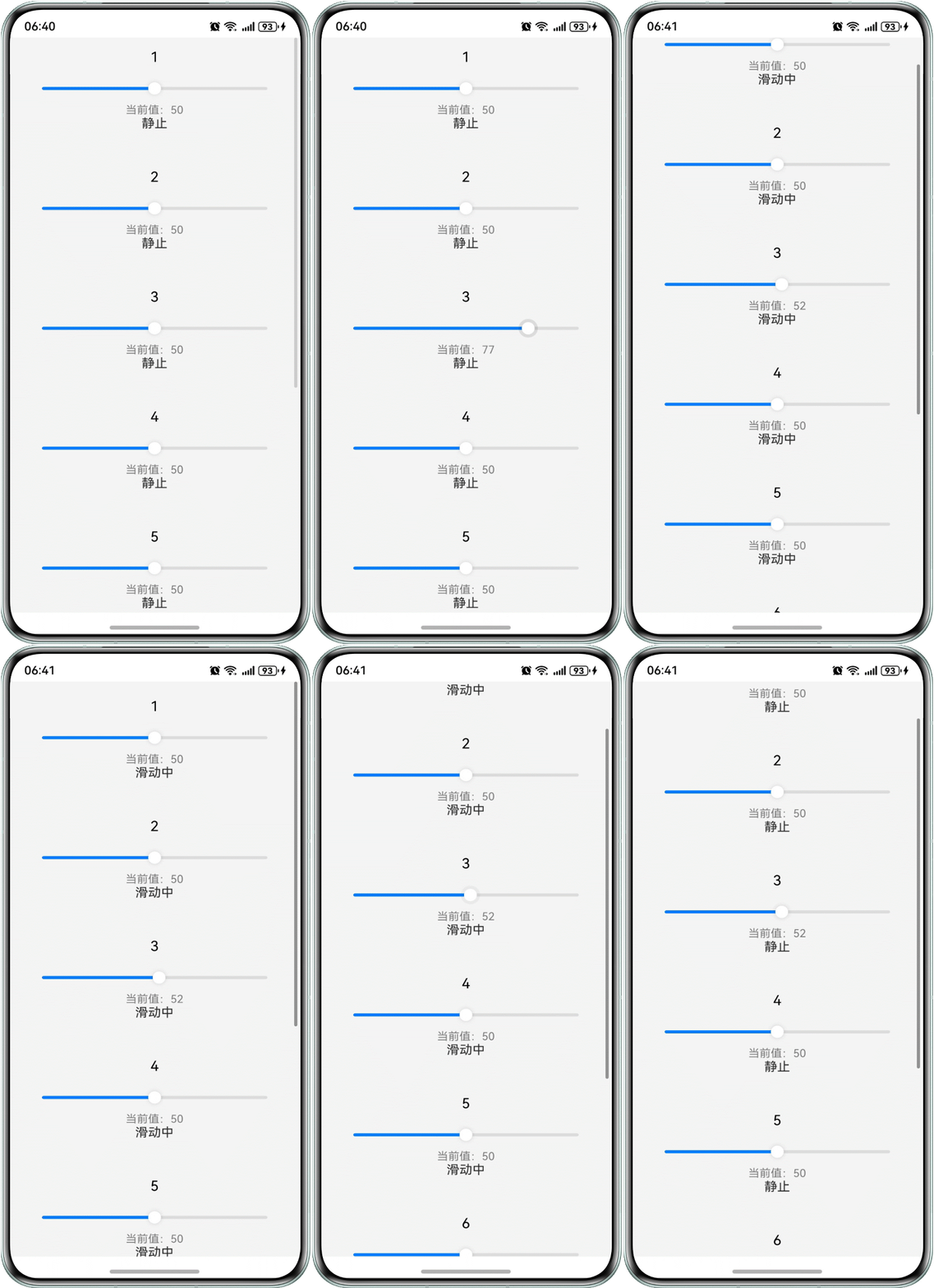
场景一:如何解决List组件内嵌Slider时,上下滑动List却频繁误触发Slider的点击事件?
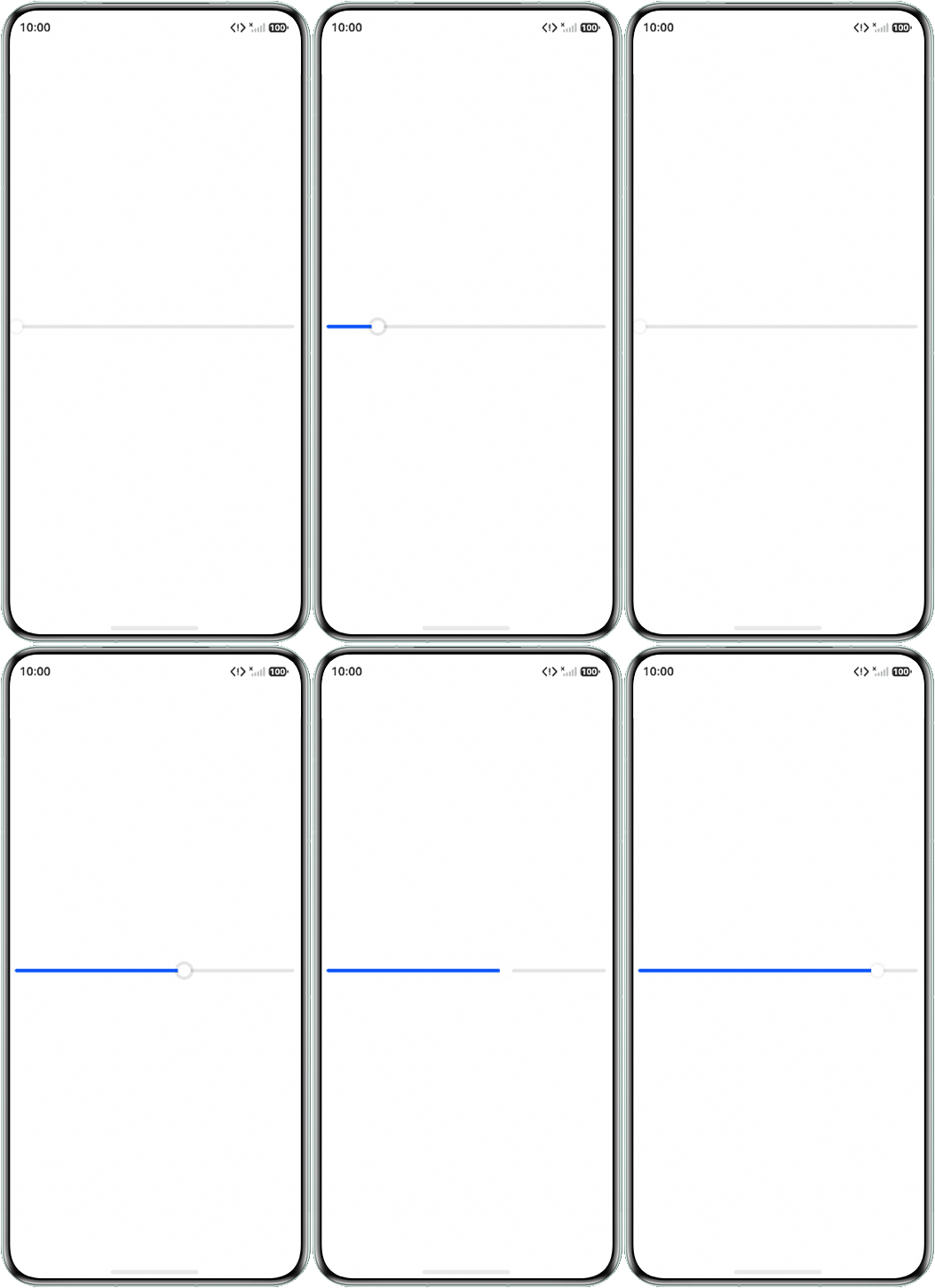
场景二:在Slider组件中,如何实现一个条件回弹功能:当用户松手(滑动结束)时,若进度未达标,滑块应自动平滑回滚到0。若达标则正常展示。
背景知识
- Slider组件为滑动条组件,通常用于快速调节设置值,如音量调节、亮度调节等应用场景。
- List列表组件包含一系列相同宽度的列表项。适合连续、多行呈现同类数据,例如图片和文本。在内容超出显示时,可以滑动显示。使用onScrollStart和onScrollStop可以实现对List组件列表滑动的开始和结束的监听。
- 属性动画:通过可动画属性改变引起UI上产生的连续视觉效果,即为属性动画。
解决方案
- 场景一:根据列表滚动状态动态调整Slider的交互模式,即可避免误触:列表滑动时,将sliderInteractionMode设为SliderInteraction.SLIDE_ONLY,禁止点击;停止滑动后恢复为SliderInteraction.SLIDE_AND_CLICK_UP,允许正常操作。
示例代码如下:
@Observed
class ListItemData {
  id: number;
  title: string;
  minValue: number;
  maxValue: number;
  currentValue: number;

  constructor(id: number, title: string, min: number, max: number, current: number) {
    this.id = id;
    this.title = title;
    this.minValue = min;
    this.maxValue = max;
    this.currentValue = current;
  }
}

@Entry
@Component
struct SliderPage1 {
  @State isListScrolling: boolean = false;
  @State sliderValues: ListItemData[] = [
    new ListItemData(1, '1', 0, 100, 50),
    new ListItemData(2, '2', 0, 100, 50),
    new ListItemData(3, '3', 0, 100, 50),
    new ListItemData(4, '4', 0, 100, 50),
    new ListItemData(5, '5', 0, 100, 50),
    new ListItemData(6, '6', 0, 100, 50),
    new ListItemData(7, '7', 0, 100, 50),
    new ListItemData(8, '8', 0, 100, 50),
  ];

  build() {
    List({ space: 20 }) {
      ForEach(this.sliderValues, (item: ListItemData) => {
        ListItem() {
          ListItemComponent({ item: item, isListScrolling: this.isListScrolling });
        };
      }, (item: ListItemData) => item.id.toString());
    }
    .width('100%')
    .height('100%')
    .backgroundColor('#F5F5F5')
    .onScrollStart(() => { // 监听滚动开始事件
      this.isListScrolling = true;
    })
    .onScrollStop(() => { // 监听滚动结束事件
      this.isListScrolling = false;
    });
  }
}

@Component
struct ListItemComponent {
  @ObjectLink item: ListItemData; // 建立对象级绑定
  @Prop isListScrolling: boolean;

  build() {
    Column() {
      Text(this.item.title)
        .fontSize(18)
        .fontColor(Color.Black)
        .margin({ bottom: 10 });
      Slider({
        value: this.item.currentValue,
        min: this.item.minValue,
        max: this.item.maxValue,
        step: 1,
        style: SliderStyle.OutSet
      })
        .width('90%')
        .selectedColor('#007DFF')
        .onChange((value: number) => {
          this.item.currentValue = value;
        })
        .sliderInteractionMode(this.isListScrolling ? SliderInteraction.SLIDE_ONLY :
          SliderInteraction.SLIDE_AND_CLICK_UP);
      Text(`当前值:${this.item.currentValue}`)
        .fontSize(14)
        .fontColor(Color.Gray);
      Text(this.isListScrolling ? '滑动中' : '静止');
    }
    .width('100%')
    .padding(15);
  }
}
实现效果如下:
- 场景二:可通过定时器逐步递减滑块数值,模拟松手后的回弹动画。当用户松手时,若当前进度未达到预设值(如60)则以固定步长持续减小当前值直至归零,实现平滑回退;若进度大于或等于预设值,则保持当前值正常显示。
@Entry
@Component
struct SliderPage2 {
  threshold: number = 60;
  @State currentValue: number = 0;
  minValue: number = 0;
  maxValue: number = 100;
  private slideInterval?: number;

  aboutToDisappear() {
    if (this.slideInterval) {
      clearInterval(this.slideInterval);
    }
  }

  private startResetAnimation() {
    // 清除之前的计时器
    if (this.slideInterval) {
      clearInterval(this.slideInterval);
    }

    this.slideInterval = setInterval(() => {
      if (this.currentValue <= 0) {
        clearInterval(this.slideInterval);
        this.slideInterval = undefined;
        return;
      }
      // 每次减少10步,模拟滑动回0
      this.currentValue = Math.max(0, this.currentValue - 10);
    }, 16); // 约60fps,更平滑
  }

  build() {
    Column() {
      Slider({
        min: this.minValue,
        max: this.maxValue,
        style: SliderStyle.OutSet,
        value: this.currentValue,
      })
        .onChange((value: number, mode: SliderChangeMode) => {
          if (mode === SliderChangeMode.End) {
            if (value < this.threshold) {
              this.startResetAnimation();
            } else {
              this.currentValue = value;
            }
          } else {
            // 滑动过程中取消正在进行的回弹动画
            if (this.slideInterval) {
              clearInterval(this.slideInterval);
              this.slideInterval = undefined;
            }
            this.currentValue = value;
          }
        });
    }
    .width('100%')
    .height('100%')
    .justifyContent(FlexAlign.Center);
  }
}
实现效果如下: